
You are using an out of date browser. It may not display this or other websites correctly.
You should upgrade or use an alternative browser.
You should upgrade or use an alternative browser.
[NEW] MyFilms v4.7.9a (6 Viewers)
- Thread starter zebons
- Start date

- January 2, 2006
- 1,484
- 114
- Thread starter
- #252
which skin ?- nevermind. fixed it -

- March 17, 2008
- 1,353
- 306
- Home Country
-
 Netherlands
MediaStream.
I'm doing some skinning myself (adjusted someone elses work I believe, not yours) and there apparently was something either wrong or missing. It does work when I copy pasted most of the stuff from default blue3.
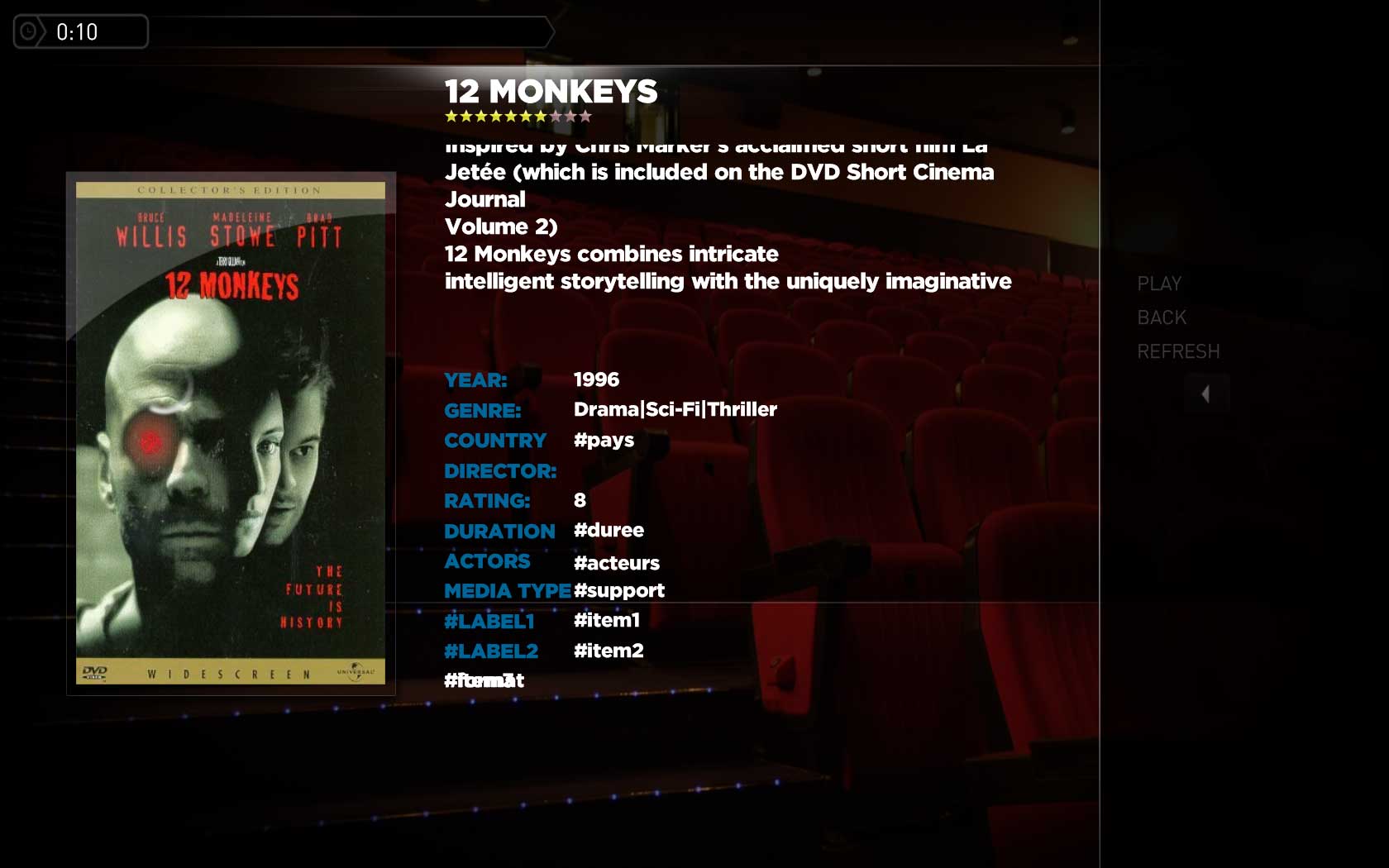
Trying to get the fanart to work. But no luck so far. I was planning to use moving pictures fanart I already have.
When I debug this by putting fanart in a label it also show the same as screenshot above ("#Fanart")
I'm doing some skinning myself (adjusted someone elses work I believe, not yours) and there apparently was something either wrong or missing. It does work when I copy pasted most of the stuff from default blue3.
Trying to get the fanart to work. But no luck so far. I was planning to use moving pictures fanart I already have.
When I debug this by putting fanart in a label it also show the same as screenshot above ("#Fanart")
- January 2, 2006
- 1,484
- 114
- Thread starter
- #254
MediaStream.
I'm doing some skinning myself (adjusted someone elses work I believe, not yours) and there apparently was something either wrong or missing. It does work when I copy pasted most of the stuff from default blue3.
Trying to get the fanart to work. But no luck so far. I was planning to use moving pictures fanart I already have.
When I debug this by putting fanart in a label it also show the same as screenshot above ("#Fanart")
Can you attach your skin files ?
- March 17, 2008
- 1,353
- 306
- Home Country
-
Netherlands
As promised my skinning.
I have a couple of questions regarding skinning for My Films:
- Is it possible to check for a variable being empty or set so I can put this in a visible tag to control which "prompts" (such as "year"(=prompt) = yearvalue) should be displayed or not. Tried stuff with control.hastext but couldn't get it to work. I use Sisimizi's GameCatalog with My Films (I know it's not the intention of the plugin but works pretty good after some search replacing in xml export of sisimizi)
- How to go about having the fanart of moving pictures display in this skin?
Tried something like this:
<control>
<description>fanart</description>
<type>image</type>
<id>1000</id>
<posX>0</posX>
<posY>0</posY>
<width>1280</width>
<height>720</height>
<colordiffuse>66ffffff</colordiffuse>
<texture>C:\Documents and Settings\All Users\Application Data\Team MediaPortal\MediaPortal\Thumbs\MovingPictures\Backdrops\FullSize\#Fanart</texture>
<animation effect="fade" time="400">WindowClose</animation>
<animation effect="fade" time="400">WindowOpen</animation>
<visible>!control.isvisible(34)+control.hasfocus(1026)</visible>
</control>
but no luck so far...
p.s.
My skinning is mostly done. Probably some little quirks here and there but most of it works ok (for me at least)
Edit:
One more question / suggestion.
I'm using Sisimizi Game Catalog (a port of Ant Movie Catalog) to organize my games.
I have written a PHP script on my website that allows me to upload the games export and convert it to a format that My Films recognizes (the Ant Movie Catalog xml structure) which was really easy for me to do. I guess it won't take much to have this supported by the plugin
I have a couple of questions regarding skinning for My Films:
- Is it possible to check for a variable being empty or set so I can put this in a visible tag to control which "prompts" (such as "year"(=prompt) = yearvalue) should be displayed or not. Tried stuff with control.hastext but couldn't get it to work. I use Sisimizi's GameCatalog with My Films (I know it's not the intention of the plugin but works pretty good after some search replacing in xml export of sisimizi)
- How to go about having the fanart of moving pictures display in this skin?
Tried something like this:
<control>
<description>fanart</description>
<type>image</type>
<id>1000</id>
<posX>0</posX>
<posY>0</posY>
<width>1280</width>
<height>720</height>
<colordiffuse>66ffffff</colordiffuse>
<texture>C:\Documents and Settings\All Users\Application Data\Team MediaPortal\MediaPortal\Thumbs\MovingPictures\Backdrops\FullSize\#Fanart</texture>
<animation effect="fade" time="400">WindowClose</animation>
<animation effect="fade" time="400">WindowOpen</animation>
<visible>!control.isvisible(34)+control.hasfocus(1026)</visible>
</control>
but no luck so far...
p.s.
My skinning is mostly done. Probably some little quirks here and there but most of it works ok (for me at least)
Edit:
One more question / suggestion.
I'm using Sisimizi Game Catalog (a port of Ant Movie Catalog) to organize my games.
I have written a PHP script on my website that allows me to upload the games export and convert it to a format that My Films recognizes (the Ant Movie Catalog xml structure) which was really easy for me to do. I guess it won't take much to have this supported by the plugin

- Moderator
- #257
I would like to use different positioning for the movie-details in list, icon (small/big) and filmstrip. As far as I can see, this is not possible, because you use the ID's on the labels to replace the text, and therefore the labels can't be on the same page in different positions.
Is this correct?
I mean, in the code below only the first textbox will be populated with text:
And I can't even do a <define>#ms.plot:#plot</define> in the XML, because you use the IDs to replace text
Is this correct?
I mean, in the code below only the first textbox will be populated with text:
Code:
      <control>
        <type>textboxscrollup</type>
        <description>Biography value</description>
        <id>1025</id>
      <posX>755</posX>
      <posY>320</posY>
      <width>470</width>
      <height>140</height>
      <font>mediastream11</font>
      <seperator>---------------------------------------------------------------------------------------------------------</seperator>
        <onleft>1026</onleft>
        <onright>1026</onright>
        <onup>1026</onup>
        <ondown>1026</ondown>
        <visible>facadeview.smallicons | facadeview.largeicons</visible>
        <label>#plot</label>
      </control>

<control>
        <type>textboxscrollup</type>
        <description>Biography value</description>
        <id>1025</id>
      <posX>410</posX>
      <posY>120</posY>
      <width>840</width>
      <height>125</height>
      <font>mediastream11</font>
      <seperator>---------------------------------------------------------------------------------------------------------</seperator>
        <onleft>1026</onleft>
        <onright>1026</onright>
        <onup>1026</onup>
        <ondown>1026</ondown>
        <visible>facadeview.filmstrip</visible>
        <label>#plot</label>
</control>
And I can't even do a <define>#ms.plot:#plot</define> in the XML, because you use the IDs to replace text
zebons,
can you please have a look here: https://forum.team-mediaportal.com/skins-50/mediastream-pilehave-48817/index25.html#post338887
There is no description text on the main page of MyFilms.
Thanks a lot !
Marcus
can you please have a look here: https://forum.team-mediaportal.com/skins-50/mediastream-pilehave-48817/index25.html#post338887
There is no description text on the main page of MyFilms.
Thanks a lot !
Marcus
- January 2, 2006
- 1,484
- 114
- Thread starter
- #259
Mods done. delivered into the given thread.@zebons,
can you please have a look here: https://forum.team-mediaportal.com/skins-50/mediastream-pilehave-48817/index25.html#post338887
There is no description text on the main page of MyFilms.
Thanks a lot !
Marcus
TV-Server Version:
MediaPortal Version: 1.0 RC4
MediaPortal Skin: Blue3
Windows Version: XP SP2
CPU Type: Dual
HDD: 1 TB
Memory: 3 GB
Motherboard: Gigabite
Video Card: NVidia
Benutze Mediaportal seit dem anfang und bin überzeugt das es das beste und vielfältigstes mediaprojekt ist.
Hallo ,
Ich habe da mal eine frage:
Seit Ich das neueste Mediaportal (1.0 RC4) installiert habe zusammen mit die neueste version von myfilms(4.7.9a)
funktioniert es einfach nicht mehr.
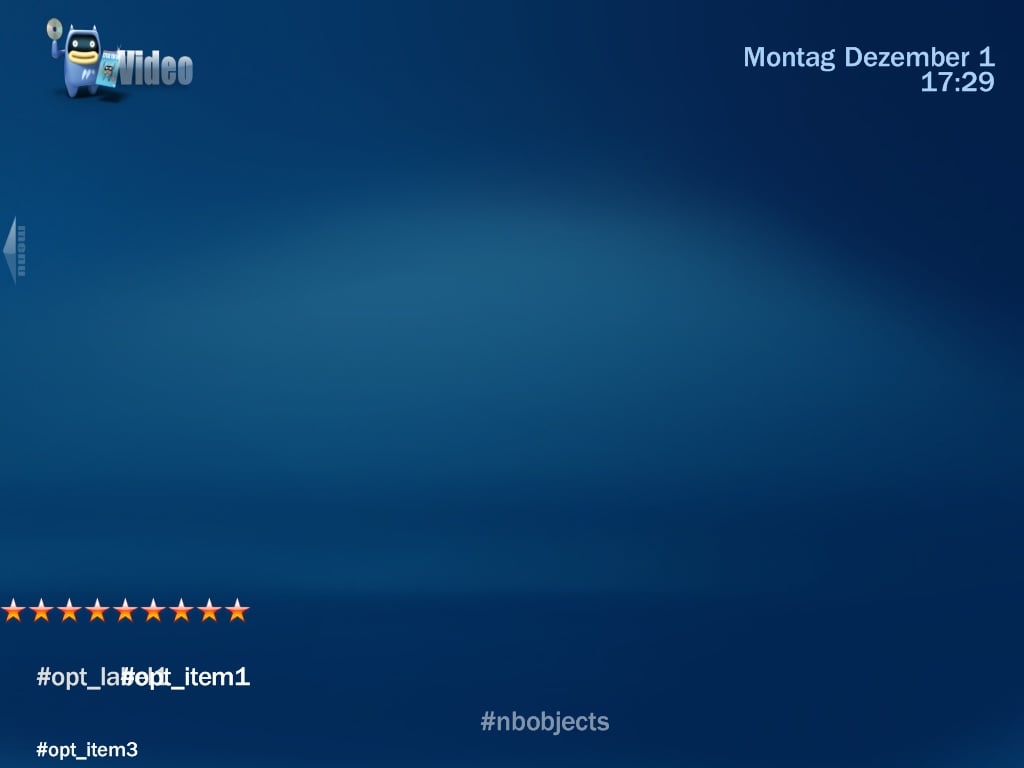
Wenn Ich das plugin konfiguriert habe und dan in mediaportal das verzeichniss öffne kriege ich dieses
Hat irgend jemanden eine lösung, damit alles wieder funktioniert oder kann irgendjemand mir sagen warum dies passiert.
Grüsse aus dem eiskalten
Gimli, Manitoba, Canada
Richi
MediaPortal Version: 1.0 RC4
MediaPortal Skin: Blue3
Windows Version: XP SP2
CPU Type: Dual
HDD: 1 TB
Memory: 3 GB
Motherboard: Gigabite
Video Card: NVidia
Benutze Mediaportal seit dem anfang und bin überzeugt das es das beste und vielfältigstes mediaprojekt ist.
Hallo ,
Ich habe da mal eine frage:
Seit Ich das neueste Mediaportal (1.0 RC4) installiert habe zusammen mit die neueste version von myfilms(4.7.9a)
funktioniert es einfach nicht mehr.
Wenn Ich das plugin konfiguriert habe und dan in mediaportal das verzeichniss öffne kriege ich dieses
Hat irgend jemanden eine lösung, damit alles wieder funktioniert oder kann irgendjemand mir sagen warum dies passiert.
Grüsse aus dem eiskalten
Gimli, Manitoba, Canada
Richi
Attachments
Users who are viewing this thread
Online now: 7 (members: 0, guests: 7)