United States of America
Spruced up MyEmulators a bit...
Hi Chreekar (and all),
I have made the following changes to the MyEmulators plugin (v2.5 source taken from this thread immediately preceeding the version that corrects the games thumbs location). I don't know exactly what needs to be done to contribute these changes (if ya'll want them!) via svn so I am attaching the source code here as well.
Feature/changes:
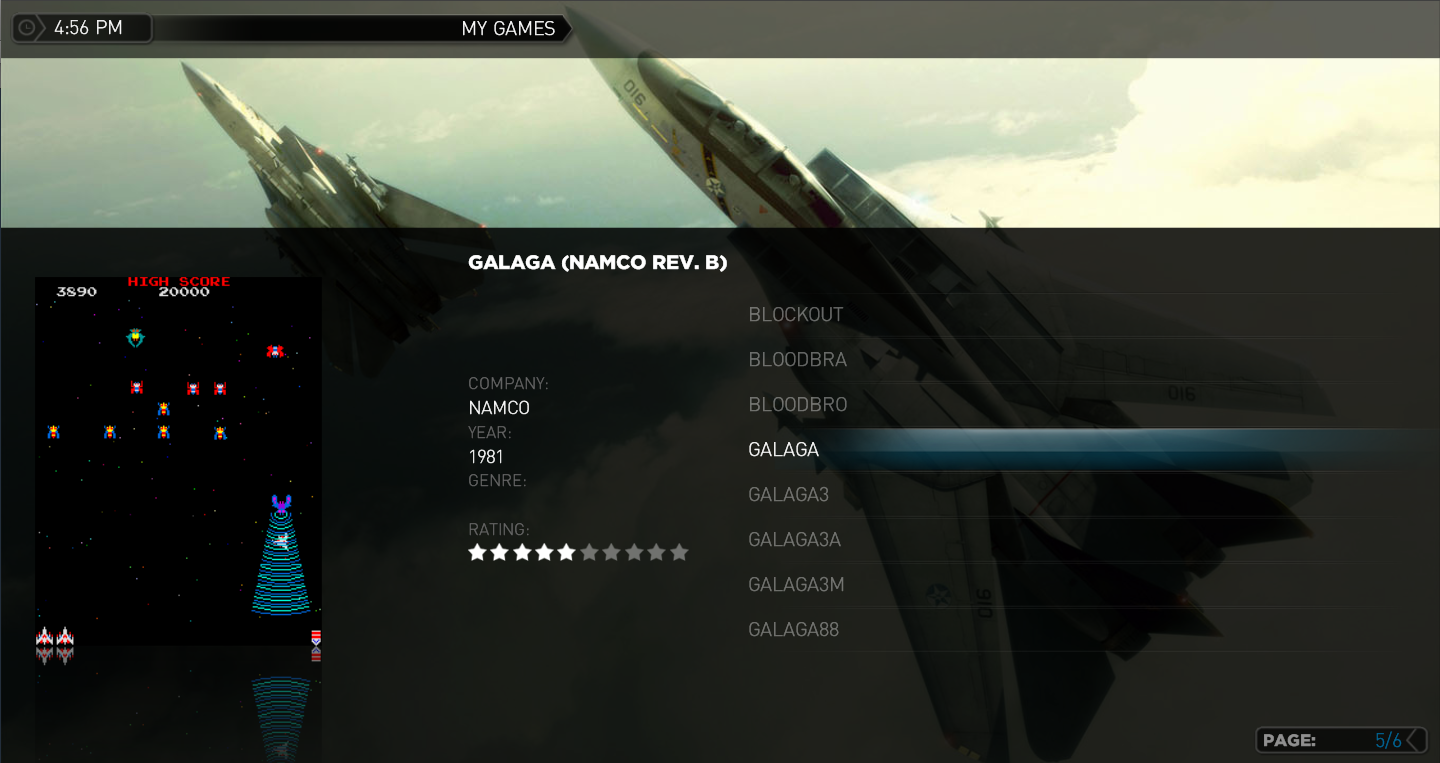
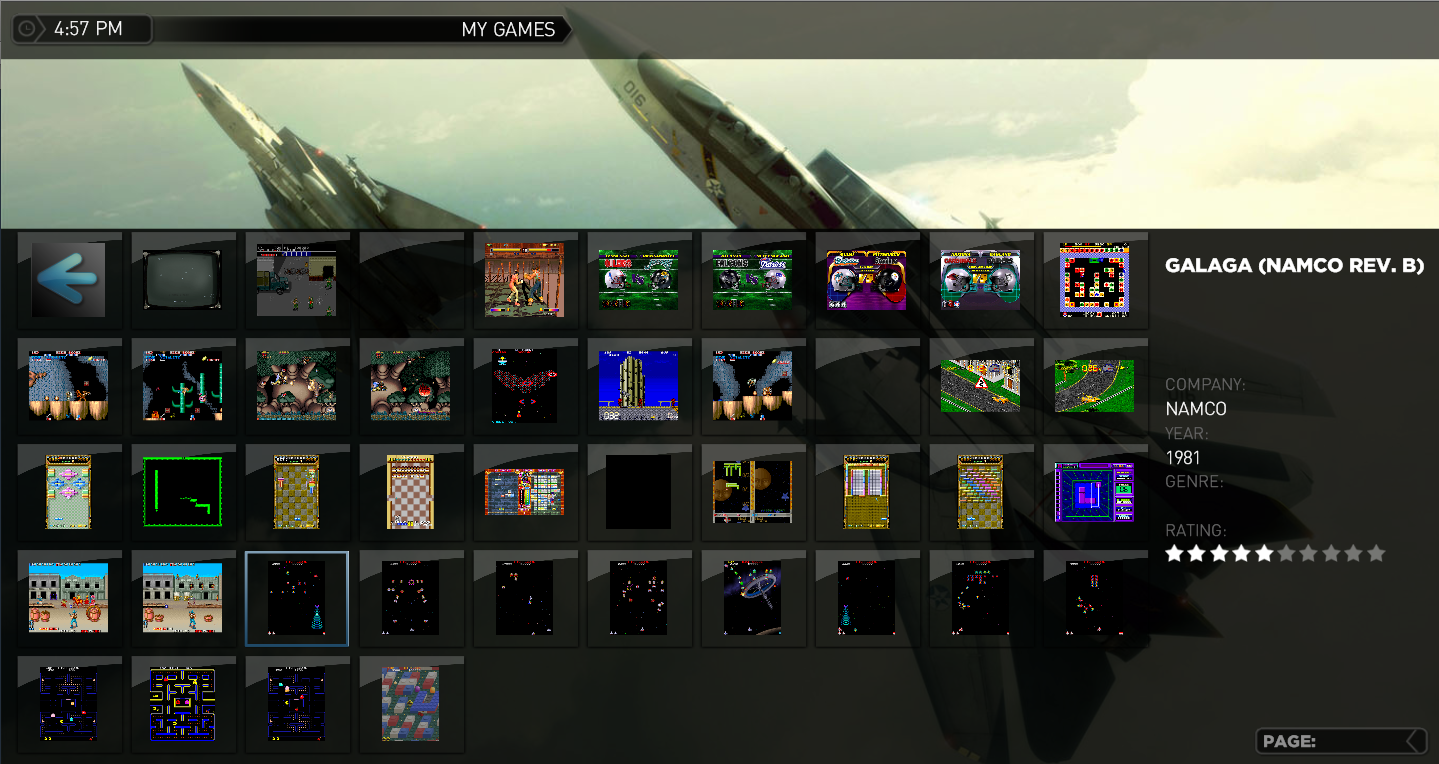
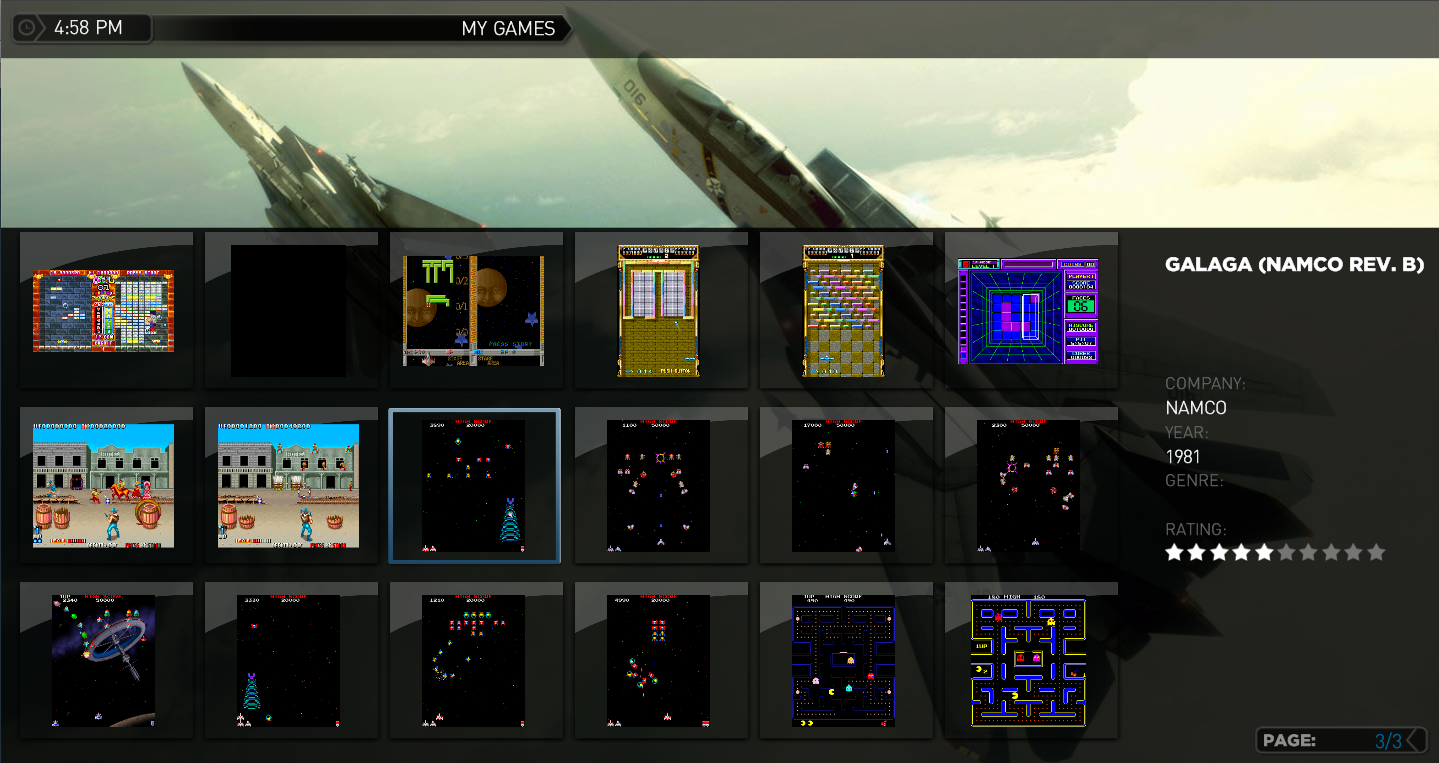
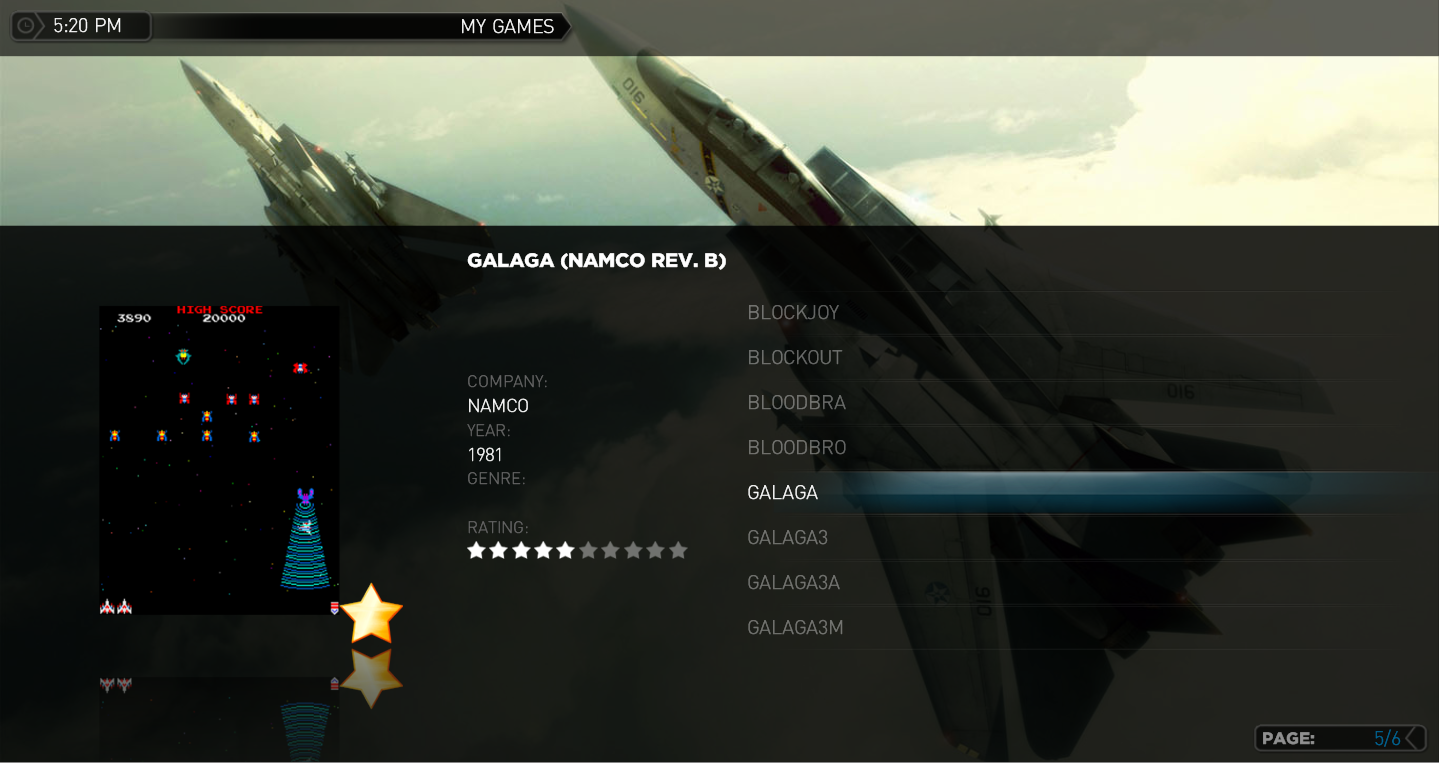
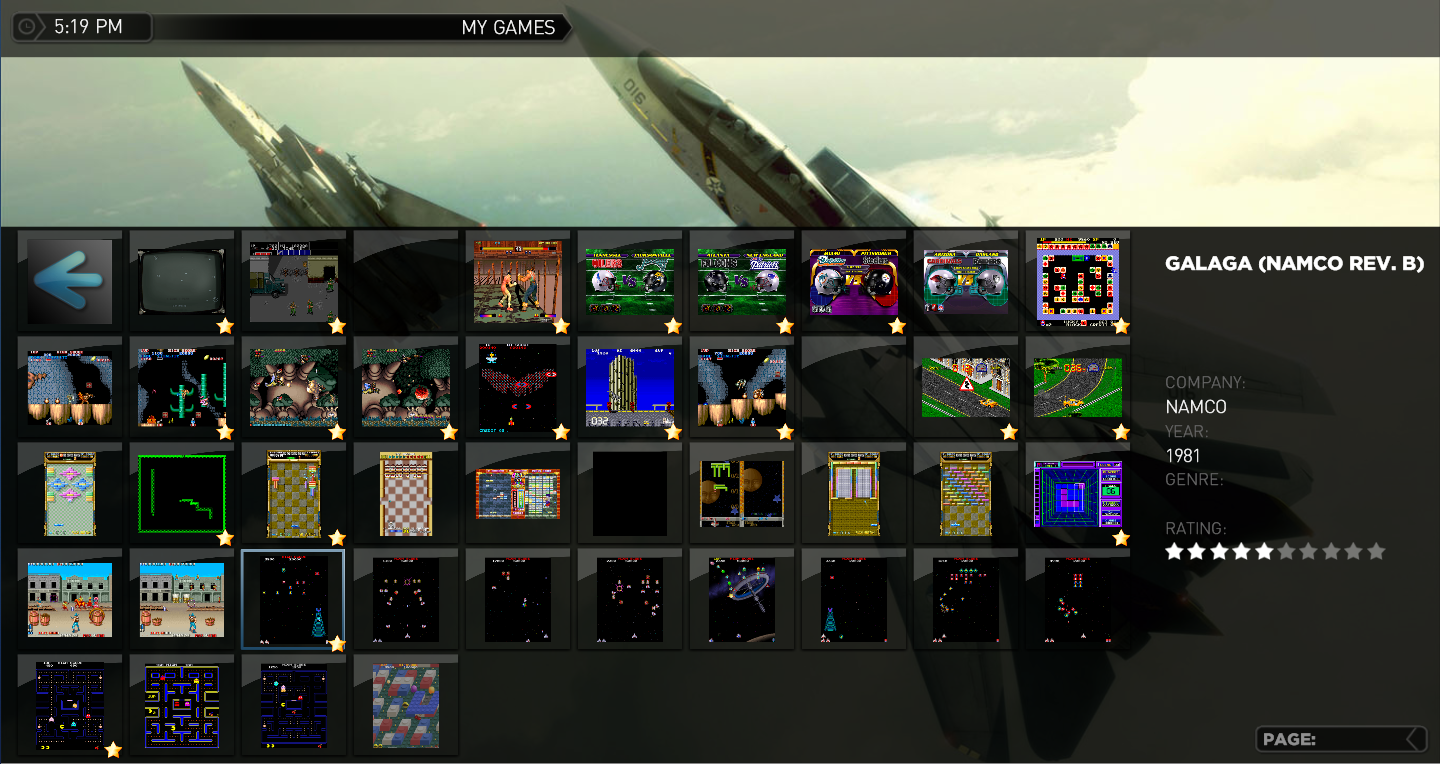
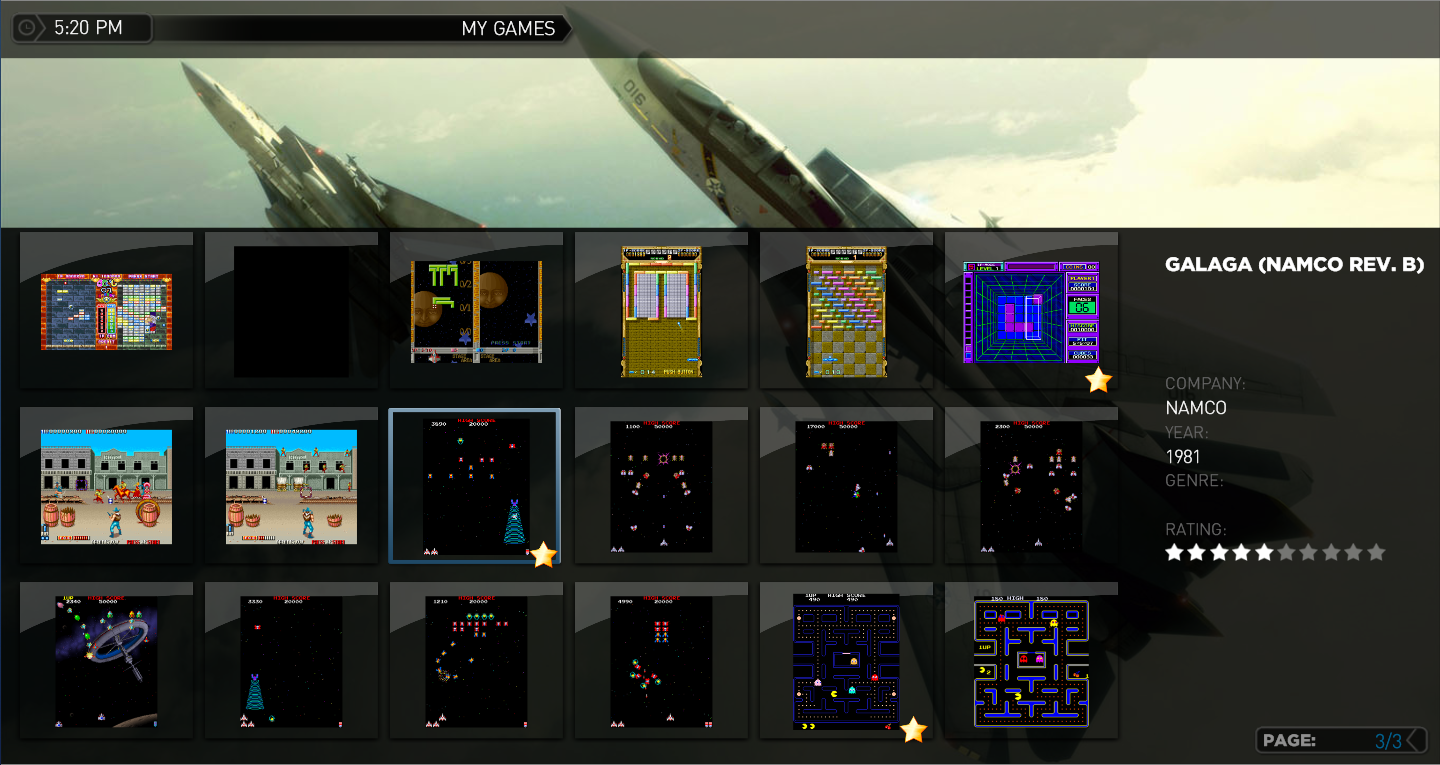
1.) List, small thumbs, and large thumb views all display game information including description, company, year, genre, and rating. I did not make any changes for film strip view though that may only require that the skin xml file be changed. To enable this capability the plugin now exposes the following MP GUI properties which are then consumed by the skin xml file.
#game_description
#game_company
#game_yearmade
#game_genre
Using these properties avoids having to use the IDs 40-43 to display this information.
To get the ratings to display at two different locations in the same window (in different views) I duplicated the ratings images and there is now a second set with IDs 111-120 (original IDs are 101-110). Had to do this because you can use an ID only once in a given MP window (my experience tells me this rather than any explicit instruction). I'm open if there is a better way to implement this without duplicate IDs.
2.) For the StreamedMP skin I added the page title ribbon (not sure what it's really called); reads "My Games". Getting this to work requires that the MP language file contain the following entry (and of course you can make the title text anything you like):
<String id="102497" prefix="My ">Games</String>
3.) To the StreamedMP skin I added the page count overlay to the lower right corner. Creates a more consistent user experience.
I wanted to also implement an overlay in the thumbs panel for displaying a heart icon on those games that are marked as a favorite. There would have to be a change to the GUIThumbnailPanel MP class for this to work well; for example; add the capability to overlay the game image with another image (transparent with a heart in a corner for example). The only way to implement this without changing MP classes would be to implement the same transparent overlay image but to have the plugin programmatically merge the game thumb and overlay (a cache can avoid performance problems but it's not a straight forward solution and certainly not scalable for others that may want to decorate thumbnail grids - except if the capability were factored into its own, separate plug in ;-)
See the attached thumbs for StreamedMP skin implementation of these features (attached MyEmulators.xml is for StreamedMP skin).
Chreekar - if you like/agree with these features, please integrate them into your source base (shouldn't take you too long ;-)
ps. I don't have a genre set for the game selected in the screenshots.
Thanks for a great plugin!!
-Andy
Hi Chreekar (and all),
I have made the following changes to the MyEmulators plugin (v2.5 source taken from this thread immediately preceeding the version that corrects the games thumbs location). I don't know exactly what needs to be done to contribute these changes (if ya'll want them!) via svn so I am attaching the source code here as well.
Feature/changes:
1.) List, small thumbs, and large thumb views all display game information including description, company, year, genre, and rating. I did not make any changes for film strip view though that may only require that the skin xml file be changed. To enable this capability the plugin now exposes the following MP GUI properties which are then consumed by the skin xml file.
#game_description
#game_company
#game_yearmade
#game_genre
Using these properties avoids having to use the IDs 40-43 to display this information.
To get the ratings to display at two different locations in the same window (in different views) I duplicated the ratings images and there is now a second set with IDs 111-120 (original IDs are 101-110). Had to do this because you can use an ID only once in a given MP window (my experience tells me this rather than any explicit instruction). I'm open if there is a better way to implement this without duplicate IDs.
2.) For the StreamedMP skin I added the page title ribbon (not sure what it's really called); reads "My Games". Getting this to work requires that the MP language file contain the following entry (and of course you can make the title text anything you like):
<String id="102497" prefix="My ">Games</String>
3.) To the StreamedMP skin I added the page count overlay to the lower right corner. Creates a more consistent user experience.
I wanted to also implement an overlay in the thumbs panel for displaying a heart icon on those games that are marked as a favorite. There would have to be a change to the GUIThumbnailPanel MP class for this to work well; for example; add the capability to overlay the game image with another image (transparent with a heart in a corner for example). The only way to implement this without changing MP classes would be to implement the same transparent overlay image but to have the plugin programmatically merge the game thumb and overlay (a cache can avoid performance problems but it's not a straight forward solution and certainly not scalable for others that may want to decorate thumbnail grids - except if the capability were factored into its own, separate plug in ;-)
See the attached thumbs for StreamedMP skin implementation of these features (attached MyEmulators.xml is for StreamedMP skin).
Chreekar - if you like/agree with these features, please integrate them into your source base (shouldn't take you too long ;-)
ps. I don't have a genre set for the game selected in the screenshots.
Thanks for a great plugin!!
-Andy