PowerScheduler doesn't wake PC for TV recording (1 Viewer)

HTPCSourcer

Retired Team Member
  • Premium Supporter
  • May 16, 2008
    11,382
    2,369
    Home Country
    Germany Germany
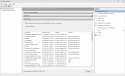
    The screen above will. It show hat you expect. Instead details are hidden behind 'multiple triggers defined'. Everything is set correctly.

    If your PC does not wake up from S3 you more likely have not configured the bios correctly. Check the respective section.
     
    Last edited:
    HTPCSourcer

    Retired Team Member
  • Premium Supporter
  • May 16, 2008
    11,382
    2,369
    Home Country
    Germany Germany
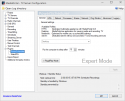
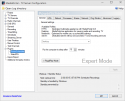
    Though you said that other things do wake up the PC. I really don't know what is happening. However you have so far not posted the same screen as I. My screenshot comes from a Server 2012, which has a Win 8.0 basis.
     

    Tucker76

    Portal Member
    February 5, 2015
    10
    1
    Home Country
    United States of America United States of America
    I scheduled a new recording which is shown in the Power Scheduler window.upload_2015-2-26_15-8-22.png

    However there is no entry in the Active Task pane for Scheduled Start, as your example shows.

    upload_2015-2-26_15-18-21.png

    So, with no active task set up in Windows, there is no way the computer will wake up to do the recording. When I manually wake up the computer, after the time the recording was scheduled to begin, MoPo kicks off the recorder immediately.
     

    Attachments

    • upload_2015-2-26_15-6-36.png
      upload_2015-2-26_15-6-36.png
      28 KB

    HTPCSourcer

    Retired Team Member
  • Premium Supporter
  • May 16, 2008
    11,382
    2,369
    Home Country
    Germany Germany
    Has the PC been in standby after that you scheduled the recording? You will not see any entry in the task scheduler as these get only created when the PC goes into standby.

    So you may want to set up a new recording first, put the pc into standby, then wake it up and verify the scheduler entries.

    If this still yields the same result, then I am clueless. It could then be a Windows privilege issue. Which context is tvservice running under? If installation ward done under a used account with reduced rights, ma be the service is not alloiwerd to create the entries.
     

    LennyW

    Portal Pro
    July 19, 2012
    207
    11
    54
    Home Country
    Germany Germany
    Have you checked the energy options in windows? If it is set to "balanced" the re-activatition of the computer may be deactivated. I had this issue once. If you set the energy options to "maximum performance" it works. Your will find the option to change it also in "balanced" in "enery options/energy plan/advanced options/energy saving/allow task manager to wake up PC".
    The English menue items may be slightly different, I am working on a German PC...
     

    Tucker76

    Portal Member
    February 5, 2015
    10
    1
    Home Country
    United States of America United States of America
    LennyW, thanks for the suggestion. I have been using the "Balanced" power option which I have adjusted to my liking. One of the advanced options is to allow wake timers to wake the PC. It is enabled. The "High Performance" power option also has the same option. I will try changing to the "High Performance" power setting to see if it make a difference.

    HTPC_Sourcer, to your point, I have tried putting the PC to sleep after scheduling a recording, then waking it manually. When I check the "Active Tasks" pane, there is still no listing for the Scheduled Start task. I looked at the TV Service log and the service seems to be looping trying to schedule the recording task with windows. The powercfg /waketimers command shows that a wake timer has been set in windows. I have attached the log.

    I am going to reinstall MoPo from scratch on an 8.1 system to see if I get any different results.
     

    Tucker76

    Portal Member
    February 5, 2015
    10
    1
    Home Country
    United States of America United States of America
    No, I still have the problem. The new symptom I have found is that when my PC wakes from sleep, MePo cannot find a TV card. I have to manually restart the TV Service before it recognizes the card. I have not had time to followup on this problem. It could be the real reason that the scheduled recording isn't initiated. I may have to fiddle with some of the start up timers in MePo.

    Do your your system find your TV card when it wakes from sleep?
     
    C

    CypherMK

    Guest
    My issue is, that it doesn't wake up for grabbing EPG and for rebooting. It does wake up for recordings. But it didn't wake up for recordings last week. So I'm not sure what fixed it. So I#m going to fiddle around some more, maybe even a fresh install of windows 7. If I find a solution, I will post back.

    Everything used to work before. So I'm not sure what messed it up. I ran out of diskspace recently, and because of that, mediaportal stopped working. Got that fixed, but after that powerscheduler is acting up on me.
     

    Iwen

    Portal Pro
    August 14, 2007
    464
    32
    Home Country
    Germany Germany
    Hello there,

    this problem is bugging me too. A few days ago my server didn't start up. Maybe some windows update hickup ... don't know. Since that day my Cine S2 wasn't detected anymore. Also had some problems with directx. As the Windows installation was old, I thought it would be a good idea to install Windows from scratch.
    I also took the opportunity to change the system from Win 7 to Win 8.1. Sadly the Cine S2 still wasn't recognized. So I changed the PCIe slot and all was fine.
    (just you know the history ;) ).

    To be clear, the system was working without any problem with Win7, and is now working without any problems with Win8.1 except the wakeup for recordings.
    I have the same issue as Tucker76. The TVService log also tries to set the wakeup timer in a loop. But there is no entry in the windows task scheduler and therefore the system won't wakeup for a scheduled recording.

    Are there any more ideas to try?
     

    Users who are viewing this thread

    Top Bottom