

You are using an out of date browser. It may not display this or other websites correctly.
You should upgrade or use an alternative browser.
You should upgrade or use an alternative browser.
PureVisionHD 1080 (24 Viewers)
- Thread starter catavolt
- Start date

- Thread starter
- Moderator
- #662
AW: PureVisionHD (16:9)
Hi Helios, it´s in the topbar (or "back" on remote and "ESC" on kexboard; topbar now activated for plugins screen). Same wishes to you!
Hi Helios, it´s in the topbar (or "back" on remote and "ESC" on kexboard; topbar now activated for plugins screen). Same wishes to you!
AW: PureVisionHD (16:9)
Hi catavolt!
Thanks for your reply!
I have activated the topbar, but for me it is not possible to go into the topbar with my MCE Remote, for me it is only possible with mouse!
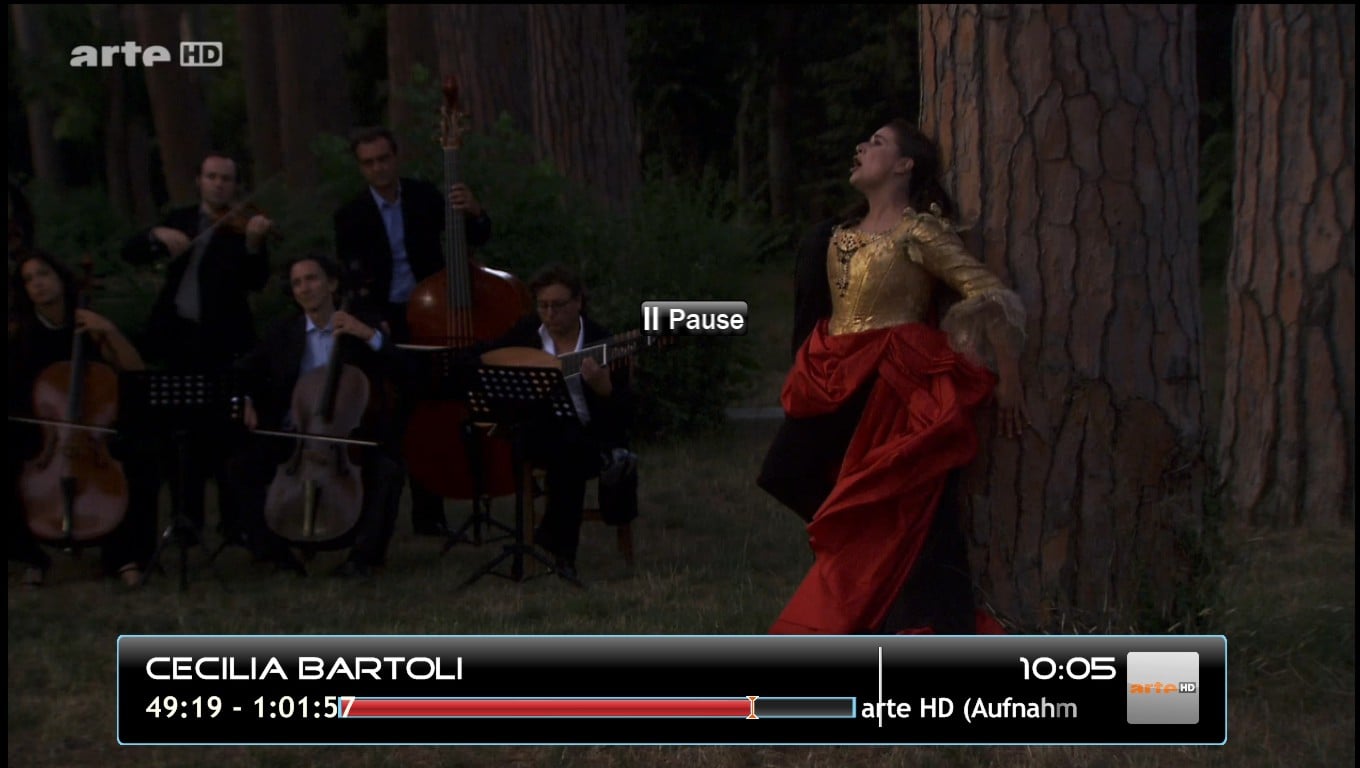
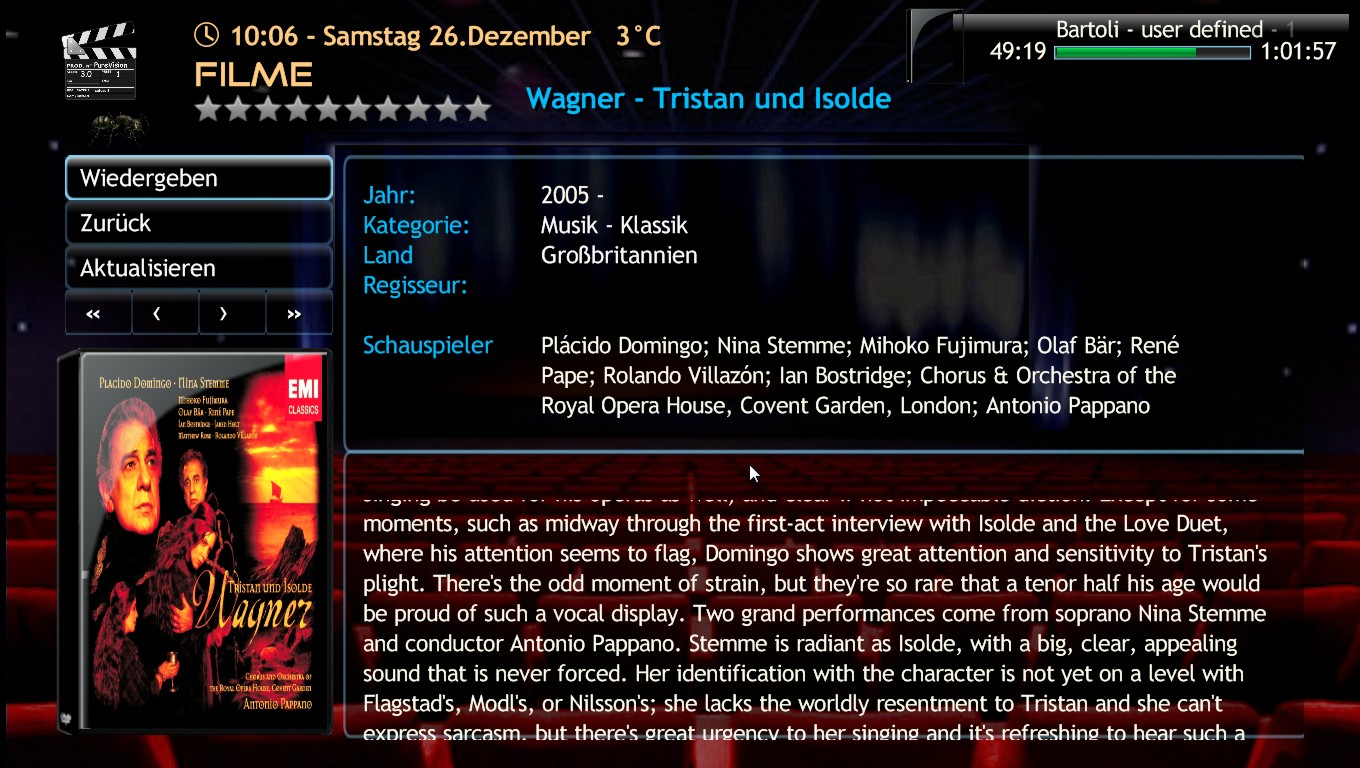
Unfortunately i have found two small issues more: 1. overlapping text in pause mode and 2. Scrolltext doesn't fit in the textbox in MyFilms! Screenshots are attached!
Best regards
Helios
Hi catavolt!
Thanks for your reply!
Hi Helios, it´s in the topbar (or "back" on remote and "ESC" on kexboard; topbar now activated for plugins screen). Same wishes to you!
I have activated the topbar, but for me it is not possible to go into the topbar with my MCE Remote, for me it is only possible with mouse!
Unfortunately i have found two small issues more: 1. overlapping text in pause mode and 2. Scrolltext doesn't fit in the textbox in MyFilms! Screenshots are attached!
Best regards
Helios
Attachments
- Thread starter
- Moderator
- #664
AW: PureVisionHD (16:9)
 for your evaluation!
The first bug is *Not* related to the skin - it`s due to a change one of the devs made to correct another bug (Mantis 2572). This bug is only visible if you view a recording from the TV Recordings menu - there now is the TV OSD used and not the Video OSD like it should be. If you run the same recording from MyVideos, all is OK. We are discussing this in the team internal forum since three weeks now.
The other bug is obviously a wrong "height"-property and will be fixed asap!
for your evaluation! The first bug is *Not* related to the skin - it`s due to a change one of the devs made to correct another bug (Mantis 2572). This bug is only visible if you view a recording from the TV Recordings menu - there now is the TV OSD used and not the Video OSD like it should be. If you run the same recording from MyVideos, all is OK. We are discussing this in the team internal forum since three weeks now.
The other bug is obviously a wrong "height"-property and will be fixed asap!
AW: PureVisionHD (16:9)
Hi catavolt!
Can i access the topbar (to close MP) only with the mouse, because with my MCE Remote it doesn't work! (Only sometimes it works with a liitle luck, if i am in Basic Home)!
Best regards
Helios
Hi catavolt!
Can i access the topbar (to close MP) only with the mouse, because with my MCE Remote it doesn't work! (Only sometimes it works with a liitle luck, if i am in Basic Home)!
Best regards
Helios
- Thread starter
- Moderator
- #666
AW: PureVisionHD (16:9)
Don´t you have a button like "back" or "return" on your remote?
Don´t you have a button like "back" or "return" on your remote?
AW: PureVisionHD (16:9)
Of course, but for me only in Basic Home it is possible to access the Topbar, not in Home Screen! OK, Basic Home is recommendet, but then it would be great, if it would be possible, to edit the Basic Home with an graphical Interface!
Don´t you have a button like "back" or "return" on your remote?
Of course, but for me only in Basic Home it is possible to access the Topbar, not in Home Screen! OK, Basic Home is recommendet, but then it would be great, if it would be possible, to edit the Basic Home with an graphical Interface!

- December 17, 2006
- 4,421
- 805
- Home Country
-
 South Africa
Re: AW: PureVisionHD (16:9)
I must agree that a basichome menu editor will be much much appreciated
but then it would be great, if it would be possible, to edit the Basic Home with an graphical Interface!
I must agree that a basichome menu editor will be much much appreciated
- Thread starter
- Moderator
- #669
AW: PureVisionHD (16:9)
Hi Helios, maybe there is a misunderstanding here: You don´t have to access the toolbar, just press "back" or something like this on your remote. On my remote it is labelled "back", and it functions exectly as the name implies: it leads back to the previous screen/menu or whatsoever (like ESC on keyboard).
A basichome menu editor will be available more or less soon
Hi Helios, maybe there is a misunderstanding here: You don´t have to access the toolbar, just press "back" or something like this on your remote. On my remote it is labelled "back", and it functions exectly as the name implies: it leads back to the previous screen/menu or whatsoever (like ESC on keyboard).
A basichome menu editor will be available more or less soon
AW: PureVisionHD (16:9)
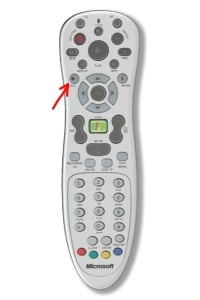
If i press th Back Button on my MCE Remote (Screenshot), MP goes one Screen back! For example: If am in mymusicplayingnow, then i press the green button, to go to the Homescreen! If i the press the Back Button, MP goes back to mymusicplayingnow!
Hi Helios, maybe there is a misunderstanding here: You don´t have to access the toolbar, just press "back" or something like this on your remote. On my remote it is labelled "back", and it functions exectly as the name implies: it leads back to the previous screen/menu or whatsoever (like ESC on keyboard).
A basichome menu editor will be available more or less soon
If i press th Back Button on my MCE Remote (Screenshot), MP goes one Screen back! For example: If am in mymusicplayingnow, then i press the green button, to go to the Homescreen! If i the press the Back Button, MP goes back to mymusicplayingnow!
Attachments
Users who are viewing this thread
Online now: 21 (members: 0, guests: 21)