PureVisionHD 1080 (14 Viewers)

catavolt

Design Group Manager
  • Team MediaPortal
  • August 13, 2007
    14,781
    11,604
    Königstein (Taunus)
    Home Country
    Germany Germany
    AW: PureVisionHD (16:9)

    Hi testers,
    here we go with the final BasicHome and related menus.
    Please test playing a video/music/TV and then go back to BasicHome and tell me whether you like it or not.
    If playing a CD and in BasicHome, left highlights the Cover, then OK opens NowPlaying screen.
    I also solved the text jittering.
     

    Rijnton

    Portal Pro
    November 20, 2009
    95
    3
    Home Country
    Netherlands Netherlands
    Hi Catavolt,

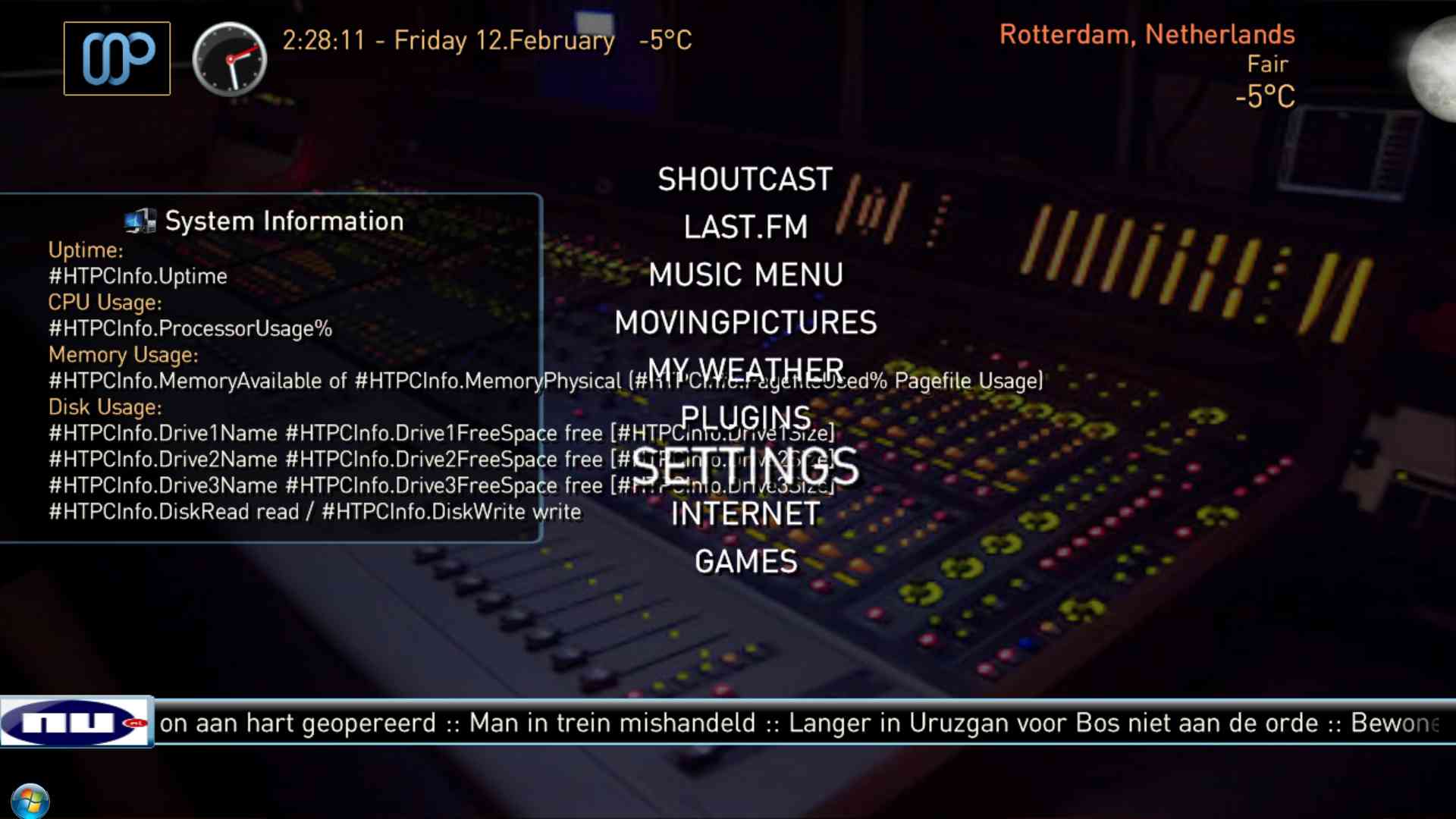
    I did not try the latest Basic Home yet, but with the one from post #882, I have a strange issue when hovering over Settings.
    The image says it all. Did I do something wrong ?
     

    Attachments

    • Clipboard01.jpg
      Clipboard01.jpg
      100.7 KB

    catavolt

    Design Group Manager
  • Team MediaPortal
  • August 13, 2007
    14,781
    11,604
    Königstein (Taunus)
    Home Country
    Germany Germany
    AW: PureVisionHD (16:9)

    Hi Rijnton, that is the new feature to show basic HTPCInfo data on the BasicHome. You must have HTPCInfo installed AND enabled. Normally this will be installed automatically with PureVisionHD (Try the last testversion ;))
     

    Baron of L/S

    MP Donator
  • Premium Supporter
  • July 31, 2009
    184
    47
    Gippsland Lakes
    Home Country
    Australia Australia
    Re: AW: PureVisionHD (16:9)

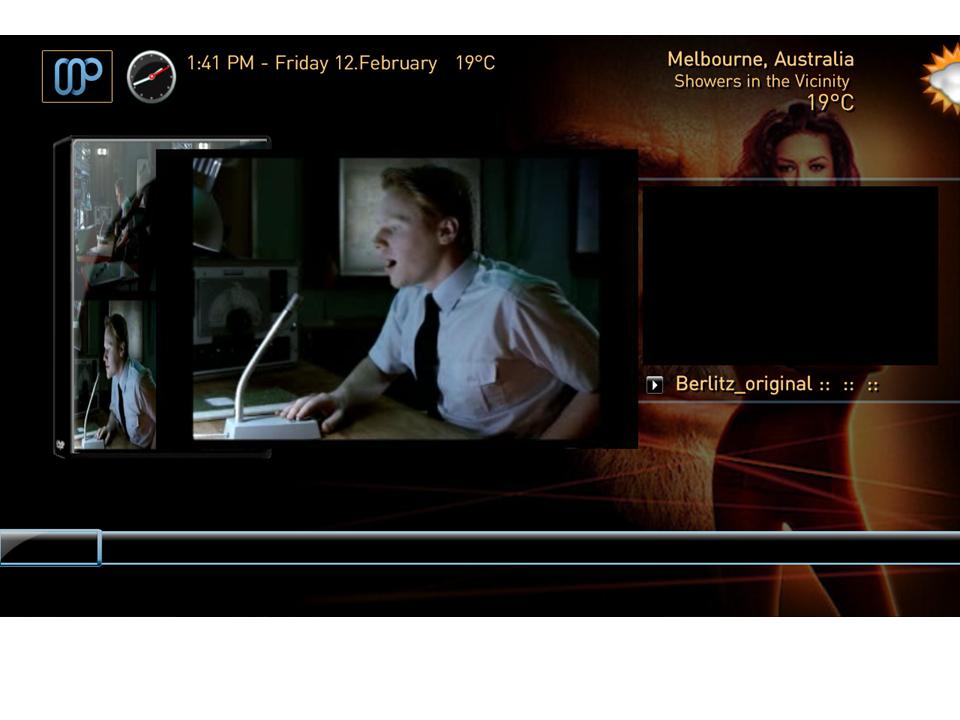
    Hi Catavolt, Personally I prefer the menu items on the left and not in the centre, also when playing a video and going back to the home screen it plays it in the centre of the screen hiding the menu see attached or is this what you intended? Cheers Baron
     

    Attachments

    • Basichome1.jpg
      Basichome1.jpg
      57.5 KB

    catavolt

    Design Group Manager
  • Team MediaPortal
  • August 13, 2007
    14,781
    11,604
    Königstein (Taunus)
    Home Country
    Germany Germany
    AW: PureVisionHD (16:9)

    You are using the wrong xmls! You have to use the ones from post #891 AND clear the skin cache afterwards!
     

    Helios61

    Retired Team Member
  • Premium Supporter
  • January 30, 2008
    4,585
    874
    63
    NRW
    Home Country
    Germany Germany
    AW: PureVisionHD (16:9)

    Hi catavolt!

    A small navigation issue in the weather screens! Navigation up doesn't work!

    Best regards

    Helios
     

    CieNeSDi

    MP Donator
  • Premium Supporter
  • December 18, 2007
    53
    16
    Oetwil a.d. Limmat
    Home Country
    Switzerland Switzerland
    Re: AW: PureVisionHD (16:9)

    Hi testers,
    here we go with the final BasicHome and related menus.
    Please test playing a video/music/TV and then go back to BasicHome and tell me whether you like it or not.
    If playing a CD and in BasicHome, left highlights the Cover, then OK opens NowPlaying screen.
    I also solved the text jittering.

    Hi catavolt

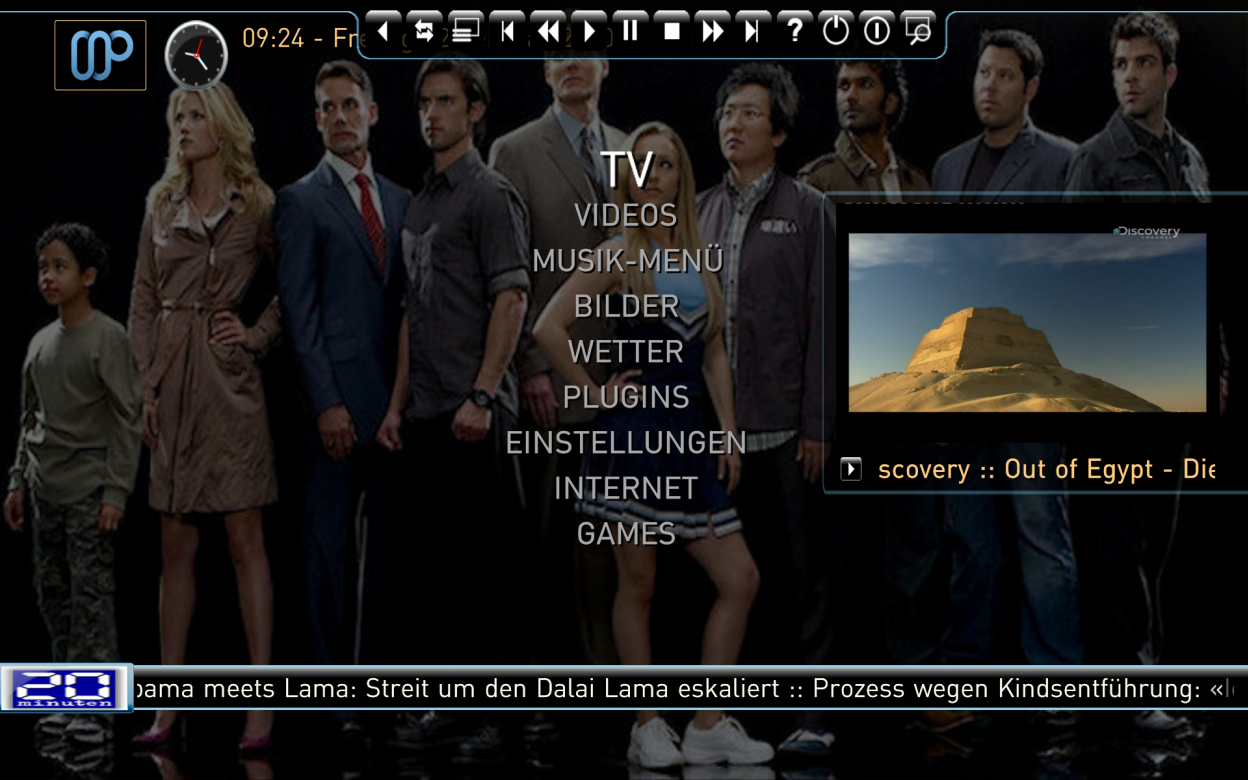
    looks really fantastic.

    the VideoOverlay (I think it's called so) could be a little bit more on the left side.
    But, as I stated in another thread, perhabs this is because of my resolution of 1920x1200.

    Jittering is gone :D

    CieNeSDi
     

    Attachments

    • BasicHomeOverlay.png
      BasicHomeOverlay.png
      744.9 KB

    Rijnton

    Portal Pro
    November 20, 2009
    95
    3
    Home Country
    Netherlands Netherlands
    Re: AW: PureVisionHD (16:9)

    Hi Rijnton, that is the new feature to show basic HTPCInfo data on the BasicHome. You must have HTPCInfo installed AND enabled. Normally this will be installed automatically with PureVisionHD (Try the last testversion ;))

    Actually I was referring to the fact that the lines under "Disk Usage" go beyond the Menu items (Shoutcast, Last.FM.....Games), but now I understand that this is intended.
    BUT... HTPCInfo doesn't work for me at all. Although I have installed and enabled the plugin (it is listed under Window Plugins), when I try to open it, I see "Missing or invalid file".
    I also reinstalled the last test version of PureVision (from post #858), but that doesn't help.
    (Btw, I have svn 23491. Could that have to do with it ?)
     

    Users who are viewing this thread

    Top Bottom