PureVisionHD 1080 (14 Viewers)

Terrabyte

Portal Pro
May 15, 2007
547
2
48
Home Country
Germany Germany
AW: PureVisionHD (16:9)

Hi catavolt,
another fine new stuff :)

Some questions about the skin:

Is it possible to clear the buttons on the left side inside the "My Video" view?
Normally they are only shown when you klick on the left curser.
So at the moment the buttons take much place fof the Video covers.
And the DVD Covers in the "Big icons" view are still shining so that you cannot see them clearly from the couch.
And the window for the OFDB/IMDB infos are shown in the Folders view althoug there are no Videos - only folders, so that doesn`t make sense.
I hope you know what i mean?

Bye and have a good night
 

catavolt

Design Group Manager
  • Team MediaPortal
  • August 13, 2007
    14,782
    11,604
    Königstein (Taunus)
    Home Country
    Germany Germany
    AW: PureVisionHD (16:9)

    @ helios: Yes, the installer has to overwrite. Did it work for you?
    @ Terrabyte: There is no "normally the buttons are not shown", I designed my skins that they ARE visible all the time, only in some instances when to show a lot of information (e.g. TVSeries) I made them hidden. The main goal of my skins is to have the utmost information possible without extensive use of keyboard/remote/mouse.
    Cannot follow the "shining" issue, as the glass effect is very minimal and I can see the covers clearly on my 42 LCD from 31/2 meters.
    The info part for OFDB/IMDB is always shown, whether there are infos or not. This is due to the skin engine which is giving us skinners not all the possibilities we wish ;)
     

    Anjin

    Portal Pro
    March 28, 2008
    59
    7
    Home Country
    Terrabyte

    Re
    And the DVD Covers in the "Big icons" view are still shining so that you cannot see them clearly from the couch.

    Do you experience the same thing with the Big Icons in the music display?
    If so this could be due to the focus action of MediaPortal. I noticed on my plasma display the focus operation reduced the contrast of all the non focused icons, and
    as such they were difficult to view (this was on a earlier version of PVHD).

    At the time I edited the skin file to remove the focus operation, reduce the number of icons, and increase the enlargement of the 'focused' icon, which made the icons much easier to view.

    Catavolt

    Re

    I hope all goes well and you can enjoy the test version of PureVisionHD 3.5! And please also report here how it works!

    Installed by double clicking - no porblems

    Tnx
     

    Helios61

    Retired Team Member
  • Premium Supporter
  • January 30, 2008
    4,585
    874
    63
    NRW
    Home Country
    Germany Germany
    AW: PureVisionHD (16:9)

    Hi catavolt!

    The new installer works without any problems! The tvguide and the blue background of the channellist and the Info-boxes is looking great!

    Big :D for PVHD 3.5

    Helios
     

    catavolt

    Design Group Manager
  • Team MediaPortal
  • August 13, 2007
    14,782
    11,604
    Königstein (Taunus)
    Home Country
    Germany Germany
    AW: PureVisionHD (16:9)

    So, it seems that the new installer works perfect, so the upcoming official release of PureVision skins will use it. :D to all testers!
     

    catavolt

    Design Group Manager
  • Team MediaPortal
  • August 13, 2007
    14,782
    11,604
    Königstein (Taunus)
    Home Country
    Germany Germany
    AW: PureVisionHD (16:9)

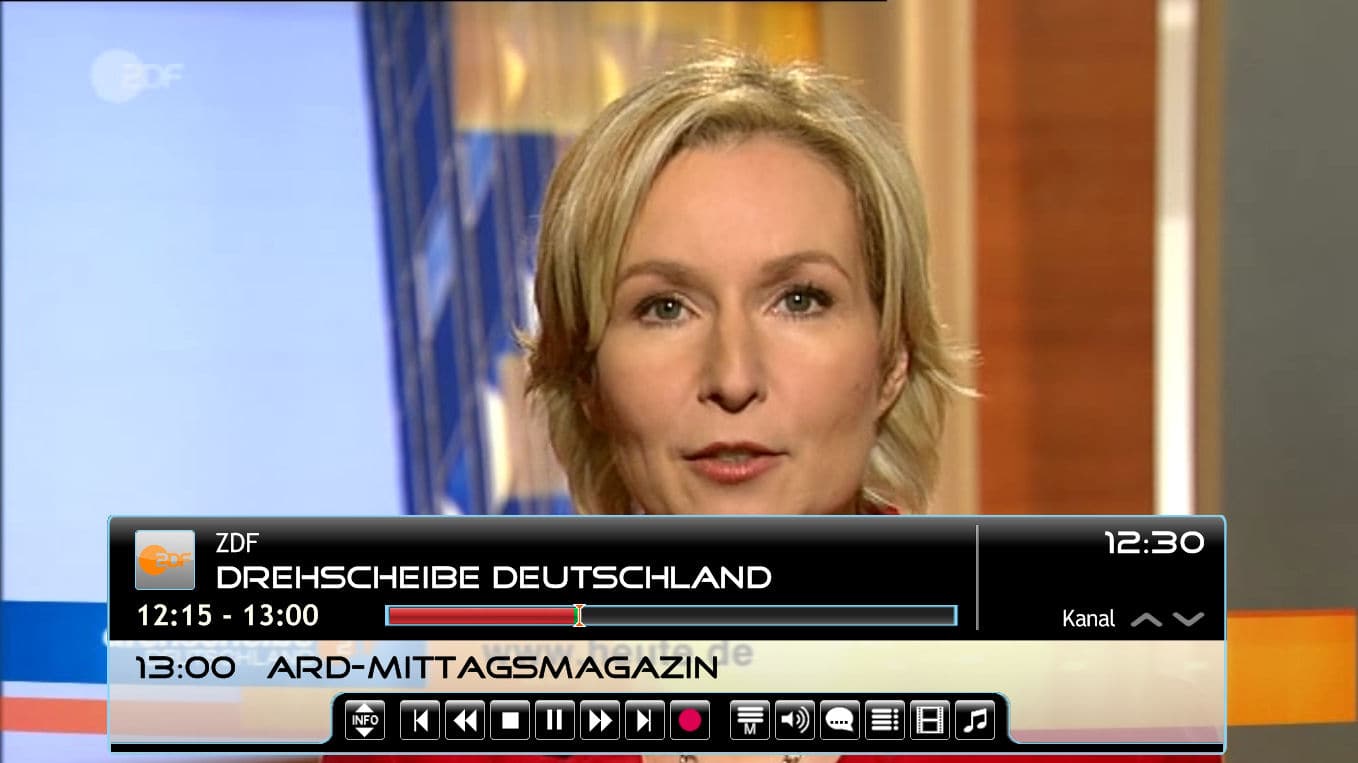
    Hi to all, just finished to add a "record" button in the TV OSD. I think it´s more convenient to have a button there instead of first invoking the menu, than scrolling down to the recording option and finallly press OK to get the prompt for what I want to record.
    With this change, you simply click on the record button and select the recording option you want.
    The button works like a toggle: clicking it again will stop the recording (after responding to the yes/no prompt).
    Hope you´ll like it. This is especially useful for keyboard/touchscreen users, because with remote you just press the recording button... ;)
     

    Attachments

    • Image1.jpg
      Image1.jpg
      137 KB

    tamvegas

    MP Donator
  • Premium Supporter
  • June 20, 2008
    174
    34
    Las Vegas, NV
    Home Country
    United States of America United States of America
    Just tried the new 3.5 installer. Worked perfectly. All installed plugins stayed. Really like the changes happening in the OSD.
    Could a Basic Menu editor be far behind?
    In regards to Helios' comment above, I saw no blue background in the channel guide or the menus. Is there supposed to be one?
    I'm using the 16x9 PureVisionHD 3.5.
     

    Terrabyte

    Portal Pro
    May 15, 2007
    547
    2
    48
    Home Country
    Germany Germany
    AW: PureVisionHD (16:9)

    @ helios: Yes, the installer has to overwrite. Did it work for you?
    @ Terrabyte: There is no "normally the buttons are not shown", I designed my skins that they ARE visible all the time, only in some instances when to show a lot of information (e.g. TVSeries) I made them hidden. The main goal of my skins is to have the utmost information possible without extensive use of keyboard/remote/mouse.
    Cannot follow the "shining" issue, as the glass effect is very minimal and I can see the covers clearly on my 42 LCD from 31/2 meters.
    The info part for OFDB/IMDB is always shown, whether there are infos or not. This is due to the skin engine which is giving us skinners not all the possibilities we wish ;)

    Hi catavolt,
    ok if it is a Skin feature that the sidebar is allways shown, can you give me some information so that i can make it like i want to have it?

    If i want to see My Videos i want to see My Videos and not all the rest, for the rest i have one button on the IR so that i come to the Basic Home Screen.

    Is that possible or do you think this is too much for me - you now the shit that happened to me duing the skin installation ;)

    Same thing is that i would kill the glass effect of the DVD-Covers because I can*t see the Covers in a distance of 4 meters to my 46" Plasma.
    Only when i switch on one Cover it is gettin`clearer to see.

    Bye
     

    catavolt

    Design Group Manager
  • Team MediaPortal
  • August 13, 2007
    14,782
    11,604
    Königstein (Taunus)
    Home Country
    Germany Germany
    AW: PureVisionHD (16:9)

    Terrabyte: If you look into the TVSeries.xml way down where the buttons are listed you´ll find a complete hidden button sidebar (action menu). With a bit of copy and paste you´ll be able to change the button display in myVideos ;).
    For the glass effect: Edit the image DVDCase.png (in folder PureVisionHD\Media) and e.g. erase the semitransparent area.
     

    catavolt

    Design Group Manager
  • Team MediaPortal
  • August 13, 2007
    14,782
    11,604
    Königstein (Taunus)
    Home Country
    Germany Germany
    AW: PureVisionHD (16:9)

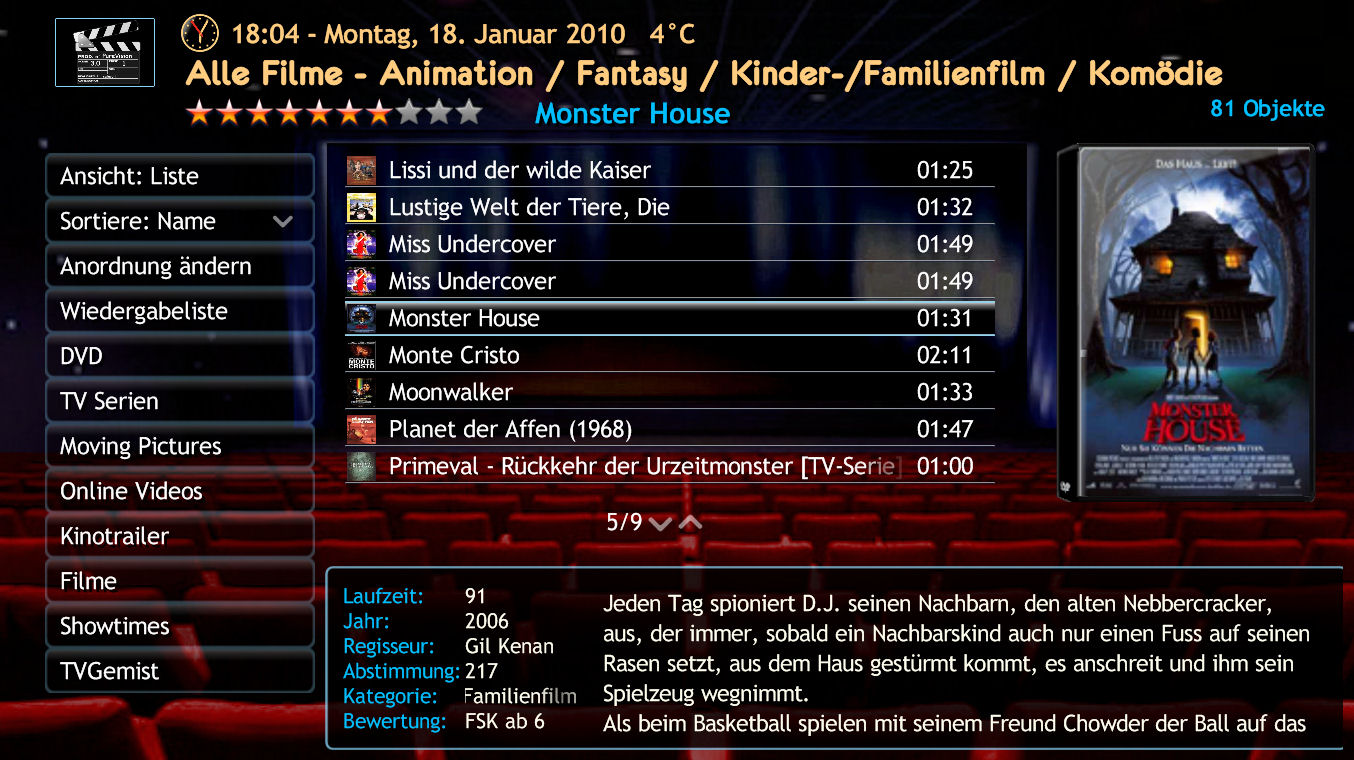
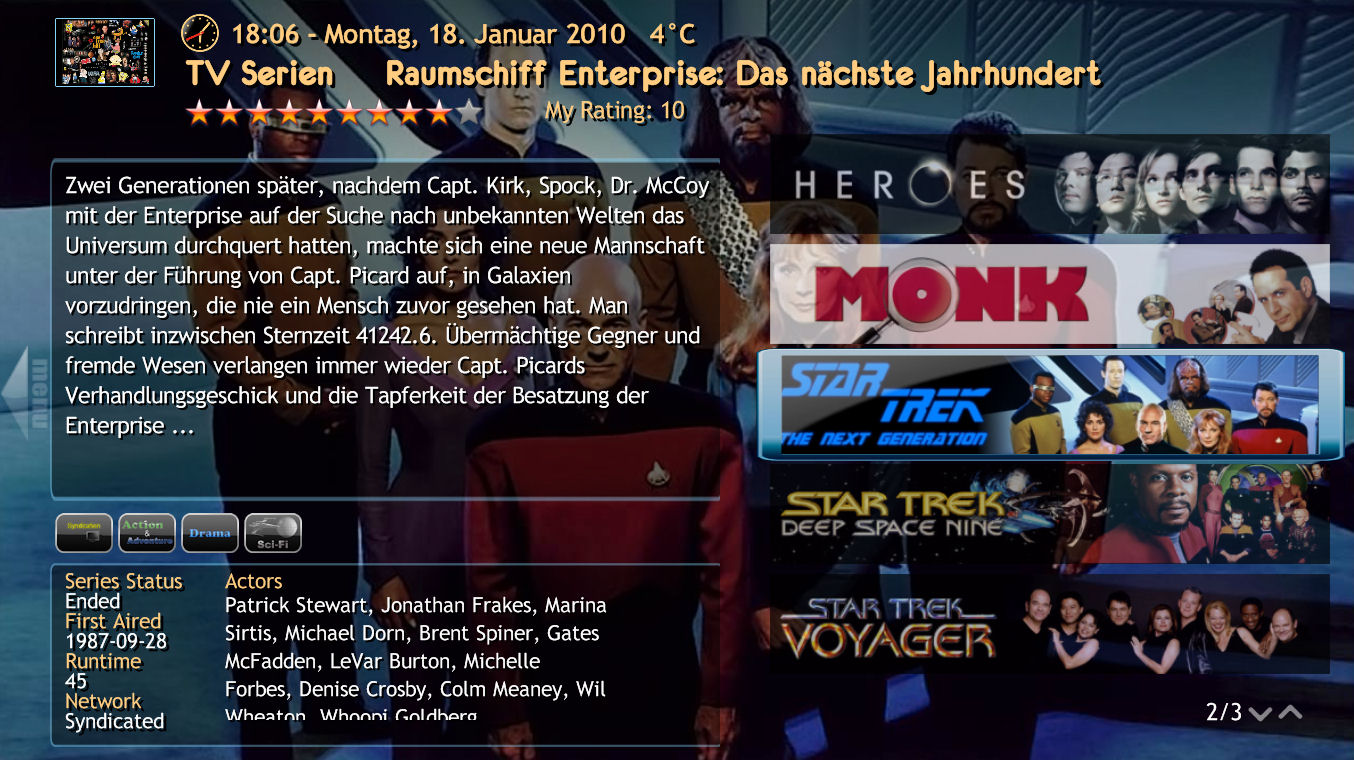
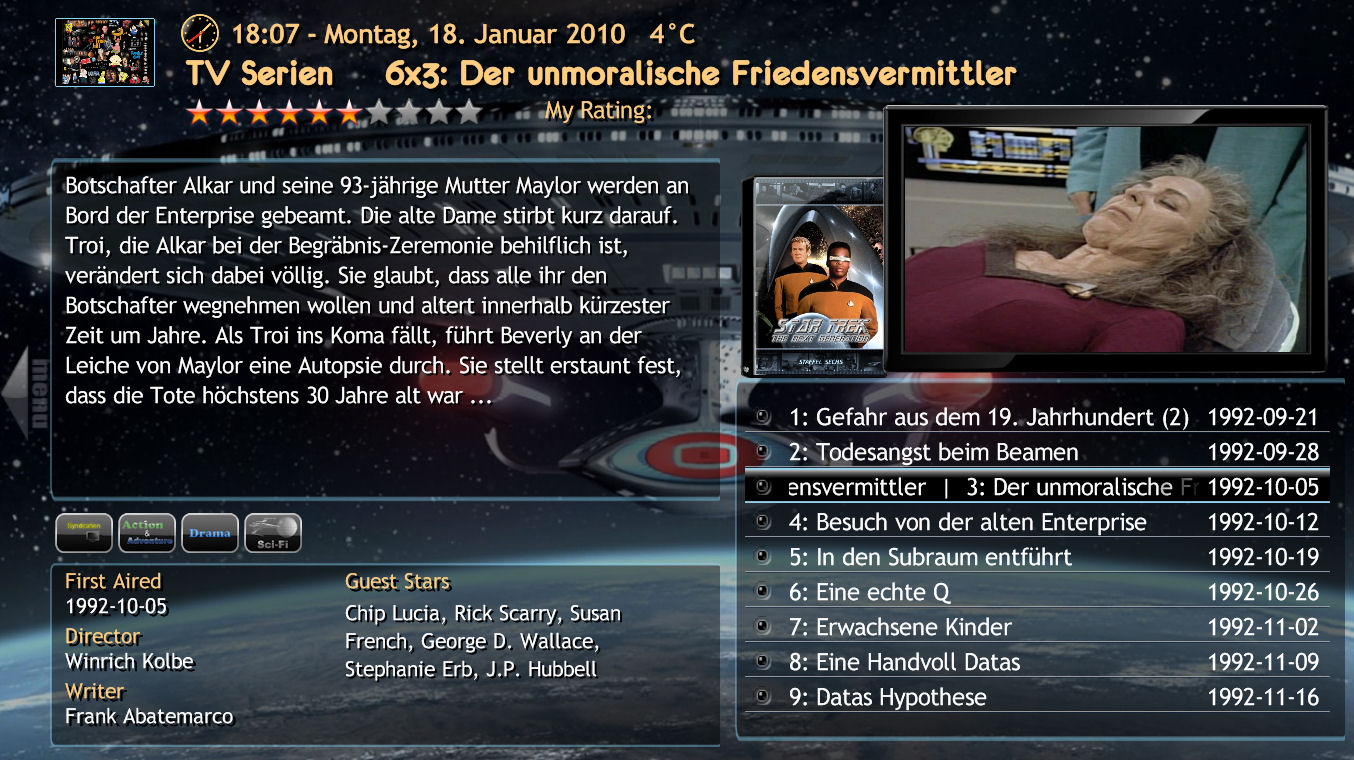
    As I´m still improving the skins, I finally found a font which I think is better than Good Times, especially because it supports Latin1, Latin2, Greek and Cyrillic - so languages using it have an undistorted and homogenious display.
    I also reworked TVSeries to reduce the scrolling of titles.
    Here are the screenshots. Let me know what you think.
     

    Attachments

    • Image1.jpg
      Image1.jpg
      256.9 KB
    • Image2.jpg
      Image2.jpg
      268.3 KB
    • Image3.jpg
      Image3.jpg
      270.3 KB

    Users who are viewing this thread

    Top Bottom