Question about DVB in Mediaportal (1 Viewer)

DrJ

Portal Member
October 3, 2012
12
0
53
Home Country
Spain Spain
Ok, I have installed the LAV filters you told me, and I have selected them for all options from the configuration screen in media portal, but I still have interlaced problems with TV. I don´t think the problem has anything to do with the TDT tuner, because when I record something, and then I play it back, the lines are still there, but I I take the video files recorded and I playe them with another software, the playback is perfect, with no interlaced issues at all. So I guess the problem is with the configuratino of the media player software, any help, pleaseeee, I beg you to help me solve this, because ths software is going to be very useful for me, if I can solve this.

Best regards and thank you very much.
 

Paranoid Delusion

Moderation Manager
  • Premium Supporter
  • June 13, 2005
    13,052
    2,978
    Cheshire
    Home Country
    United Kingdom United Kingdom
    Hi DrJ

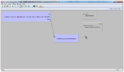
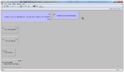
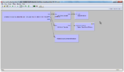
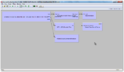
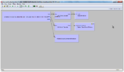
    What you can try, get graphstudionext, then try playing a recording inside it using LAV filters, you will need to delete the existing video\audio filters only, now go to top menu and select the graph button\insert filter option, a new box opens with a list of filters select Lav audio and hit the insert button, repeat for Lav video.
    Now drag the ts file video out pin to Lav video in, repeat Lav video out to video renderer, you should have a connection as in screenshot, now repeat that for audio out and Lav audio in and Directsound renderer.
    You are now ready to hit the play button.

    If that does not work, then maybe we need to look at your nvidia settings.

    sshot-2.pngsshot-3.pngsshot-4.pngsshot-5.pngsshot-6.pngsshot-7.png
     

    DrJ

    Portal Member
    October 3, 2012
    12
    0
    53
    Home Country
    Spain Spain
    Ok, It seems that I solved the problem, I chose a diferent codec for video, ARCSOFT one, and now the interlace is ok, but, I don´t know, I feel like the video quality of the HD channels is not as good as with LAV filter, what do you think?.....

    Best regards.
     

    Holzi

    Super Moderator
  • Team MediaPortal
  • April 21, 2010
    7,934
    2,235
    Ba-Wü
    Home Country
    Germany Germany
    Maybe it is good if you enter the LAV Video config and tick "Aggressive Deinterlacing" there. If this does not help check "Force deinterlacing". ALso take a look at YADIF Deinterlacing if you want to use software deinterlacing instead of hardware deinterlacing (from your GFX).
    If you got and nvidia card choose CUVID as Hardware decoder to use!

    See here if you don't know where I mean:
    =LAV_Video_-_Settings.JPG

    Thanks!
     
    Last edited:

    DrJ

    Portal Member
    October 3, 2012
    12
    0
    53
    Home Country
    Spain Spain
    Maybe it is good if you enter the LAV Video config and tick "Aggressive Deinterlacing" there. If this does not help check "Force deinterlacing". ALso take a look at YADIF Deinterlacing if you want to use software deinterlacing instead of hardware deinterlacing (from your GFX).
    If you got and nvidia card choose CUVID as Hardware decoder to use!

    See here if you don't know where I mean:
    =LAV_Video_-_Settings.JPG

    Thanks!
    This sounds good to me, I have no idea that there were LAV Video configurations at all. I will try this, I have an NVIDIA, so I will use the parameter you say...

    OK, it seems that this problem is going to die soon, ;->, What about the settings to use my remote control included in my HP laptop?, It would be great if I could use it to stop, pause, fast forwards and rewind with my remote, and also control all the menus, back, and so on.....

    And one more thing, I have seen some unexpected behaviors, when I am recording something, when I go to the option active recordings or something like that, it should show the recordings and let me stop the one I want, but it doesn´t, it shows me the menu to starta new recording....


    Best regards and thank you very much.
     

    DrJ

    Portal Member
    October 3, 2012
    12
    0
    53
    Home Country
    Spain Spain
    Ok, the interlace problem is solved, just by enabling the nvidia. Thank you very much.

    What can you tell me about using the remote control that came with my hp laptopk?.

    Best regards and thank you very much.
     

    DrJ

    Portal Member
    October 3, 2012
    12
    0
    53
    Home Country
    Spain Spain
    Any help about using my remote controll that came with my HP Laptop?.
     

    erichzann

    MP Donator
  • Premium Supporter
  • October 25, 2011
    244
    34
    Oxford
    Home Country
    United Kingdom United Kingdom
    What kind of remote is it? If it is an MCE remote then it should just be a matter of enabling the correct options in the remote section of MP Config.
     

    DrJ

    Portal Member
    October 3, 2012
    12
    0
    53
    Home Country
    Spain Spain
    Sorry for my ignorance, but I don´t know the kind of my remote, is one that is inserted into a slot in the laptop, very simple and very small. I don´t know if it is MCE or not, in fact, I don´t know what MCE is....

    Anyone that has an HP with that kind of remote can tell my how to make it work?.
     

    Users who are viewing this thread

    Top Bottom