Recover forgotten Recorded TV shows? (1 Viewer)

globaldonkey

MP Donator
  • Premium Supporter
  • April 23, 2007
    755
    79
    Home Country
    I think you mentioned you had rescanned recently. If the channel names have changed, I think MP loses the recordings, because the channel name is the key. I think you can recover by changing the channel name in the xml to match the channel name in TV Server.
     

    2BitSculptor

    Super Moderator
  • Team MediaPortal
  • January 23, 2008
    2,010
    1,053
    South Central Wisconsin
    Home Country
    United States of America United States of America
    • Thread starter
    • Moderator
    • #12
    I think you mentioned you had rescanned recently. If the channel names have changed, I think MP loses the recordings, because the channel name is the key. I think you can recover by changing the channel name in the xml to match the channel name in TV Server.

    I will check into it, but I believe, when I restored the previously working SVN I also imported the previously saved channels/groups. My EPG didn't have any hick-ups... ;)

    Chuck
     

    Paranoid Delusion

    Moderation Manager
  • Premium Supporter
  • June 13, 2005
    13,052
    2,978
    Cheshire
    Home Country
    United Kingdom United Kingdom
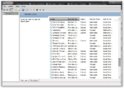
    From here

    sshot-7.jpg

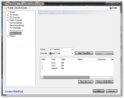
    Rather than here

    sshot-8.jpg

    But if they are all in your original recorded path anyway emptying the database would make no difference.
     

    xvffx

    Portal Pro
    August 15, 2007
    313
    53
    Home Country
    Canada Canada
    in my case, changing the filename of both the TS and XML, it actually shows up in the import list and back in business

    but I'll stop troubleshooting untill the rc3 is out.

    Vff
     

    Neville

    Portal Pro
    July 21, 2008
    136
    13
    Hamilton
    Home Country
    New Zealand New Zealand
    Hi

    If you have moved your recording folder, ie originally at C:\ProgramData\Team MediaPortal\MediaPortal TV Server\recordings, and this had recordings in it, which you copy all the files to say D:\Recordings, Stop and restart TVServer (i do this from services rather than config), then delete them first in TVServer config\Recording settings\database import (nothing shows, buts says do you wish to remove blah blah blah from database), keep choosing yes until they all have been removed, then try importing newly shown files, this may require you to close and reopen TVServer config, before the files are shown.

    Thanks for that! you have saved my life - one goes with "automatic setting" first then wnat to change after - in my case as I have just bought a new hard drive and could not get it all going again. What you describe above is not the ovious thing to do - any chance you can throw it in the support manual wiki?! :) :D

    thanks again
    Neville:D
     

    Users who are viewing this thread

    Top Bottom