
Codecs SAF v6 (based on LAVF) (17 Viewers)

alexirion

MP Donator
  • Premium Supporter
  • February 8, 2010
    170
    12
    52
    St. Georgen im Schwarzwald
    Home Country
    Germany Germany
    AW: Re: AW: SAF v6 (based on LAVF)

    Hi,

    I have "dtsdecoderdll.dll" in the directory, where the lav audio decoder is installed, but I still don't get it to work.
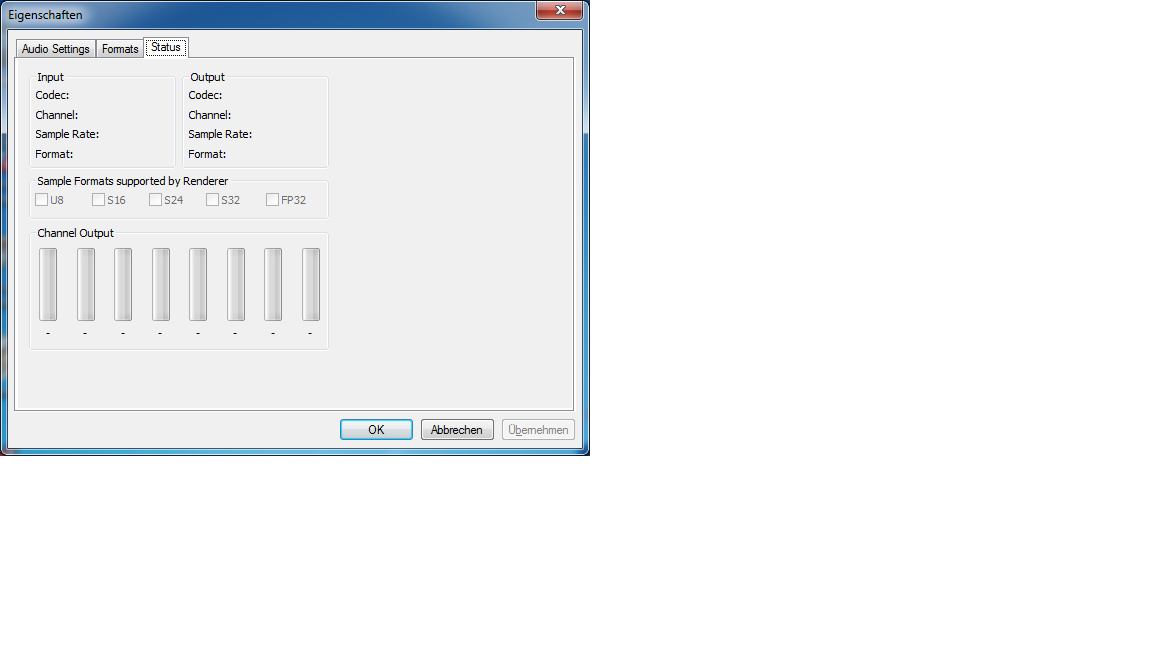
    When playing a movie the status tab in the lav audio dialog is all empty - see attached screenshot.
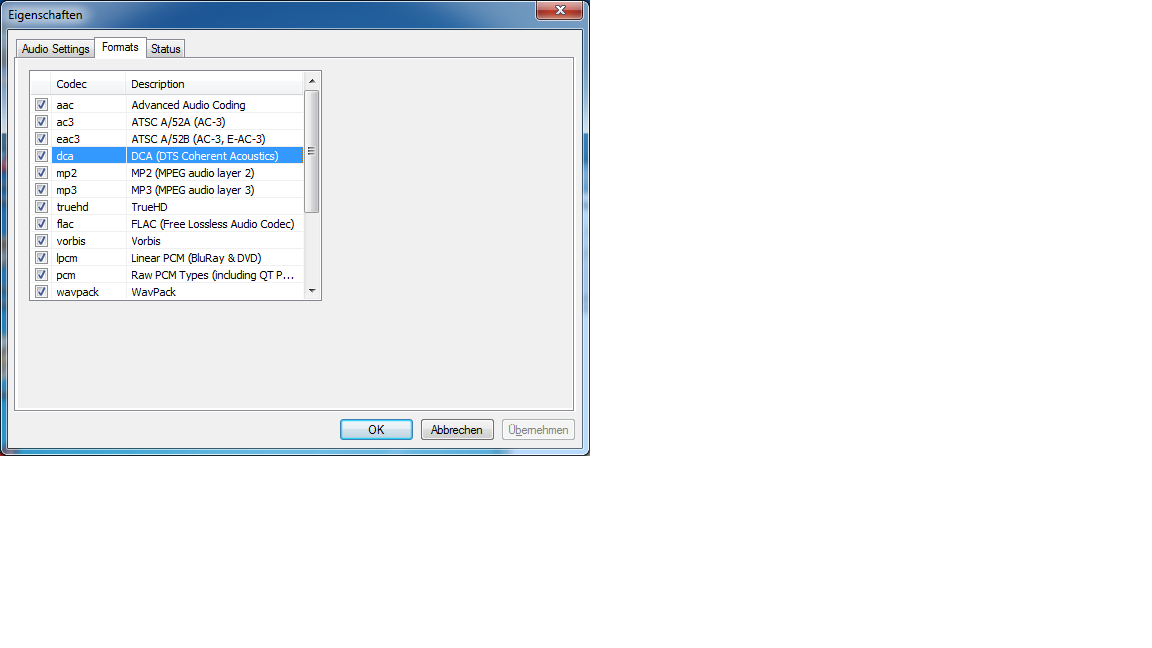
    Also, the formats tab does not show a new entry for "dtsdecoderdll.dll" - see screenshot.

    Which entry must be there for the "dtsdecoderdll.dll"?

    Regards,
    --Alex
     

    Attachments

    • lav_properties.png
      lav_properties.png
      48.9 KB
    • formats.png
      formats.png
      65.4 KB

    hoborg

    Portal Pro
    June 13, 2008
    4,413
    1,644
    Nový Jičín
    Home Country
    Czech Republic Czech Republic
    Re: AW: Re: AW: SAF v6 (based on LAVF)

    Hi,

    I have "dtsdecoderdll.dll" in the directory, where the lav audio decoder is installed, but I still don't get it to work.
    When playing a movie the status tab in the lav audio dialog is all empty - see attached screenshot.
    Also, the formats tab does not show a new entry for "dtsdecoderdll.dll" - see screenshot.

    Which entry must be there for the "dtsdecoderdll.dll"?

    Regards,
    --Alex
    Looks like LAV audio decoder is not in use.
    Take your file, open and play it directly in Graphstudio, then 2x click on LAV audio decoder in graph.
     

    alexirion

    MP Donator
  • Premium Supporter
  • February 8, 2010
    170
    12
    52
    St. Georgen im Schwarzwald
    Home Country
    Germany Germany
    AW: Re: AW: Re: AW: SAF v6 (based on LAVF)

    Uuuh - I was hunting behind a phantom the last two nights!! When I open MPC-HC and play the file and go into "Filter/LAV audio decoder" I have the properties shown in the status tab and the used codec indeed is "dts-hd hra", so everything looks right.
    Only when playing a movie with MediaPortal and opening the LAV audio dialog from the start menu, it does not show any values.
    --Alex
     

    hoborg

    Portal Pro
    June 13, 2008
    4,413
    1,644
    Nový Jičín
    Home Country
    Czech Republic Czech Republic
    Re: AW: Re: AW: Re: AW: SAF v6 (based on LAVF)

    Uuuh - I was hunting behind a phantom the last two nights!! When I open MPC-HC and play the file and go into "Filter/LAV audio decoder" I have the properties shown in the status tab and the used codec indeed is "dts-hd hra", so everything looks right.
    Only when playing a movie with MediaPortal and opening the LAV audio dialog from the start menu, it does not show any values.
    --Alex

    So maybe it is not in use at all under MePo.
     

    matpe

    Portal Pro
    June 14, 2007
    73
    16
    Home Country
    Sweden Sweden
    Re: AW: Re: AW: Re: AW: SAF v6 (based on LAVF)

    Uuuh - I was hunting behind a phantom the last two nights!! When I open MPC-HC and play the file and go into "Filter/LAV audio decoder" I have the properties shown in the status tab and the used codec indeed is "dts-hd hra", so everything looks right.
    Only when playing a movie with MediaPortal and opening the LAV audio dialog from the start menu, it does not show any values.
    --Alex

    So maybe it is not in use at all under MePo.

    Lav Audio is being used, but like alexirion say, it doesn’t show any values when opened from the start menu, and in GraphStudio when using connect to remote graph, it only shows the Filter/Input/Output tabs.

    mp_lav_audio.jpg


    Isn’t it the same with with PDVD, you can’t see the settings tab in GraphStudio when running MP and use connect to remote graph.
    If i recall, you mentioned a long time ago that it would be possible to press some key combination to bring up the PDVD settings?
    Maybe it’s something similar with MP/GraphStudio/Lav :)
     

    Sebastiii

    Development Group
  • Team MediaPortal
  • November 12, 2007
    16,523
    10,466
    France
    Home Country
    France France
    @matpe:
    If you will use FFDshow video decoder isntead of LAV video decoder, you should be able to reach LAV audio table from systray FFDshow icon

    I confirm that 99% of filter connect by remote graph can't be accessed to value.
    We need to access by third party filter icon (like ffdshow video etc.)
     

    alexirion

    MP Donator
  • Premium Supporter
  • February 8, 2010
    170
    12
    52
    St. Georgen im Schwarzwald
    Home Country
    Germany Germany
    Is there no possibility for vc1 with dxva with the current version? If I activate dxva for vc1 in ffdshow-dxva video decoder it crashes in the microsoft runtime, when I start a movie. I thought it was working in previous releases? Does the PDVD or Microsoft codec not support vc1?
    --Alex
     

    doveman

    Portal Pro
    February 12, 2008
    2,326
    178
    Home Country
    United Kingdom United Kingdom
    Is there no possibility for vc1 with dxva with the current version? If I activate dxva for vc1 in ffdshow-dxva video decoder it crashes in the microsoft runtime, when I start a movie. I thought it was working in previous releases? Does the PDVD or Microsoft codec not support vc1?
    --Alex

    Heh, you just missed a discussion I started about that. Check a few posts from here but basically it seems you should use PDVD for DXVA VC1/H264.
     

    alexirion

    MP Donator
  • Premium Supporter
  • February 8, 2010
    170
    12
    52
    St. Georgen im Schwarzwald
    Home Country
    Germany Germany
    AW: Re: SAF v6 (based on LAVF)

    MP is configured to use PDVD11 decoder, but it falls back to FFDShow, when I start a VC-1 movie. Is there something to change, so that PDVD is used for VC-1?
    --Alex

    Is there no possibility for vc1 with dxva with the current version? If I activate dxva for vc1 in ffdshow-dxva video decoder it crashes in the microsoft runtime, when I start a movie. I thought it was working in previous releases? Does the PDVD or Microsoft codec not support vc1?
    --Alex

    Heh, you just missed a discussion I started about that. Check a few posts from here but basically it seems you should use PDVD for DXVA VC1/H264.
     

    Users who are viewing this thread

    Top Bottom