United States of America
Finally found the area you said. Had to unhide system files to fine the Program Data area. Hope this is what you need.
Steve
Steve

Could it be that you were timeshifting / recording at the same time?
It logs:
card:2 type:Atsc is tuned to different transponder
2011-01-03 09:23:46.340540 [(20)]: Controller: card:3 type:Atsc is tuned to different transponder
That leads to disabling the channel (it has no free card to test with).
Could it be that you were timeshifting / recording at the same time?
It logs:
card:2 type:Atsc is tuned to different transponder
2011-01-03 09:23:46.340540 [(20)]: Controller: card:3 type:Atsc is tuned to different transponder
That leads to disabling the channel (it has no free card to test with).
I just checked my FTR server notification and the only thing that I have to record in on 1/5/2011. I recorded with it the other day, could it be unavailable from that? Is there a way I can "reset" the card and try again? Card #2 and #3 are the "ATSC/QAM" cards in media portal.
Do I need to erase the old logs before trying again?
Steve
So I just delete everything in that folder right, restart the TV server and click the test button at the bottom and post the logs. Will do.
Steve
nzdreamer55 said:It would be great if there was a program that would do this as what people are really looking for is if the channel will give you an image and audio. All channels that produce an image and audio are always unscrambled, but not all unscrambled channels will produce an image and audio (with respect to ASTC/QAM cards that are in the United States and available over the counter-not cable cards from your cable provider).
nzdreamer55 said:It would be great if there was a program that would do this as what people are really looking for is if the channel will give you an image and audio. All channels that produce an image and audio are always unscrambled, but not all unscrambled channels will produce an image and audio (with respect to ASTC/QAM cards that are in the United States and available over the counter-not cable cards from your cable provider).
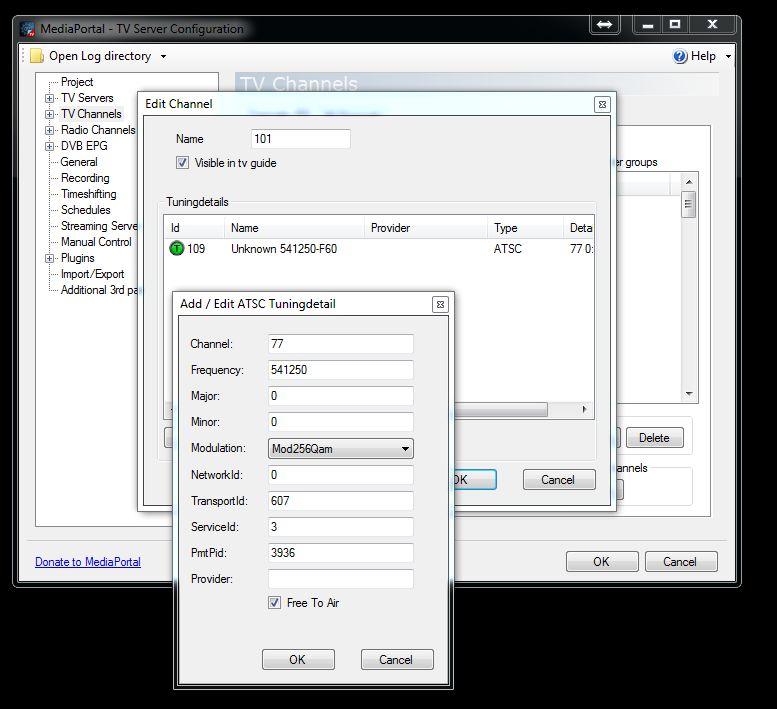
Yeah when I first started with mediaportal and qam it was frustrating at best. But I have also developed a system for quickly getting the right channels. Type in your zip code into this site silicondust support channels Select the cable you have and all channels that are clear will come up (w/ pictures) and you can see the channel # to the side in 119-547 format for example. 119 would be the physical channel and you would match it up with the table here North_American_cable_television_frequencies 119 is 763.25mhz or 763250 like you will see in mediaportal.
After finding all the frequencies that have useful channels you make your own qam.xml file in TuningParameters/atsc which is located in the same programdata folder where the log files for tvserver are. Just follow the format of the existing qam standard.xml file and put in all your frequencies and delete everything else. So in the future if you ever have to rescan scan with this file you made and your scans will take about 2 minutes instead of 20+ and you will have all the channels you want only. That might sound convoluted but it really saves a ton of time. I thought I would share that in case anybody else needed some tips starting out with qam and mediaportal.