The sabotage of Media Portal (1 Viewer)

freetoair

Portal Pro
April 16, 2012
66
9
36
Home Country
Great Britain (UK) Great Britain (UK)
I will have to go through the option 2 again as the screen capture missed the whole error message regarding gentle config[DOUBLEPOST=1440051211][/DOUBLEPOST]
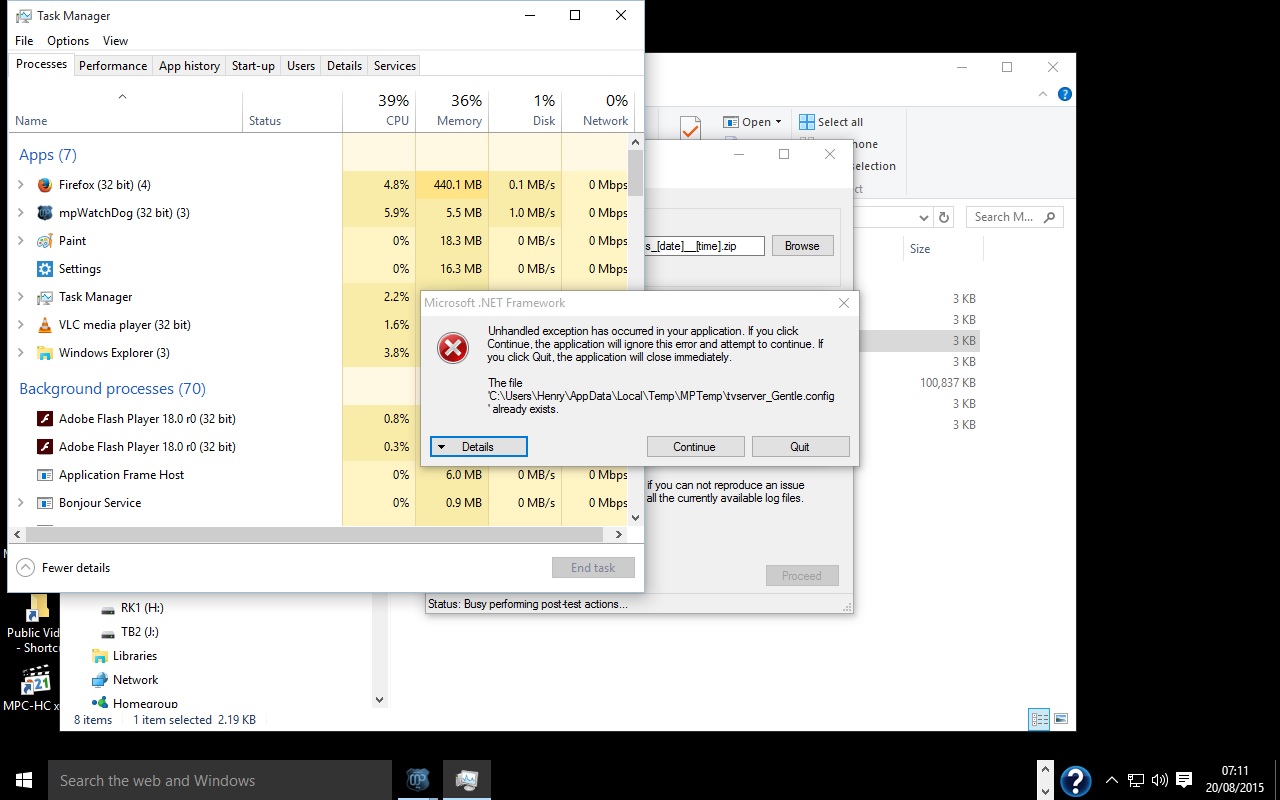
UtGncjb.jpg
[DOUBLEPOST=1440051396][/DOUBLEPOST]I had similar problems last week and went through a cycle of installing/uninstalling. That was a huge mistake which won't be repeated

Do I need to delete that temp folder? I don't have many plugins. Just moving pictures and tv series, logo m
 
Last edited:

freetoair

Portal Pro
April 16, 2012
66
9
36
Home Country
Great Britain (UK) Great Britain (UK)
I have deleted that folder. It annoyingly said it was in use, so I had to go into safe mode. What pain

Here are the logs. I am now going to work so will not be able to do anything for about 10hrs
 

freetoair

Portal Pro
April 16, 2012
66
9
36
Home Country
Great Britain (UK) Great Britain (UK)
Guys, I have thick skin. If I am doing something wrong, please tell me. Or is it all because of the devil's spawn called Windows 10? I will be back here in about 6hrs to see what I should be doing next to solve this matter


I really appreciate your help.
 

mm1352000

Retired Team Member
  • Premium Supporter
  • September 1, 2008
    21,544
    8,236
    Home Country
    New Zealand New Zealand
    Heya

    Thanks for the log files. I'm looking at them now. :)

    P.S. This "DerBelz" guy seems to be posting random posts in a bunch of threads. Please ignore for now. May just be a spammer. :rolleyes:
     

    mm1352000

    Retired Team Member
  • Premium Supporter
  • September 1, 2008
    21,544
    8,236
    Home Country
    New Zealand New Zealand
    Hmmm, there's nothing that stands out to me in those log files.

    There are entries in the error log that I've never seen before:
    [collapse]
    [2015-08-20 08:23:56,706] [Error ] [SplashScreen] [ERROR] - Error during splashscreen handling: Could not find file 'C:\ProgramData\Team MediaPortal\MediaPortal\Skin\StreamedMP\references.xml'.
    [2015-08-20 08:24:04,838] [Error ] [MPMain ] [ERROR] - SKIN: Missing C:\ProgramData\Team MediaPortal\MediaPortal\Skin\Titan\infoservice.feeds.xml
    [2015-08-20 08:24:04,840] [Error ] [MPMain ] [ERROR] - SKIN: Missing C:\ProgramData\Team MediaPortal\MediaPortal\Skin\Titan\infoservice.feeds.xml
    [2015-08-20 08:24:04,843] [Error ] [MPMain ] [ERROR] - SKIN: Missing C:\ProgramData\Team MediaPortal\MediaPortal\Skin\Titan\infoservice.twitter.xml
    [2015-08-20 08:24:04,844] [Error ] [MPMain ] [ERROR] - SKIN: Missing C:\ProgramData\Team MediaPortal\MediaPortal\Skin\Titan\infoservice.twitter.xml
    [2015-08-20 08:24:05,087] [Error ] [MPMain ] [ERROR] - SKIN: Missing C:\ProgramData\Team MediaPortal\MediaPortal\Skin\Titan\infoservice.xml
    [2015-08-20 08:24:05,089] [Error ] [MPMain ] [ERROR] - SKIN: Missing C:\ProgramData\Team MediaPortal\MediaPortal\Skin\Titan\infoservice.xml[/collapse]

    I'm not sure whether they're significant or not.

    About all I can say is:
    1. I still expect this is some kind of plugin or skin problem. Perhaps try disabling the InfoService plugin and see if MP starts properly after that. If that doesn't help, you should be able to use process of elimination - disabling plugins one by one until MP starts properly - to figure out where the problem lies.
    2. I don't think there is a general problem with MP on W10. A fair few people in the community are using it now, and we just haven't seen the sort of evidence that would justify claims like you made in your first post.

    Regards,
    mm
     

    freetoair

    Portal Pro
    April 16, 2012
    66
    9
    36
    Home Country
    Great Britain (UK) Great Britain (UK)
    Not to be argumentative. Windows 10 destroyed the colour scheme of Media Portal and the recent issues which posted on this forum can be linked to the upgrading to windows 10. Maybe I am just lucky? All jokes aside, I have not been using MePo for five years only to just give up

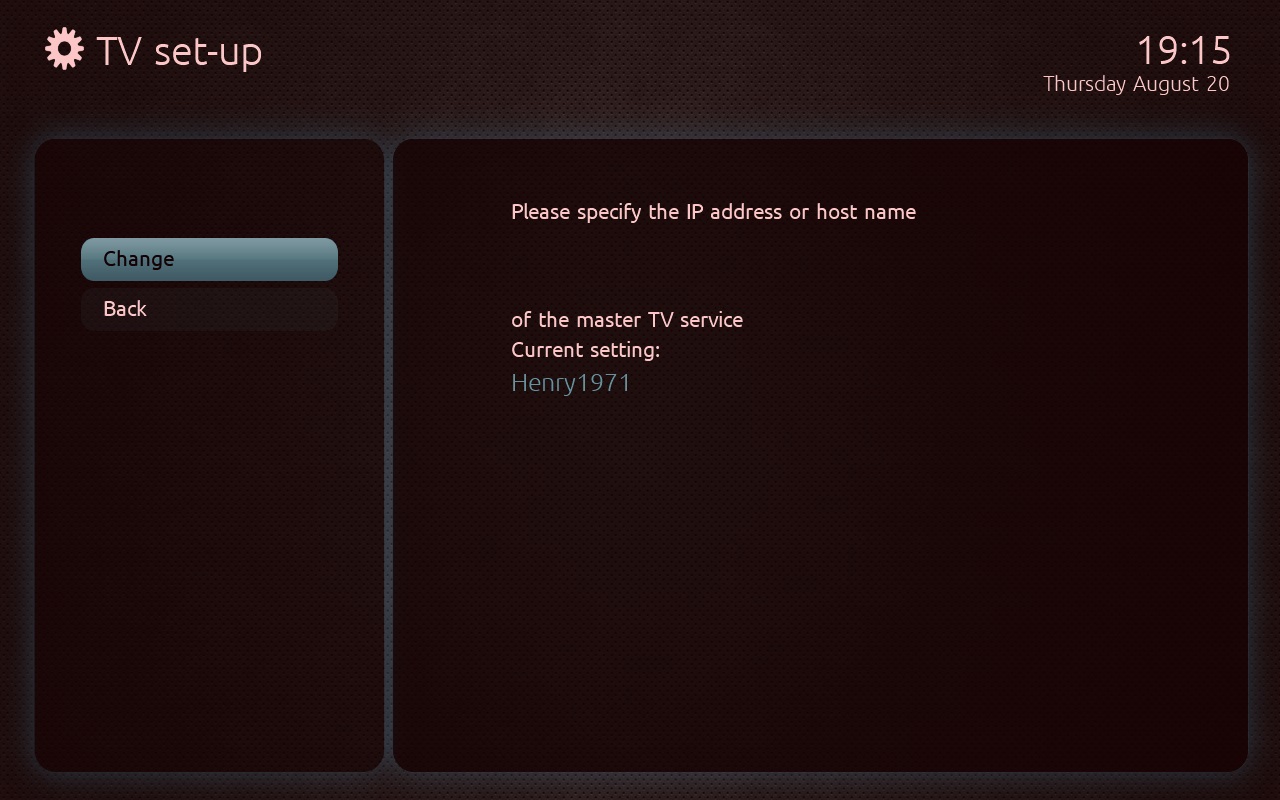
    I just clicked the deploy tool and it opened Mepo with this page

    NFz2Ddf.jpg
     

    HTPCSourcer

    Retired Team Member
  • Premium Supporter
  • May 16, 2008
    11,382
    2,369
    Home Country
    Germany Germany
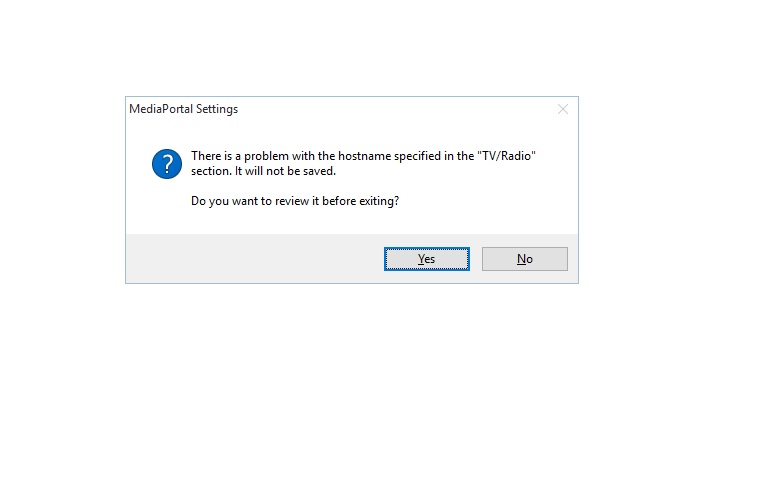
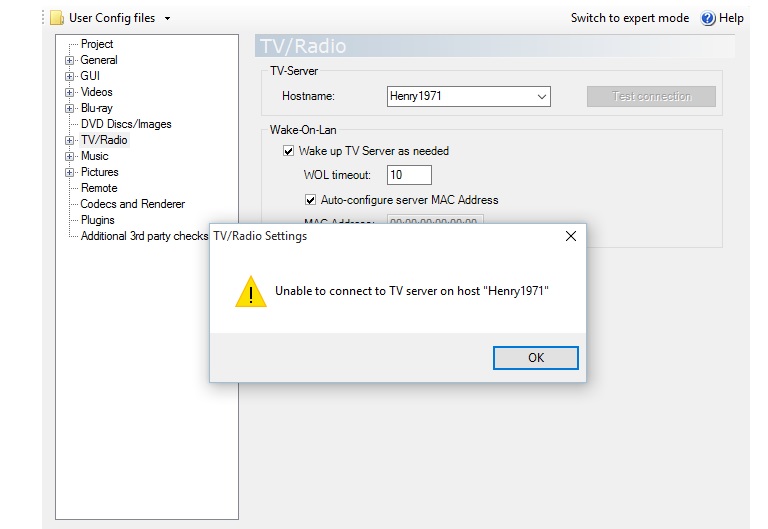
    Close MP, Launch the Config and go to the TV/Radio section.and click "Test Connection". If you are lucky the field will turn green and MP will then correctly launch. If not you could try to replace the hostname by the IP address and vice-versa.
     

    freetoair

    Portal Pro
    April 16, 2012
    66
    9
    36
    Home Country
    Great Britain (UK) Great Britain (UK)
    1utArds.jpg

    R9MctGk.jpg
    [DOUBLEPOST=1440099485][/DOUBLEPOST]I will restart the pc, I started this thread at 6am and the pc has been on since then. Back later
     
    Last edited:

    Users who are viewing this thread

    Top Bottom