Clicking TV on locks the screen and I have to kill the process. If the TV on light goes on I usually get the error message: "Unable to play: live2-0.ts.tsbuffer", otherwise the screen locks up without any message. Running Win XP with Hauppauge WinTV HVR-1250.

You are using an out of date browser. It may not display this or other websites correctly.
You should upgrade or use an alternative browser.
You should upgrade or use an alternative browser.
TV screen locks up (1 Viewer)
- Thread starter oremguy
- Start date
- Thread starter
- #3
Yes, if I understand you correctly, I am able to obtain a list of channels using TV Server Configuration. They show up when I click channels on the TV screen, but without any information. It is only when I click TV on that the screen locks up.

- Moderator
- #4
Yes, if I understand you correctly, I am able to obtain a list of channels using TV Server Configuration. They show up when I click channels on the TV screen, but without any information. It is only when I click TV on that the screen locks up.
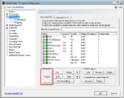
In TV-Server Configuration you can preview your channels (turn on TV) to check that they are actually working and that you are able to tune them.
Can you start timeshift on them?
Manual Control - MediaPortal Wiki
Hvae you tried testing them using the built-in tool?
Test Channels - MediaPortal Wiki
- September 1, 2008
- 21,544
- 8,236
- Home Country
-
 New Zealand
Hi oremguy
The issue is a client side issue:
I suspect that you simply need to set your codec settings properly (which it looks like you haven't done at all). Set them on the "TV" tab in the "codecs and renderer" section of MediaPortal configuration (here). FFDShow DXVA for h.264 video, FFDShow video for MPEG 2, FFDShow audio for MPEG/AC3 and Monogram for AAC would probably be reasonable settings given the codecs that you currently have installed.
mm
PS: don't use preview for testing if you don't know how to manage codec merits.
The issue is a client side issue:
TSReaderPlayer: Unable to start playing
I suspect that you simply need to set your codec settings properly (which it looks like you haven't done at all). Set them on the "TV" tab in the "codecs and renderer" section of MediaPortal configuration (here). FFDShow DXVA for h.264 video, FFDShow video for MPEG 2, FFDShow audio for MPEG/AC3 and Monogram for AAC would probably be reasonable settings given the codecs that you currently have installed.
mm
PS: don't use preview for testing if you don't know how to manage codec merits.
- September 1, 2008
- 21,544
- 8,236
- Home Country
-
New Zealand
Hi again
mm
The message means exactly what it says - all your tuners are already being used for other channels so you can't tune to KULX HD. I can't tell you any more than that. If you want to know why your tuners were all unavailable then you should post logs again.However, a screen pops up saying: "TV - KULX HD No free card available" and the TV on light does not come on. Don't know what this means.
mm
Users who are viewing this thread
Online now: 2 (members: 0, guests: 2)