Netherlands
MediaPortal Version: 1.1.0 final
MediaPortal Skin: n.a.
Windows Version: Windows 7 Ultimate
CPU Type: AMD Sempron 140
HDD: WDC WD10EAVS-00D7B1 ATA Device
Memory: 2 GB
Motherboard: Asrock ALiveNF7G-GLAN
Video Card: on-board
Video Card Driver: nvidia 8.17.12.5721
Sound Card: bios disabled
Sound Card AC3: bios disabled
Sound Card Driver: n.a.
1. TV Card: TT-budget C-1501
1. TV Card Type: DVB-C
1. TV Card Driver: 5.0.1.8
2. TV Card: TT-budget C-1501
2. TV Card Type: DVB-C
2. TV Card Driver: 5.0.1.8
3. TV Card:
3. TV Card Type:
3. TV Card Driver:
4. TV Card:
4. TV Card Type:
4. TV Card Driver:
MPEG2 Video Codec:
MPEG2 Audio Codec:
h.264 Video Codec:
Satelite/CableTV Provider: Ziggo 5555
HTPC Case:
Cooling:
Power Supply:
Remote:
TV:
TV - HTPC Connection: dedicated TV-server
Whatever I try, during scanning channels I got no signal.
What I did:
1. installed Windows 7 Ultimate 'out of the box' on my home server (before that it was running WHS and Mediaportal 1.1.0 RC4 without problems with exactly the same hardware setup, but due to smargo problems I decided to give Windows 7 a try)
2. installed all drivers, inculding latest TT drivers
3. installed Dedicated Mediaportal TV-server and MySQL 1.1.0 final.
4. Startup TV-server
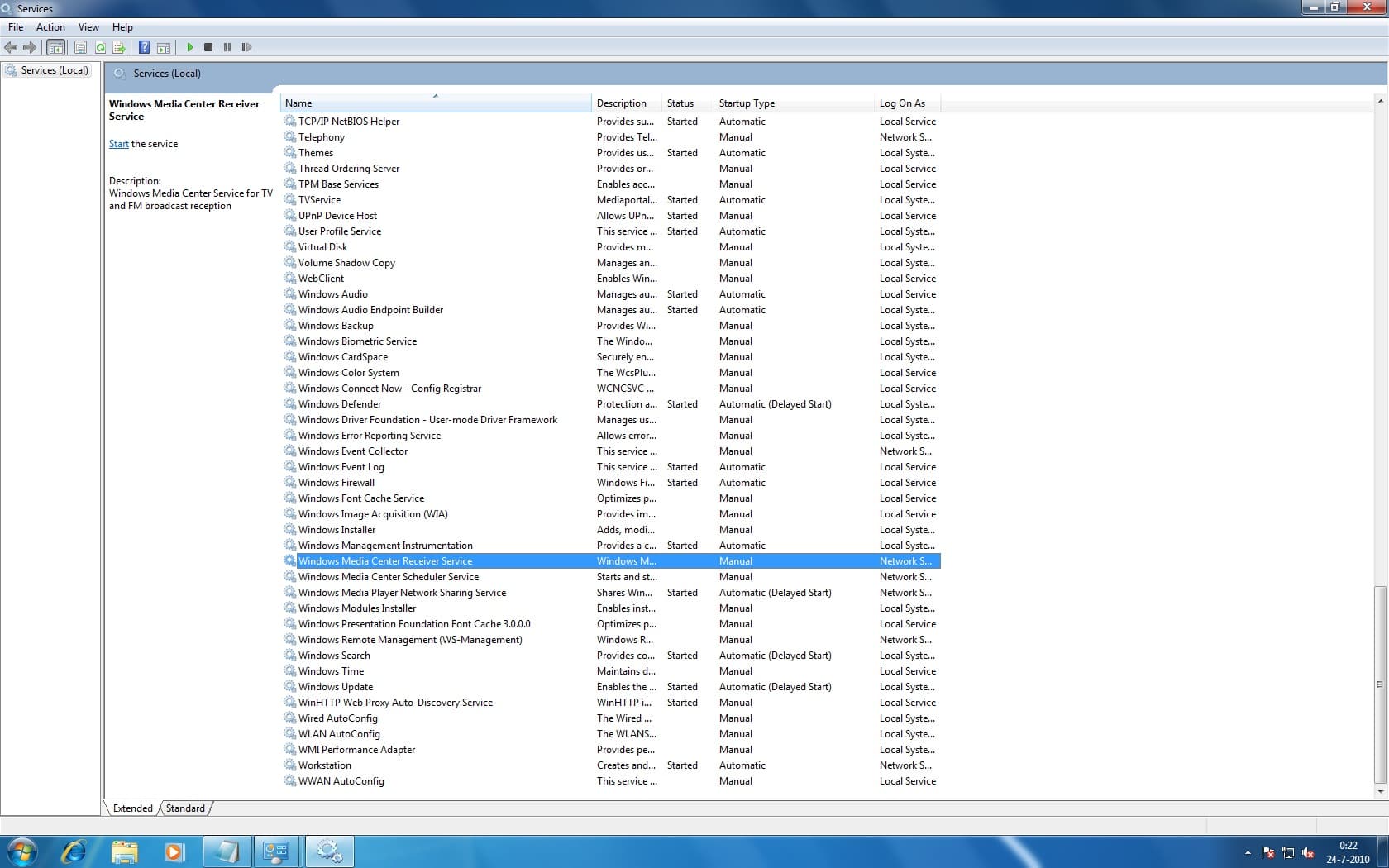
5. Disabled Media Centre Services
6. Choose country Netherlands
7. Region/provdider ZIGGO NID 5555
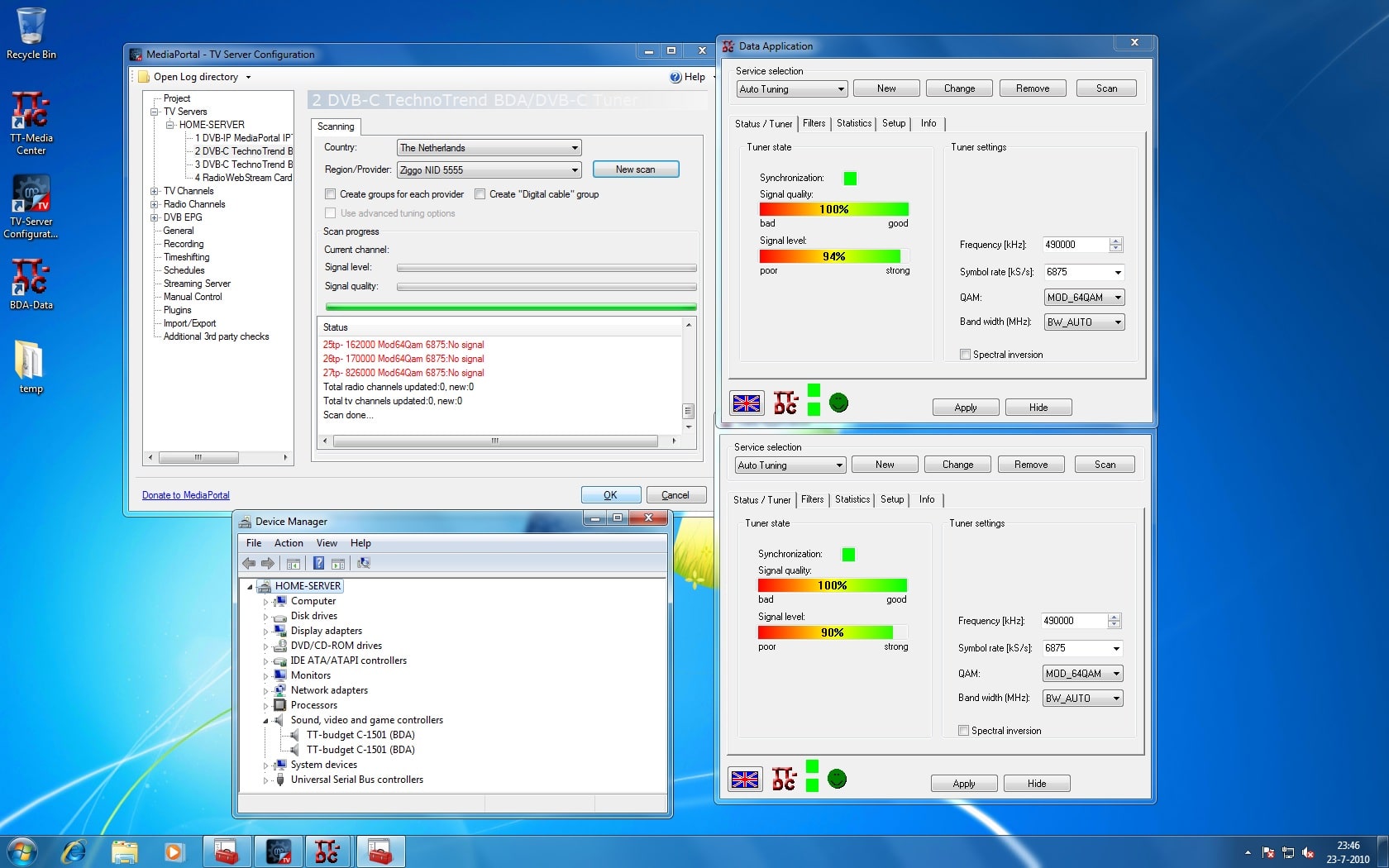
8. New scan --> no channels found (screenshot.jpg)
I tried serveral things but none worked
- repluged PCI tv cards
- reinstall TT-drivers
- reinstalled old TT-drivers
- reinstalled Mediaportal
- reinstalled Windows 7
- switch between MySQL and MSSQL 2005
- run --DebugOptions and checked "always run graph after stop"
- select "dvbc" as provider instead of the "Generic" setting which is the default
I tested both TV-card signals with TT-BDA-DATA just to be sure (screenshot.jpg)
Please find attached my log files --> found something strange "dvb: RunGraph returns: 0x80004002" not sure if this is the problem and how to solve it.
Hope somebody can help me out....
MediaPortal Skin: n.a.
Windows Version: Windows 7 Ultimate
CPU Type: AMD Sempron 140
HDD: WDC WD10EAVS-00D7B1 ATA Device
Memory: 2 GB
Motherboard: Asrock ALiveNF7G-GLAN
Video Card: on-board
Video Card Driver: nvidia 8.17.12.5721
Sound Card: bios disabled
Sound Card AC3: bios disabled
Sound Card Driver: n.a.
1. TV Card: TT-budget C-1501
1. TV Card Type: DVB-C
1. TV Card Driver: 5.0.1.8
2. TV Card: TT-budget C-1501
2. TV Card Type: DVB-C
2. TV Card Driver: 5.0.1.8
3. TV Card:
3. TV Card Type:
3. TV Card Driver:
4. TV Card:
4. TV Card Type:
4. TV Card Driver:
MPEG2 Video Codec:
MPEG2 Audio Codec:
h.264 Video Codec:
Satelite/CableTV Provider: Ziggo 5555
HTPC Case:
Cooling:
Power Supply:
Remote:
TV:
TV - HTPC Connection: dedicated TV-server
Whatever I try, during scanning channels I got no signal.
What I did:
1. installed Windows 7 Ultimate 'out of the box' on my home server (before that it was running WHS and Mediaportal 1.1.0 RC4 without problems with exactly the same hardware setup, but due to smargo problems I decided to give Windows 7 a try)
2. installed all drivers, inculding latest TT drivers
3. installed Dedicated Mediaportal TV-server and MySQL 1.1.0 final.
4. Startup TV-server
5. Disabled Media Centre Services
6. Choose country Netherlands
7. Region/provdider ZIGGO NID 5555
8. New scan --> no channels found (screenshot.jpg)
I tried serveral things but none worked
- repluged PCI tv cards
- reinstall TT-drivers
- reinstalled old TT-drivers
- reinstalled Mediaportal
- reinstalled Windows 7
- switch between MySQL and MSSQL 2005
- run --DebugOptions and checked "always run graph after stop"
- select "dvbc" as provider instead of the "Generic" setting which is the default
I tested both TV-card signals with TT-BDA-DATA just to be sure (screenshot.jpg)
Please find attached my log files --> found something strange "dvb: RunGraph returns: 0x80004002" not sure if this is the problem and how to solve it.
Hope somebody can help me out....