TVService not running error when launching TV Server config (1 Viewer)

newfmp3

Portal Member
March 8, 2007
6
0
51
Home Country
Canada Canada
depends on what you are looking for. I'm trying to make Mytheatre to work for me, but it needs to be updated as well. There is a new version 4.0 on it's way out, but it's a while away yet.

All I wanted was a DVB app for TV/PVR use.

I use my Playstation 3 for everything else, with tversity on my pc sharing out the files. Throw in a PSP for remote controlling your ps3 with music and it's pretty cool.

MY mod'd xbox1 with XBMC sits there unused nowadays, but in its time it was the best media center period. But it can't do HDTV so it's useless to me now for video. There is a linux and PC port of XBMC now in the works as well, and that should be very interesting to see once done.

Some people like Mythtv, but it is linux based, so be warned.
 

JoePlumber

Portal Pro
October 26, 2008
99
3
Home Country
Canada Canada
When TV Service does not start automatically, change the startup type to "Automatic (Delayed Start)". Reboot your PC afterwards. Launch the TV Server Configuration and click Yes to start TV service.
 

dir

MP Donator
  • Premium Supporter
  • August 30, 2006
    408
    36
    Home Country
    Afghanistan Afghanistan
    FYI, probably not related, but I'm on MCE2005 (XP) and even though tvservice.exe is running and it shows up as running under the Computer Management app, I find that i need to restart it before anything sees it. In other words:
    - I try to run the TVServer configuration program, and it prompts me to start tvservice, which then fails. (I think because it's just trying to START it, not RESTART it).
    - I right-click on My Computer, select Manage, open Services and Applications, Select Services, scroll down to TVService.exe, see that it's running, right-click and select Restart. It stops/starts the process.
    - Now the TVServer config app starts ok without prompting.

    I have a theory to do with my wireless NIC. When my PC boots, a lot of processes start up before the wireless connection has started. I know that the TVService.exe has a dependency on Network Connections(RPC), BUT I use a Linksys "N" wireless NIC, which uses it's own application to initialise the wireless connection. I have to use this app otherwise the driver only connects at 54Mb instead of 300Mb.

    I suspect that the RPC process starts up without waiting for the Linksys app to finish connecting, and thus the TVService service starts up as well but before there's a valid network connection. Without this connection, the PC hasn't quite got it's network wits about it.

    The reason I suspect this is because I was having wireless connection problems a few days ago, and noticed that when the connection wasn't 100% working, the TVService configuration app lists the TV Server as "10.10.10.44" instead of "htpc". In other words, without the network connection working, it couldn't tell that it's own machine name was "htpc" and used the IP address instead. So anything trying to find the TV Service on "htpc" would fail. If I stopped/restarteed the TV Service, then things would work.

    I'm still having some sort of problem tonight where I needed to restart TVService.exe, but still working out why. My network's up so I have a different problem.
     

    JoePlumber

    Portal Pro
    October 26, 2008
    99
    3
    Home Country
    Canada Canada
    FYI, probably not related, but I'm on MCE2005 (XP) and even though tvservice.exe is running and it shows up as running under the Computer Management app, I find that i need to restart it before anything sees it. In other words:
    - I try to run the TVServer configuration program, and it prompts me to start tvservice, which then fails. (I think because it's just trying to START it, not RESTART it).
    - I right-click on My Computer, select Manage, open Services and Applications, Select Services, scroll down to TVService.exe, see that it's running, right-click and select Restart. It stops/starts the process.
    - Now the TVServer config app starts ok without prompting.

    I have a theory to do with my wireless NIC. When my PC boots, a lot of processes start up before the wireless connection has started. I know that the TVService.exe has a dependency on Network Connections(RPC), BUT I use a Linksys "N" wireless NIC, which uses it's own application to initialise the wireless connection. I have to use this app otherwise the driver only connects at 54Mb instead of 300Mb.

    I suspect that the RPC process starts up without waiting for the Linksys app to finish connecting, and thus the TVService service starts up as well but before there's a valid network connection. Without this connection, the PC hasn't quite got it's network wits about it.

    The reason I suspect this is because I was having wireless connection problems a few days ago, and noticed that when the connection wasn't 100% working, the TVService configuration app lists the TV Server as "10.10.10.44" instead of "htpc". In other words, without the network connection working, it couldn't tell that it's own machine name was "htpc" and used the IP address instead. So anything trying to find the TV Service on "htpc" would fail. If I stopped/restarteed the TV Service, then things would work.

    I'm still having some sort of problem tonight where I needed to restart TVService.exe, but still working out why. My network's up so I have a different problem.

    You can try using group policy to delay login until the network services are ready.
     

    snow-munki

    Portal Member
    January 11, 2009
    7
    0
    Hi,

    I'm getting the exact same issue, have a hauppauge Nova-T 500 here.

    The service starts and stops ok but the TV Server config always says the service isn't started and fails, any ideas ? As I might have to go back to Media Centre otherwise :(
     

    russtaylor

    Portal Member
    October 16, 2005
    20
    1
    Adelaide
    Home Country
    I was having a similar problem for a while. When my machine was started up or rebooted, the TV Service said it was started but you couldn't connect to it. Stopping and restarting the service fixed it.

    My problem was that the TV Service was starting quicker than the database server. In the event log you could see the SQL Server rejecting any attempts to connect to it until all databases had started and by the looks of the TV Server can't cope with this.

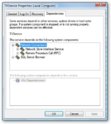
    My solution was to make the TV Service dependent on SQL Server service. Go into Regedit and locate the following key - HKEY_LOCAL_MACHINE\SYSTEM\CurrentControlSet\Servic es\TV Service. If there is a multi-string entry DEPENDONSERVICE, add MSQL$SQLSERVER to it. If the entry isn't there, add it. If your instance is not default, specify the instance of your SQL Server. Restart your computer.
     

    Paranoid Delusion

    Moderation Manager
  • Premium Supporter
  • June 13, 2005
    13,052
    2,978
    Cheshire
    Home Country
    United Kingdom United Kingdom
    My solution was to make the TV Service dependent on SQL Server service.

    If it is installed as Admin account, this should already be configured :confused:

    sshot-36.jpg
     

    snow-munki

    Portal Member
    January 11, 2009
    7
    0
    yeah that's already in there so made no difference, any other suggestions ?

    Thanks.
     

    Users who are viewing this thread

    Top Bottom