
To me, the words My Pictures just seems to be hanging out there in space. I wish (and maybe we could) use some sort of animation that when you select up and down it kind of moves the old one back and moves the next one forward into the box. I think most of you know what I am talking about. I would like to see the words on the top and bottom at least the same distance apart.

You are using an out of date browser. It may not display this or other websites correctly.
You should upgrade or use an alternative browser.
You should upgrade or use an alternative browser.
3DMP - Blue version Beta1 (1 Viewer)
- Thread starter Vanessa
- Start date

- May 31, 2006
- 329
- 1
- Thread starter
- Banned
- #92
ASiDiE said:To me, the words My Pictures just seems to be hanging out there in space. I wish (and maybe we could) use some sort of animation that when you select up and down it kind of moves the old one back and moves the next one forward into the box. I think most of you know what I am talking about. I would like to see the words on the top and bottom at least the same distance apart.
ok
- May 31, 2006
- 329
- 1
- Thread starter
- Banned
- #93
I created some gfx for some plugins like:
my lyrics
Cut-DVDr-ms
my burner
MediaLan
myShortcut
etc etc
but i don't know the names for hover images in the menu list.
can anyone privide me this names?
for example i know that my burner hover image for menu it's:
"hover_my burner.png"
my lyrics
Cut-DVDr-ms
my burner
MediaLan
myShortcut
etc etc
but i don't know the names for hover images in the menu list.
can anyone privide me this names?
for example i know that my burner hover image for menu it's:
"hover_my burner.png"

 Sweden
vanessa_cl said:Main menu with video overlay
I added a transparent gradient effect to improve readability.

Just want to check, is this what it will look like when you press the "TV desktop" button in the top bar or is it the normal video overlay (the one that is usually in the lower left corner in most screens)?
It looks like it's the normal overlay and that would be great cause I never bother to press the TV desktop button.
- May 31, 2006
- 329
- 1
- Thread starter
- Banned
- #95
MrMad said:vanessa_cl said:Main menu with video overlay
I added a transparent gradient effect to improve readability.
Just want to check, is this what it will look like when you press the "TV desktop" button in the top bar or is it the normal video overlay (the one that is usually in the lower left corner in most screens)?
It looks like it's the normal overlay and that would be great cause I never bother to press the TV desktop button.
Hi, can you clarify your point please?

I think the bg movie is from the TV desktop function, not from the small video preview in the left bottom corner. But why is the video preview missing in this screenie?

It's not missing it just doesn't have any sense to be there ???
CHli said:It's not missing it just doesn't have any sense to be there ???
hmmm, somethings wrong with that picture...
if this is TV overlay (fullscreen) then why is there 'play triangle' sign, name of the video and elapsed time? little video preview is really missing there...
maybe vanessa did only a mockup and this is not real situation... or there is bug in the skin...
rgs,
pirlone
- May 31, 2006
- 329
- 1
- Thread starter
- Banned
- #99
pirlone said:CHli said:It's not missing it just doesn't have any sense to be there ???
hmmm, somethings wrong with that picture...
if this is TV overlay (fullscreen) then why is there 'play triangle' sign, name of the video and elapsed time? little video preview is really missing there...
maybe vanessa did only a mockup and this is not real situation... or there is bug in the skin...
rgs,
pirlone
It's a video on full screen. If play icon appear it's a bug.
(This snapshots are from real mp running)
vanessa_cl said:I created some gfx for some plugins like:
my lyrics
Cut-DVDr-ms
my burner
MediaLan
myShortcut
etc etc
but i don't know the names for hover images in the menu list.
can anyone privide me this names?
for example i know that my burner hover image for menu it's:
"hover_my burner.png"
Hi Vanessa_CL,
Dvr-MpegCut is a new Plugin and your gfx will be the first one for this plugin.

The name will be "hover_dvr-mpegcut.png" and will be updated to SVN in the next days.
BTW, very cool looking skin. Like it very much and therefore I would like to help improving or rather make it bug free.
Here are some issues I would like to mention. (Some may be mentioned already)
Homescreen:
- missing date and clock in homescreen, too
- cause the explanations to the selected module is part of the gfx, it's not possible to translate this,
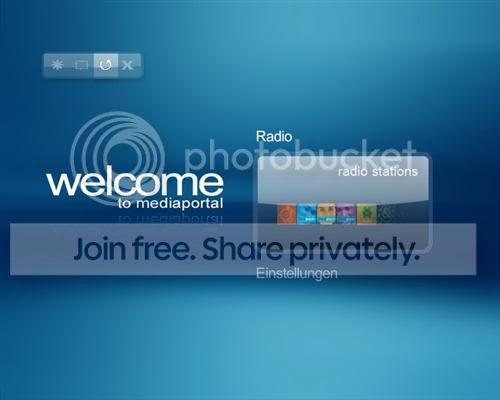
maybe you could make the gfx without text and add new strings or you use this suggestion?

myTV:
It's hard to read the description with the grey fonts and the pale blue background
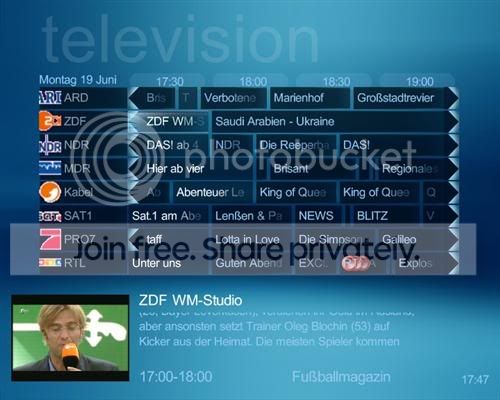
When recording a show, it's hard to recognize where the selection is right now
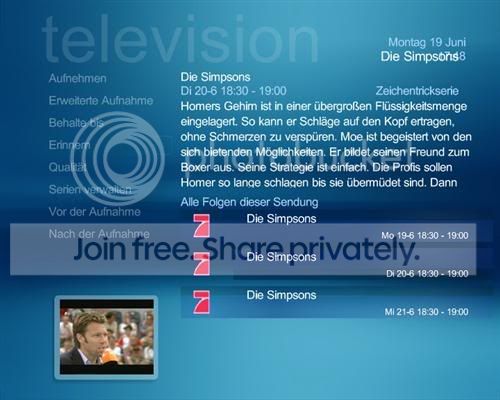
same in Mini-EPG
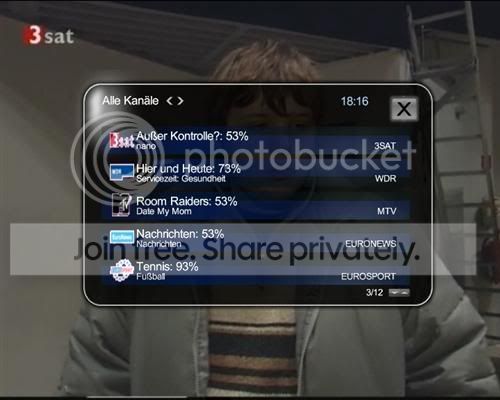
In fullscreen when entering a channel-number, the old png from BlueTwo appears
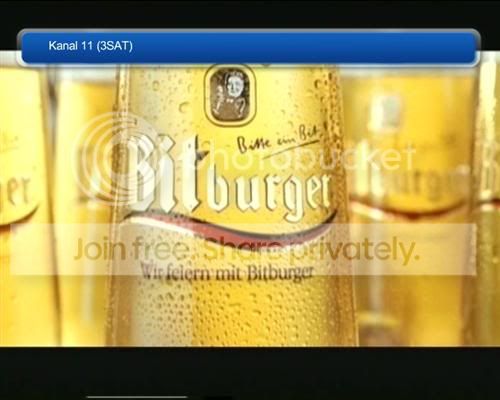
same when winding
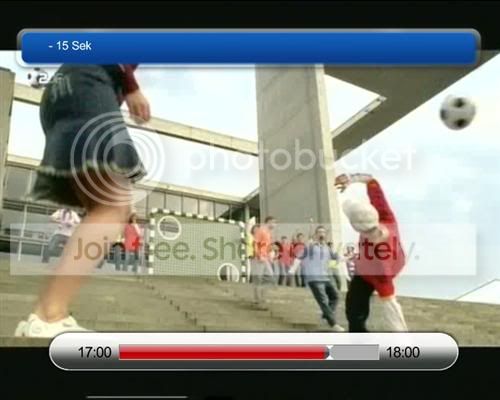
the yellow square up, down, left, right doesn't work properly
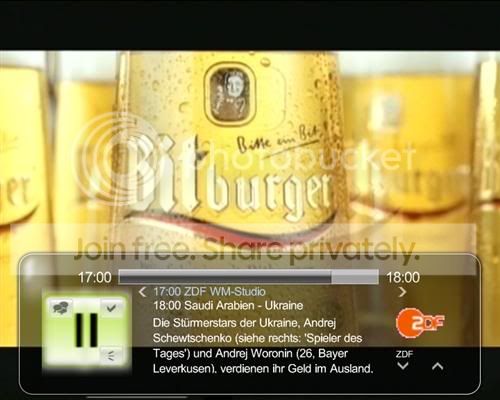
myVideo:
I think it would look better if progressbar is within the osd.png.
The starttime could be replaced by the currentplaytime.
(has been done in other screens, already and it's very useful)
Why are you using different OSDs for video and tv?
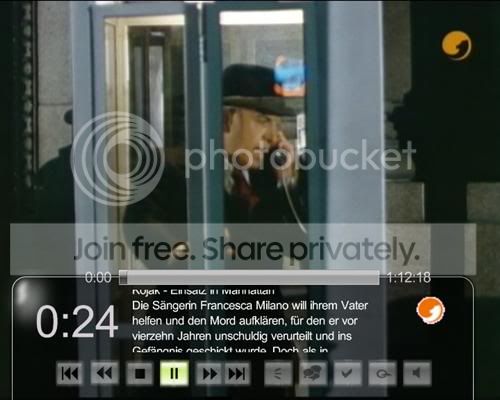
When winding, BlueTwo png appears
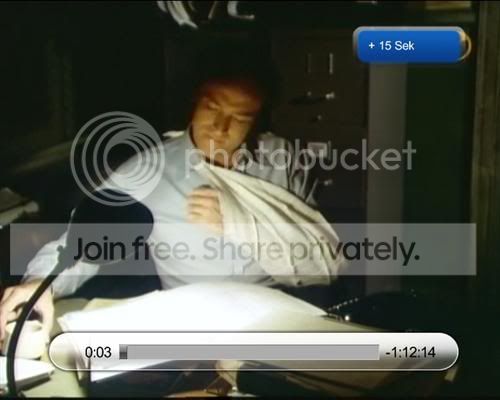
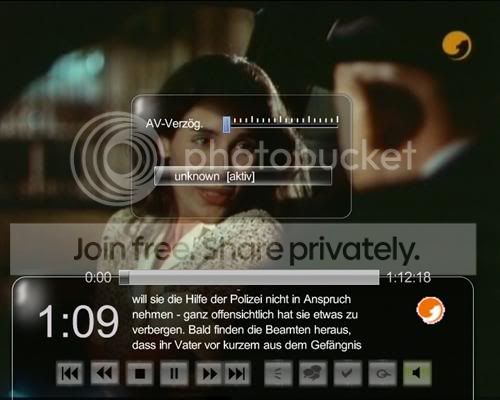
Up, down, does not work properly for these settings
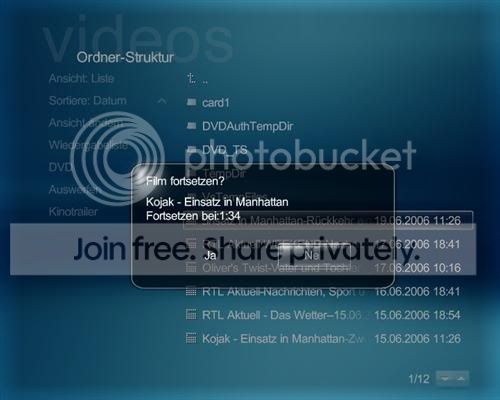
Yes/No menu just shows the first 2 letters for german "Nein"
All in all it's a very nice skin adn would like to see it finished.
Regards
Ralph
Users who are viewing this thread
Online now: 2 (members: 0, guests: 2)