A Canadian Weather Plugin using Environment Canada content (27 Viewers)

doug

MP Donator
  • Premium Supporter
  • September 22, 2010
    81
    12
    Calgary
    Home Country
    Canada Canada
    Hi,

    Reporting back.

    Thanks for your assistance, it works.

    Please explain why if you can, why is this plugin available in the home screen view where the selections are listed vertically with the picture icon to the left, but in the other view where the 5 main icons are shown horizontally, it shows the standard weather module. When I pull the menu on the left, the Canadian Weather plugin is not shown either.

    I prefer the horizontal view, so how do I replace the default weather module with the Canadian Weather plugin?

    Is there a way to change the modules in the home screen?

    Hi, johnnyb.

    If I understand what you are describing, the views are called Classic and Basic. You prefer the Basic view.

    I am not certain, but I believe the developers of MediaPortal created the Basic view to be just that....basic. And the Classic view is the view that can be extended thoroughly with plugins.

    With that said, you can still get to the Canadian Weather Plugin but using the slider (the menu on the left) and selecting Root menu. That will take you to the Classic view where you can access Canadian Weather and other plugins.

    If you're adventurous, try to modify BasicHome.xml as stdly described. It's not too hard.

    Doug
     

    johnnyb

    Portal Member
    April 10, 2007
    18
    1
    Thanks for the assistance guys.

    Stdly's advice paid off, except the # was 2600 not 7977.

    After changing, selecting the weather icon would open the Canadian Weather plugin. :D

    One anomoly that I noticed and not a big deal, just mentioning if you want to address it Doug.

    When I click on the weather icon with my mouse, it opens the Canadian Weather plugin just fine, the weather for the city appears fine.
    Using my old ATI Remote Wonder, if I mouse over and click the left mouse button key, the same happens as when using the mouse.
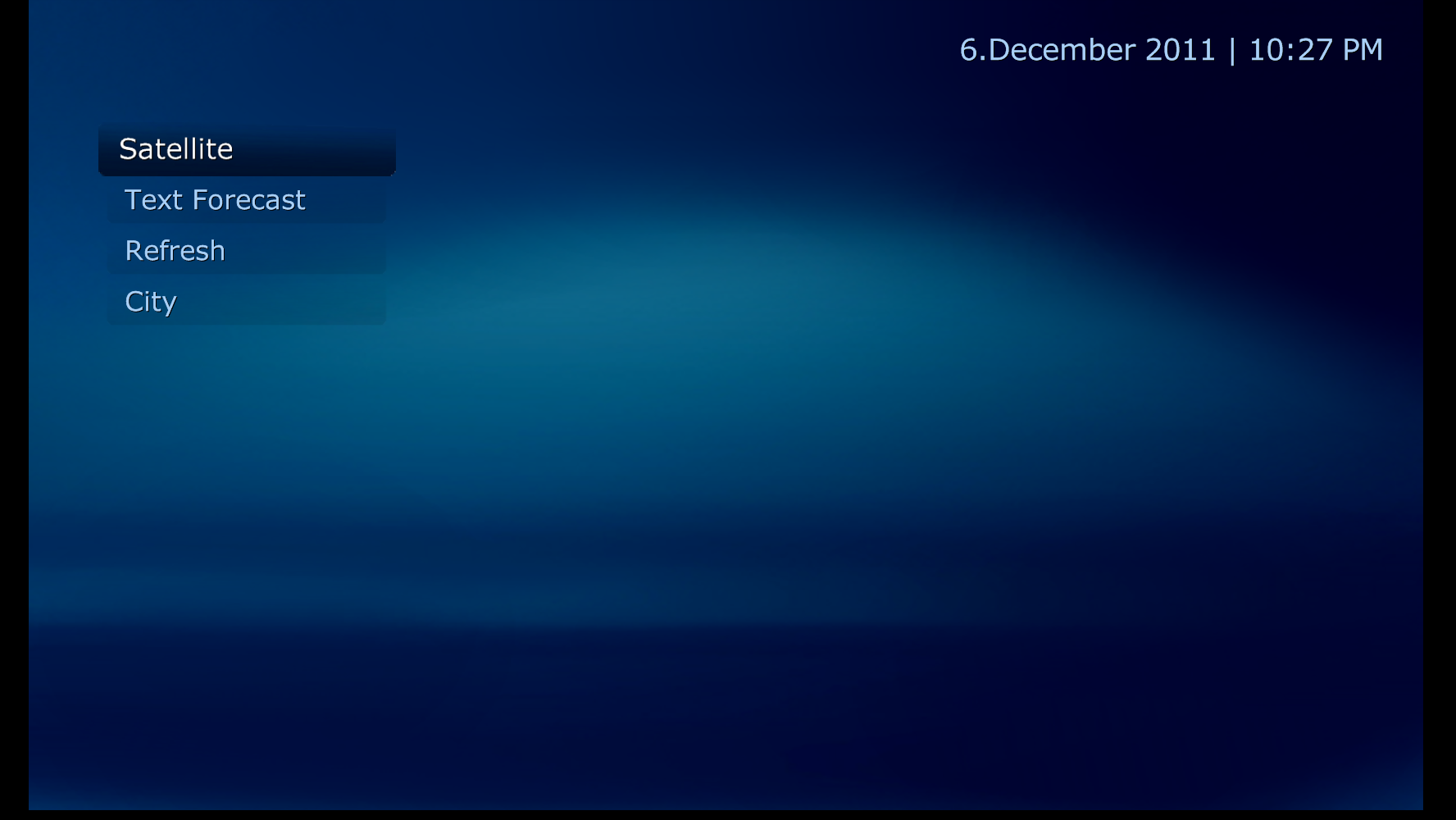
    Now the anomoly. Using the remote Wonder, if I mouse over and hit the "OK" button, then the plugin opens, the weather info flashes for a split second and then the screen is pretty much blank except for the menu on the left to select Satellite Image, refresh, select City and something else, as well as teh clock. If I hit the refresh button, then the weather info gets displayed. If I hit the select city button, and select a city, again the info gets displayed.

    The problem is repeateable.
     

    doug

    MP Donator
  • Premium Supporter
  • September 22, 2010
    81
    12
    Calgary
    Home Country
    Canada Canada
    Thanks for the assistance guys.

    One anomoly that I noticed and not a big deal, just mentioning if you want to address it Doug.

    Now the anomoly. Using the remote Wonder, if I mouse over and hit the "OK" button, then the plugin opens, the weather info flashes for a split second and then the screen is pretty much blank except for the menu on the left to select Satellite Image, refresh, select City and something else, as well as teh clock. If I hit the refresh button, then the weather info gets displayed. If I hit the select city button, and select a city, again the info gets displayed.

    The problem is repeateable.

    I think two things are happening here. The first you can probably fix. See here.

    I think your OK key is resulting in a double click. The first click selects the Weather Plugin. The second click selects the Satellite image button before the weather screen is drawn. But this should result in you seeing a Satellite image...and you didn't indicate that was happening in your post.

    Before you try the fix, could you take a screenshot and post it here. F11 will take a screenshot and put it in My Documents\My Pictures\MediaPortal Screenshots\<Date>\<Time>.png. That will help me fix the second issue. A bug.

    Doug
     

    johnnyb

    Portal Member
    April 10, 2007
    18
    1
    Hi Doug,

    Here is the screen shot.

    Something else I noticed. I thought the satellite image was not showing up becuase I did not have the path pasted into the field in the plugin configuration form. I know I had entered it when I originally configured the plugin. When I tried to add and hit OK, it would not stick. I would go back into the config, and the path was no longer there.

    Question. Does the path have to have a .jpg file extension or it just has to be a url?
     

    Attachments

    • 22-27-39.png
      22-27-39.png
      400.2 KB

    doug

    MP Donator
  • Premium Supporter
  • September 22, 2010
    81
    12
    Calgary
    Home Country
    Canada Canada
    Hi Doug,

    Here is the screen shot.

    Something else I noticed. I thought the satellite image was not showing up becuase I did not have the path pasted into the field in the plugin configuration form. I know I had entered it when I originally configured the plugin. When I tried to add and hit OK, it would not stick. I would go back into the config, and the path was no longer there.

    Question. Does the path have to have a .jpg file extension or it just has to be a url?

    Sigh...another bug. It appears the image URLs are not being read correctly when the plugin configuration is started. The URLs are still saved to CanadianWeatherSettings.xml. As long as you don't open up the configuration again and press OK as that will overwrite the URLs with blanks.

    The URLs must be "fully formed" (with the http://, the domain name, file name and extension) and the included) and that is why there isn't a satellite image shown. If you just leave that part of the configuration form blank, a default image is shown.

    I'll fix the bug to read the settings correctly, but that likely won't happen until next week as I am busy for a few days.


    Thanks for the screenshot. Did the fix work for your remote?
     

    johnnyb

    Portal Member
    April 10, 2007
    18
    1
    Hi Doug,

    1) No, I haven't tried the fix yet. Hopefully will get to that tonight.

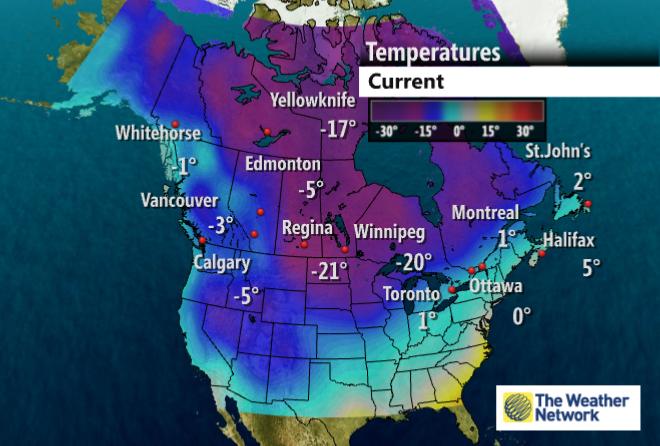
    2) Question. Does the satellite image have to be a link with an extension, i.e. file.jpg? Or can it be a link to a web page with an image, such as Weather Maps: Temperature - The Weather Network
    This link to this Weather Network webpage, has a better image. I know when I used Meedio in the past, you could just provide a link to the webpage, and somehow the image from the page was extracted.

    Thanks for your assistance.
     

    Attachments

    • can_temp_obs.jpg
      can_temp_obs.jpg
      49.9 KB

    doug

    MP Donator
  • Premium Supporter
  • September 22, 2010
    81
    12
    Calgary
    Home Country
    Canada Canada
    Hi Doug,

    2) Question. Does the satellite image have to be a link with an extension, i.e. file.jpg? Or can it be a link to a web page with an image, such as Weather Maps: Temperature - The Weather Network
    This link to this Weather Network webpage, has a better image. I know when I used Meedio in the past, you could just provide a link to the webpage, and somehow the image from the page was extracted.

    Thanks for your assistance.

    Hey there.

    You need to have the file.jpg or file.gif included in the URL. (Plus the http:\\)

    Meedio must have some code that extracts the largest image from a webpage or some other logic. There are almost 50 images on that page.

    It's pretty easy to figure out what the URL is to a specific image. Just right click and select Copy Image Location (Firefox) or Properties and copy the URL shown (Internet Explorer). Paste that URL into the plugin configuration. The image from your URL is http://www.theweathernetwork.com/common/images/weathermaps/en/images/floods/can_temp_obs.jpg

    Doug
     

    Kamshaft

    Portal Member
    April 28, 2010
    15
    0
    Ontario Canada
    Home Country
    Canada Canada
    First off, great plugin!

    Would it be possible to have a small list of "upcoming" supported skins in the original post? Please.
    I installed Avalon, and I can't seem to get it retro fitted.

    Thanks again!
     

    stdly

    MP Donator
  • Premium Supporter
  • April 19, 2008
    238
    41
    Home Country
    Canada Canada
    First off, great plugin!

    Would it be possible to have a small list of "upcoming" supported skins in the original post? Please.
    I installed Avalon, and I can't seem to get it retro fitted.

    Thanks again!

    I did an Avalon skin for personal use if you want you can try it. I edited my Avalon skin to grey scale so the fonts won't be blue but can be changed easily.

    If you want multi image backgrounds you will need "C:\ProgramData\Team MediaPortal\MediaPortal\skin\Avallonis\Media\weather\backdrops" folder. I have it but it is 68 MB.

    Steve
     

    Attachments

    • Canadian Weather Avalon.rar
      1.8 MB

    Users who are viewing this thread

    Top Bottom