Netherlands
The only skinning fix I could come up with that worked went a little something like this.
You remove the 8th entry of the 2nd to last menu item. Then, change the PosX of that item's 2nd entry to (I think) 160. Then you have to add a new animation with "WindowOpen" as its condition and slide it over to -160. You also have to adjust the animation of the existing "VisibleChanged" to compensate for the PosX change.
I'm not even really sure why that worked. I think this XML just needs to be rewritten from scratch in order to find the bug.
I have a couple of feature requests as well:
- A posibility to save my settings, so if I want to make a small change I dont have to start from scratch every time.
- On the same note I would also like to be able to rearrange the menu after Ive added the items, now I gotta plan ahead what to add first, so I get the layout I want. Would be cool if I could just drag the different items up and down the list, or some arrows..
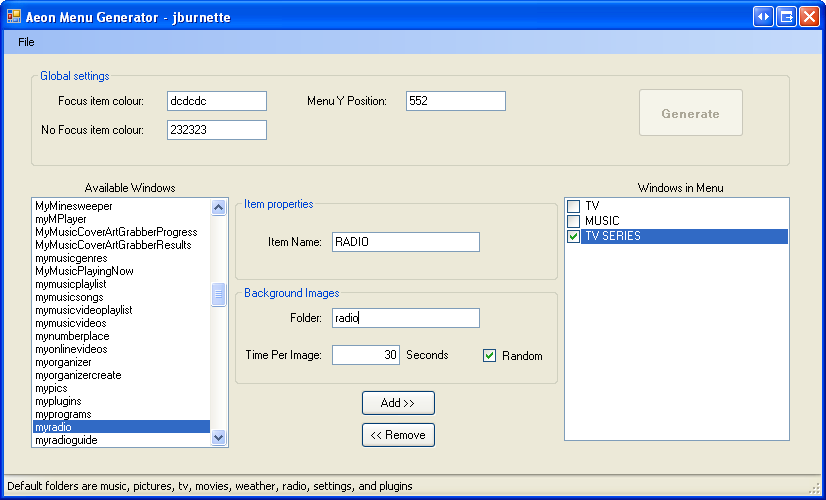
Those are both on the todo list. I'm going to clean the whole thing up and expand it out to include other skins and windows as well as deal with the actual xml instead of the dirty StringBuilder I'm using right now. That will allow you to directly reopen your existing XML.
If you first start MP your default control is selected, this is also the case when you exit back to the main menu. The 'menu band' shows a certain visible state depending on the state of the actual 'invisible' menu. These visible states all have animations. This way it looks like a fancy scrolling menu. The animations are triggered by a visiblechange event. However if you first start MP or if you return from your default menu this event is never triggered. On screen you see the items at the start position of the animation. Because the animation is never triggered the items don't slide into position. I don't know if you can call this a bug in MP because the visibility of the menu item didn't actually change.
You can fix this in the skin XML using the following technique. I've applied it in the attached xml.
I've created a third Control for the default menu item. In this case TV Series. I've added the needed controls at the bottom of the xml file so you can easily see what's going on. This control has a unique id and is now the default control.
Next i've added items making up the band in 'default view' without animations. These are shown without animation in the correct position when the new default Control has focus. When navigating away from this Control the scrolling happens as before. This way everything should look good after starting MP or returning from the TVSeries menu.
This xml also contains the fix for having the FanArt still show when selecting the upper menu.
Edit: I used IsVisible instead of HasFocus for one control. This caused the TVSeries to show when it shouldn't. Fixed it in the attached XML.