Aeon Wide (1366x768) (8 Viewers)

trevor

Portal Pro
October 17, 2006
1,601
952
Chelmsford
Home Country
United Kingdom United Kingdom
mVids Updated skin file

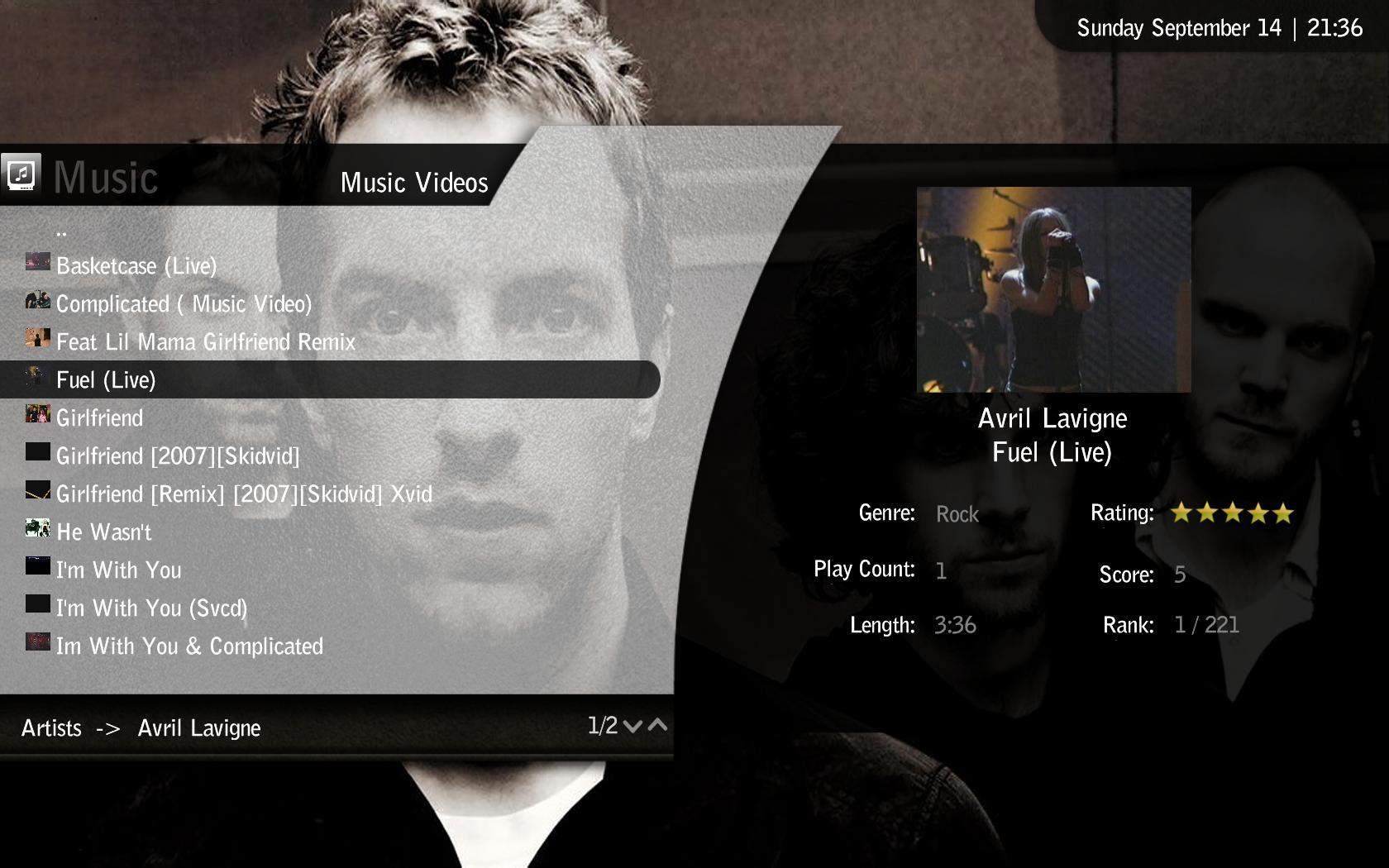
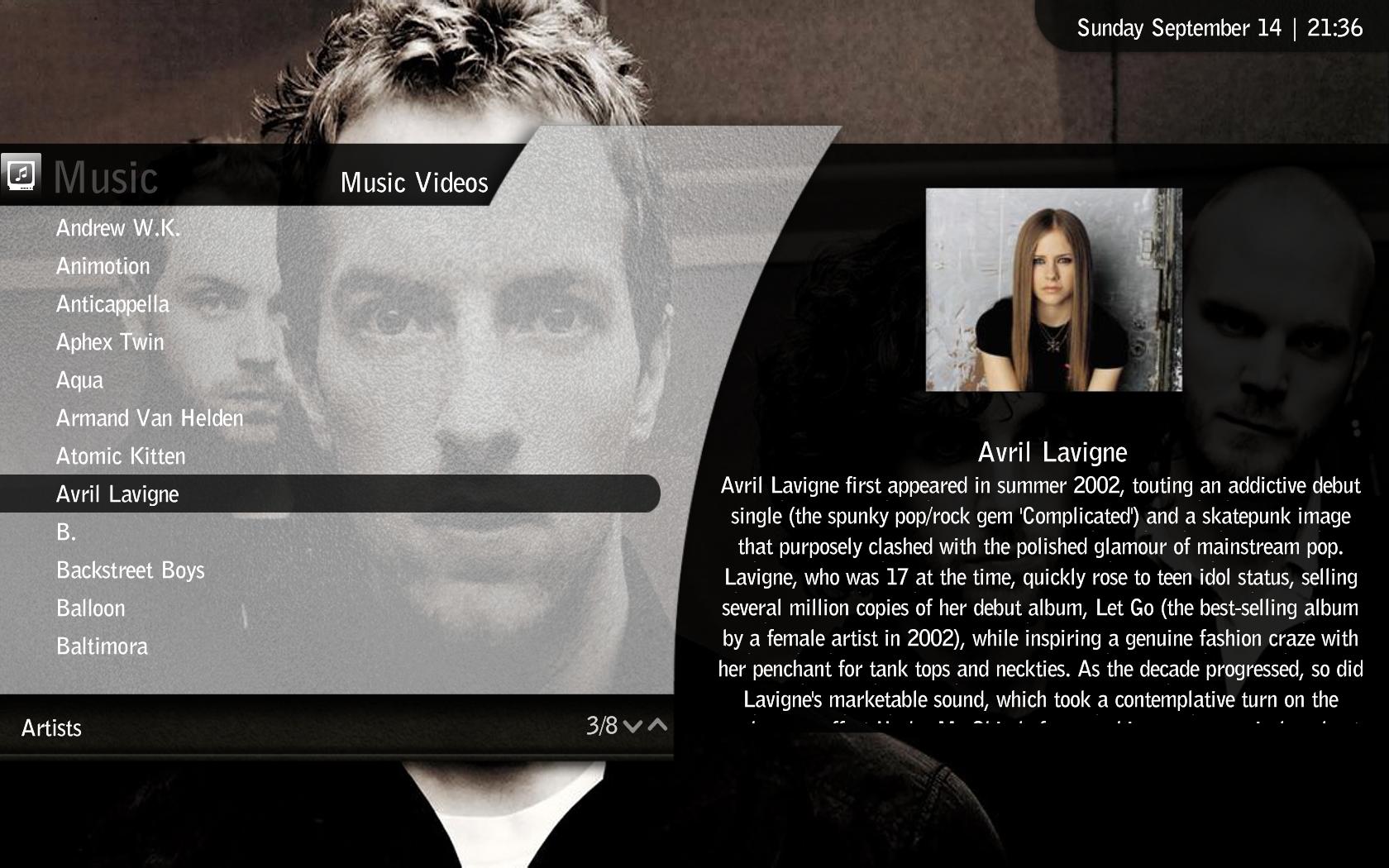
Just setup and configured this plugin....for those who have not seen it can find here and forum here, well worth a look if you have loads of Music videos.

There were some formatting oddites with the suppiled Aeon wide skin and have have corrected these and given it the standard look..

Trevor
 

Attachments

  • 21-36-21.jpg
    21-36-21.jpg
    222.2 KB
  • 21-36-38.jpg
    21-36-38.jpg
    175.5 KB
  • mvids.xml
    30.6 KB

dA.oOZe

Portal Pro
February 8, 2007
85
2
Home Country
Germany Germany
I am using the latest version from their site - at least I think so as I downloaded from there. Will check the version when I get some time. But thanks for the hint.

I am using version 1.2.1.0 of 4tr and the skin files from the Aeon wide 1.1 release, all start 4TR_ (single underscore) and have no problems.

One thing I did notice is when upgrading 4tr you have to uninstall first, but the uninstall does not remove the 5 4tr .dll files from the plugins\windows directory - I had to remove these manually before I installed a upgrade version.

For info the .dll files I have are dated 18/07/2008 21:03.

Trevor
I checked the version and it says "1.2.1.0" in the "about"-screen within 4TR - seems that I am using the latest version. But maybe I made some mistake with the plugins .dll files...? Can't remember to have changed anything there, just ran the installer. But I will check the filedates.
 

damaster

Portal Pro
November 23, 2007
412
35
Home Country
Canada Canada
I grabbed the most recent BasicHome.xml from the SVN and plugged in 3001 for all of the DVD hyperlinks, and that did the trick. I only tested with Daemon Tools, but this should be no different to a physical disk in the drive. With no disk in, MP prompts to insert one, and if there is one present, it will play.

Updated version of BasicHome.xml attached.

Cheers,

Rob.

I also changed the dvd hyperlinks to 3001 in my basichome.xml and it works.

Wish I could say the same...
After the modification, it now just pauses for a second, and then just returns to the home basic screen. (Instead of going to the Movie's section). I did have a DVD inside at the time, so it should have initiated playback.

At this point, the only way I can get DVD's to play, is by ejecting the tray, and then feeding it back inn. That forces MP to ask if I wish to playback the inserted DVD.

Same issue here. I had a DVD in, pressed the button and got the same behavior as you. Mine is also set to "Don't autoplay, don't ask."
 

emphatic

Design Group
  • Team MediaPortal
  • August 25, 2006
    3,758
    1,250
    Alingsås
    Home Country
    Sweden Sweden
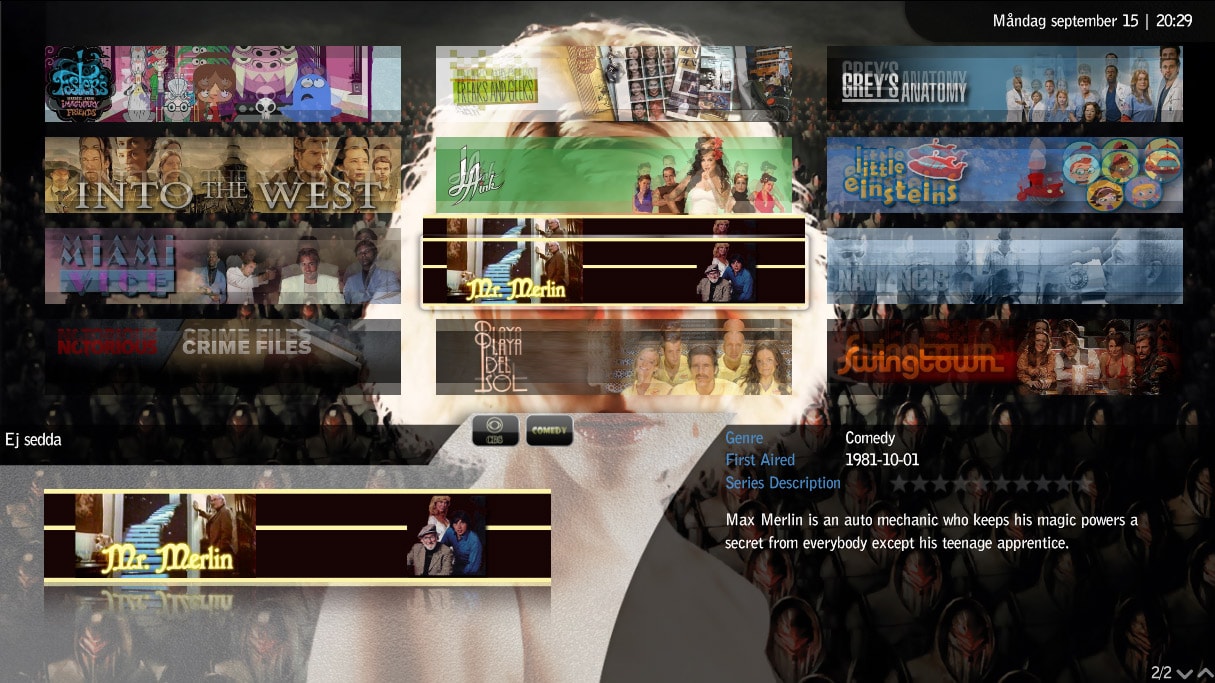
    I installed latest MP SVN yesterday and the TV Series screen has "doubled" banners. I use mattsk88's TV Series layout (no 5 if you look in the Aeon Wide TV Series thread). Checked with Black & White 1080 skin and everything looks ok with that so it must be due to that new "icon focus" code in latest SVN? Anyone else get this issue?

    Emph
     

    Attachments

    • aeon.weirdness.jpg
      aeon.weirdness.jpg
      285.5 KB

    Paranoid Delusion

    Moderation Manager
  • Premium Supporter
  • June 13, 2005
    13,052
    2,978
    Cheshire
    Home Country
    United Kingdom United Kingdom
    I'm on the Aeon default tvseries and there are no problems, so it must be related to that modified layout and its formatting possibly, try clearing the skin cache and see if it changes.
     

    emphatic

    Design Group
  • Team MediaPortal
  • August 25, 2006
    3,758
    1,250
    Alingsås
    Home Country
    Sweden Sweden
    I'm gonna download the layout-files again/clear cache. I just recalled that I did an SVN update on the skin files as well. Perhaps that's the reason.

    Emph
     

    rmeredit

    MP Donator
  • Premium Supporter
  • April 10, 2007
    164
    20
    Melbourne
    Home Country
    Same issue here. I had a DVD in, pressed the button and got the same behavior as you. Mine is also set to "Don't autoplay, don't ask."


    I presume that you can successfully play DVDs normally? That is, you've set the proper codecs up, and it works properly when you click on Play DVD under the normal home menu?

    Cheers,

    Rob.
     

    emphatic

    Design Group
  • Team MediaPortal
  • August 25, 2006
    3,758
    1,250
    Alingsås
    Home Country
    Sweden Sweden
    I get the same "blurry" issues with the TV-Series banners as before. Has anyone else tried the latest build of MediaPortal with this skin?

    Emph
     

    Darre

    Portal Pro
    April 21, 2007
    925
    80
    Home Country
    Norway Norway
    I installed latest MP SVN yesterday and the TV Series screen has "doubled" banners. I use mattsk88's TV Series layout (no 5 if you look in the Aeon Wide TV Series thread). Checked with Black & White 1080 skin and everything looks ok with that so it must be due to that new "icon focus" code in latest SVN? Anyone else get this issue?

    Emph

    Wow, thats not easy on the eyes :p
     

    SEALen

    MP Donator
  • Premium Supporter
  • June 10, 2007
    35
    0
    Sundsvall
    Home Country
    Sweden Sweden
    Love the skin. Had to upgrade my MP to 1.0.0.RC2 to make it run though. And all the fanart I had to download to add and replace. Must of spent like 8 hours on configuring the whole thing, 10 if you count reading the whole of this thread :)

    Anyway, there is one small little thing that is bugging me.
    If I go to radio or music and start something playing I get a small VIS square in the far left bottom corner. This VIS is displayed on top of the small round play icon. And if I press the pause button I get two pause icons. One is still behind the VIS (replacing the play one) and the other is displayed on top of the time slightly to the right.

    Is this a bug in the skin or is it because I have to run the skin in 1360x768 cos of my TV?

    As I'm at work now I can't provide a screenshot at the moment but I'll add one when I get back home if necessary.
     

    Users who are viewing this thread

    Top Bottom