- Thread starter
- #11
Dittsche
The overclock link I provided is based on an ASRock utility but seems to work fine on my Acer Revo 3610. Overclocking at your own risk of course. Not sure what you mean by a separate overclock for ION as opposed to Atom. A lot of the stutter I experienced seems to have come from latency, and disabling the wireless fixed a lot of that though some is still present. With the latency checker, I now have only green bars. I should have mentioned I also disabled the NVidia HD Audio device, breaks audio over HDMI, but my system goes optical out to my Receiver so that is not a huge issue.
@Cousin Jerry
Welcome aboard, I have seen you lurking around similar threads to me, and with similar issues, hopefully we can sort out a solution. I found before making my last lot of changes, that skipping to the end of the TV Stream solved the stutter issue for yet another period of time, almost like the playback was getting further and further behind until stutter kicked in. Could be linked to this comment by Owlsroost in another thread
"If the render 'clock' of your PC is slightly faster than the broadcast stream 'clock' then the amount of data in the buffer will very slowly decrease until it's essentially empty.
I'd always assumed that MP has some way of detecting/dealing with this situation, but maybe it doesn't always work ?
Tony"
I watched an hour of live TV last night after I had made the few changes listed above and did not experience the issue. Have not updated to Owlsroost dshowhelper.dll since I made these changes, will do so and report back
robyf
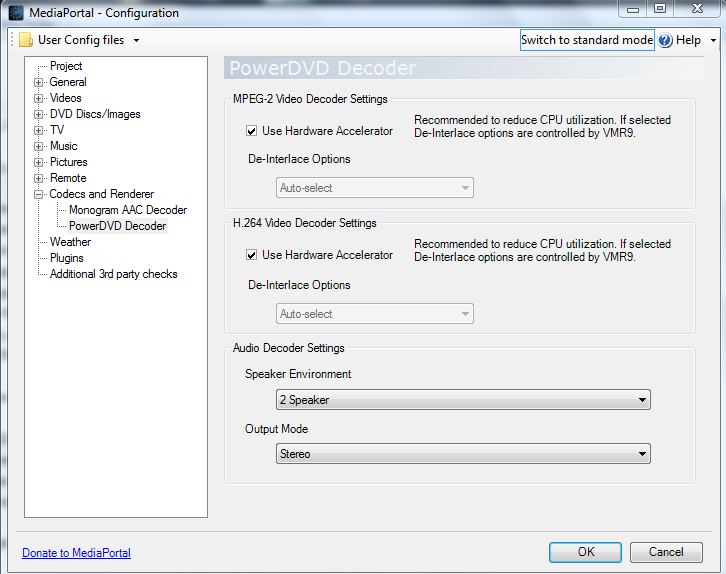
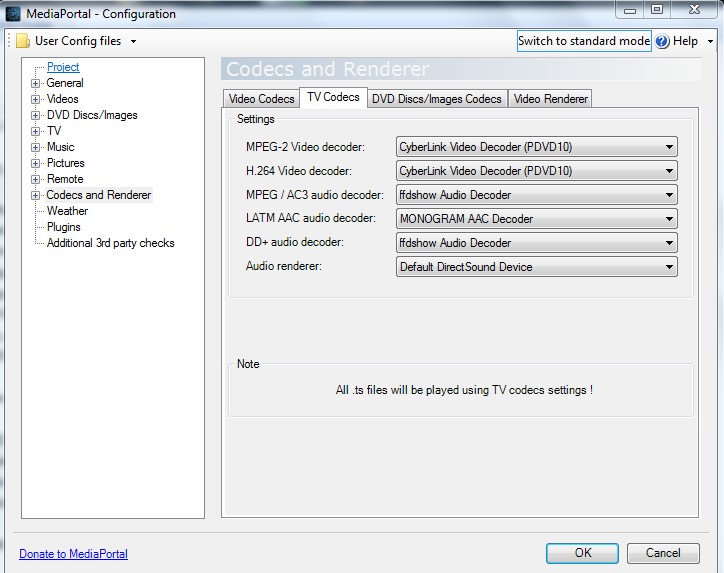
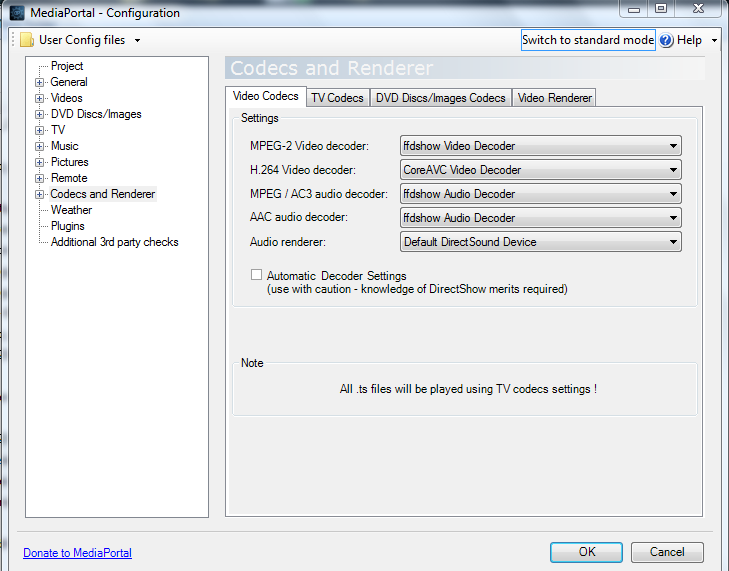
MPC (Gabest) was the only codec I could use to get reasonable SD LiveTV without stutter. DXVA not needed in this case I think? Will certainly try your PowerDVD solution, but I thought in SAF5 it was now Powerdvd10? I do use PowerDVD for Video, and sometimes ffdshow DXVA also for video with good results, my issue is only with LiveTV.
@all
Seems like we have some interest. My gut feeling from my research and from comments by Dittsche and others is that the issues are due to network problems. As I mentioned above, disabling Wireless Networking improved matters considerably, but still some way to go, particularly with HDTV for me. The problem is that I think the ethernet driver is bound up in ION chipset driver, and I don't know if there is any way to change that. My own case is an Acer Revo 3610 conected by ethernet to a router and thence to my TV Server box. The Server Box also has all of my videos and movies on it mostly stored in AVI (some MKV). Playback of these is flawless, but .ts streams over the network appears to be where the issue lies. Owlsroost confirmed that the issue is likely performance rather than MP in this thread https://forum.team-mediaportal.com/general-support-51/livetv-problem-after-one-hour-86423/
Lets keep working on it, and thanks for your interest.
The overclock link I provided is based on an ASRock utility but seems to work fine on my Acer Revo 3610. Overclocking at your own risk of course. Not sure what you mean by a separate overclock for ION as opposed to Atom. A lot of the stutter I experienced seems to have come from latency, and disabling the wireless fixed a lot of that though some is still present. With the latency checker, I now have only green bars. I should have mentioned I also disabled the NVidia HD Audio device, breaks audio over HDMI, but my system goes optical out to my Receiver so that is not a huge issue.
@Cousin Jerry
Welcome aboard, I have seen you lurking around similar threads to me, and with similar issues, hopefully we can sort out a solution. I found before making my last lot of changes, that skipping to the end of the TV Stream solved the stutter issue for yet another period of time, almost like the playback was getting further and further behind until stutter kicked in. Could be linked to this comment by Owlsroost in another thread
"If the render 'clock' of your PC is slightly faster than the broadcast stream 'clock' then the amount of data in the buffer will very slowly decrease until it's essentially empty.
I'd always assumed that MP has some way of detecting/dealing with this situation, but maybe it doesn't always work ?
Tony"
I watched an hour of live TV last night after I had made the few changes listed above and did not experience the issue. Have not updated to Owlsroost dshowhelper.dll since I made these changes, will do so and report back
robyf
MPC (Gabest) was the only codec I could use to get reasonable SD LiveTV without stutter. DXVA not needed in this case I think? Will certainly try your PowerDVD solution, but I thought in SAF5 it was now Powerdvd10? I do use PowerDVD for Video, and sometimes ffdshow DXVA also for video with good results, my issue is only with LiveTV.
@all
Seems like we have some interest. My gut feeling from my research and from comments by Dittsche and others is that the issues are due to network problems. As I mentioned above, disabling Wireless Networking improved matters considerably, but still some way to go, particularly with HDTV for me. The problem is that I think the ethernet driver is bound up in ION chipset driver, and I don't know if there is any way to change that. My own case is an Acer Revo 3610 conected by ethernet to a router and thence to my TV Server box. The Server Box also has all of my videos and movies on it mostly stored in AVI (some MKV). Playback of these is flawless, but .ts streams over the network appears to be where the issue lies. Owlsroost confirmed that the issue is likely performance rather than MP in this thread https://forum.team-mediaportal.com/general-support-51/livetv-problem-after-one-hour-86423/
Lets keep working on it, and thanks for your interest.

 Italy
Italy