Extensions: A GUI Plugin for MediaPortal's MPEI Installer (2 Viewers)

ltfearme

Community Plugin Dev
  • Premium Supporter
  • June 10, 2007
    6,760
    7,224
    Sydney
    Home Country
    Australia Australia
    I found an issue when a localised language is used: The extension is named according to the localised language and due to this the plugin will not be loaded when you not open MP configuration and save it. Also due to this the hover (In MP menu) is language depended.
    Hi Lbr_Lion, I think I have fixed this issue. Do you mind testing the attached DLL to be sure.

    The hover is now hard-coded as "hover_extensions.png" and the module name is "Extensions". The only time you should see the translated name now will be in #currentmodule skin property and the Home/Plugins menu item.
     

    Attachments

    • MPEIPlugin.zip
      38.5 KB

    Lbr_Lion

    Extension Designer
    July 19, 2008
    243
    372
    Home Country
    Netherlands Netherlands
    I found an issue when a localised language is used: The extension is named according to the localised language and due to this the plugin will not be loaded when you not open MP configuration and save it. Also due to this the hover (In MP menu) is language depended.
    Hi Lbr_Lion, I think I have fixed this issue. Do you mind testing the attached DLL to be sure.

    The hover is now hard-coded as "hover_extensions.png" and the module name is "Extensions". The only time you should see the translated name now will be in #currentmodule skin property and the Home/Plugins menu item.

    Hi Itfearme,

    :D
    I tested the new version and it works correct (Selected different languages and the hover is always shown and the plugin name in MP configuration is Extensions). Only one small thing: when you change from language in MP (without restarting MP) the strings are not reloaded so the plugin name shown is from the previous chosen language.:)

    Cheers,
     

    ltfearme

    Community Plugin Dev
  • Premium Supporter
  • June 10, 2007
    6,760
    7,224
    Sydney
    Home Country
    Australia Australia
    Only one small thing: when you change from language in MP (without restarting MP) the strings are not reloaded so the plugin name shown is from the previous chosen language.:)
    Yeah I noticed that, I can put in a check to re-init translations (and re-set of skin properties) on language change in the GUI.
     

    IchBinsShort

    Portal Pro
    January 3, 2008
    683
    54
    Home Country
    Germany Germany
    AW: Extensions Plugin for MpeInstaller (Updated on 25-04-2011)

    Today I have noticed a problem. I would install BackupSettings from the Extension Plugin, but I don't be able to confirm the Menu from Backup-Settings- Because it is in the Background, and i can't see it. Mediaportal is showing in Front, but in the Configuration I have select the pption that Mediaportal should not ast the Top.

    Can you confirm this ?
     

    Dadeo

    Docs Group Manager
  • Premium Supporter
  • November 26, 2006
    5,340
    3,321
    Himalayas, India
    Home Country
    Canada Canada
    Hi ltfearme while you are fixing things ;) I found a couple more issues:

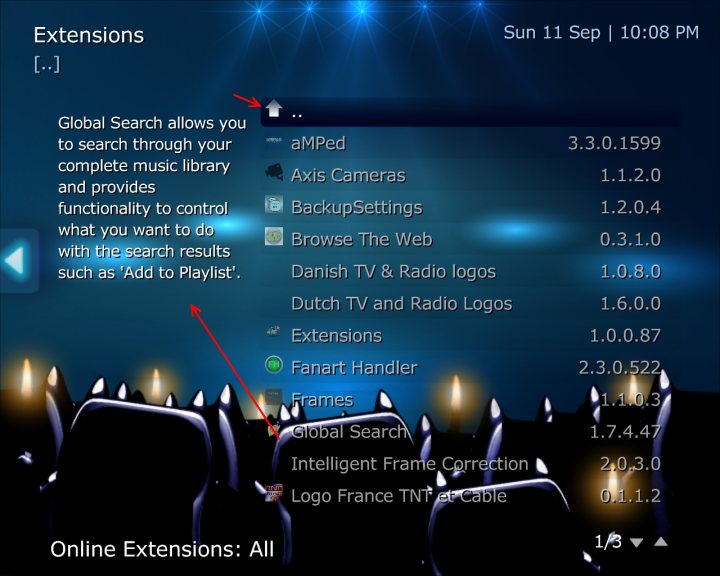
    1. When you display the up (folder) item i.e. in Online Extensions/All etc, it displays the skin properties of the last item viewed (see Screenshot)
    2. In MP Website Extensions, if you enable show only compatible extensions in MPEI settings, nothing displays. I suspect it is looking for 1.2.0 RC atm, while Repo only lists 1.2.0 (so hopefully will fix itself once 1.2.0 final is released) - meanwhile you get an error in error.log (attached)

    Edit: Also, #MPE.Selected.Author seems to grab the submitter from repo not the author field, so ends up different when viewing MP Web Extensions than when viewing Installed/Online Extensions etc.
     

    Attachments

    • OnlineExtensions.jpg
      OnlineExtensions.jpg
      68.9 KB

    ltfearme

    Community Plugin Dev
  • Premium Supporter
  • June 10, 2007
    6,760
    7,224
    Sydney
    Home Country
    Australia Australia
    Re: AW: Extensions Plugin for MpeInstaller (Updated on 25-04-2011)

    Today I have noticed a problem. I would install BackupSettings from the Extension Plugin, but I don't be able to confirm the Menu from Backup-Settings- Because it is in the Background, and i can't see it. Mediaportal is showing in Front, but in the Configuration I have select the pption that Mediaportal should not ast the Top.

    Can you confirm this ?

    I haven't installed this extension, but does it show messagebox's or something for confirmation? If so it really shouldn't do this in SilentMode as the installer should run unattended and not require input from user.

    If it does show MessageBox's then I would say its a bug with the install package for BackupSettings not checking SilentMode, please confirm if this is what you are seeing?
     

    Dadeo

    Docs Group Manager
  • Premium Supporter
  • November 26, 2006
    5,340
    3,321
    Himalayas, India
    Home Country
    Canada Canada
    And one more ;) - when you are in MP Extensions view, Changelog button does nothing - even when extensions have added changelog to the field in Repo like Extensions plugin ;). Should it work? Or should skins only display Changelog button when not in MP Web Extensions view? Changelog button works in other views as it displays the MPEI Changelog.
     

    ltfearme

    Community Plugin Dev
  • Premium Supporter
  • June 10, 2007
    6,760
    7,224
    Sydney
    Home Country
    Australia Australia
    I think its designed to only work for the other views, so for now just hide it in skin. I will check if there is a way to get the change log though from repository.
     

    IchBinsShort

    Portal Pro
    January 3, 2008
    683
    54
    Home Country
    Germany Germany
    AW: Re: AW: Extensions Plugin for MpeInstaller (Updated on 25-04-2011)

    Today I have noticed a problem. I would install BackupSettings from the Extension Plugin, but I don't be able to confirm the Menu from Backup-Settings- Because it is in the Background, and i can't see it. Mediaportal is showing in Front, but in the Configuration I have select the pption that Mediaportal should not ast the Top.

    Can you confirm this ?

    I haven't installed this extension, but does it show messagebox's or something for confirmation? If so it really shouldn't do this in SilentMode as the installer should run unattended and not require input from user.

    If it does show MessageBox's then I would say its a bug with the install package for BackupSettings not checking SilentMode, please confirm if this is what you are seeing?

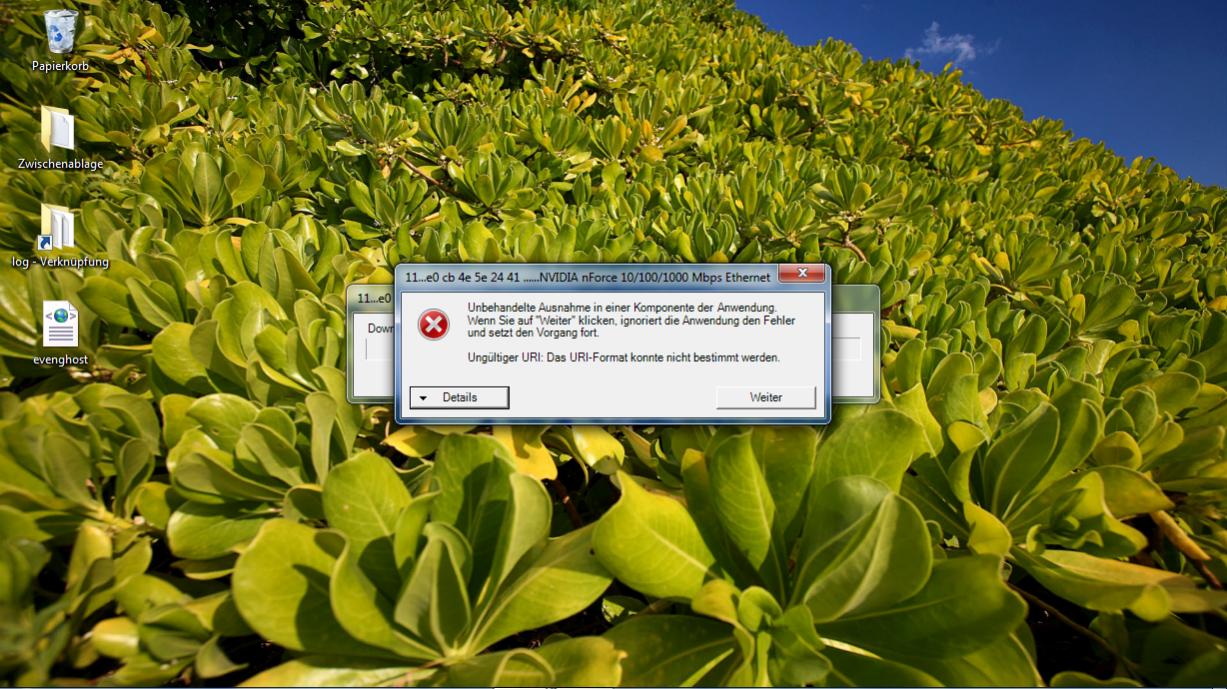
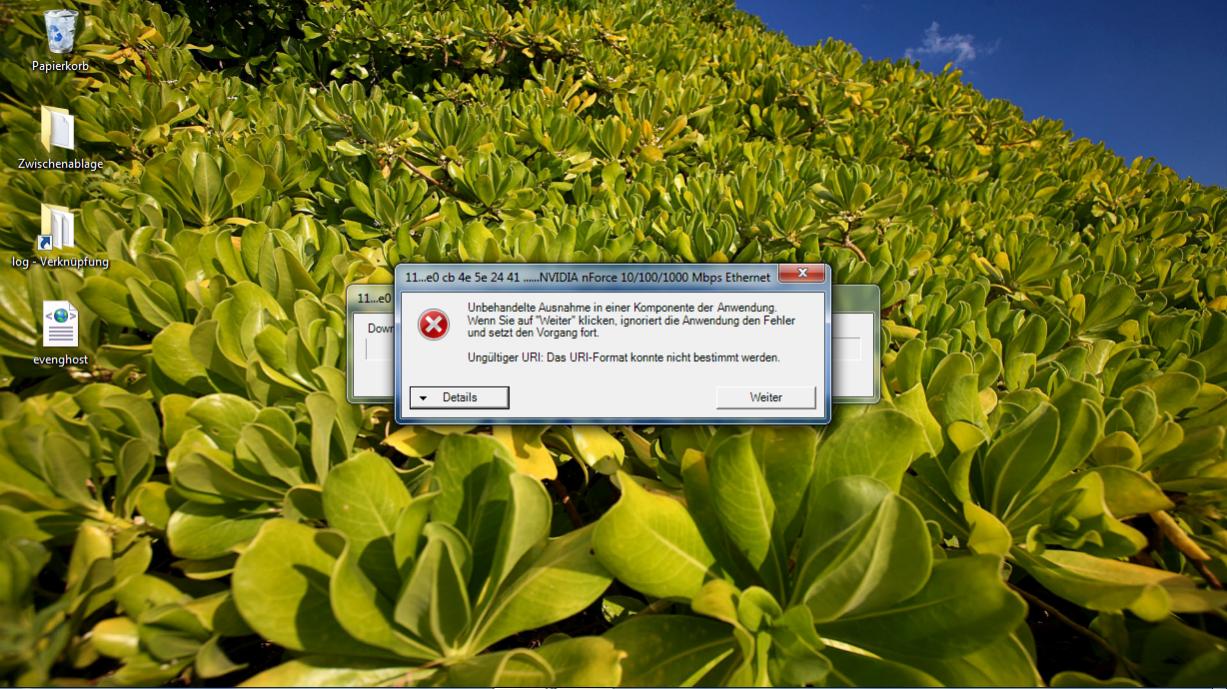
    Oh I have not noticed the Silent Mode, I have tried it today. But when I use the silent Mod, it doesn't work. Because there is another mistake, see the Screenshot ! It is a little bit funny, because it will download a Nvidia Driver for the Network ;-)
     

    Attachments

    • Unbenannt.jpg
      Unbenannt.jpg
      169.1 KB
    • Unbenannt2.jpg
      Unbenannt2.jpg
      169.1 KB

    Users who are viewing this thread

    Top Bottom