

 United Kingdom
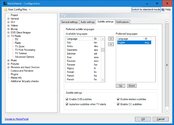
Thank you -- setting the language has made the subtitles appear (in the first TS file that you uploaded). This is the setting:Also try setting the subtitle default language to Eng
Having watched the file with subtitles enabled, I don't think that there is anything wrong with the placement of the subtitles. I think that the position of each subtitle must be specified in the TV data stream -- I don't think that it is MP that decides where to place the subtitles.
In the test file, the subtitle authors have obviously placed the subtitles near the top of the screen because the opening credits appear at the bottom of the screen (and both are white text superimposed on the picture). Once the credits have finished, the subtitles are placed near the bottom of the screen, in their "conventional" position:


One of my test recordings has a series of advertisements at the beginning, and the subtitles are all over the screen -- they are placed to avoid obscuring the product branding:




So I don't think that there is a problem with DVB subtitles where the subtitles are embedded in the data stream. For video files with external subtitle files (I don't have any of those to test), MP probably has more control over where the subtitles are placed.
-- from CyberSimian in the UK