
You are using an out of date browser. It may not display this or other websites correctly.
You should upgrade or use an alternative browser.
You should upgrade or use an alternative browser.
iPhone interface for MediaPortal (iPiMP) - original thread (now closed) (8 Viewers)
- Thread starter cheezey
- Start date
- Status
- Not open for further replies.


- Thread starter
- Moderator
- #322
3.3.0 released
3.3.0 updates include:
The above list ticks most of the feature requests received so far.
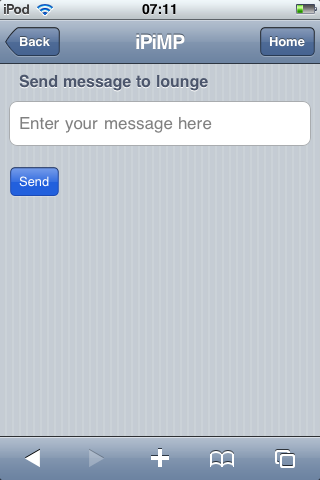
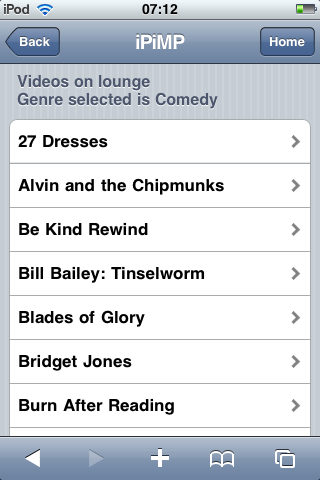
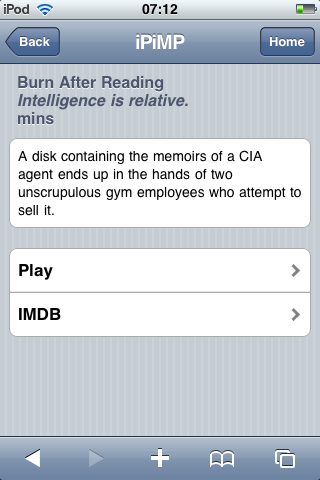
The big ticket items on this release are the addition of My Videos, you can browse your Mediaportal video database, read video synopsis and play the videos on your client, there also a link to the IMDB entry for that video. Messaging has also been added - this idea came to me at 3am whilst listening to my noisy teenage daughters sleepover! Now you can send a message to your MediaPortal clients - I tested it with STFU!!!
And for those who don't want to use the login page, select one year as the login timeout in the installer and check the 'Remember Me' button on the login screen. You should then be logged in for a year!
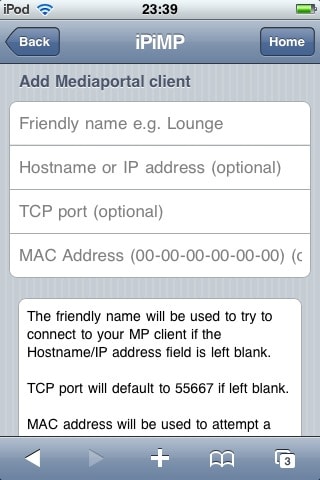
If you want to use the wake on lan (WOL) feature you must supply the MAC address of the client when you add a client, and it must be in the format 00-00-00-00-00-00 (see screenshot below).
Updated manual is here.
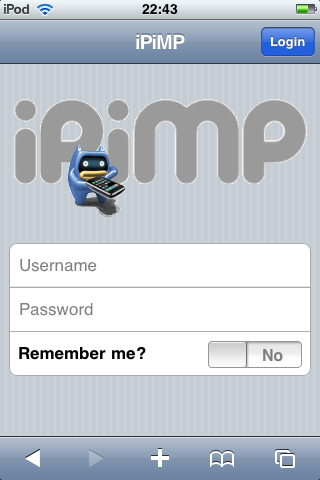
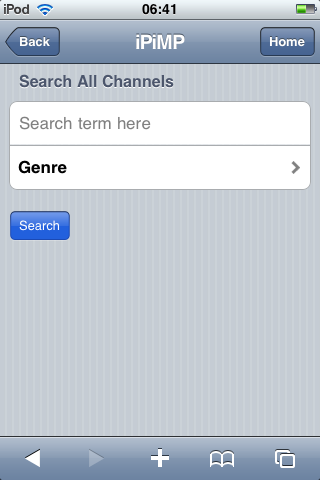
Screenshots of the new features.
3.3.0 updates include:
- Web - Expanded search to search by genre
- Web - Now reads pre/post recording times from TV server settings
- Web - Added additional categories to the list recordings by date (last month etc.)
- Web - Added recording duration to the recorded program summary screen
- Web - Added WOL option for MP clients if iPiMP cannot connect
- Web - Added program end time to schedule page
- Web - Added persistent login cookies (remember your login details when Safari is closed)
- Web - Added paging on My Videos lists (this will be added to other long lists in future versions)
- Installer/TV transcode plugin - Now accepts UNC paths for TVLogos and MP4s
- MP remote control plugin - Increased iPiMP client message size for music playlists (now see all playlists)
- MP remote control plugin - Added My Videos (browse all, by year or by genre)
- MP remote control plugin - Added messaging
- TV transcode plugin - Now allow ffmpeg parameter editing
- Documentation - Updated for 3.3.0
The above list ticks most of the feature requests received so far.
The big ticket items on this release are the addition of My Videos, you can browse your Mediaportal video database, read video synopsis and play the videos on your client, there also a link to the IMDB entry for that video. Messaging has also been added - this idea came to me at 3am whilst listening to my noisy teenage daughters sleepover! Now you can send a message to your MediaPortal clients - I tested it with STFU!!!
And for those who don't want to use the login page, select one year as the login timeout in the installer and check the 'Remember Me' button on the login screen. You should then be logged in for a year!
If you want to use the wake on lan (WOL) feature you must supply the MAC address of the client when you add a client, and it must be in the format 00-00-00-00-00-00 (see screenshot below).
Updated manual is here.
Screenshots of the new features.
Attachments
- Thread starter
- Moderator
- #324
Thanks for the Release! But after i updated to the new version the plugin in the TVServer doesn't open. Also the installation gives errors that the plugin can't be configured.
What version of MediaPortal TV Server are you running?
Can you uninstall iPiMP and ensure the following files/folders are deleted then retry the install:
- C:\Program Files\iPiMP
- C:\Program Files\Team Mediaportal\MediaPortal TV Server\iPiMPConfigurePlugin.exe
- C:\Program Files\Team Mediaportal\MediaPortal TV Server\iPiMPTranscodeClient.exe
- C:\Program Files\Team Mediaportal\MediaPortal TV Server\Plugins\iPiMPTranscodeToMP4.dll
- C:\Program Files\Team Mediaportal\MediaPortal\plugins\process\iPiMPClient.dll
- C:\Program Files\Team Mediaportal\MediaPortal\InputDeviceMappings\defaults\iPiMP.xml
For further help run the following commands...
- %comspec% /c ipconfig /all > c:\ipconfig.txt
- %comspec% /c netstat -abnop TCP > c:\netstat.txt
- %comspec% /c dir "%programfiles%\ipimp" /o:n /s > c:\ipimpfiles.txt
And then collect the following files, then zip & post them:
- %appdata%\Team MediaPortal\MediaPortal\log\error.log
- %appdata%\Team MediaPortal\MediaPortal\log\MediaPortal.log
- %appdata%\Team MediaPortal\MediaPortal TV Server\log\error.log
- %appdata%\Team MediaPortal\MediaPortal TV Server\log\tv.log
- %appdata%\Team MediaPortal\MediaPortal TV Server\Gentle.Config
- C:\Program Files\iPiMP\apache\conf\iPiMP.conf
- C:\Program Files\iPiMP\apache\logs\error.log
- C:\Program Files\iPiMP\aspx\web.config
- C:\ipconfig.txt
- C:\netstat.txt
- C:\ipimpfiles.txt
Hi Cheesey,
Some comments on the new version:
If I enter client settings and tries to update without even changing anything, it responds "clientname" could not be updated.
The plugin has problem using a mapped network drive, or rather the apacheserver won't start, unless I changed it to an UNC path.
One wish would be to support "Moving Pictures" plugin for video.
Thanks for all the good work
/Mikael
Some comments on the new version:
- Web - Expanded search to search by genre - OK
- Web - Now reads pre/post recording times from TV server settings - OK
- Web - Added additional categories to the list recordings by date (last month etc.) - OK
- Web - Added recording duration to the recorded program summary screen - OK
- Web - Added WOL option for MP clients if iPiMP cannot connect - can't seem to find any clues to this...?
- Web - Added program end time to schedule page - OK
- Web - Added persistent login cookies (remember your login details when Safari is closed) - OK
- Web - Added paging on My Videos lists (this will be added to other long lists in future versions) - Not tested
- Installer/TV transcode plugin - Now accepts UNC paths for TVLogos and MP4s - OK
- MP remote control plugin - Increased iPiMP client message size for music playlists (now see all playlists) - Not tested
- MP remote control plugin - Added My Videos (browse all, by year or by genre) - Not tested, using StreamedMP
- MP remote control plugin - Added messaging - Crashes MediaPortal client...
- TV transcode plugin - Now allow ffmpeg parameter editing - OK
If I enter client settings and tries to update without even changing anything, it responds "clientname" could not be updated.
The plugin has problem using a mapped network drive, or rather the apacheserver won't start, unless I changed it to an UNC path.
One wish would be to support "Moving Pictures" plugin for video.
Thanks for all the good work
/Mikael
- Thread starter
- Moderator
- #327
When you select a client, if it cannot connect it tells you so and if you have supplied a MAC address when adding the client then a WOL button is displayed. My instructions should have been clearer on this - I've updated the instructions in my post above.
- Web - Added WOL option for MP clients if iPiMP cannot connect - can't seem to find any clues to this...?
Please post your mediaportal.log after such a crash, I have it working on my 3 clients.
- MP remote control plugin - Added messaging - Crashes MediaPortal client...
Yep - that's a bug - the workaround is to delete then re-add the client.If I enter client settings and tries to update without even changing anything, it responds "clientname" could not be updated.
This is due to windows design http://support.microsoft.com/kb/180362 - so changing the iPiMPweb service to a named account and mapping the drive using that account might work.The plugin has problem using a mapped network drive, or rather the apacheserver won't start, unless I changed it to an UNC path.
Depends on whether it comes with a usable interface - I don't want to get into database access - I'll have a look.One wish would be to support "Moving Pictures" plugin for video.
Thanks for the feedback!
- May 28, 2008
- 694
- 11
Hi cheezey, I updated to your new version and cannot add a client. The IP ist right and the port
Hi,
Firstly thank you for this, it's a fantastic piece of work.
I've got most of the things working except during the setup I received an error about couldn't find gentle.conf and that iPiMP wouldn't work without it. The install completed with success though.
I checked the path given in your earlier post (%appdata%\Team MediaPortal\MediaPortal TV Server\Gentle.Config) and there was no Team Media Portal folder, I finally found the folder in the All Users appdata folder instead. I copied the gentle.conf to the iPiMP\apache\conf install folder. I then enabled all the plugins as per the install instructions.
Everything seems to work except when I try to add a MP client from the iPhone I get an error saying "Lounge could not be added". I've tried varying amounts of data on the add client page; full details (IP, MAC, etc), down to just matching the client name to the MP PC name and clicking Add, I always get the same result. Could this be related to the install error?
Thanks for your help.
Jon.
P.S. I rebooted after the install to ensure all the services restarted cleanly.
Firstly thank you for this, it's a fantastic piece of work.
I've got most of the things working except during the setup I received an error about couldn't find gentle.conf and that iPiMP wouldn't work without it. The install completed with success though.
I checked the path given in your earlier post (%appdata%\Team MediaPortal\MediaPortal TV Server\Gentle.Config) and there was no Team Media Portal folder, I finally found the folder in the All Users appdata folder instead. I copied the gentle.conf to the iPiMP\apache\conf install folder. I then enabled all the plugins as per the install instructions.
Everything seems to work except when I try to add a MP client from the iPhone I get an error saying "Lounge could not be added". I've tried varying amounts of data on the add client page; full details (IP, MAC, etc), down to just matching the client name to the MP PC name and clicking Add, I always get the same result. Could this be related to the install error?
Thanks for your help.
Jon.
P.S. I rebooted after the install to ensure all the services restarted cleanly.
jedney, I have exactly the same issue - got the gentle.conf error and can't add a MP client. Everything else seems to be pretty much working. Well, except there's a problem with on-demand transcodings from the iphone UI too - they fail at some point, all I get is the thumbnail image. This is no big issue though, as scheduled transcoding and the pc transcode client work fine. Would be nice to get the remote control feature working. Logs indicate no errors whatsoever.
- Status
- Not open for further replies.
Users who are viewing this thread
Online now: 9 (members: 0, guests: 9)