Maya: Beta release 04-04-10 (Original Thread) (3 Viewers)

Status
Not open for further replies.

bhengeveld

Portal Pro
December 11, 2009
142
46
Home Country
Netherlands Netherlands
Re: Maya: Beta release 06-02-10

Klopt het dat sommige items erg klein zijn? Is dit bewust gedaan?
Laat nog eens wat meer creativiteit los op ons basichome. We staan open voor verbetering. Ik zoek nog naar een meer smoothe manier van animeren in ons huidige menu.
Misschien iets minder radicaal als je nu gedaan hebt. :D

Is it intended that some menu items are incredibly small??
Please fiddle some more with our basichome just to see what comes out. We like enhancements alot. And our current menu could be a bit more smooth. Will you give it a try.
Perhaps a bit less radical as you did with this xml. :D

Thanks for translating, but I don't mind keeping it in english! (saves you time to make more maya goodies)

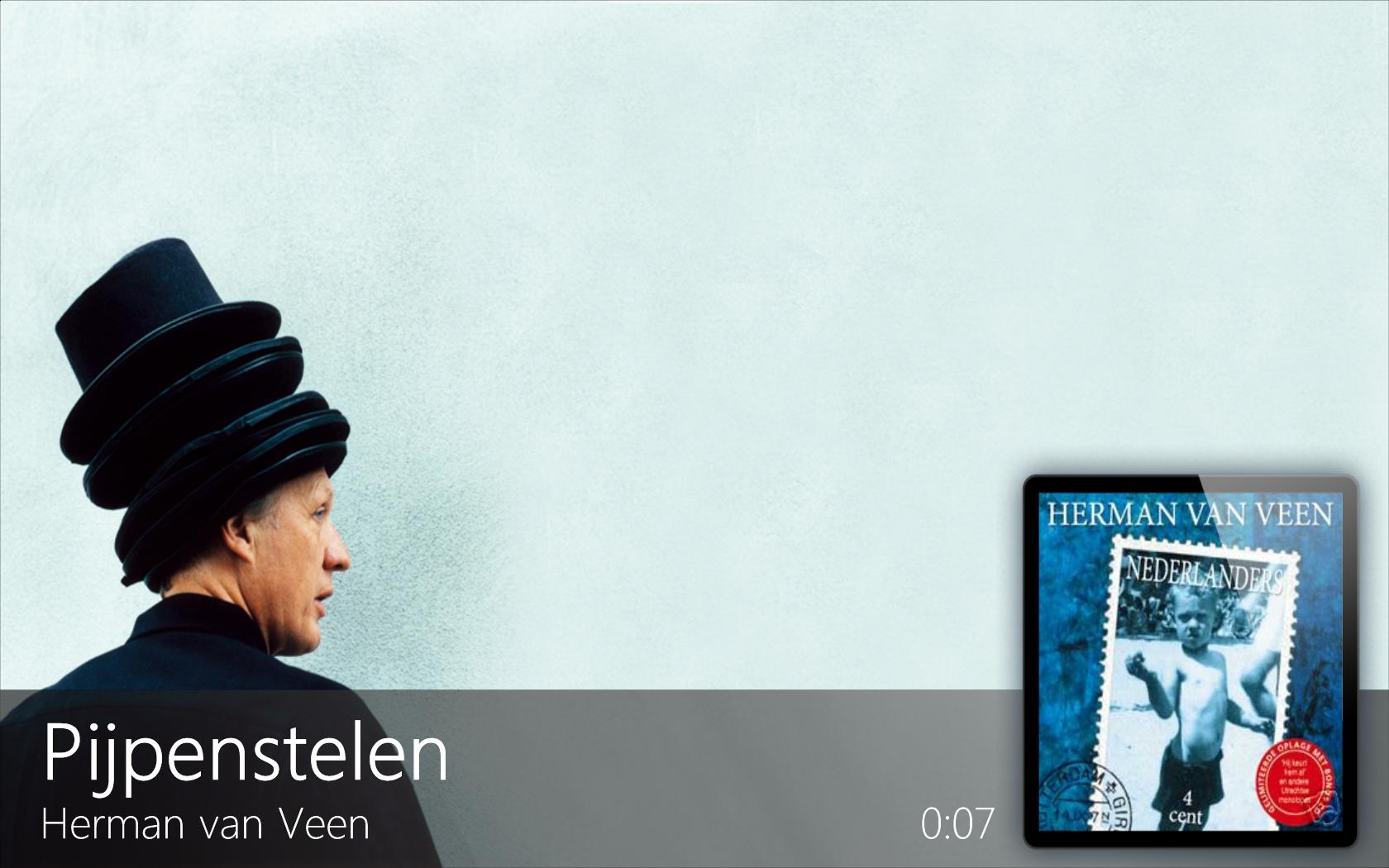
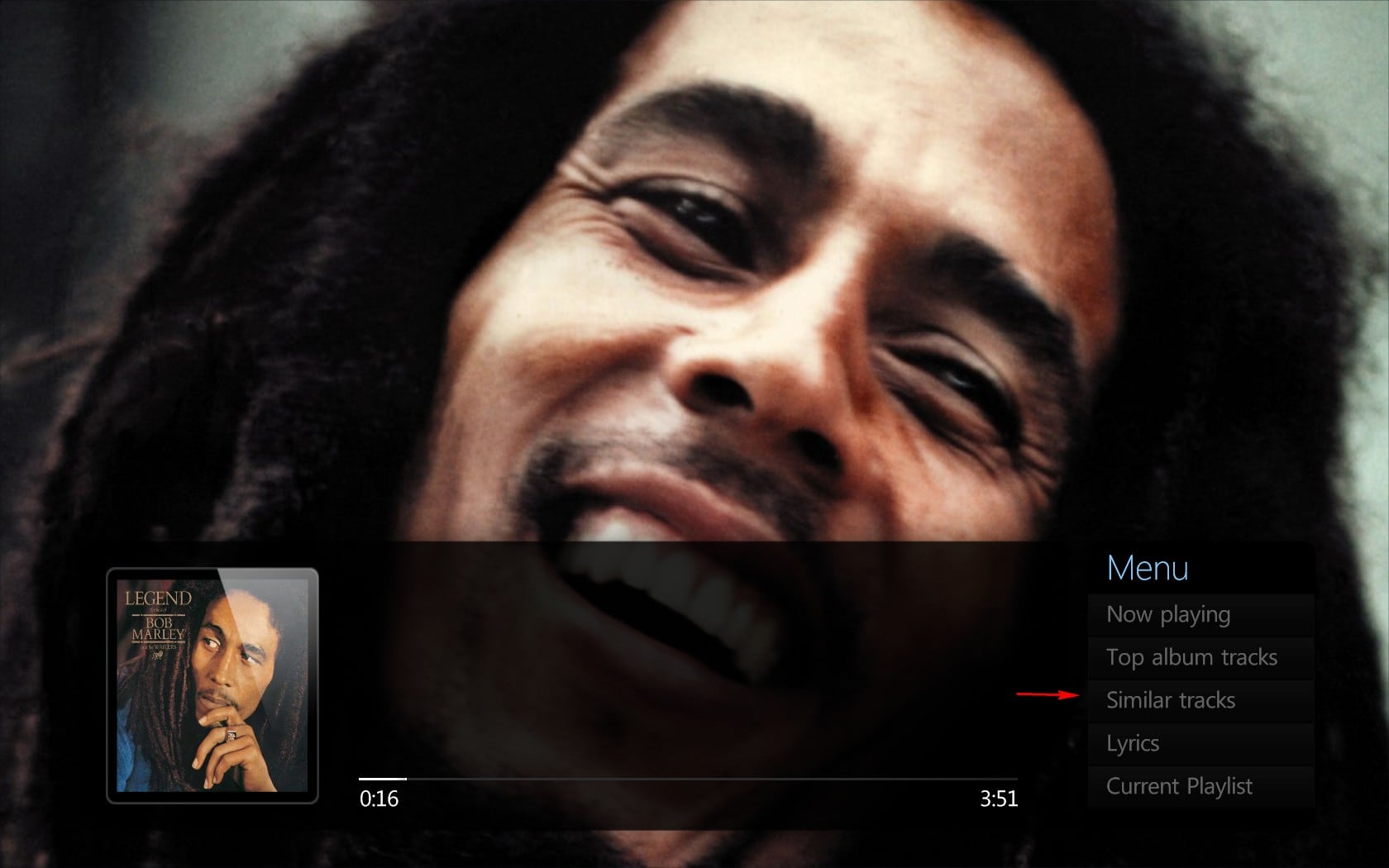
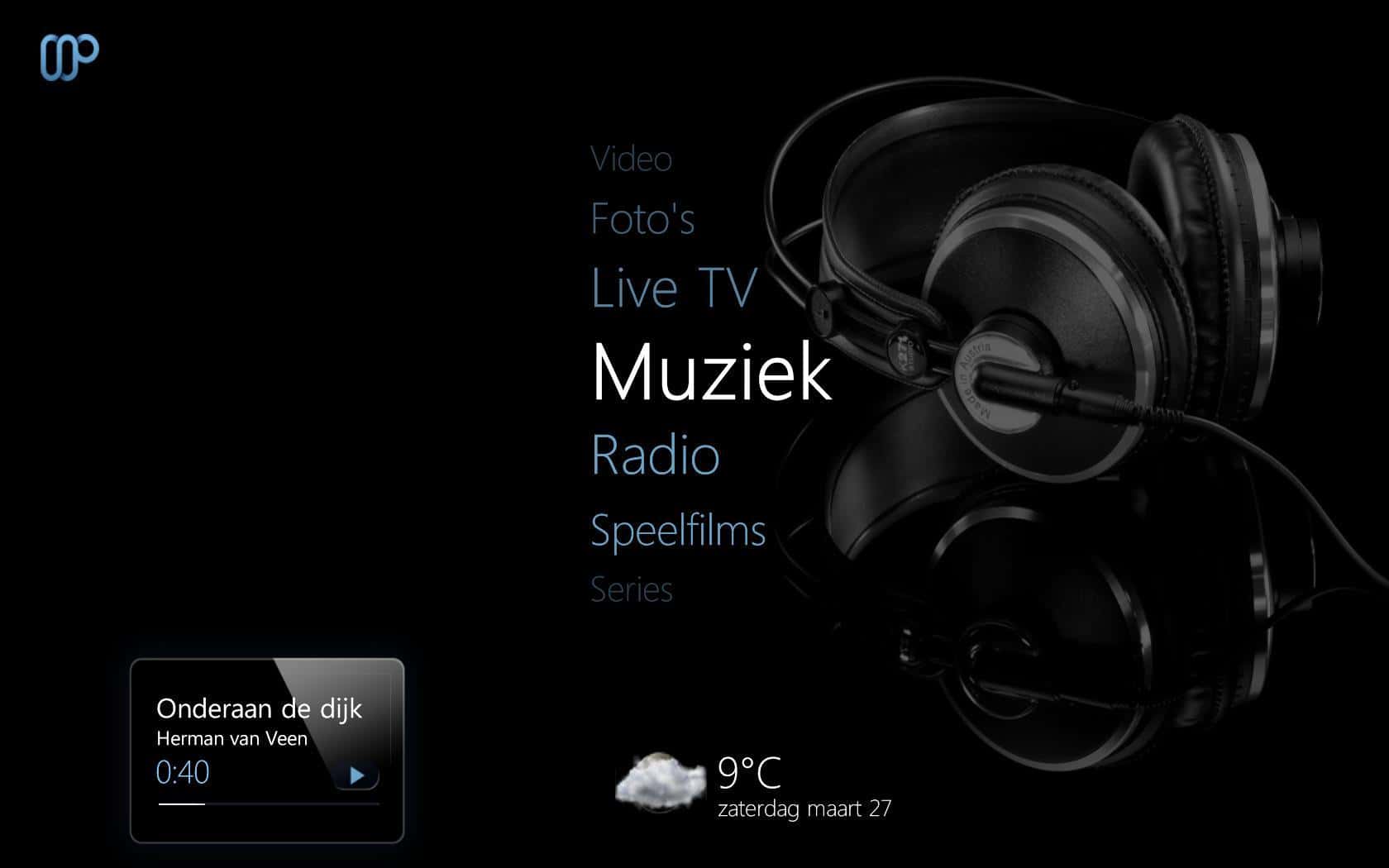
But I should've posted some more things in my previous post. I altered a bit more than only a new basichome.xml will show. I turned Maya a bit more black, because I like black. I added all of the necessary files in the attached RAR file. There are also two printscreens to show what Basichome and myMusicPlayingNow should (kinda) look like.

The less radical part is going to be a problem though :D

Edit: perhaps it's also a problem that I don't use a very ideal resolution. I use a samsung 22" LCD monitor, with a native res. of 1680x1050 (16:10). Maybe on a true 16:9 it might not work out very well...
 

Attachments

  • Home.JPG
    Home.JPG
    81 KB
  • musicplayingnow.JPG
    musicplayingnow.JPG
    135.1 KB
  • Maya skin test.rar
    30.6 KB

spoco2

Portal Member
March 6, 2006
46
1
Re: Maya: Beta release 06-02-10

I absolutely LOVE this skin, it instantly became my day to day one when I first installed it. However it's missing one basic thing, and that's the time on most screens. I really would love it to have the time on the home screen and, well, pretty much all of them, in the way that Blue Wide does. It's there for easy glancing at pretty much everywhere.

If it'd just have that it'd be perfect :)
 

akiaki

Portal Pro
September 15, 2008
125
4
Zagreb
Home Country
Croatia Croatia
Re: Maya: Beta release 06-02-10

I think in latest versions clock is present in almost all screens..
 

n4orcer

MP Donator
  • Premium Supporter
  • May 5, 2008
    116
    26
    Sweden
    Home Country
    Sweden Sweden
    Re: Maya: Beta release 06-02-10

    I just want to thank you guys for a really good skin! My favorite for quite some time now, keep up the good work! :)
     

    pilehave

    Community Skin Designer
  • Premium Supporter
  • April 2, 2008
    2,566
    521
    Hornslet
    Home Country
    Denmark Denmark
    Re: Maya: Beta release 06-02-10

    Hi folks, great skin! My new favourite, however. When I go to the Weather section I get this:

    weather1.jpg


    and it just stays there with the #maya.weather etc etc until I hit 'escape' on my keyboard, go back to the main menu then go back into Weather again, and everything returns to how it should look:

    weather2.jpg


    I am on Windows 7 64bit, fresh install of MediaPortalSetup_1.1.0_RC-1_rev25080.exe (RC1).

    Any ideas as to why its displaying all those characters after the #maya.weather ?
    Many thanks in advance for your help.

    Download the latest plugin from Downloads - mamp2 - Project Hosting on Google Code this will fix the issue :)
     

    ysmp

    Design Group
  • Team MediaPortal
  • May 17, 2008
    1,861
    837
    Seoul.
    Home Country
    South Korea South Korea
    Re: Maya: Beta release 06-02-10

    hi guys !
    i downlad the latest svn some feadback for you ...

    first excelent work ,the skin rally look good .

    RadioTime plugin need to update (latest version 0.6.1.0)

    now for some bug :
    1-weather main. if i chang city the temp chang but the title location not ...only if you go out of weather and come back the title
    chang to the corect one

    2-weather day . in all day by day have overlaping (see screen "weather-day")-fixed

    3-musicplayingnow fanart. when first you enter music playing now the focus go to "similer track" butten ...it shud go to now playing
    (see screen "nowplaying fanart")

    AND IDEA FOR NOW PLAYING FANART ...HOW ABUT TO MACK THE MENU HIDE ALL THE WAY TO THE RIGHT AS HIDEN MENU ..
    IF A USER WONT TO SEE THE MENU CLICK RIGHT AND THE MENU COME ..

    AND I THING THE OVERLY BACKGROWND CAN BE MORE TRANSPERENT ...

    again thank you for great looking skin ...

    MP 1.1RC1
     

    Attachments

    • nowplaying fanart.jpg
      nowplaying fanart.jpg
      197.9 KB

    elliottmc

    Retired Team Member
  • Premium Supporter
  • August 7, 2005
    14,927
    6,061
    Cardiff, UK
    Home Country
    United Kingdom United Kingdom
    Re: Maya: Beta release 06-02-10

    Hi,

    Just a quick one, and no screenshot I am afraid.

    In the EPG, if I move focus to a program that is set to record (highlighted in red), then a red dot should be shown by the program description. Unfortunately this is too high, and is 'under' the EPG itself.

    This is at a resolution of 1680 x 1050, and using the latest SVN.

    Please let me know if you cannot reproduce this or need a screenshot.

    Best wishes,

    Mark
     

    joz

    Portal Pro
    March 17, 2008
    1,353
    306
    Home Country
    Netherlands Netherlands
    Re: Maya: Beta release 06-02-10

    Hi,

    Just a quick one, and no screenshot I am afraid.

    In the EPG, if I move focus to a program that is set to record (highlighted in red), then a red dot should be shown by the program description. Unfortunately this is too high, and is 'under' the EPG itself.

    This is at a resolution of 1680 x 1050, and using the latest SVN.

    Please let me know if you cannot reproduce this or need a screenshot.

    Best wishes,

    Mark

    16:10 resolution, this skin I believe is designed for 16:9.
    In 16:10 you will get differences in almost all skins. Skinning for both aspect ratios can only be achieved by start skinning from a 16:10 aspect from the start because 16:9 (from my experience, and it also seems logical) will then scale correct (although will have a little bit more room around elements).
     

    mortstar

    MP Donator
  • Premium Supporter
  • January 30, 2008
    414
    41
    Home Country
    England England
    Re: Maya: Beta release 06-02-10

    I see in the mytvguide.xml this code relating to recording pins:

    Code:
    <control>
    	<description>record pin</description>
    	<type>image</type>
    	<id>31</id>
    	<posX>-2000</posX>
    	<texture>tvguide_record_button.png</texture>
    	<visible>no</visible>
    </control>
    	
    <control>
    	<description>record pin</description>
    	<type>image</type>
    	<id>1</id>
    	<posX>413</posX>
    	<posY>549</posY>
    	<fixedheight>yes</fixedheight>
    	<height>39</height>
    	<texture>#maya.tvguide.recpin</texture>
    	<keepaspectratio>yes</keepaspectratio>
    	<animation effect="fade" time="800">WindowOpen</animation>
    	<animation effect="fade" time="300">WindowClose</animation>
    </control>

    Obviously the first control never shows as posX = -2000

    The second control I believe is using the Maya BasicHome plugin, I believe, to show the recording pins. However, I have the latest plugin from svn and the pins never show for me in the TV Guide section of Mediaportal.
     

    elliottmc

    Retired Team Member
  • Premium Supporter
  • August 7, 2005
    14,927
    6,061
    Cardiff, UK
    Home Country
    United Kingdom United Kingdom
    Re: Maya: Beta release 06-02-10

    Hi,

    Just a quick one, and no screenshot I am afraid.

    In the EPG, if I move focus to a program that is set to record (highlighted in red), then a red dot should be shown by the program description. Unfortunately this is too high, and is 'under' the EPG itself.

    This is at a resolution of 1680 x 1050, and using the latest SVN.

    Please let me know if you cannot reproduce this or need a screenshot.

    Best wishes,

    Mark

    16:10 resolution, this skin I believe is designed for 16:9.
    In 16:10 you will get differences in almost all skins. Skinning for both aspect ratios can only be achieved by start skinning from a 16:10 aspect from the start because 16:9 (from my experience, and it also seems logical) will then scale correct (although will have a little bit more room around elements).

    Okay, I will check this in windowed mode forcing the window size to the correct aspect ratio, and see if the problem is still there.

    Mark
     
    Status
    Not open for further replies.

    Users who are viewing this thread

    Top Bottom