MediaPortal SVN-Snapshot:-01-31-2010 14-51h - Revision:24923.rar (1 Viewer)

Status
Not open for further replies.

erikture

MP Donator
  • Premium Supporter
  • March 26, 2008
    87
    5
    Home Country
    Sweden Sweden
    I have had serious problems with drop of frames on one of my three HTPCs.
    They are all running the latest SVN on Windows 7 and the dsshowhelper.dll posted in this thread.

    Tonight I did some timeconsuming debuging. I disabled all third party plugins and then played a xvid video. Then I looked into the evr.log to see if there were som dropped frames. With all plugins disabled there were almost no droped frames. Then I started to enable plugin after plugin and checked for dropped frames. I did find out that Moving Pictures beta 2 and HTPC Info 0.9.0 were the on that caused the massive frame drops. HTPC Info caused the most drops.

    What is strange is that I have at least Moving Pictures installed on one other HTPC where I do not see any frame drops.
    Hope this can help somebody to narrow the problem a bit.
    With Moving Pictures and HTPC Info disabled I only see framedrops maybee once a minute, with them enabled I have 2-3 framedrops every second.

    /Erik
     

    OnkelChris

    Retired Team Member
  • Premium Supporter
  • October 17, 2007
    764
    59
    Home Country
    Germany Germany
    AW: MediaPortal SVN-Snapshot:-01-31-2010 14-51h - Revision:24923.rar

    try using the "original" dshowhelper.dll while disabling all plugins
     

    cfforce

    MP Donator
  • Premium Supporter
  • March 4, 2008
    241
    21
    Home Country
    Netherlands Netherlands
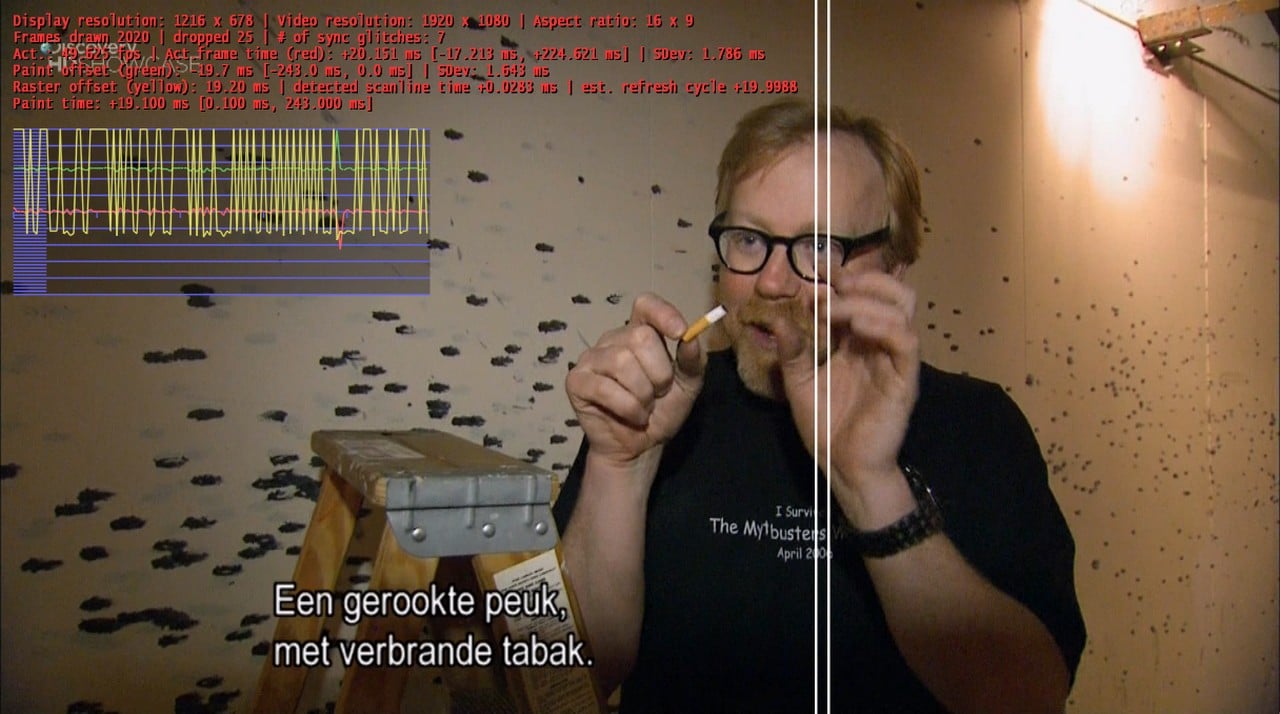
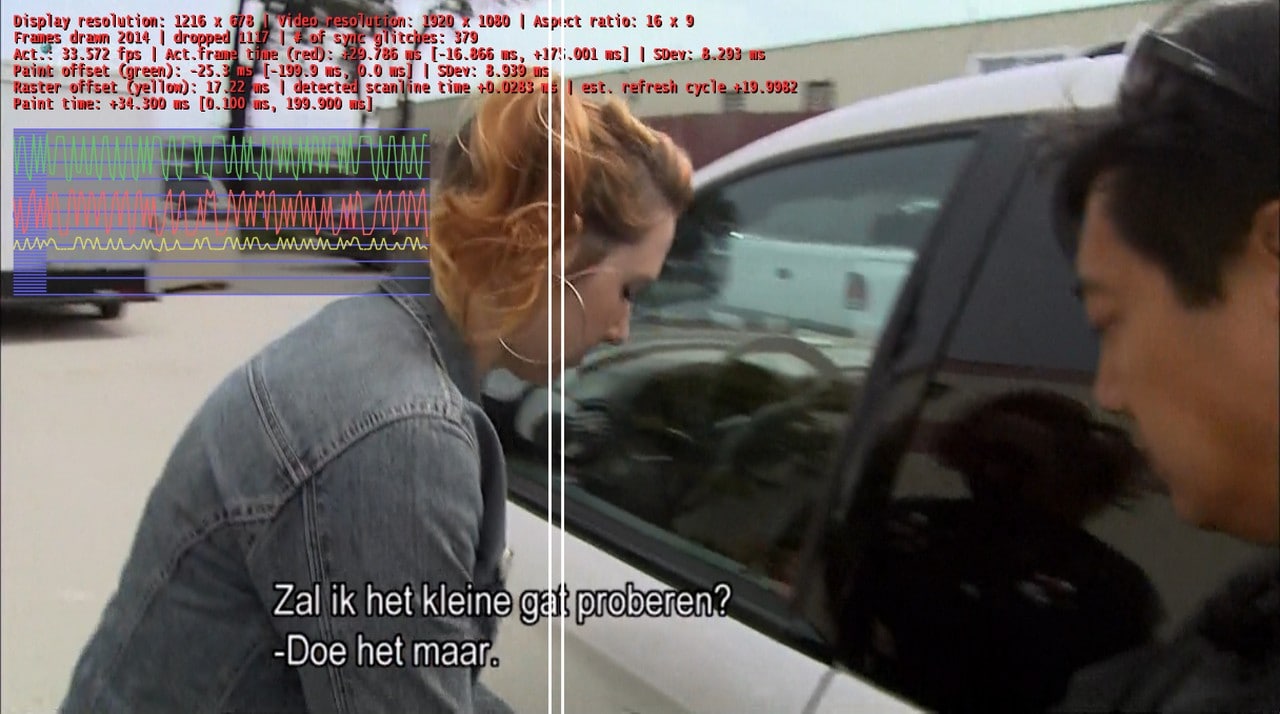
    Ok, im not currently withing range of my testing systems, but i tested it on my live pc (also ASROCK ION330); it's using atm svn24708; and showing 50fps, low dropped frames (almost nothing) and almost no glitches; Then i snatched tsreader.ax from svn24954; then it shows massive dropped frames and around 30fps.. same as my testing systems. don't look @ error.log :p.
    Hope it helps. (screenshot took @ ~2000 frames drawn)
     

    Attachments

    • ts24708.jpg
      ts24708.jpg
      190.9 KB
    • ts24954.jpg
      ts24954.jpg
      179.5 KB
    • ts24708.zip
      30.6 KB
    • ts24954.zip
      30.6 KB

    chrholm

    Portal Pro
    June 20, 2005
    64
    2
    47
    Copenhagen
    Home Country
    Denmark Denmark
    I have tested some more, and I also get crashes when skipping back and forth, not only from channel change (does channel change make it do a skip to the end behind the scenes?). It doesn't happen always, but maybe 1 out of 5 times.

    I am running multiseat so it could be related to the changes to make skpping work reliably in multiseat.

    I tried disabling RTSP in multiseat mode, and that cured the crashing problems. So I'm guessing this is RTSP related and not EVR/tsreader related (maybe RTSP is part of tsreader, I don't know).
     

    tourettes

    Retired Team Member
  • Premium Supporter
  • January 7, 2005
    17,301
    4,800
    I have had serious problems with drop of frames on one of my three HTPCs.
    They are all running the latest SVN on Windows 7 and the dsshowhelper.dll posted in this thread.

    Tonight I did some timeconsuming debuging. I disabled all third party plugins and then played a xvid video. Then I looked into the evr.log to see if there were som dropped frames. With all plugins disabled there were almost no droped frames. Then I started to enable plugin after plugin and checked for dropped frames. I did find out that Moving Pictures beta 2 and HTPC Info 0.9.0 were the on that caused the massive frame drops. HTPC Info caused the most drops.

    What is strange is that I have at least Moving Pictures installed on one other HTPC where I do not see any frame drops.
    Hope this can help somebody to narrow the problem a bit.
    With Moving Pictures and HTPC Info disabled I only see framedrops maybee once a minute, with them enabled I have 2-3 framedrops every second.

    Please report the findings to both plugin authors. Moving Pictures is a new source for dropped frames (pretty nasty if you have movie plugin that causes issues with movie playback quality :) Of course it is still beta and I'm sure fforde & team will fix the issue for the final release). HTPC Info was an "old friend" :)
     

    tourettes

    Retired Team Member
  • Premium Supporter
  • January 7, 2005
    17,301
    4,800
    Ok, im not currently withing range of my testing systems, but i tested it on my live pc (also ASROCK ION330); it's using atm svn24708; and showing 50fps, low dropped frames (almost nothing) and almost no glitches; Then i snatched tsreader.ax from svn24954; then it shows massive dropped frames and around 30fps.. same as my testing systems. don't look @ error.log :p.
    Hope it helps. (screenshot took @ ~2000 frames drawn)


    2010-02-03 00:08:30.365600 [Info.][MPMain]: Main: MediaPortal Disaster Edition v1.0.4.24708 is starting up on Windows7 [6.1.7600.0]

    Not a SVN build.
     

    mylle

    Portal Pro
    April 14, 2005
    574
    66
    Denmark
    Home Country
    Denmark Denmark
    I have tested some more, and I also get crashes when skipping back and forth, not only from channel change (does channel change make it do a skip to the end behind the scenes?). It doesn't happen always, but maybe 1 out of 5 times.

    I am running multiseat so it could be related to the changes to make skpping work reliably in multiseat.

    I tried disabling RTSP in multiseat mode, and that cured the crashing problems. So I'm guessing this is RTSP related and not EVR/tsreader related (maybe RTSP is part of tsreader, I don't know).

    Hi,

    I also had to disable RTSP for MP not to crash. Without RTSP the system is running really good on latest SVN. Im at work right now but will try to post logs when i get home.

    regards
    Mylle

    EDIT:
    I also seem to remember that one of the errors i experienced on the client in RTSP mode was "unable to play stream xx" and when looking in the logs and in the server timshift directory, the file the Client was trying to play did not exist in the timeshift directory.
     

    frankwaan

    Portal Pro
    August 8, 2008
    90
    0
    Hengelo (O)
    Home Country
    Netherlands Netherlands
    Indeed, running a LOT smoother than previous SVN, with the refresh rates correctly configured (using automatic refresh rate changer)... T:D
     

    thegunzo

    MP Donator
  • Premium Supporter
  • November 15, 2008
    49
    4
    Sauðárkrókur
    Home Country
    Iceland Iceland
    I have tested some more, and I also get crashes when skipping back and forth, not only from channel change (does channel change make it do a skip to the end behind the scenes?). It doesn't happen always, but maybe 1 out of 5 times.

    I am running multiseat so it could be related to the changes to make skpping work reliably in multiseat.

    I tried disabling RTSP in multiseat mode, and that cured the crashing problems. So I'm guessing this is RTSP related and not EVR/tsreader related (maybe RTSP is part of tsreader, I don't know).

    Hi,

    I also had to disable RTSP for MP not to crash. Without RTSP the system is running really good on latest SVN. Im at work right now but will try to post logs when i get home.

    regards
    Mylle

    EDIT:
    I also seem to remember that one of the errors i experienced on the client in RTSP mode was "unable to play stream xx" and when looking in the logs and in the server timshift directory, the file the Client was trying to play did not exist in the timeshift directory.

    First, thanks for this SVN. It is very promissing.

    My problem is with the Streaming Server and the fact that it fails to open some streams that works fine if I disable RTSP and use UNC paths. If the Streaming Server would be able to stream every file that the tsreader is able to open then this problem would be fixed.

    I use DJBlu solution for Sky satellite TV (https://forum.team-mediaportal.com/...-request-here-48/sky-uk-uk-freesat-epg-43261/). If I replace tswriter.ax with his rewritten one then the Streaming Server fails to open the tsbuffer but everything works with UNC paths.

    I also have recordings that the Streaming Server fails to open but play perfectly with UNC configuration. See details on
    https://forum.team-mediaportal.com/...ision-24669-rar-75857/index22.html#post559938

    I just did a fresh install on my TV Server, now with Windows 7 32bit. Previously I had Windows XP 32bit.
    This is a constant problem and is clearly shown in "streaming server.log"
     

    elliottmc

    Retired Team Member
  • Premium Supporter
  • August 7, 2005
    14,927
    6,061
    Cardiff, UK
    Home Country
    United Kingdom United Kingdom
    I tried disabling RTSP in multiseat mode, and that cured the crashing problems. So I'm guessing this is RTSP related and not EVR/tsreader related (maybe RTSP is part of tsreader, I don't know).

    Hi,

    I also had to disable RTSP for MP not to crash. Without RTSP the system is running really good on latest SVN. Im at work right now but will try to post logs when i get home.

    regards
    Mylle

    EDIT:
    I also seem to remember that one of the errors i experienced on the client in RTSP mode was "unable to play stream xx" and when looking in the logs and in the server timshift directory, the file the Client was trying to play did not exist in the timeshift directory.

    First, thanks for this SVN. It is very promissing.

    My problem is with the Streaming Server and the fact that it fails to open some streams that works fine if I disable RTSP and use UNC paths. If the Streaming Server would be able to stream every file that the tsreader is able to open then this problem would be fixed.

    I use DJBlu solution for Sky satellite TV (https://forum.team-mediaportal.com/...-request-here-48/sky-uk-uk-freesat-epg-43261/). If I replace tswriter.ax with his rewritten one then the Streaming Server fails to open the tsbuffer but everything works with UNC paths.

    I also have recordings that the Streaming Server fails to open but play perfectly with UNC configuration. See details on
    https://forum.team-mediaportal.com/...ision-24669-rar-75857/index22.html#post559938

    I just did a fresh install on my TV Server, now with Windows 7 32bit. Previously I had Windows XP 32bit.
    This is a constant problem and is clearly shown in "streaming server.log"

    I think with these logs you are using DJBlu's TsReader.ax - you need to be using the one from this SVN to provide sensible logs.

    I have also seen problems playing back some recordings, and have tested a fix provided internally to the team, and this resolves the issue. This fix will be in SVN soon, and we intend to release a new public SVN build on Friday with this fix (among others) included.

    Best wishes,

    Mark
     
    Status
    Not open for further replies.

    Users who are viewing this thread

    Top Bottom