MediaStream by pilehave - upd. 22/08/09 (4 Viewers)

pilehave

Community Skin Designer
  • Premium Supporter
  • April 2, 2008
    2,566
    521
    Hornslet
    Home Country
    Denmark Denmark
    Thank you for this amazing skin.... ;)

    but there is a little error in italian language...


    another question, is it possible to customize the background image on the main menu?

    :)

    thank you

    Yeah, I see this too when using my native language (Danish). I think I'll fix it by giving the "next" same color as the song and put it in the same label. Taht should also fix the text scrolling out... :D
     

    G0141

    Portal Member
    December 26, 2006
    20
    3
    Glasgow
    Home Country
    United Kingdom United Kingdom
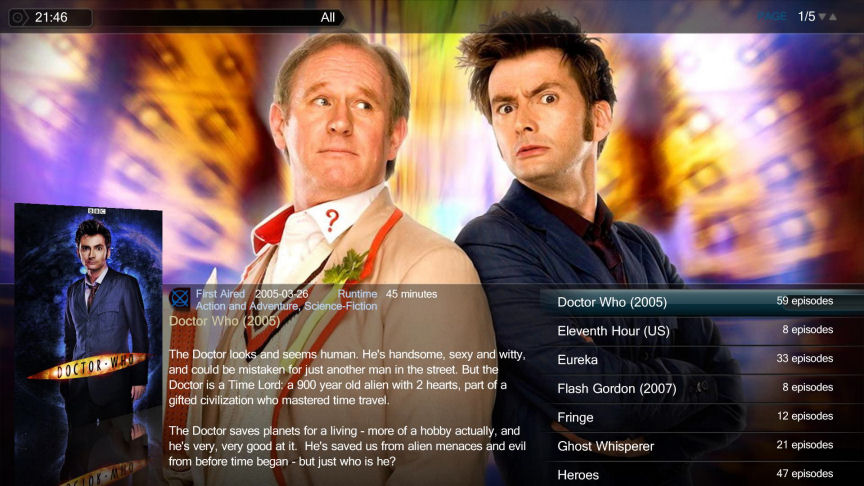
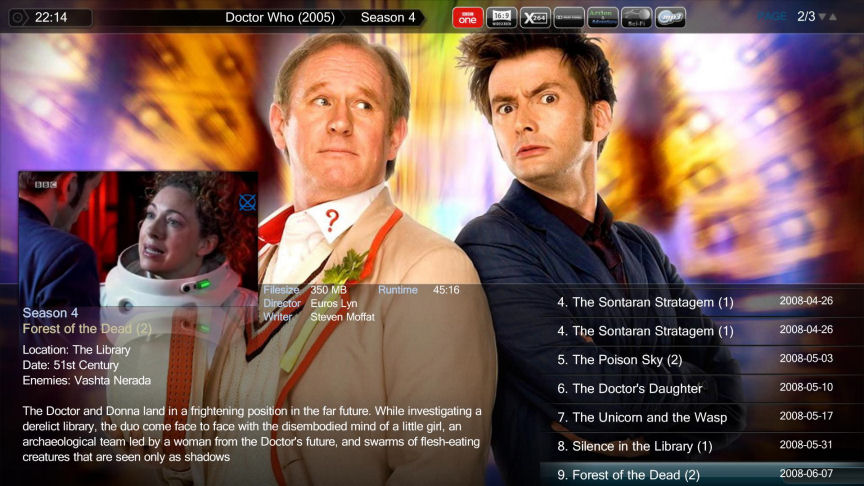
    not even sure if i'm posting correct, first time. but really impressed with the new meadiastream skin. Been mucking around with the layout since downloading. now my main skin of use. :):)
     

    Attachments

    • media 1.jpg
      media 1.jpg
      101.8 KB
    • media 2.jpg
      media 2.jpg
      103.5 KB

    pilehave

    Community Skin Designer
  • Premium Supporter
  • April 2, 2008
    2,566
    521
    Hornslet
    Home Country
    Denmark Denmark
    not even sure if i'm posting correct, first time. but really impressed with the new meadiastream skin. Been mucking around with the layout since downloading. now my main skin of use. :):)

    Welcome to the MediaPortal forum!

    If you come up with something you want to share, I'm sure there are many users willing to try it out. If it's good, we could even put it in the skin :)
     

    pilehave

    Community Skin Designer
  • Premium Supporter
  • April 2, 2008
    2,566
    521
    Hornslet
    Home Country
    Denmark Denmark
    Thank you for this amazing skin.... ;)

    but there is a little error in italian language...


    another question, is it possible to customize the background image on the main menu?

    :)

    thank you

    The only way I could fix it was by removing the "Next:" text.

    If you feel this is a better solution I have attached the two files needed.
     

    Attachments

    • common.overlay.xml
      30.6 KB
    • common.home.overlay.xml
      30.7 KB

    jsketto

    Portal Member
    October 2, 2008
    8
    0
    Hey pilehive....

    i was wondering if there was any way to change the background pictures in the main menu to something i already have locally?? can i just rename my local file and replace one of the background png's?
     

    pilehave

    Community Skin Designer
  • Premium Supporter
  • April 2, 2008
    2,566
    521
    Hornslet
    Home Country
    Denmark Denmark
    Hey pilehive....

    i was wondering if there was any way to change the background pictures in the main menu to something i already have locally?? can i just rename my local file and replace one of the background png's?

    Put the file (png, jpeg) in the "Media" folder and use the MediaStream plugin the rework the menu. If you edit a menu-item you must press "UPDATE" before your change is saved.

    You can enter the filename manually or select from the pre-defined images.

    Remember also to press "Save" (window closes) and "OK" (window closes) when you're all done.
     

    explodedk

    Portal Pro
    December 27, 2008
    265
    20
    Copenhagen
    Home Country
    Denmark Denmark
    pilehave would it be posible to make a "browse" button for the backdrop in the mediastream menu generator. could work like this: you choose png/jpg you want as background and it automatic copy the file to the animations folder under /backdrops/movies etc. and maybe have a checkbox saying randomize to randomize from those within the folder ? i know it is posible to have a whole folder as background path...
     

    Jammyz

    Portal Pro
    January 28, 2009
    84
    7
    Home Country
    Italy Italy
    I think you have to edit the splashscreen.xml if I remember correctly.

    :) thank you for the answer .. but.. the solution is:

    Put the file (png, jpeg) in the "Media" folder and use the MediaStream plugin the rework the menu. If you edit a menu-item you must press "UPDATE" before your change is saved.
    You can enter the filename manually or select from the pre-defined images.
     

    Users who are viewing this thread

    Top Bottom