
You are using an out of date browser. It may not display this or other websites correctly.
You should upgrade or use an alternative browser.
You should upgrade or use an alternative browser.
Monochrome (for those who like dark skins), updated... (8 Viewers)
- Thread starter Psycho Reptile
- Start date

- December 10, 2007
- 51
- 0
- Home Country
-
 Denmark
try using power tv instead? 

- May 2, 2007
- 102
- 2
- 62
- Home Country
-
United States of America
pretty sure-now im gonna have to go home and hit that button and seeReally, inside MediaPortal as well?
Emph
Just remember my wife hitting it the last time and everything shutting down and her saying she didnt do anything
- December 10, 2007
- 51
- 0
- Home Country
-
Denmark
well top left is tv power, top right is pc power..
pc power puts my system to sleep, tv power turns off mediaportal. But you can change the effect if you like.
pc power puts my system to sleep, tv power turns off mediaportal. But you can change the effect if you like.

Guess I'm not holding my mouth right.
"up" or mouse movement didn't work for me.
The topbar plugin needs to be enabled for this to work.
On my hauppauge, the power button by default shuts down MP. I reconfigured it to call the shutdown menu. To be able to just close MP using the remote, I changed the setting of the "Home" button so it would "Switch Home". In the 'normal' home (as opposed to Basic Home) you can enter the top-row of buttons, and the right-most (accessible by pressing right from the menu) is to close Media Portal.
I would give you the more exact details were it not that my power supply decided to die in a very loud and brutal way, and decided not to die alone. So either or both of motherboard/processor are gone too. Luckily still under warranty, but it will take some time to get replacements...
Hope you can figure it out with this.

- Thread starter
- #637
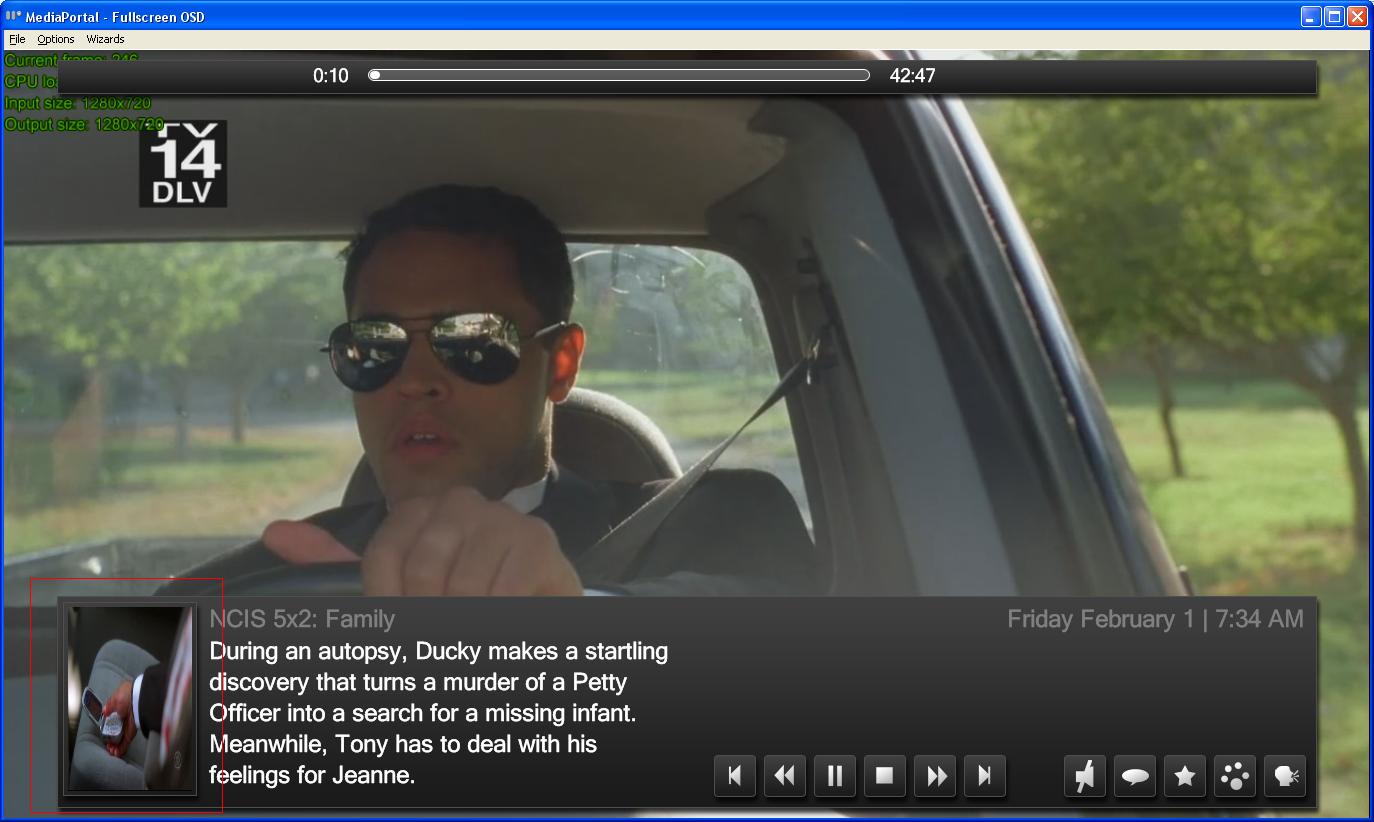
I think that is handled by the video OSD in MP. Personally I would prefer if the season thumb was used as the "logo" on the OSD. If you set the "keepaspectratio" tag on the thumb to yes - it does look right.I noticed that in MyTVSeris the OSD shows the thumbnail in 4:3 even if the thumb is widescreen...
With Episodes with no thumbnail, the Network logo is shown correctly in 4:3.
Could Thumbnails be shown in 16:9?
Try switching "season listing format" to text under MP-TVSeries config -> MP display control.Hi Psycho Reptile, massive thank you for the brilliant skin but im wondering if you could explain how i can modify the view slightly...
...
Also, will you be developing skins for other popular plugins available for MP as this would complete the package for me.
What other popular plugins are you talknig about
Hi Guys,
love the skin. It's actually the best I've tried (and I've tried a few believe me!).
However I've got a problem that noboby else seems to have. When I start TV and enter the Guide, I see this...

Looks like graphical errors flickering all over the place. At fisrt I thought that my GFX card was packing up...but no.... this only happens on Monocrome with TV on and in the guide. Any ideas?
love the skin. It's actually the best I've tried (and I've tried a few believe me!).
However I've got a problem that noboby else seems to have. When I start TV and enter the Guide, I see this...
Looks like graphical errors flickering all over the place. At fisrt I thought that my GFX card was packing up...but no.... this only happens on Monocrome with TV on and in the guide. Any ideas?

- Moderator
- #639
Hi Psycho Reptile, cant believe I only noticed this skin yesterday! What a pleasant surprise, well done.
After a short while testing I have discovered some bugs I would like to share:
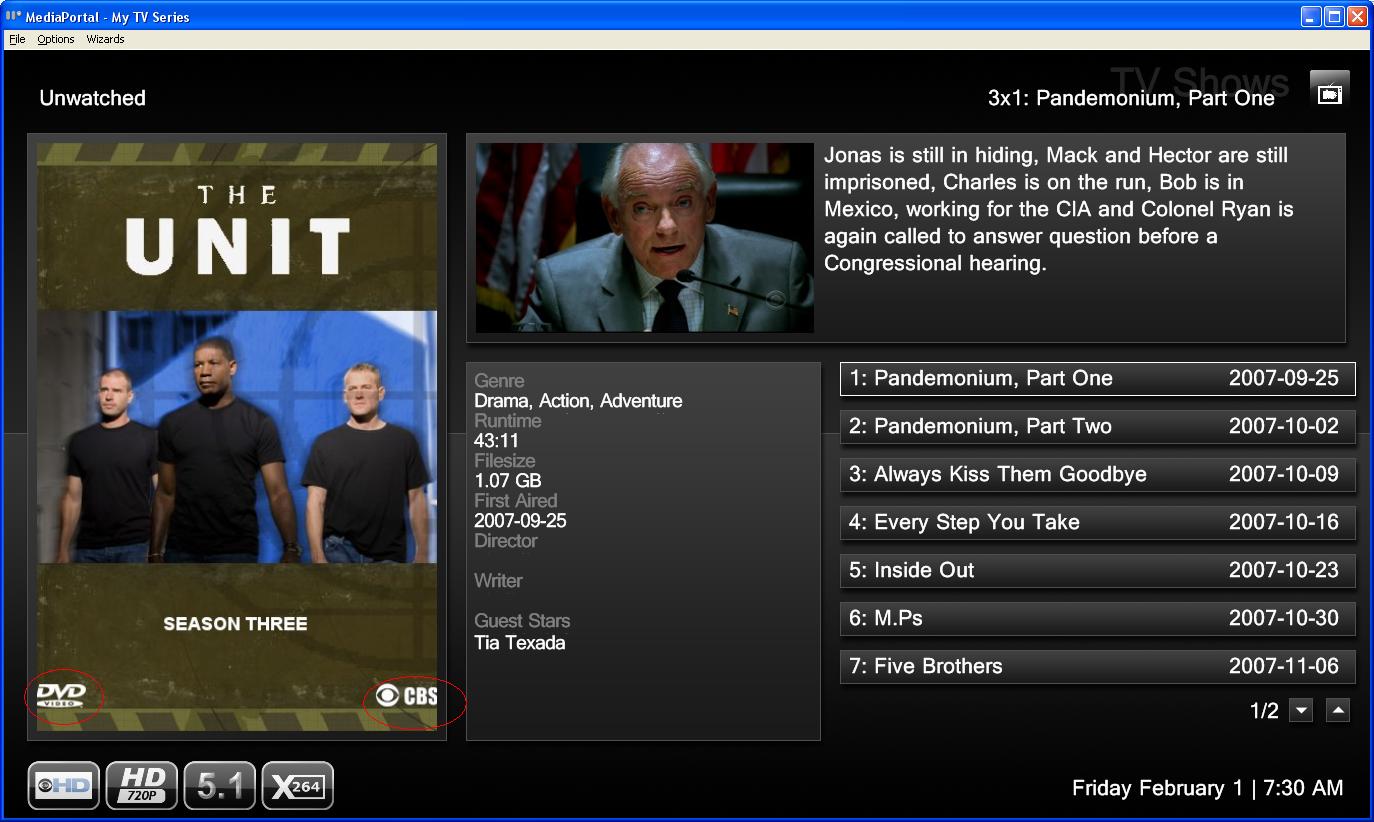
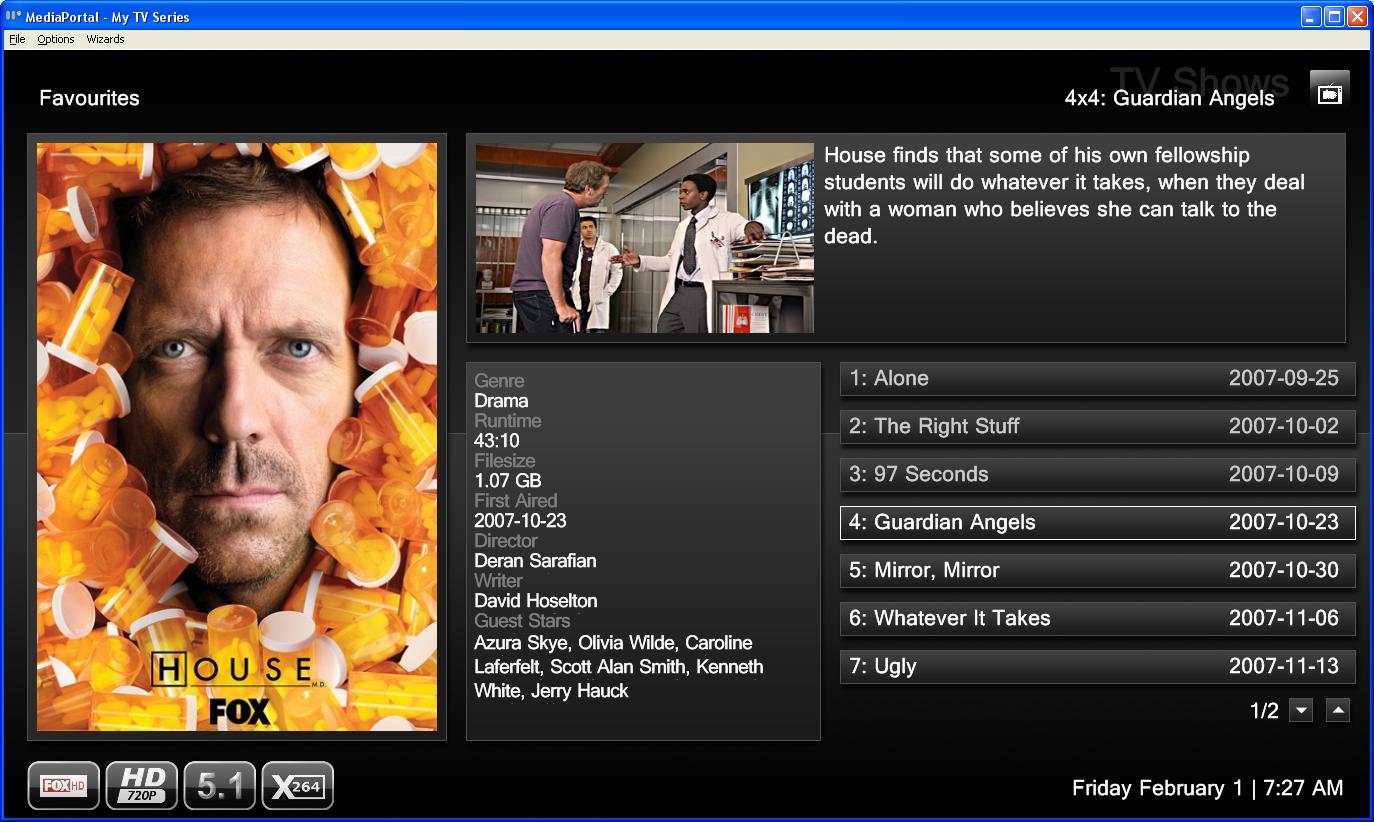
* TV Series season poster is not scaled to fit with-in space provided
* As in many other skins, the tv series episode thumbnail displayed in the video information area whilst playing does not look very good as it expects a poster. I think you have two options, change to a widescreen thumb for tvseries only or leave as is and display a season poster instead. I personally think you should leave as is and display a season poster.
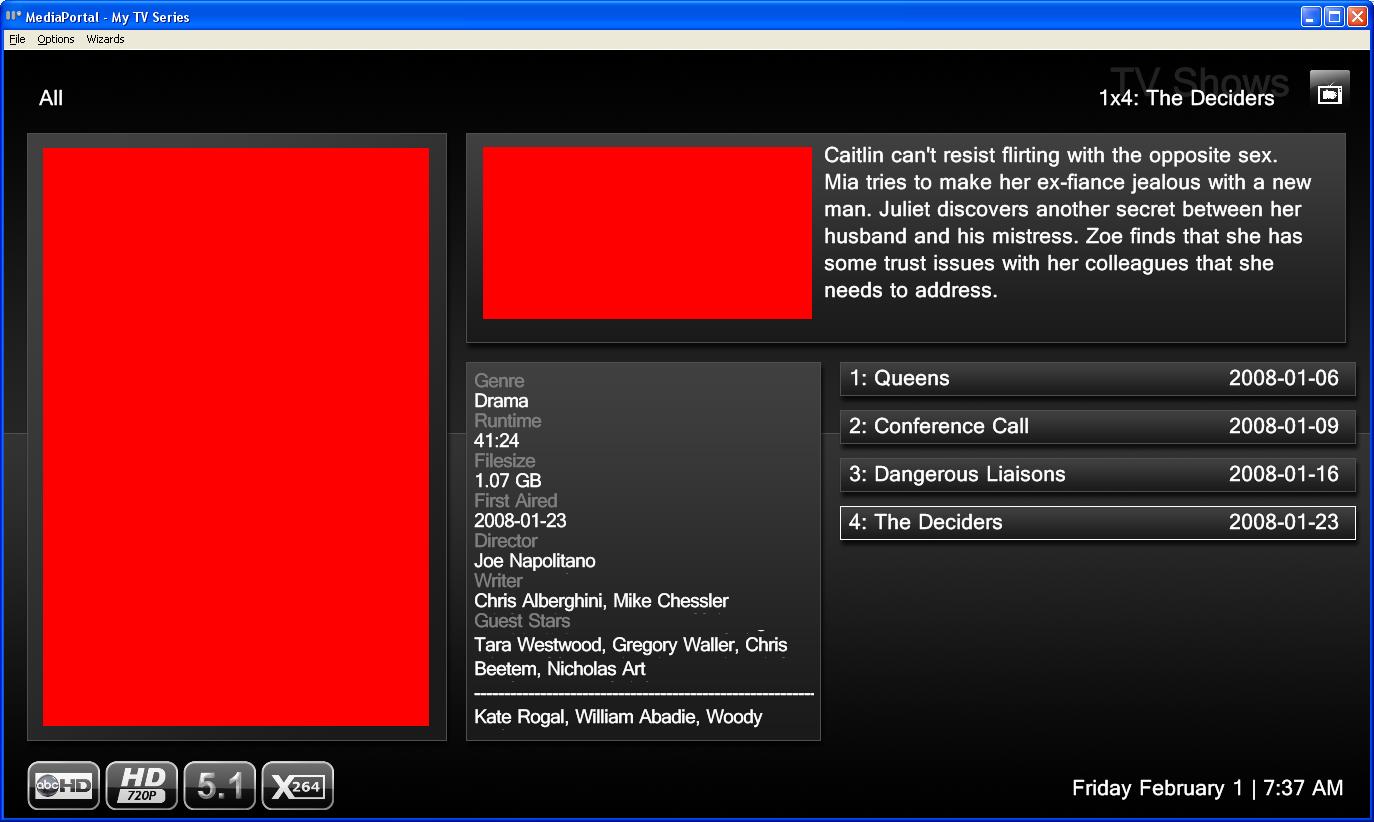
* Suggest place holders images for TV Series season poster and thumbnails when none are available
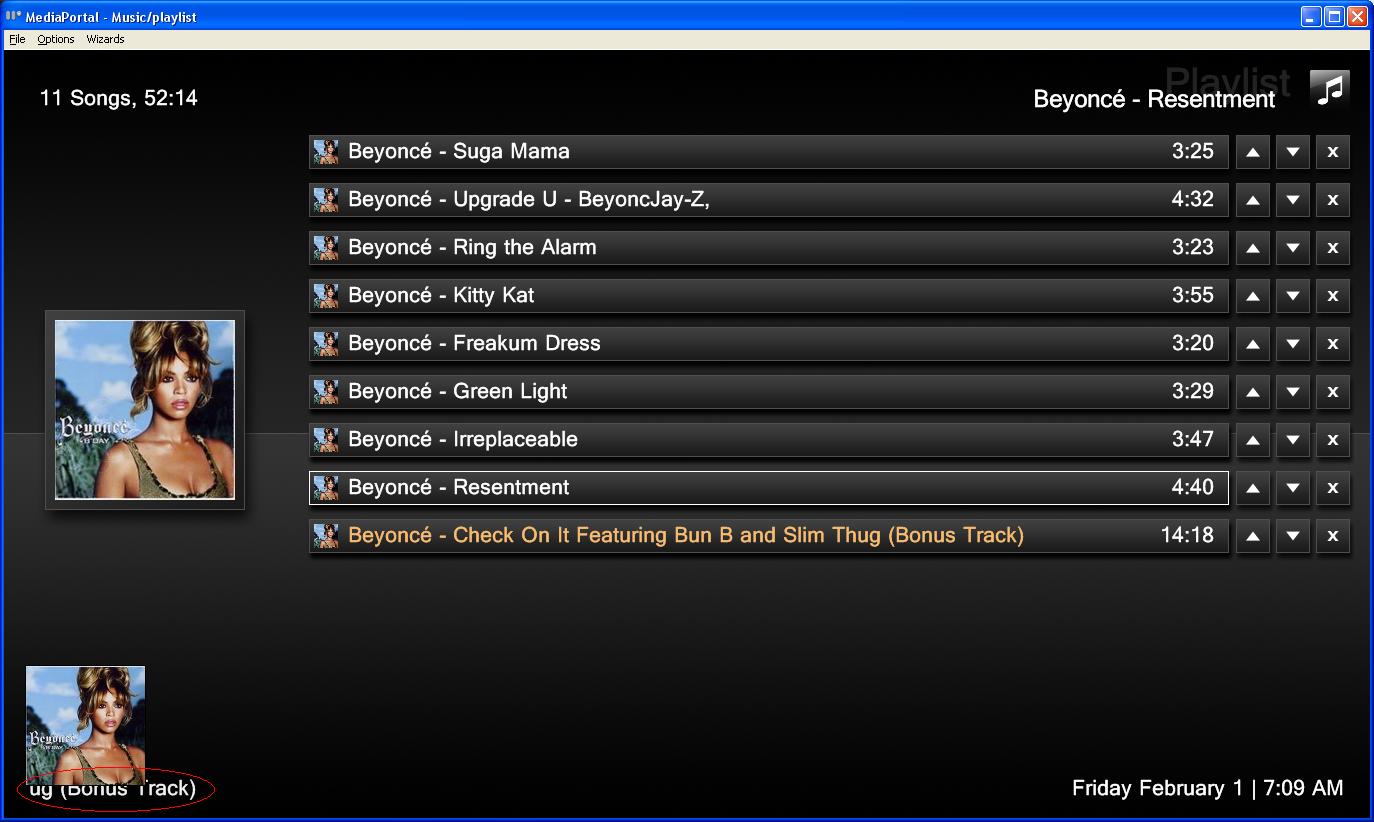
* The text label for the currently played music track is partially obstructed by the smaller album cover/visualisation in bottom left hand corner. I would also recommend that the large album cover in this view is atleast the same size as that displayed when in FilmStrip view. The playlist does not need all that space. Is it possible to merge some of the functionality exposed in the 'Now Playing' view into the Playlist view e.g. the funky equalizer and a larger visualization?
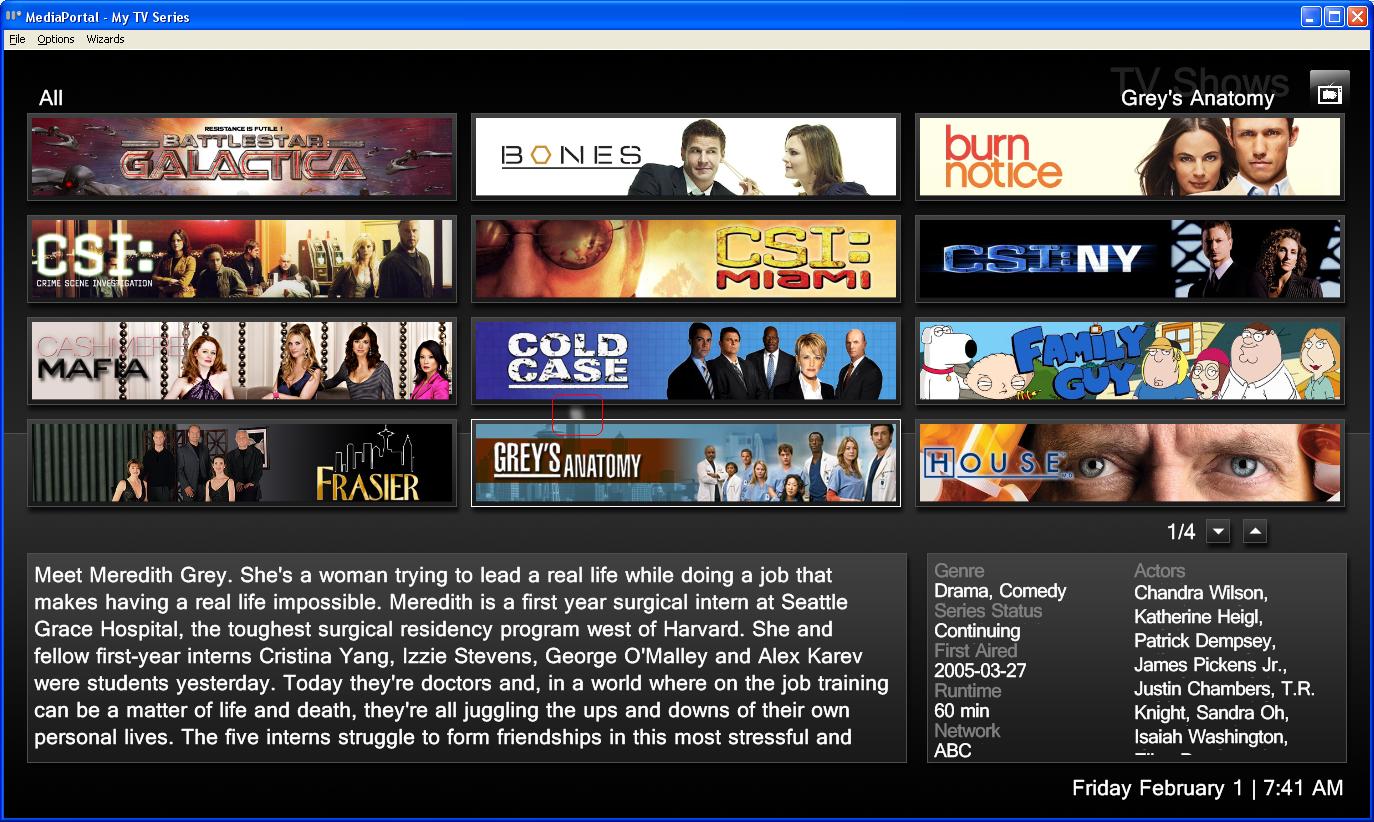
* The TV Series online scanning images are practically hidden, its in the middle of all the series banners. Is it possible to put somewhere else so you can easier see it. It doesn't need to be as big.
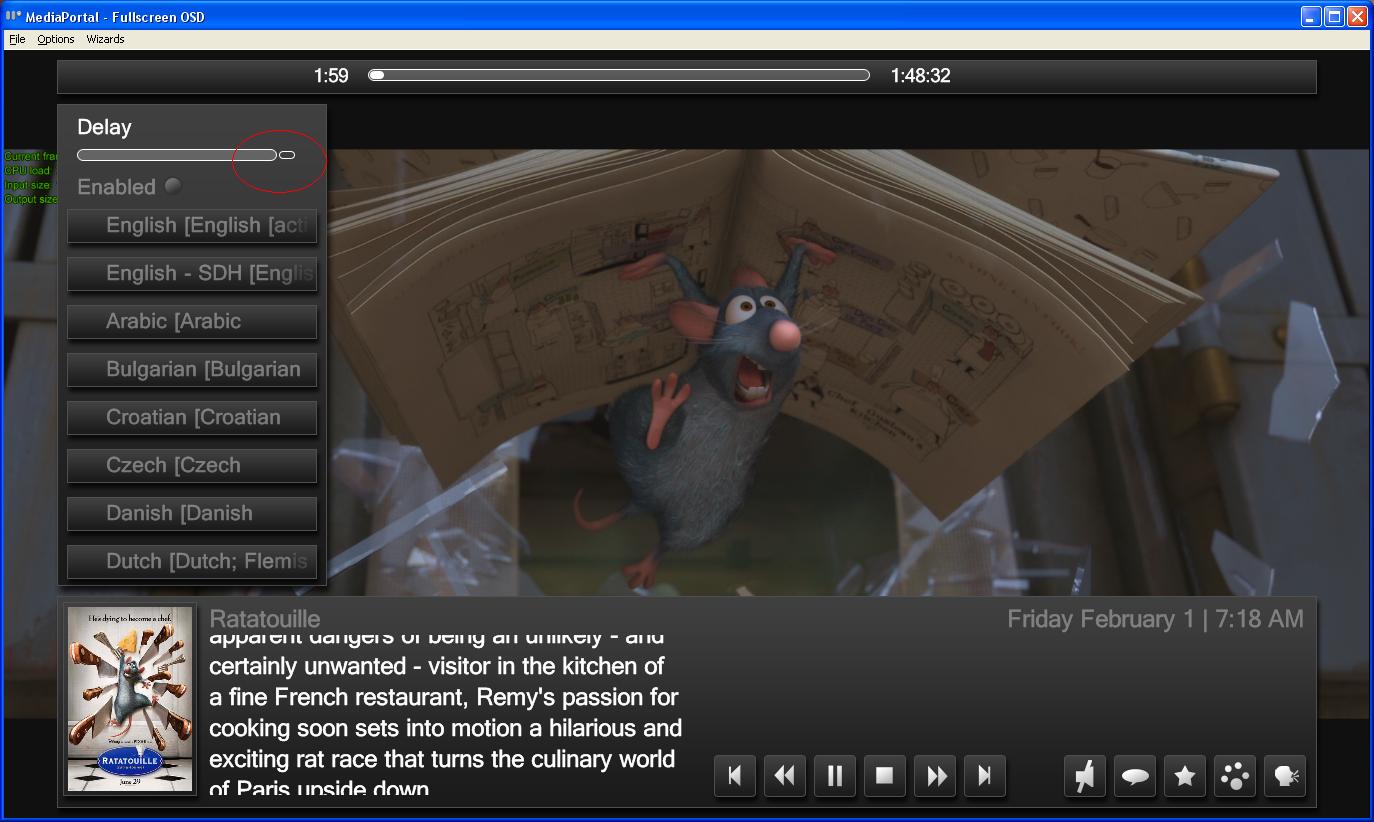
* All the slider controls (e.g. My Videos Audio properties) allow you to move slider beyond end boundary.
Note: has anyone noticed that most of the controls in video/audio menus dont work e.g. Audio Delay, Brightness, Contrast etc? Is this a Media Portal bug or skin bug, because this is not the only skin that exhibits this issue.
Also for the Delay slider controls (e.g. Audio/Video Delay) I expect that the initial position is in the middle representing 0ms and then you can go left/right indicating +ve or -ve millisecond. It would be nice to have a value associated with all sliders as well to know what the current value is. Perhaps these all deficiencies in Media Portal.
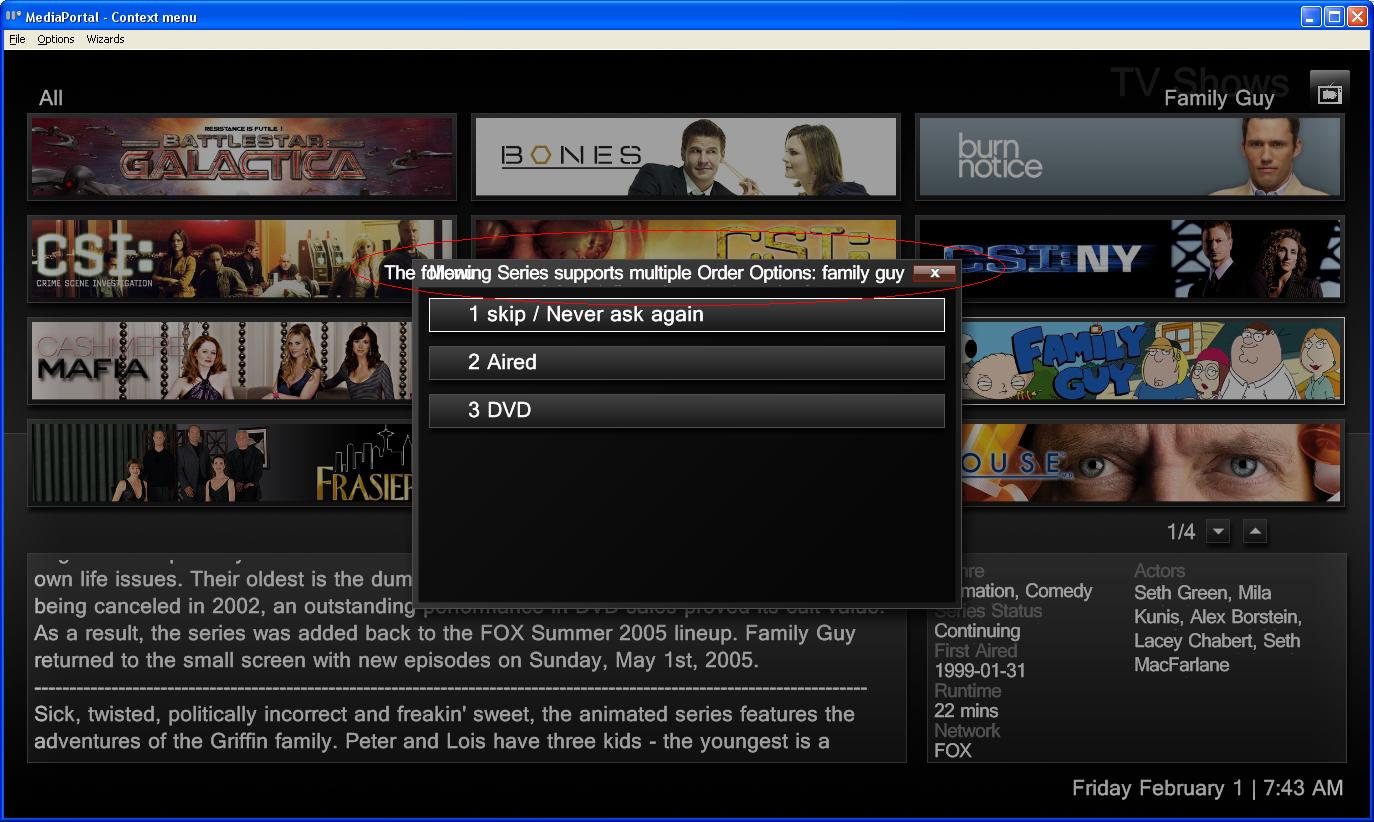
* The TV Series menu title has overlapping text and does not fit within space provided.
* Suggest that the watched colour in tvseries stands out a bit more, currently its difficult to distinguish between watched/not-watched. Perhaps use the blue colour that is set for watched status in My Videos.
After a short while testing I have discovered some bugs I would like to share:
* TV Series season poster is not scaled to fit with-in space provided
* As in many other skins, the tv series episode thumbnail displayed in the video information area whilst playing does not look very good as it expects a poster. I think you have two options, change to a widescreen thumb for tvseries only or leave as is and display a season poster instead. I personally think you should leave as is and display a season poster.
* Suggest place holders images for TV Series season poster and thumbnails when none are available
* The text label for the currently played music track is partially obstructed by the smaller album cover/visualisation in bottom left hand corner. I would also recommend that the large album cover in this view is atleast the same size as that displayed when in FilmStrip view. The playlist does not need all that space. Is it possible to merge some of the functionality exposed in the 'Now Playing' view into the Playlist view e.g. the funky equalizer and a larger visualization?
* The TV Series online scanning images are practically hidden, its in the middle of all the series banners. Is it possible to put somewhere else so you can easier see it. It doesn't need to be as big.
* All the slider controls (e.g. My Videos Audio properties) allow you to move slider beyond end boundary.
Note: has anyone noticed that most of the controls in video/audio menus dont work e.g. Audio Delay, Brightness, Contrast etc? Is this a Media Portal bug or skin bug, because this is not the only skin that exhibits this issue.
Also for the Delay slider controls (e.g. Audio/Video Delay) I expect that the initial position is in the middle representing 0ms and then you can go left/right indicating +ve or -ve millisecond. It would be nice to have a value associated with all sliders as well to know what the current value is. Perhaps these all deficiencies in Media Portal.
* The TV Series menu title has overlapping text and does not fit within space provided.
* Suggest that the watched colour in tvseries stands out a bit more, currently its difficult to distinguish between watched/not-watched. Perhaps use the blue colour that is set for watched status in My Videos.
Attachments

Jaddi01
Nvidia graphics by any chance, got the same just gone back to 94.24 driver which has corrected issue, this is with xp.
Vista latest drivers do not show this, and as this is my Dualboot testrig, so hardwares the same, i know what differences there are between the 2 operating systems.
Nvidia graphics by any chance, got the same just gone back to 94.24 driver which has corrected issue, this is with xp.
Vista latest drivers do not show this, and as this is my Dualboot testrig, so hardwares the same, i know what differences there are between the 2 operating systems.
Users who are viewing this thread
Online now: 8 (members: 0, guests: 8)