Monochrome (for those who like dark skins), updated... (15 Viewers)

rekenaar

Retired Team Member
  • Premium Supporter
  • December 17, 2006
    4,421
    805
    Home Country
    South Africa South Africa
    When I am wathing recorded TV and I press the i-button, I get a nice screen with some descriptions and some controls like pause, stop, etc. Also a TV logo. Is this logo supposed to be the logo of the recorded TV that I am watching or the logo of the last channel that the TV was tuned to?

    I am currently seeing the last TV channel logo, but I think it would make more sense to see the recorded TV logo?
     

    Psycho Reptile

    Retired Team Member
  • Premium Supporter
  • April 19, 2006
    1,316
    787
    Cambridge, England
    Home Country
    United Kingdom United Kingdom
    Hi Rekenaar, the texture that is displayed on the TV OSD is <texture>#TV.View.thumb</texture>, I suppose it is whatever MP decides to use as the thumb. I don't know if this could be solved in the MP code or the skin...

    How does it look in other skins, B2 for example?
     

    Beave

    Portal Member
    November 3, 2006
    13
    0
    52
    I have a fix for you problem. Just go to the Plugin Configuration ...then click on "Import Setting" and after that on "Online Data Sync". There you have the possibility to make a check on "Download Episode Snapshots".

    After that it must work again...if not i didn't know whats your problem, because at my htpc it work.

    greets chucky

    Thanks, that fixed my problem. Somebody just sneeked this little checkbox into the newer version. :eek: :mad:
     

    zeflash

    Portal Pro
    July 7, 2005
    199
    16
    Home Country
    France France
    About the fact the selection comes back on the first item; I (finally, I know, I was busy) debugged it and figured out where the problem was;
    it's a MP problem, the selectedIndex property I set on a list is read-only on the large / small icon view. I'm trying to figure out how this view works (MP code) and I'll suggest a fix to be included in the MP SVN asap.

    Edit:
    got a fix, it now works (here :) ) now I need to find a way to submit the changes given I don't have author access to MP's sources.

    The patch has been applied in MP this morning - so it should surface in the next MP SVN build.
    Thanks to Inker who has contacts to expedite these kind of things!
     

    stefancrs

    Portal Pro
    November 9, 2007
    82
    3
    Home Country
    Sweden Sweden
    @ stefancrs, I've uploaded a new version this morning (waiting on approval), that has a lot of reworked tv xmls. I got the USB-stick, but it's a bitch trying to get a half decent signal. I may still need to update the tv screens, it's helpful if peeps post screenshots running 0.9 and mentioning the res you run ;).

    Will give it a try ASAP (which, if I'm lucky, will be tomorrow, but most likely it will be after christmas), and if there still are any issues I will post my 1280x720 screenshots :)

    Ok, this took way longer than I anticipated, but yesterday I finally got around to install the latest version (which by now was 1.0, not 0.9) of Monochrome and all TV screens seems to present themselves in a nice and proper manner, thank you so much! I haven't spotted any issues with them yet!

    The only things I would be able to criticize in any way would be that 1) I think I preferred the old font, but if I remember correctly, one would be able to choose later? and 2) The red dot and "recording" text, when recording TV, is a bit too much "in your face", imho. Just a smaller dot up in the corner and the text "rec." would probably be sufficient. OTOH I'm using Monochrome on a very big screen (approx 80-90" most of the time, but sometimes I use the entire projector screen, which is 110"), so maybe it's just me :)

    Again, thank you for this awesome skin!
     

    pinele

    Portal Member
    April 29, 2007
    12
    0

    Attachments

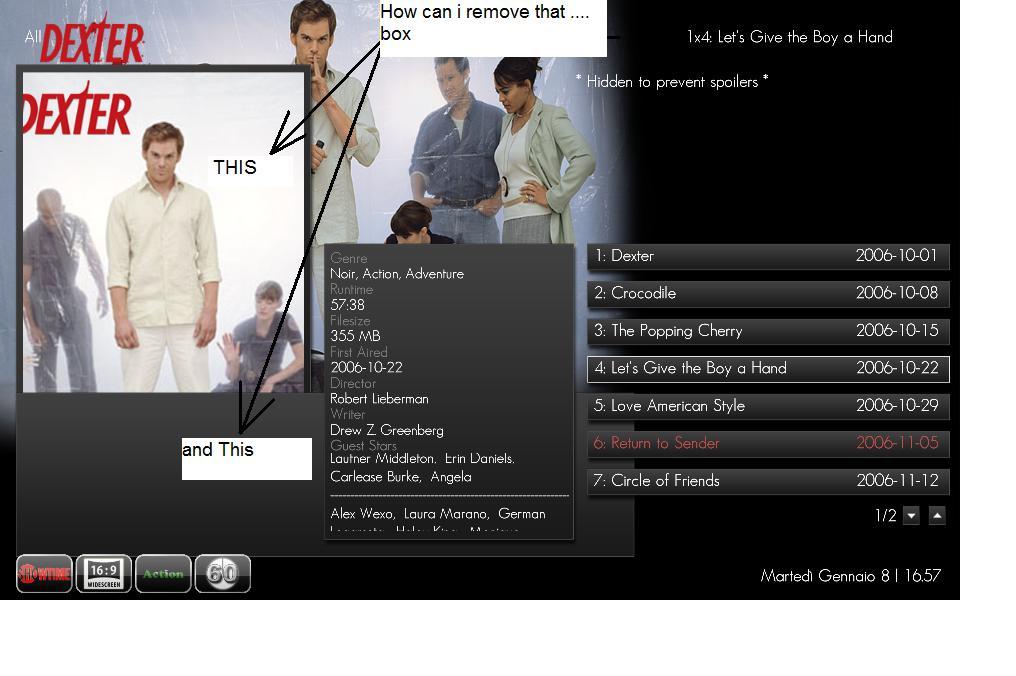
    • box.jpg
      box.jpg
      83.7 KB

    Users who are viewing this thread

    Top Bottom