MP-TVSeries v4.3.6 Release [2020-01-24] (28 Viewers)

ajs

Development Group
  • Team MediaPortal
  • February 29, 2008
    16,852
    12,107
    Kyiv
    Home Country
    Ukraine Ukraine
    So in summary I could make the options to choose Fanart, Poster and Banner in a seperate window as opposed to a dialog. Is that what you want?
    IMHO:
    - no dialogue's for Art Chooser
    - one window and one facade for all
    - chose type of needed Art by select folder in facade with names like Fanart, Poster, Banner... May bee with subfolder like art provider or Series, Season for Poster.

    But when everything works well, then all this is not necessary. Therefore, do as it is convenient for you and takes less time from the family.


    --
    WBR, ajs :):whistle::coffee:
     

    ltfearme

    Community Plugin Dev
  • Premium Supporter
  • June 10, 2007
    6,755
    7,200
    Sydney
    Home Country
    Australia Australia
    - one window and one facade for all
    Don't think it's possible right now with the MP skin engine as skinners need it to evaluate conditional includes on window open. Need to do two windows.
    If conditional includes are not used then the facade will not look very good as it would need to cater for each artwork type.
     

    ltfearme

    Community Plugin Dev
  • Premium Supporter
  • June 10, 2007
    6,755
    7,200
    Sydney
    Home Country
    Australia Australia
    New Beta release:
    • Added support to get Posters, Banners and Fanart from fanart.tv via the Artwork Chooser GUI;
      • The configuration dialog updated to allow optional input of a user Client Key from fanart.tv. It's recommended to input your own key so you have access to the latest artwork faster.
    • Fixed some series database fields being cleared during import such as the TMDb ID and Artwork Provider last used;
     

    Attachments

    • MP-TVSeries-4.3.4.3-Beta.mpe1
      5.9 MB

    ajs

    Development Group
  • Team MediaPortal
  • February 29, 2008
    16,852
    12,107
    Kyiv
    Home Country
    Ukraine Ukraine
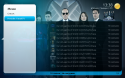
    Thanks! Work fine for me :)
    upload_2020-1-7_13-38-52.png
    But ... Big - big log ... :):coffee:
    Code:
    2020-01-07 13:37:49.476 [DEBG][01]: Publishing skin property '#TVSeries.Artwork.DataProvider' with value 'FanartTV'                                                                    
    2020-01-07 13:37:49.493 [DEBG][73]: Address: http://webservice.fanart.tv/v3/tv/263365                                                                                                  
    2020-01-07 13:37:49.868 [DEBG][73]: Response: {
    "name": "Marvel's Agents of S.H.I.E.L.D.",                                                                             
    ...
    ]
    }, Headers: {Access-Control-Allow-Origin: *, X-Cache: MISS from proxy.blackhole.box, Transfer-Encoding: chunked, Connection: keep-alive, Content-Type: application/json; charset=utf-8
    2020-01-07 13:37:50.187 [DEBG][73]: Found 103 fanart from database
     

    bta489

    Portal Pro
    March 17, 2013
    190
    107
    Home Country
    Germany Germany
    Thank You for the Fanart.tv support (y). As I am a contributor there, it's nice to choose their artwork (including those I contributed) without having to resort to custom JPEGs.

    I tested with a few shows and it's working properly. Just one thing I noticed:
    The Preview in the Artwork-Chooser (Skin-Property #selectedthumb) seems to always display a lower resolution Thumbnail, even when the artwork is already downloaded and available locally or even selected. Outside of the Artwork Chooser, the images are displayed correctly in full resolution, though.

    That's only a minor thing I can happily live with, it just stood out to me.
     

    bta489

    Portal Pro
    March 17, 2013
    190
    107
    Home Country
    Germany Germany
    I think ltfearme use Preview (small) images from FanartTV site for this propertie when FanartTV selected

    Yes, that's what I assumed as well. There's a similar situation with fanart/backdrops. Those you haven't downloaded yet have a lower resolution thumbnail as well. But once you download them, the full res-image is used. Now with Fanart.tv-images, even the locally available ones only use a low res thumbnail. Just an inconsistency.

    If it's too much of a hassle to fix, I wouldn't mind. For a preview I'm fine with having just the low-res thumb. Especially as with the Artwork Chooser it is now that easy to change the image again.
     

    Users who are viewing this thread

    Top Bottom