MultiShortcut plugin (2 Viewers)

trepamuros

Portal Pro
December 2, 2008
71
2
Home Country
Spain Spain
Re: Re : MultiShortcut plugin

MultiShortcut V 2.2 is out on first post.

Nice! A simple question:

Should I recreate the plugins created with a previous version of MultiShortCut, or they will still run fine after upgrading MSC?

Thanks.
 

framug

Super Moderator
  • Team MediaPortal
  • January 31, 2005
    6,232
    2,386
    South of France
    Home Country
    France France
    • Thread starter
    • Moderator
    • #72
    Re : Re: Re : MultiShortcut plugin

    Should I recreate the plugins created with a previous version of MultiShortCut, or they will still run fine after upgrading MSC?

    Thanks.
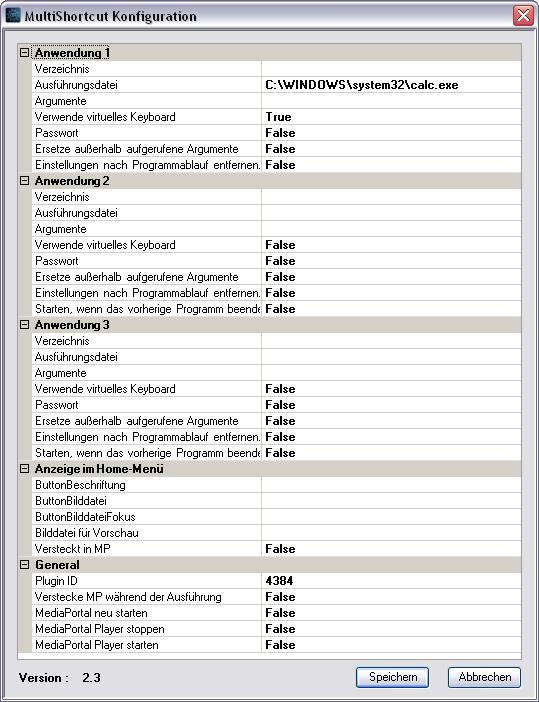
    Yes, if you have many MultiShortcut plugins, you have to recreate them by clicking on dllfix and also, go in MultiShortcut config and click on save for each.
    Also, don't forget to copy language files in correct folder.
     

    framug

    Super Moderator
  • Team MediaPortal
  • January 31, 2005
    6,232
    2,386
    South of France
    Home Country
    France France
    • Thread starter
    • Moderator
    • #73
    Re : MultiShortcut plugin

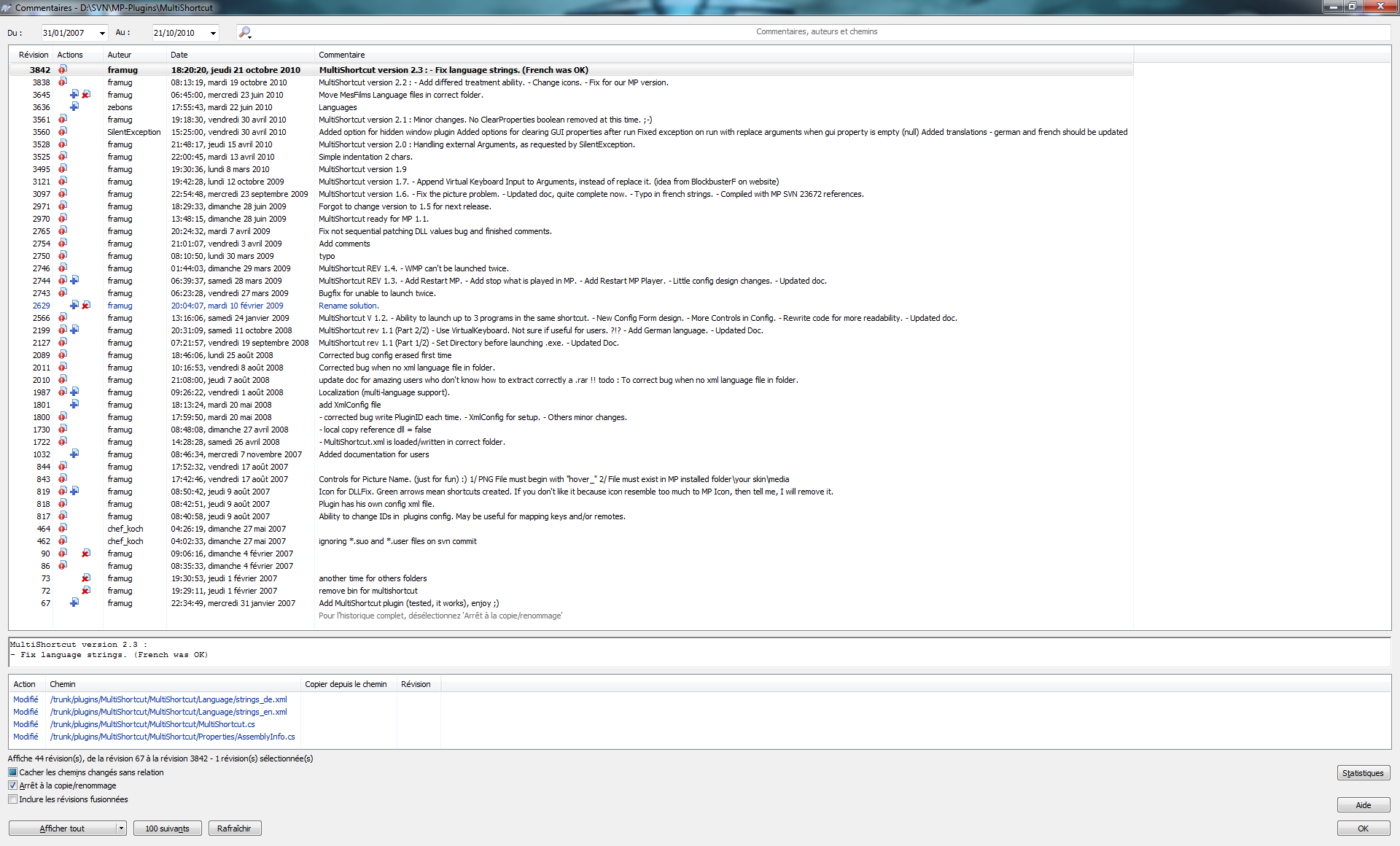
    MultiShortcut V 2.3 is out on first post.

    Rename a method and fix strings.
     

    Attachments

    • zz.JPG
      zz.JPG
      84.9 KB

    robbo100

    Retired Team Member
  • Premium Supporter
  • May 5, 2009
    1,290
    309
    UK
    Home Country
    United Kingdom United Kingdom
    Thanks for the update,

    I currently use V2 of your (very useful) plugin.

    What are the changes between V2 and your latest version?

    Thanks

    Rob
     

    framug

    Super Moderator
  • Team MediaPortal
  • January 31, 2005
    6,232
    2,386
    South of France
    Home Country
    France France
    • Thread starter
    • Moderator
    • #75
    Re : MultiShortcut plugin

    Nothing hidden.
    If you want to follow it on the future please, take a look into MP-plugins trunk on SourceForge :
     

    Attachments

    • zz.png
      zz.png
      229.2 KB

    ericgeil

    Portal Member
    October 27, 2010
    17
    0
    Home Country
    United States of America United States of America
    I'm extremely new to MP. I have never installed a plugin, and I'm REALLY struggling with installing MultiShortcut. I'm using XP, and installed with the default settings, so my directory is the default : C:\Documents and Settings\All Users\Application Data\Team MediaPortal\

    Based on that, can someone please tell me exactly which files to place exactly where? I can not get the plugin to show up in MediaPortal Configuration -> Plugins no matter what I try. Also, am I supposed to have a file called MultiShortcut.xml ? I don't see this anywhere. Thanks in advance.
     

    framug

    Super Moderator
  • Team MediaPortal
  • January 31, 2005
    6,232
    2,386
    South of France
    Home Country
    France France
    • Thread starter
    • Moderator
    • #77
    Re : MultiShortcut plugin

    Hello,
    Please, read the documentation you will find in the archive before.
    It will help you to start, for sure. ;)
     

    ericgeil

    Portal Member
    October 27, 2010
    17
    0
    Home Country
    United States of America United States of America
    I've tried, but it doesn't say exactly where to put things. For example, it doesn't say where the language files go. It says:
    "This language file folder is located in a hidden folder, depending on your Operating System :
    - C:\Documents and Settings\All Users\Application Data\Team MediaPortal\MediaPortal for Windows XP."

    Does that mean they go in that root directory? Or in the "language" folder beneath that. I tried it in the root - did not work. I looked in the language folder beneath that, but there are already files with the same name. Should I overwrite these?

    Also, it says to put the DLL and EXE files in C:\Documents and Settings\All Users\Application Data\Team MediaPortal\MediaPortal\plugins\Windows\

    I have tried putting them directly there, and also under a subfolder "MultiShortcut". I also tried putting the language files in each of these locations, and in a subfolder called language in each of these locations (just grasping at straws here). Nothing has worked. Please help. Thanks.
     

    robbo100

    Retired Team Member
  • Premium Supporter
  • May 5, 2009
    1,290
    309
    UK
    Home Country
    United Kingdom United Kingdom
    Language files go in the language folder, which can be found at the specified location (C:\Documents and Settings\All Users\Application Data\Team MediaPortal\MediaPortal)

    The plugin files go in the plugin\windows\ directory root as specified. Make copies of the plugin for each programme you want to run and name them something memorable (i.e. name one "skype.dll" and the other "powerDVD.dll", then run the .exe file.

    I believe the .xml file is generated when the running of the .exe file (but I may be wrong).

    Whe you go into MP configuration, the plugins "skype" and "powerDVD" will then appear, where you can configure them by inserting the runfile location etc.

    It should be pretty simple to get working - even I managed it :)

    p.s. if you want to add another function later, then do another copy of the dll file and give it another unique name, then "importantly" you must re-run the .exe file again such that the .xml is edited. Then repeat the process (pre-existing multishortcut plugins should remain unaffected and not need re-configuring)
     

    ericgeil

    Portal Member
    October 27, 2010
    17
    0
    Home Country
    United States of America United States of America
    Thanks for your help on this. I will try again this evening. Quick question though. The file names from the language folder already exist in C:\Documents and Settings\All Users\Application Data\Team MediaPortal\MediaPortal\Language\, but they are different sizes and content. Should I replace them?
     

    Users who are viewing this thread

    Top Bottom