United Kingdom
MediaPortal Version: 1.2.2.0
MediaPortal Skin: Streamed MP 1.7.5.3066
Windows Version: Windows 7 Home Premium Service Pack 1 64bit
CPU Type: AMD Athlon II X2 250 Processor 3.00Ghz
HDD: 160G WD SATA2 WD1600AAJS INTERNAL & 2 external USB Drives
Memory: 4GB TW3X4G1333C9A XMS3 CLASSIC
Motherboard: Asus M4A78LT-M
Video Card: 512MB SAPP HD5450
Video Card Driver: AMD 8.920.0.0
Sound Card:
Sound Card AC3:
Sound Card Driver:
1. TV Card: TBS Dual DVB-S2 High Definition Digital Satellite Tuner PCI Express Card HD (DVB-S2/DVB-S) Receiver
1. TV Card Type: DVB-S2
1. TV Card Driver: TBS 2.0.0.21
MPEG2 Video Codec: LAV Video Decoder
MPEG2 Audio Codec: LAV Audio Decoder
h.264 Video Codec: LAV Video Decoder
Satelite/CableTV Provider: SKY
HTPC Case: SilverStone GRANDIA GD04B
Cooling: Stock
Power Supply: CORSAIR 430W CMPSU-430CX
Remote: MCE
TV: Samsung LE40B550
TV - HTPC Connection: HDMI
Hello,
Just a bit of background, I am new to the MediaPortal scene, a recent transition from XBMC, the reason? I really want to remove the need for SKY as my TV provider, as I find that I do not use any of the pay to view channels, and tend to watch the terrestrial channels.
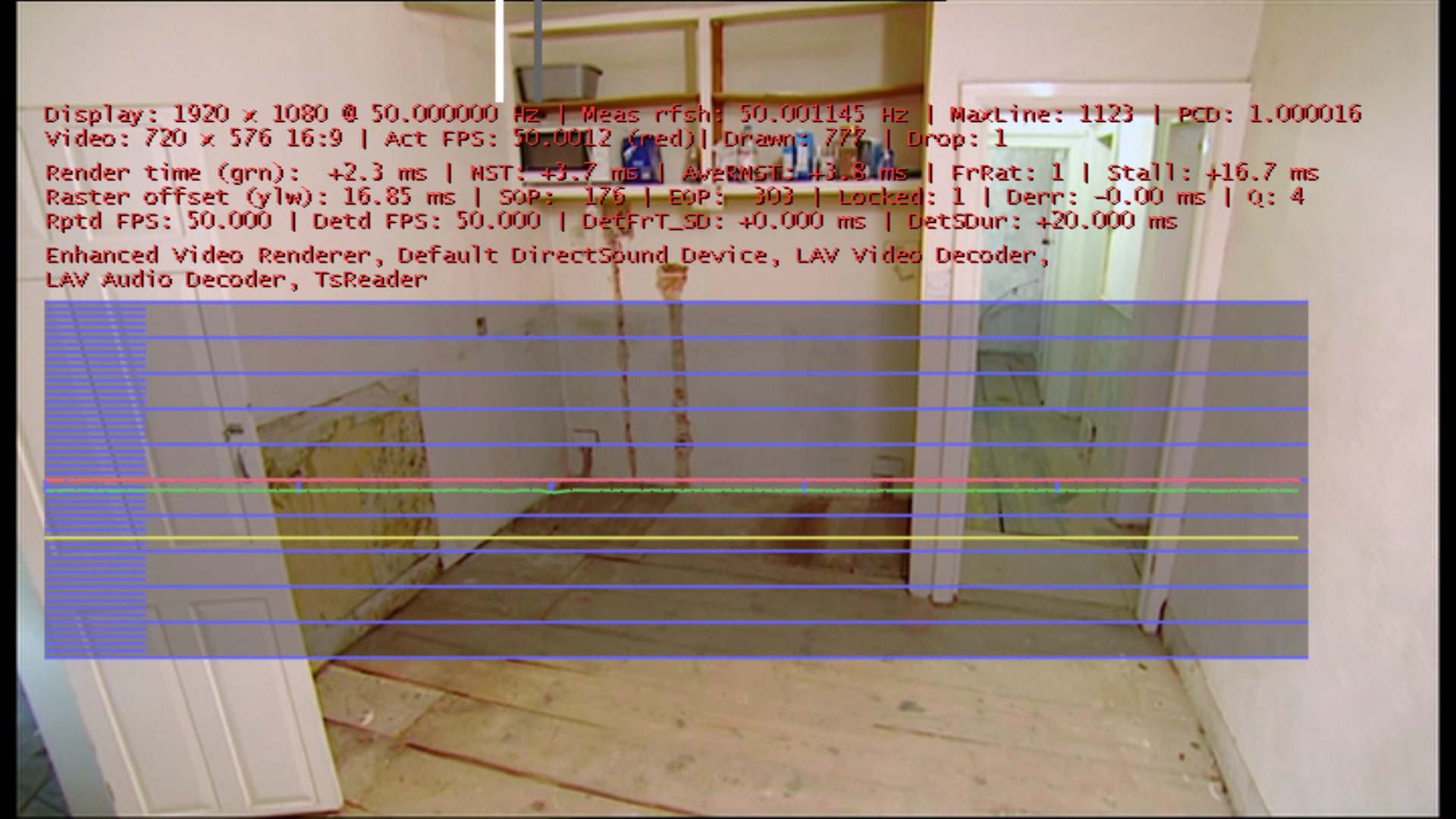
So, I followed the installation guide and found out about and installed SAF V6 (based on LAVF) codecs pack, I have managed to get all my HD and non HD movies working really well (well to my satifaction anyway). But I am really struggling to get the Live TV aspect of MediaPortal to give me anything close to quality I expierenced with the SKY + HD box.
I find that the picture is not as clean or crisp as the SKY box, espiescally on SD content, HD content is alot better.
I am now starting to lose my patience with messing around with various setting, and the fact the otherhalf is nagging at me to get it sorted
I am using Dynamic Refresh Rates
Cinema - 23.976
PAL - 50
HDTV - 50
NTSC - 50
TV - 50
I have been messing around with Interlacing, but not really sure what it is doing, any suggestions on what this should be set to?
I have looked into Aspect Ratios, as MediaPortal seems to set itself to Zoom, and when I set it to Original, the TV picture goes into postcard mode (very small).
Whatever I do, I just feel that I am guessing all the time, so I thought enough is enough, call in the experts......
So, can anyone please review my setup and let me know what can do to get a better picture or at least a little bit less blurred.
I hope I have explained my issue well enough, I have attached as much information that I can think of.
Thanks in advance
Phil
MediaPortal Skin: Streamed MP 1.7.5.3066
Windows Version: Windows 7 Home Premium Service Pack 1 64bit
CPU Type: AMD Athlon II X2 250 Processor 3.00Ghz
HDD: 160G WD SATA2 WD1600AAJS INTERNAL & 2 external USB Drives
Memory: 4GB TW3X4G1333C9A XMS3 CLASSIC
Motherboard: Asus M4A78LT-M
Video Card: 512MB SAPP HD5450
Video Card Driver: AMD 8.920.0.0
Sound Card:
Sound Card AC3:
Sound Card Driver:
1. TV Card: TBS Dual DVB-S2 High Definition Digital Satellite Tuner PCI Express Card HD (DVB-S2/DVB-S) Receiver
1. TV Card Type: DVB-S2
1. TV Card Driver: TBS 2.0.0.21
MPEG2 Video Codec: LAV Video Decoder
MPEG2 Audio Codec: LAV Audio Decoder
h.264 Video Codec: LAV Video Decoder
Satelite/CableTV Provider: SKY
HTPC Case: SilverStone GRANDIA GD04B
Cooling: Stock
Power Supply: CORSAIR 430W CMPSU-430CX
Remote: MCE
TV: Samsung LE40B550
TV - HTPC Connection: HDMI
Hello,
Just a bit of background, I am new to the MediaPortal scene, a recent transition from XBMC, the reason? I really want to remove the need for SKY as my TV provider, as I find that I do not use any of the pay to view channels, and tend to watch the terrestrial channels.
So, I followed the installation guide and found out about and installed SAF V6 (based on LAVF) codecs pack, I have managed to get all my HD and non HD movies working really well (well to my satifaction anyway). But I am really struggling to get the Live TV aspect of MediaPortal to give me anything close to quality I expierenced with the SKY + HD box.
I find that the picture is not as clean or crisp as the SKY box, espiescally on SD content, HD content is alot better.
I am now starting to lose my patience with messing around with various setting, and the fact the otherhalf is nagging at me to get it sorted
I am using Dynamic Refresh Rates
Cinema - 23.976
PAL - 50
HDTV - 50
NTSC - 50
TV - 50
I have been messing around with Interlacing, but not really sure what it is doing, any suggestions on what this should be set to?
I have looked into Aspect Ratios, as MediaPortal seems to set itself to Zoom, and when I set it to Original, the TV picture goes into postcard mode (very small).
Whatever I do, I just feel that I am guessing all the time, so I thought enough is enough, call in the experts......
So, can anyone please review my setup and let me know what can do to get a better picture or at least a little bit less blurred.
I hope I have explained my issue well enough, I have attached as much information that I can think of.
Thanks in advance
Phil