
You are using an out of date browser. It may not display this or other websites correctly.
You should upgrade or use an alternative browser.
You should upgrade or use an alternative browser.
ORIGINAL THREAD (OLD): About the X-Factor Skin (4 Viewers)
- Thread starter cul8er
- Start date
- Status
- Not open for further replies.
- April 17, 2009
- 101
- 0
- 40
- Home Country
-
 Germany
its a great skin.
With the next update it could replace my StreamedMP.
edit:
And it could be realy helpful, if the Xfactor Configuration tool would load the settings of the current basichomescreen.xml on startup. Every time when you want to add or delete an modul to the menu, you have to build a whole one from the begining.
With the next update it could replace my StreamedMP.
edit:
And it could be realy helpful, if the Xfactor Configuration tool would load the settings of the current basichomescreen.xml on startup. Every time when you want to add or delete an modul to the menu, you have to build a whole one from the begining.
- April 17, 2009
- 101
- 0
- 40
- Home Country
-
Germany
ok.... i see, i'm an f****** idiot. :-D
But i'dont start to build my own HomeScreen, because the first time i started the configuration it was empty and my opinion was, that there should be the current XML-settings (like StreamedMP tool). Thats why i thought the plugin only would create a new XML and disrember the settings on leaving.
The best would be, if cul8er would fill in the default-options at the first start of the configuration-Tool, or an button "Reset to default". Then the user could modify it much faster, then to build a whole Menu on his own.
I hope someone understand my english speaking :-S
But i'dont start to build my own HomeScreen, because the first time i started the configuration it was empty and my opinion was, that there should be the current XML-settings (like StreamedMP tool). Thats why i thought the plugin only would create a new XML and disrember the settings on leaving.
The best would be, if cul8er would fill in the default-options at the first start of the configuration-Tool, or an button "Reset to default". Then the user could modify it much faster, then to build a whole Menu on his own.
I hope someone understand my english speaking :-S

- August 31, 2006
- 2,159
- 2,679
- Home Country
-
Sweden
- Thread starter
- Moderator
- #597
Hi,
X-Factor R200 is now available for download
Change History
* New layout for TVSeries Wide Banner view
* New layout for TVSeries List view
* New layout for TVSeries Filmstrip view (incl fading of posters, thank you emphatic)
* New layout for Moving Picture Thumbnail views
* New layout for Moving Picture Filmstrip view
* Modification to Moving Picture List view (small changes with transparency and classification logo).
* Showtimes fixed to show theater and date
* MyEmulators: All views are now remade
* MyVideos: Comleted all views and fixed some small bugs
* Basichome now have animations when moving between main menus
* Dropdown menus now also have animations
* Moving Picture, Music and TVSeries now dims covers not selected to make selected items stand out more
* Logos are replaced with the great logos from the skin Black & White. Thank you to the creators for allowing me to use these very nice looking logos.
* optimized all media files and removed some not used ones
* Added mvids to menu editor
* Menu editor now has mandatory field check so that all items that are required are actually filled with values. Should prevent the creation of invalid basichome menues.
* TVGuide, I have made some changes so that timeline is easier to understand (at least in my opinion).
* TVSeries navigation in filmstrip is fixed
* Some missing png files are added to show the equalizer in music now playing and music playlist
* Added missing fonts to the installation package
* Navigation bug in music is fixed
* Bug in actors, writer etc fields in Moving Pictures and TVSeries fixed.
************************ INSTALLATION (MPE1 FILE) ************************
1: Deleted the XFactor folder in your cache folder "C:\ProgramData\Team MediaPortal\MediaPortal\Cache" or similar.
2: Run the MPI package (xfactor_r200.MPE1). This will automatically install fonts, the menu editor plugin and the skin. If you get a question what program to use to run the MPE1 file when you doubleclick on it you should select the MPInstaller (usually in folder "C:\Program Files\Team MediaPortal\MediaPortal\MPInstaller.exe").
3. Open MP configuration and set xfactor as your skin if this is not allready so.
4. In MP configuration make sure "Start with basichome.." option is selected. This is the only supported home menu.
5. (Optional) In MP configuration goto plugins and choose xfactor to customize you main menu. This is also how you can get your modified basichome back to what it looked before upgrading, in this case just open the plugin and then press generate new basichome button and you get the layout you had before
6. (Optional) The installation zip file only contains a small number of images. To add images and get a higher experience from the skin add your own immages to the "Animation\xx" subfolders. For example add TVSeries backdrops to the tvseries subfolder.
************************ INSTALLATION (ZIP FILE) ************************
1: Deleted the XFactor folder in your cache folder "C:\ProgramData\Team MediaPortal\MediaPortal\Cache" or similar.
2: Extract the xfactor_r200.rar to your MediaPortal? base directory (for example: C:\Program Files\Team MediaPortal\MediaPortal).
3. Open MP configuration and set xfactor as your skin.
4. In MP configuration make sure "Start with basichome.." option is selected. This is the only supported home menu.
5. (Optional) In MP configuration goto plugins and choose xfactor to customize you main menu.
6. (Optional) The installation zip file only contains a small number of images. To add images and get a higher experience from the skin add your own immages to the "Animation\xx" subfolders. For example add TVSeries backdrops to the tvseries subfolder.
7. Install the fonts package (copy the fonts in the rar file to your Windows\Fonts folder).
Best Regards
cul8er
X-Factor R200 is now available for download
Change History
* New layout for TVSeries Wide Banner view
* New layout for TVSeries List view
* New layout for TVSeries Filmstrip view (incl fading of posters, thank you emphatic)
* New layout for Moving Picture Thumbnail views
* New layout for Moving Picture Filmstrip view
* Modification to Moving Picture List view (small changes with transparency and classification logo).
* Showtimes fixed to show theater and date
* MyEmulators: All views are now remade
* MyVideos: Comleted all views and fixed some small bugs
* Basichome now have animations when moving between main menus
* Dropdown menus now also have animations
* Moving Picture, Music and TVSeries now dims covers not selected to make selected items stand out more
* Logos are replaced with the great logos from the skin Black & White. Thank you to the creators for allowing me to use these very nice looking logos.
* optimized all media files and removed some not used ones
* Added mvids to menu editor
* Menu editor now has mandatory field check so that all items that are required are actually filled with values. Should prevent the creation of invalid basichome menues.
* TVGuide, I have made some changes so that timeline is easier to understand (at least in my opinion).
* TVSeries navigation in filmstrip is fixed
* Some missing png files are added to show the equalizer in music now playing and music playlist
* Added missing fonts to the installation package
* Navigation bug in music is fixed
* Bug in actors, writer etc fields in Moving Pictures and TVSeries fixed.
************************ INSTALLATION (MPE1 FILE) ************************
1: Deleted the XFactor folder in your cache folder "C:\ProgramData\Team MediaPortal\MediaPortal\Cache" or similar.
2: Run the MPI package (xfactor_r200.MPE1). This will automatically install fonts, the menu editor plugin and the skin. If you get a question what program to use to run the MPE1 file when you doubleclick on it you should select the MPInstaller (usually in folder "C:\Program Files\Team MediaPortal\MediaPortal\MPInstaller.exe").
3. Open MP configuration and set xfactor as your skin if this is not allready so.
4. In MP configuration make sure "Start with basichome.." option is selected. This is the only supported home menu.
5. (Optional) In MP configuration goto plugins and choose xfactor to customize you main menu. This is also how you can get your modified basichome back to what it looked before upgrading, in this case just open the plugin and then press generate new basichome button and you get the layout you had before
6. (Optional) The installation zip file only contains a small number of images. To add images and get a higher experience from the skin add your own immages to the "Animation\xx" subfolders. For example add TVSeries backdrops to the tvseries subfolder.
************************ INSTALLATION (ZIP FILE) ************************
1: Deleted the XFactor folder in your cache folder "C:\ProgramData\Team MediaPortal\MediaPortal\Cache" or similar.
2: Extract the xfactor_r200.rar to your MediaPortal? base directory (for example: C:\Program Files\Team MediaPortal\MediaPortal).
3. Open MP configuration and set xfactor as your skin.
4. In MP configuration make sure "Start with basichome.." option is selected. This is the only supported home menu.
5. (Optional) In MP configuration goto plugins and choose xfactor to customize you main menu.
6. (Optional) The installation zip file only contains a small number of images. To add images and get a higher experience from the skin add your own immages to the "Animation\xx" subfolders. For example add TVSeries backdrops to the tvseries subfolder.
7. Install the fonts package (copy the fonts in the rar file to your Windows\Fonts folder).
Best Regards
cul8er

- Moderator
- #598
There seems to be some bug in My Videos IMDB handlng, I'm not sure if this is skin related as I never use this anymore due to Moving Pictures. I just got curious how it looks now I guess.
Anyhow, I tried to find IMDB results for a kids movie called "Open Season" and instead of getting a list of results/no results, I just see the list of movies (in list view) until I press "back" on my remote and get to the built in "keyboard".
Emph
Anyhow, I tried to find IMDB results for a kids movie called "Open Season" and instead of getting a list of results/no results, I just see the list of movies (in list view) until I press "back" on my remote and get to the built in "keyboard".
Emph

- September 25, 2006
- 724
- 48
- Home Country
-
Italy
Hi cul8er,
thanks for the new release, it is really fantastic
Only a question about MyVideos.
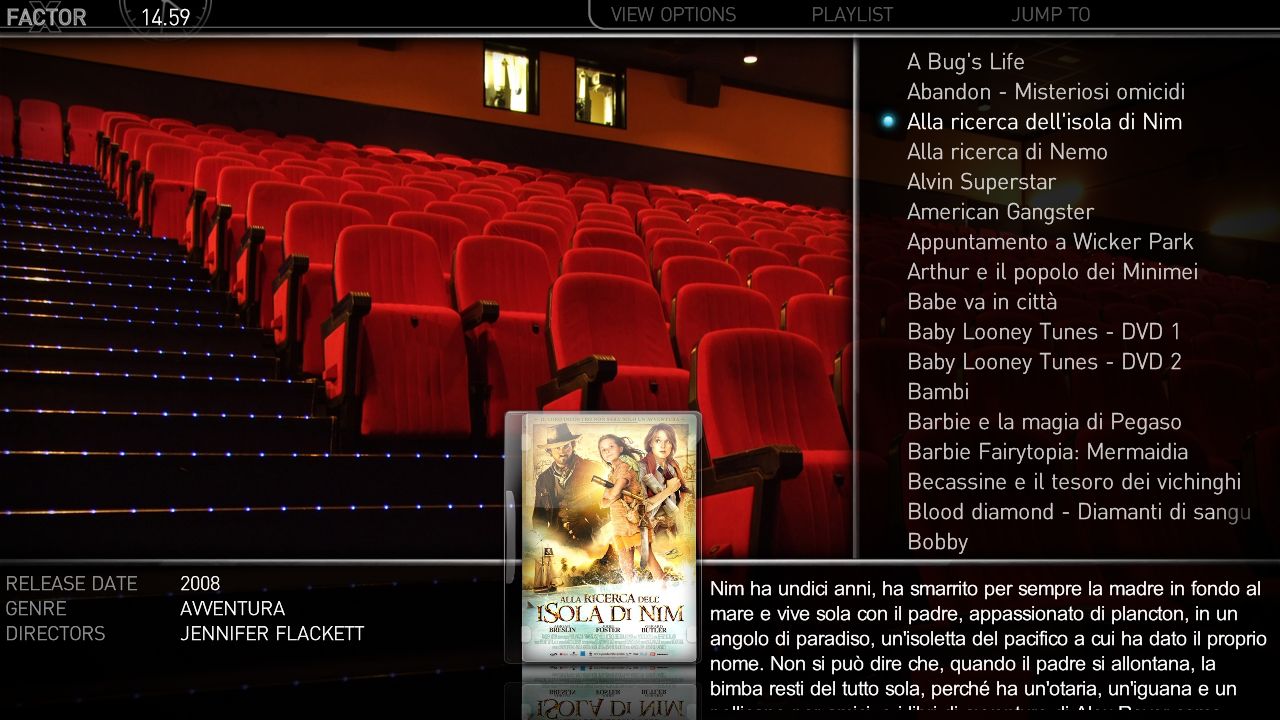
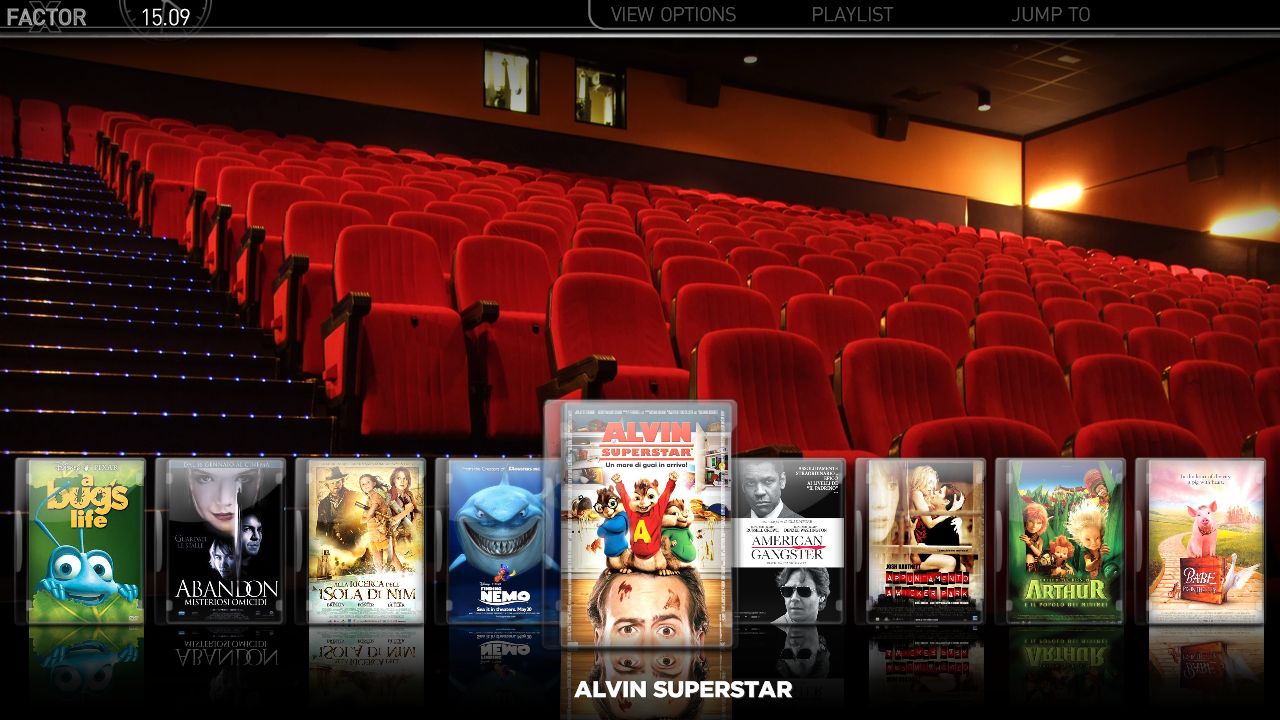
It works fine, now, but i'm not able to get fanart (see images below).
I try to put fanart images to fanart/videos in the media folder and modify myvideoTitle.xml file, but don't work.
Can you help me?
Thanks
massimo
thanks for the new release, it is really fantastic
Only a question about MyVideos.
It works fine, now, but i'm not able to get fanart (see images below).
I try to put fanart images to fanart/videos in the media folder and modify myvideoTitle.xml file, but don't work.
Can you help me?
Thanks
massimo
Attachments
- September 25, 2006
- 724
- 48
- Home Country
-
Italy
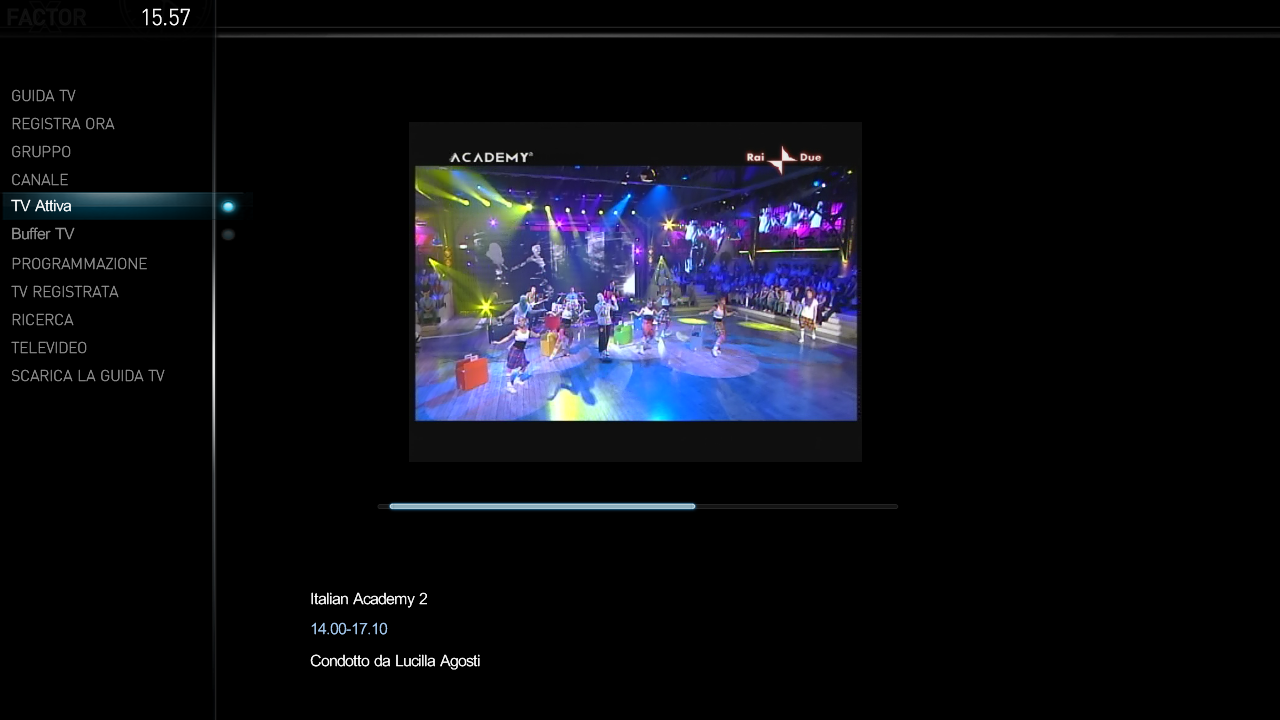
I add e new button (called Scarica la Guida TV) on TV section by add this command to mytvhome.xml:is possible to add e new button in "TV" .......
<control>
<description>Multishortcut</description>
<type>button</type>
<id>14</id>
<label>Scarica la Guida TV</label>
<hyperlink>4649</hyperlink>
<onup>13</onup>
<ondown>15</ondown>
<onright>99</onright>
</control>
It works fine but only with keyboard, i'm not able to reach the new button with the remote.
Wich is my error?
Thanks
massimo
Attachments
- Status
- Not open for further replies.
Users who are viewing this thread
Online now: 4 (members: 0, guests: 4)