ORIGINAL THREAD (OLD): About the X-Factor Skin (1 Viewer)

Status
Not open for further replies.

happy

MP Donator
  • Premium Supporter
  • February 6, 2009
    282
    5
    Explorer :D
    Home Country
    United Kingdom United Kingdom
    i like the layouts, personally i prefer the bigger banners on the right of the screen

     

    cul8er

    Retired Team Member
  • Premium Supporter
  • August 31, 2006
    2,159
    2,679
    Home Country
    Sweden Sweden
    Hi,

    camoura, when you wrote your last feedback I must admit that I lost inspiration for a few hours. But after that it really got me thinking if I was heading the right direction with the skin. And then remb0 wrote this;
    the new layouts are very cool. but the one in the older version: big icons i mis.
    can i use the 3 new layouts and the iconwall from the older version insted of the new little icon version on the vertical bar?

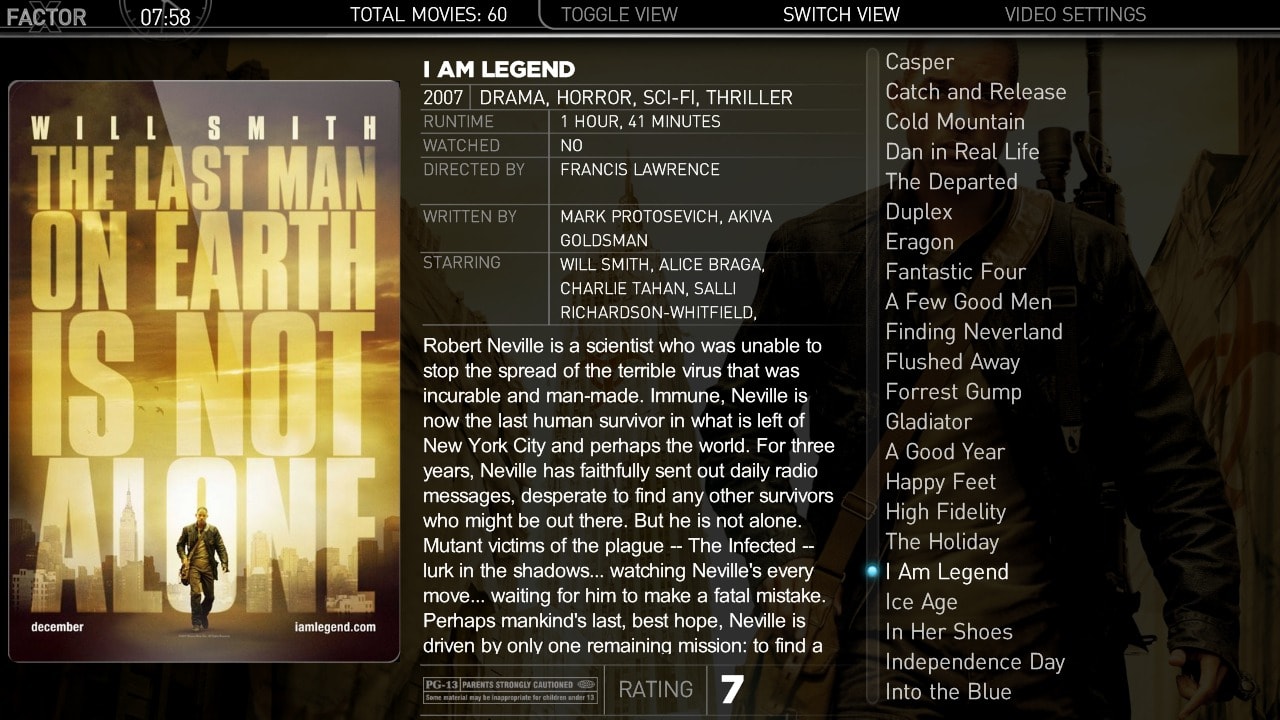
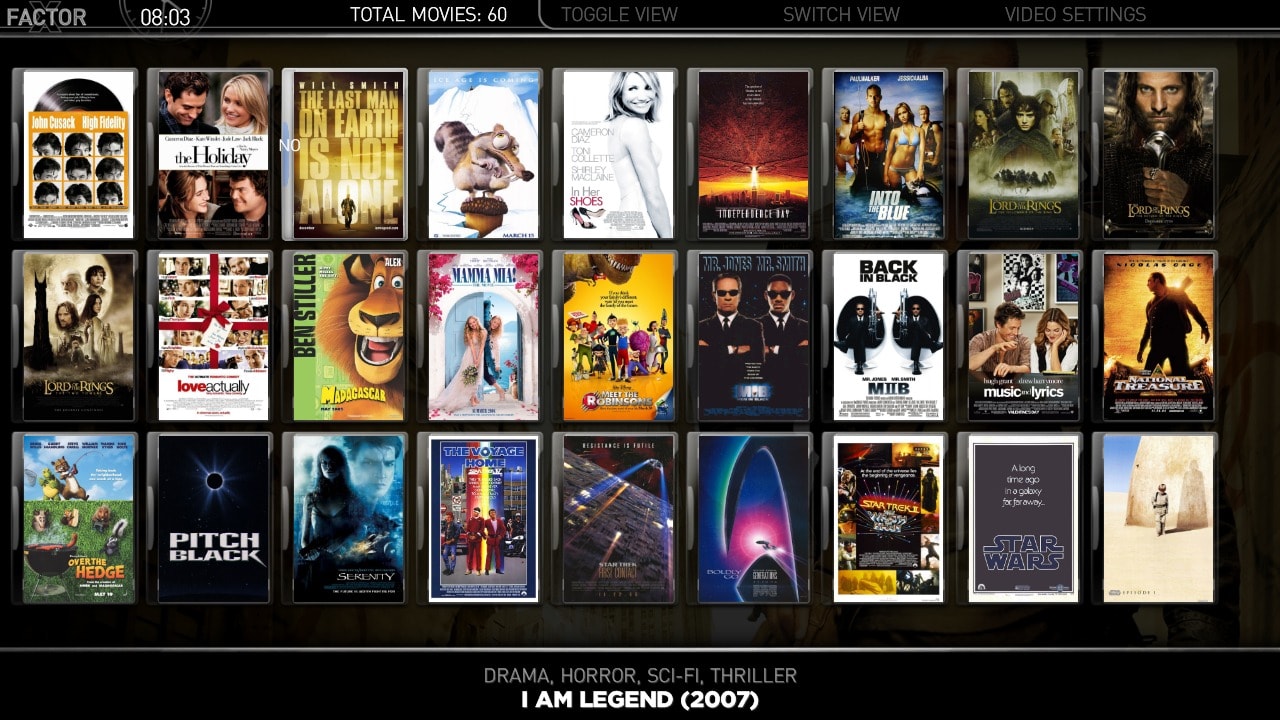
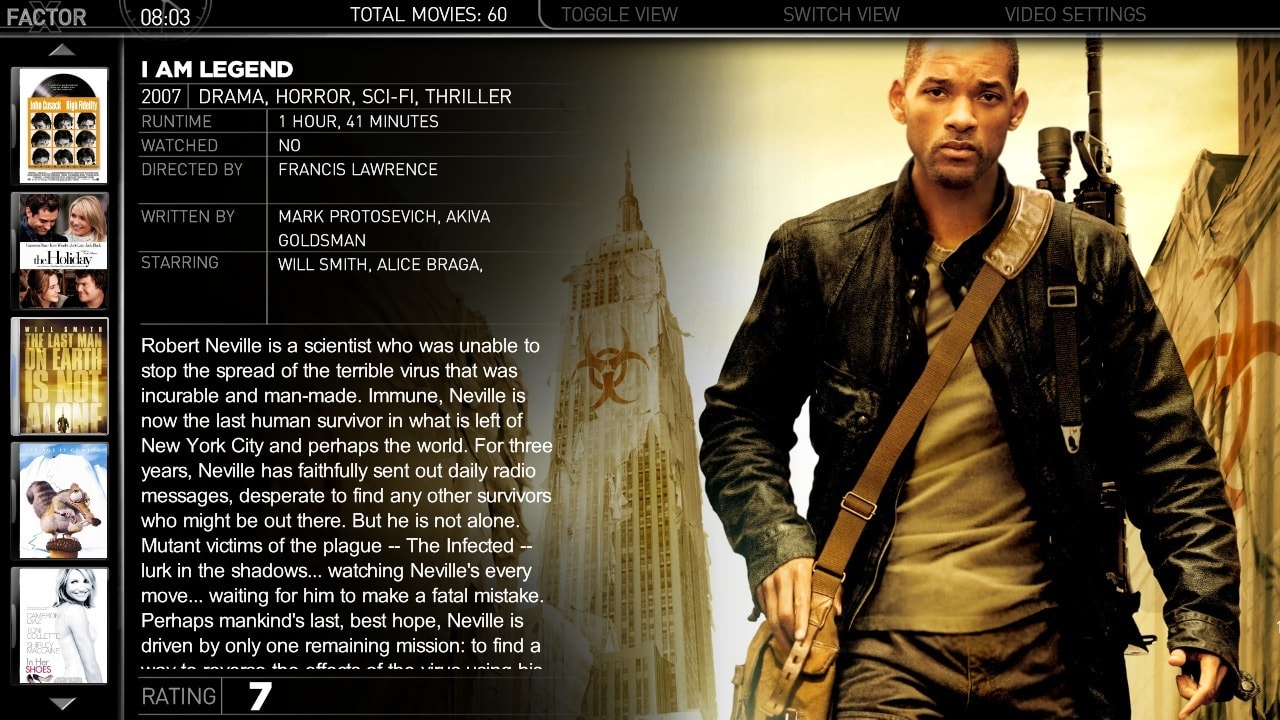
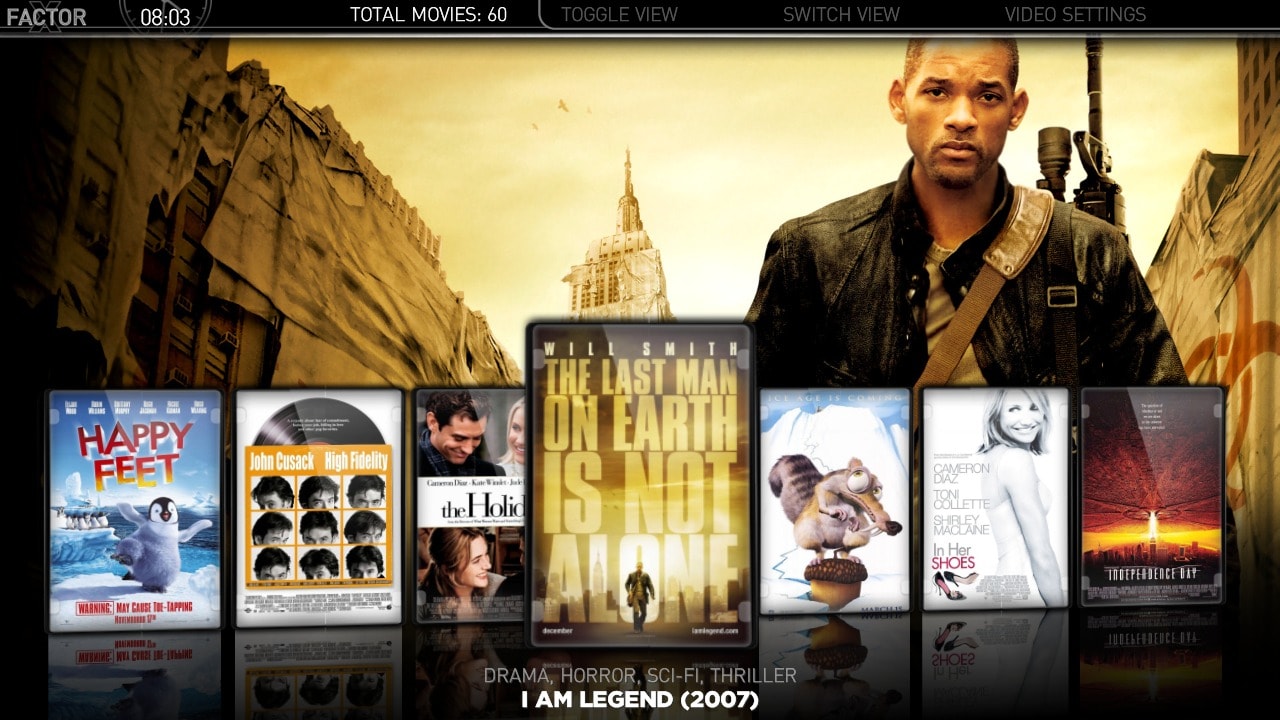
    and thats when the last missing piece of information appeared. I had never thought about the possibility to have different designs for Small Thums and Big Thumbs. I didn't think that was possible but after some hours of skinning this is the different view for Moving Pictures;
    * List
    * Small Thumbnails (I use the big thumbnail "wall" from release 191)
    * Big Thumbnails (I use the new vertical thumb list)
    * Filmstrip

    So, BIG thank you to camoura and remb0 for your feedback :) and once again you the community has proven me wrong ;)

    Finally, what do you think about the attached images for Moving Pictures?

    best regards
    cul8er
     

    Attachments

    • movpic_list.jpg
      movpic_list.jpg
      271 KB
    • movpic_thumbs_small.jpg
      movpic_thumbs_small.jpg
      314.1 KB
    • movpic_thumbs_big.jpg
      movpic_thumbs_big.jpg
      316.2 KB
    • movpic_filmstrip.jpg
      movpic_filmstrip.jpg
      259.6 KB

    crackmaniac

    Portal Pro
    April 17, 2009
    101
    0
    39
    Home Country
    Germany Germany
    i also think, that the first page of the TV-Series view shows to much information about the series.

    I prefer a view with a small list an the focus on fanarts.

    The full inforamtion of content you can get on the detail-pages
     

    cul8er

    Retired Team Member
  • Premium Supporter
  • August 31, 2006
    2,159
    2,679
    Home Country
    Sweden Sweden
    Hi crackmaniac,

    This is what the different layouts are for. For example; Use filmstrip view for Series (almost none info and lots of fanart) and then you can use listview or filmstrip for Season view and get more details.

    Some users like fanart and some like details. I try to provide views that covers both ;)

    cheers
    cul8er
     

    crackmaniac

    Portal Pro
    April 17, 2009
    101
    0
    39
    Home Country
    Germany Germany
    i Like some details and much fanart :-D
    ok, that's my problem :-S

    don't misunderstand me, i like your skin.
     

    mamachan

    MP Donator
  • Premium Supporter
  • September 25, 2006
    724
    48
    Home Country
    Italy Italy
    Hi,
    Finally, what do you think about the attached images for Moving Pictures?
    very very good :)
    But for "Small Thumbnails" view i personally prefer the R200 lyout (more informatio displayed).


    and ............ don't forget this smal help if you have free-time ;)
    thanks
    massimo


    is possible to add e new button in "TV" .......
    I add e new button (called Scarica la Guida TV) on TV section by add this command to mytvhome.xml:

    <control>
    <description>Multishortcut</description>
    <type>button</type>
    <id>14</id>
    <label>Scarica la Guida TV</label>
    <hyperlink>4649</hyperlink>
    <onup>13</onup>
    <ondown>15</ondown>
    <onright>99</onright>
    </control>


    It works fine but only with keyboard, i'm not able to reach the new button with the remote.

    Wich is my error?:confused:

    Thanks
    massimo
     

    emphatic

    Design Group
  • Team MediaPortal
  • August 25, 2006
    3,754
    1,242
    Alingsås
    Home Country
    Sweden Sweden
    Hi,

    camoura, when you wrote your last feedback I must admit that I lost inspiration for a few hours. But after that it really got me thinking if I was heading the right direction with the skin. And then remb0 wrote this;
    the new layouts are very cool. but the one in the older version: big icons i mis.
    can i use the 3 new layouts and the iconwall from the older version insted of the new little icon version on the vertical bar?

    and thats when the last missing piece of information appeared. I had never thought about the possibility to have different designs for Small Thums and Big Thumbs. I didn't think that was possible but after some hours of skinning this is the different view for Moving Pictures;
    * List
    * Small Thumbnails (I use the big thumbnail "wall" from release 191)
    * Big Thumbnails (I use the new vertical thumb list)
    * Filmstrip

    So, BIG thank you to camoura and remb0 for your feedback :) and once again you the community has proven me wrong ;)

    Finally, what do you think about the attached images for Moving Pictures?

    best regards
    cul8er

    Nice to see that you got something good out of this. To have a totally different look between the two thumb views is awesome! Something that's been bothering me from the start of using MediaPortal actually, "hey, why are there two views that similar?" Btw, does the view with the "thumb strip" to the left use scrolloffset to keep focus in the middle? I can't remember if it has atm?

    Emph
     

    Trouty

    Portal Member
    November 30, 2006
    18
    0
    Home Country
    Hi Cul8er,

    Don't know what I've done, or doing wrong. Have delete the cache before installing, but I just cannot get the vertical wide banners in TV series. I even deleted the whole skin, and did a fresh install. It still has the the old wide banner layout. Using 2.2 version of TV series. Any Ideas.

    PS: I love the new layout for Moving pictures, and tV series (once I get it)

    Cheers

    Trouty
     

    emphatic

    Design Group
  • Team MediaPortal
  • August 25, 2006
    3,754
    1,242
    Alingsås
    Home Country
    Sweden Sweden
    Hi Cul8er,

    Don't know what I've done, or doing wrong. Have delete the cache before installing, but I just cannot get the vertical wide banners in TV series. I even deleted the whole skin, and did a fresh install. It still has the the old wide banner layout. Using 2.2 version of TV series. Any Ideas.

    PS: I love the new layout for Moving pictures, and tV series (once I get it)

    Cheers

    Trouty

    Did you remove your old X-Factor directory, or did you rename the new one? When I migrate to a new version, I always rename the old, working version to "X-Factor old" or something, then copy the new folder into MediaPortal\Skins. Otherwise you'll have to open MediaPortal configuration to select the new skin. This is a very easy mistake to make.

    Emph
     

    Hawkeye

    Portal Pro
    January 29, 2005
    530
    97
    Halle (Saale)
    Home Country
    Germany Germany
    Hi,

    I have worked on TVSeries a little. Please let me know what you think and if this provides more variance between the views. Also the widebanner view I have included two designs and I would very much like your opinion on wich to use in next version.

    etagure;
    Thank you for your help on correcting myEmulators:)

    best regards
    cul8er

    First of all: I also like the new designs (both TV series and Moving pictures). And to answer your question: I prefer the version with banners on the left.
     
    Status
    Not open for further replies.

    Users who are viewing this thread

    Top Bottom