Codecs SAF v5.02 *final* (based on FFDShow DXVA decoder) (14 Viewers)

Larzon

MP Donator
  • Premium Supporter
  • January 16, 2010
    79
    9
    Phoenix, Arizona
    Home Country
    United States of America United States of America
    Re: SAF v5.00 experimental (based on FFDShow DXVA decoder)

    MediaPortal zoom modes aren't working correctly for 4:3 materal (xvid source). Whatever zoom mode I try, I don't get full screen video.

    FFDSHOW may be adding a black border. While watching SD video in MediaPortal, press Shift+1 to see diagnostic display. It will tell you the video size. If it is larger than you expect, like 720 or 1080, then you may want to make an adjustment. (But beware that SD video may not look very good when blown up to large size.)

    The behavior can be adjusted in FFDSHOW Video settings. Make sure you select the proper preset, the one that is used for SD video. By default some filters are hidden; click Show/Hide to see the list. I believe it is Resize you want to look at. (Sorry not at my HTPC right now.)
     

    hoborg

    Portal Pro
    June 13, 2008
    4,413
    1,644
    Nový Jičín
    Home Country
    Czech Republic Czech Republic
    Re: SAF v5.00 experimental (based on FFDShow DXVA decoder)

    After using SAF 4 for a very long time, I got tired of random video related crashes and decided some experimenting was in order. So I installed the latest FFDShow "on top" of SAF 4, and while the crashing was now gone, I was no longer able to switch audio streams correctly and the lip-sync started to drift on several video sources.

    Today I installed the latest SVN build of SAF 5, and everything seems to work fine, but the MediaPortal zoom modes aren't working correctly for 4:3 materal (xvid source). Whatever zoom mode I try, I don't get full screen video. Or do I have to re-calibrate the screen when going from SAF 4 to SAF 5?

    Edit: Kids are watching cartoons now, so I have to wait a bit until I can try more videos with SAF 5.

    Thanks!
    Emph

    From first page of this thread:
    -if you have problem with aspect ratio under MePo, go to START - SAF - FFDShow - Configure video - Resize & Aspect and check "No aspect ratio correction"

    MePo didnt handle this correctly, so diable it (no idea why).
    Resizing is good if you want good looking subtitles on low res videos.

    FFDSHOW may be adding a black border. While watching SD video in MediaPortal, press Shift+1 to see diagnostic display. It will tell you the video size. If it is larger than you expect, like 720 or 1080, then you may want to make an adjustment. (But beware that SD video may not look very good when blown up to large size.)

    The behavior can be adjusted in FFDSHOW Video settings. Make sure you select the proper preset, the one that is used for SD video. By default some filters are hidden; click Show/Hide to see the list. I believe it is Resize you want to look at. (Sorry not at my HTPC right now.)

    That is not problem of FFDShow.
    IF you play video in Graphstudio/MPC-HC, all is good, but in MePo it it is not.
     

    emphatic

    Design Group
  • Team MediaPortal
  • August 25, 2006
    3,758
    1,250
    Alingsås
    Home Country
    Sweden Sweden
    Re: SAF v5.00 experimental (based on FFDShow DXVA decoder)

    Resizing is good if you want good looking subtitles on low res videos.

    Do you refer to hard-coded (non-removable) subtitles, dvd subtitles (sub/idx) or .srt type (soft)? Would any playback logs or samples be of help to solve the issue once and for all?

    Thank you.
    Emph
     

    hoborg

    Portal Pro
    June 13, 2008
    4,413
    1,644
    Nový Jičín
    Home Country
    Czech Republic Czech Republic
    Re: SAF v5.00 experimental (based on FFDShow DXVA decoder)

    Resizing is good if you want good looking subtitles on low res videos.

    Do you refer to hard-coded (non-removable) subtitles, dvd subtitles (sub/idx) or .srt type (soft)? Would any playback logs or samples be of help to solve the issue once and for all?

    Thank you.
    Emph

    Text subtitles (*.srt,*.sub, etc...)
    This is MePo issue, i cannot do anything with that :/

    But if you are using MePo subtitle engine, do not care about this, you can disable FFDShow resizing completelly.
     

    emphatic

    Design Group
  • Team MediaPortal
  • August 25, 2006
    3,758
    1,250
    Alingsås
    Home Country
    Sweden Sweden
    Re: SAF v5.00 experimental (based on FFDShow DXVA decoder)

    But if you are using MePo subtitle engine, do not care about this, you can disable FFDShow resizing completelly.

    I am, so I will. Did you add this resize parameter in SAF 5?

    I did a conversion of my The Hulk dvd to .mkv, and if I use the resize without aspect ratio correction, it's just stretched out horizontally with black borders top and bottom in the "normal" zoom mode. I have to use stretch to have the correct AR. If I use resize+AR correction (your setting from installation of SAF 5) I don't get full screen, but also black borders on the sides! :eek: The AR is correct though. :D

    Emph
     

    djphatic

    Portal Pro
    May 9, 2008
    70
    1
    Home Country
    United Kingdom United Kingdom
    Re: SAF v5.00 experimental (based on FFDShow DXVA decoder)

    Does the latest version of SAF support embedded pgs streams in mkvs? I can't seem to get it to work, though I can within MPC-HC.
     

    djphatic

    Portal Pro
    May 9, 2008
    70
    1
    Home Country
    United Kingdom United Kingdom
    Re: SAF v5.00 experimental (based on FFDShow DXVA decoder)

    Does the latest version of SAF support embedded pgs streams in mkvs? I can't seem to get it to work, though I can within MPC-HC.

    Yes.
    Make sure you are using FFDshow subtitle engine.

    I have only got to this to work in MePo by updating the MPCSubs.dll and I have to have MPC-HC subtitle engine enabled.

    With only ffdshow subtitles enabled, I can see the subtitles streams using the tray icon and can select them but they do not playback.
     

    RoadRunner08

    Portal Member
    February 8, 2008
    10
    0
    AW: SAF v5.00 experimental (based on FFDShow DXVA decoder)

    Hi SAF5 Users,

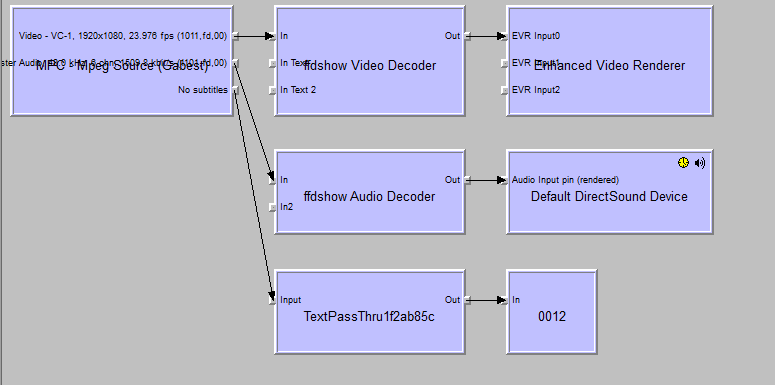
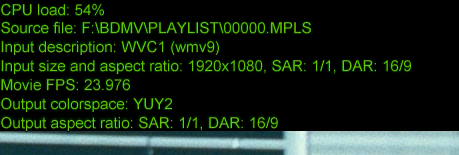
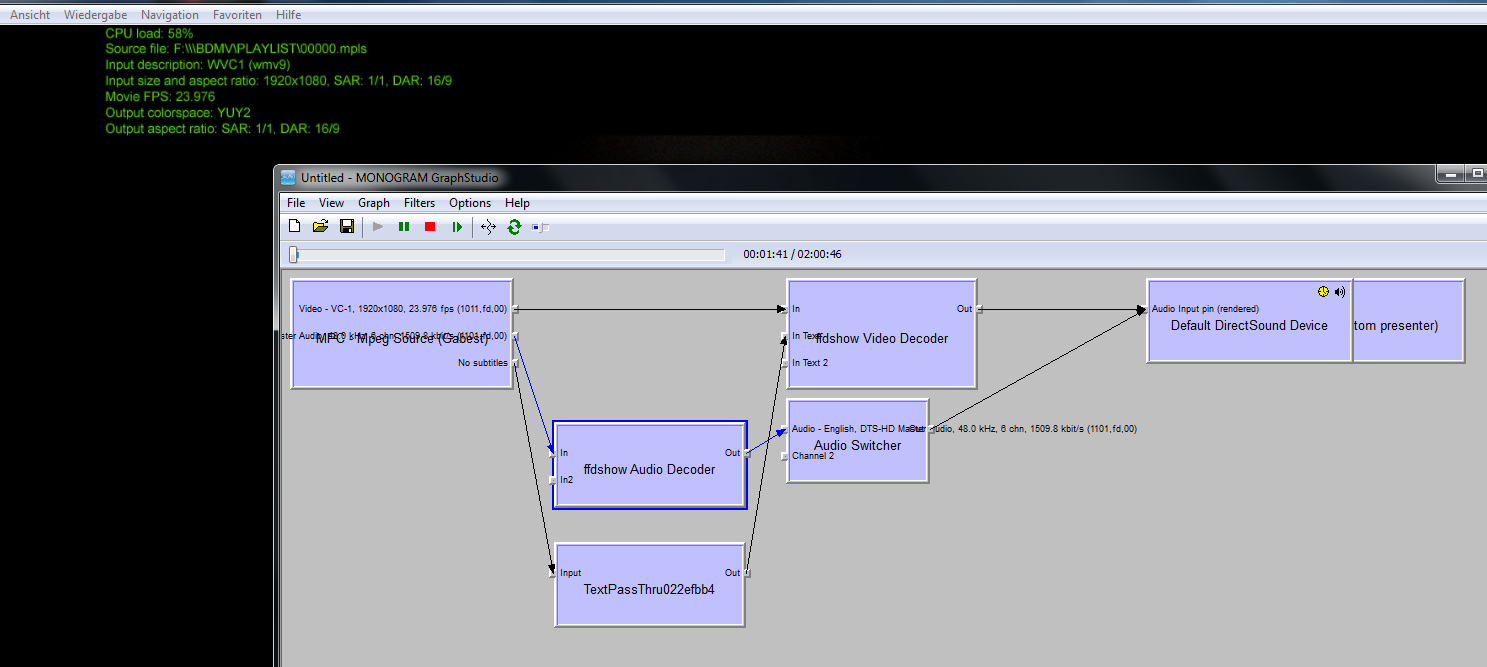
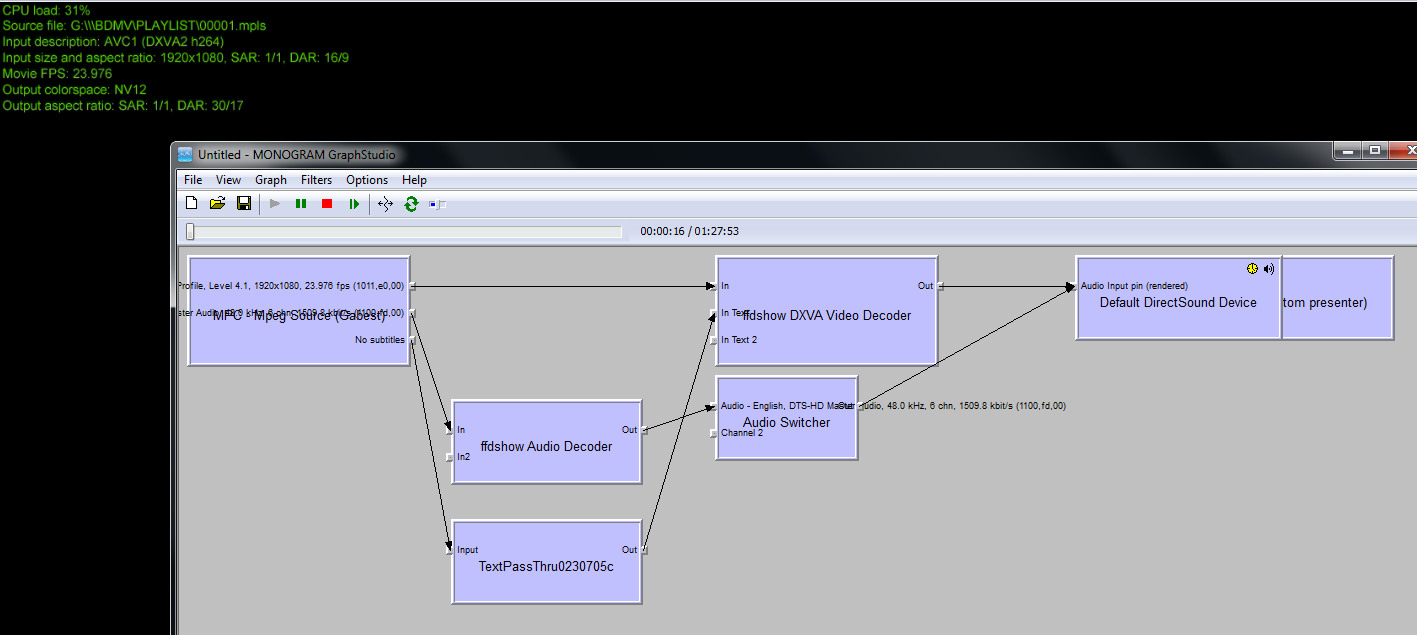
    I have a problem due to BluRay Playback.
    Hardware: Intel E8400, G45, 4 GB Ram
    Software: Win 7 x86, MePo 1.1.0 final, SAF5 Build910, BluRay Handler

    I changed from MePo RC3 with HD Starter Plugin and PowerDVD 8 to 1.1.0 final and BluRay Handler. With RC3 and HD Starter playback of BluRay or BluRay Image was no problem.
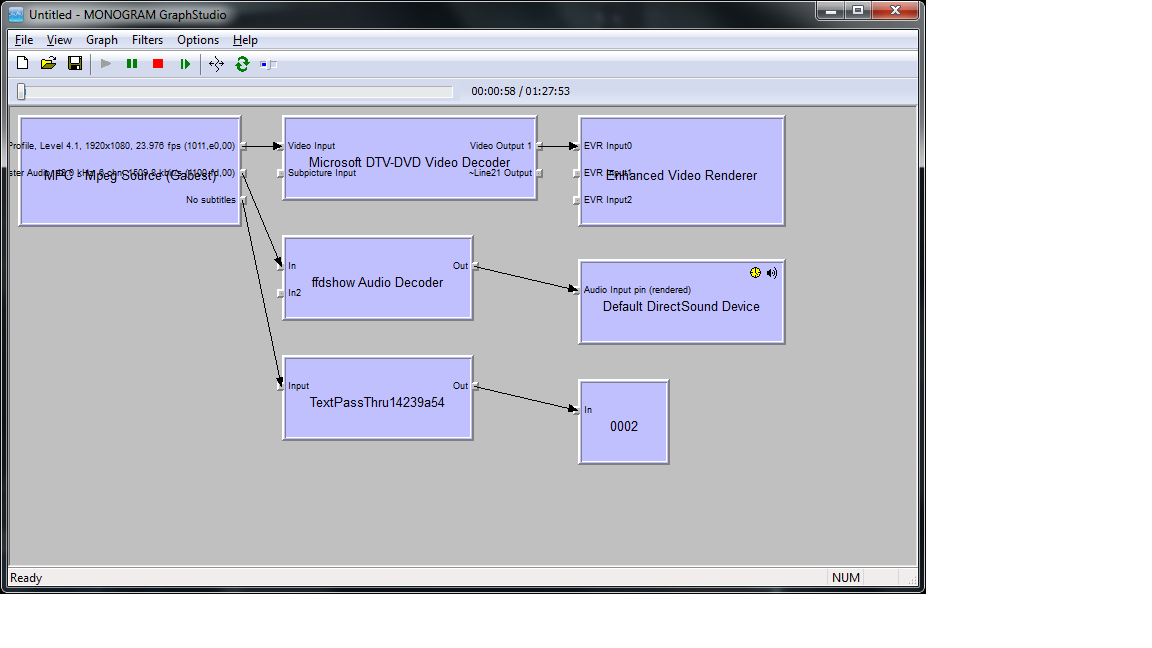
    But with SAF5 the playback of BluRay is stuttering, while playback of a BluRay Image works without stuttering (when I use Microsoft DTV-DVD Codec instead of ffdshow DXVA in MePo; CPU Utilization 20 %). In MP-HC the playback of BluRay Image with ffdshow DXVA works without stuttering (CPU Utilization 30-40 %). I changed because of working Atmolight when BluRay is played in MePo.
    Could someone please help me to solve my problem?

    Thanks,
    RoadRunner08
     

    Attachments

    • BluRayGraph MePo.png
      BluRayGraph MePo.png
      22.8 KB
    • BluRayOSD MePo.png
      BluRayOSD MePo.png
      53.4 KB
    • BluRayMP-HC.png
      BluRayMP-HC.png
      122.1 KB
    • Image MePo.png
      Image MePo.png
      83.3 KB
    • Image MP-HC.png
      Image MP-HC.png
      96.9 KB

    hoborg

    Portal Pro
    June 13, 2008
    4,413
    1,644
    Nový Jičín
    Home Country
    Czech Republic Czech Republic
    Re: SAF v5.00 experimental (based on FFDShow DXVA decoder)

    Does the latest version of SAF support embedded pgs streams in mkvs? I can't seem to get it to work, though I can within MPC-HC.

    Yes.
    Make sure you are using FFDshow subtitle engine.

    I have only got to this to work in MePo by updating the MPCSubs.dll and I have to have MPC-HC subtitle engine enabled.

    With only ffdshow subtitles enabled, I can see the subtitles streams using the tray icon and can select them but they do not playback.

    Send video sample to FFDShow team.

    Hi SAF5 Users,

    I have a problem due to BluRay Playback.
    Hardware: Intel E8400, G45, 4 GB Ram
    Software: Win 7 x86, MePo 1.1.0 final, SAF5 Build910, BluRay Handler

    I changed from MePo RC3 with HD Starter Plugin and PowerDVD 8 to 1.1.0 final and BluRay Handler. With RC3 and HD Starter playback of BluRay or BluRay Image was no problem.
    But with SAF5 the playback of BluRay is stuttering, while playback of a BluRay Image works without stuttering (when I use Microsoft DTV-DVD Codec instead of ffdshow DXVA in MePo; CPU Utilization 20 %). In MP-HC the playback of BluRay Image with ffdshow DXVA works without stuttering (CPU Utilization 30-40 %). I changed because of working Atmolight when BluRay is played in MePo.
    Could someone please help me to solve my problem?

    Thanks,
    RoadRunner08

    Not suere how Intel G45 handle DXVA...
     

    Users who are viewing this thread

    Top Bottom