Server and client work but remote clients fail (3 Viewers)

irw

Portal Member
July 21, 2022
32
4
Home Country
United Kingdom United Kingdom
You remember correctly or looked at some history :).
It has never worked on the Win 11 laptop.
It has worked at times on the Win 10 desktop but these occasions were random events some time ago. They appeared to be chance events and it was not possible to 'make the system work'. It could be Windows updates but I would not know how to determine which one. This has been a constant problem since I switched from MP2 to MP1.
Is there an advantage in my trying x64 installations? Do all machines have to be the same?
 

CyberSimian

Test Group
  • Team MediaPortal
  • June 10, 2013
    3,611
    2,639
    Southampton
    Home Country
    United Kingdom United Kingdom
    It has never worked on the Win 11 laptop.
    There are users who run MP1 on Windows 11, so Windows 11 per se shouldn't be a problem.

    Is there an advantage in my trying x64 installations?
    Some users find that the 64-bit version of MP is faster than the 32-bit version. But I found that there was little to no difference between 32-bit and 64-bit (running on Windows 7). Functionally, there may be a small number of obscure plugins that are available only in 32-bit form, and so will not work on the 64-bit version. But if you don't want to use any of those plugins, being unavailable in 64-bit form is not a problem. I think that it should be possible to get the 32-bit version to work on your systems.

    Do all machines have to be the same?
    I would definitely advise against using clients and server that have different bitness. Use either all 32-bit, or all 64-bit.

    I don't use separate clients on my "production" system, so I have little experience of using them. But I did perform a test install of a client system about a year ago, and my recollection is that it worked without problem. I will check to see if I still have it available (tomorrow!).

    -- from CyberSimian in the UK
     

    CyberSimian

    Test Group
  • Team MediaPortal
  • June 10, 2013
    3,611
    2,639
    Southampton
    Home Country
    United Kingdom United Kingdom
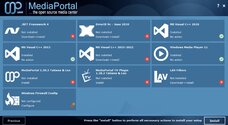
    I have just performed a true first-time install of the 64-bit MP 1.38.3 client on an empty 64-bit Windows 10 system. Here is the pre-install summary:

    pre-install_summary.jpg

    The install of ".Net Framework 4" took a very long time to complete, so long in fact that I thought that the system was locked up. But the install of that component did complete eventually.

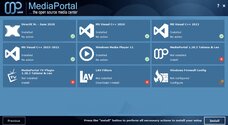
    A bit later during the MP install, the system rebooted, for no obvious reason. After restarting the system, I re-ran the MP install, and this time it ran to completion. Here is the pre-install summary for the restart install:

    restart_summary.jpg

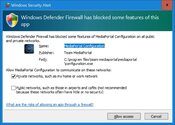
    I rebooted and then ran "MP Config". The following window appeared:

    windows_firewall.jpg

    Note: sometimes the check box for public networks is pre-selected. I always deselect this, as I believe that if Windows thinks that your network connection may be a public network (e.g. an internet cafe), Windows will impose much more restrictive firewall rules, in order to protect your system. This window also appears when the server is installed; deselect public networks for that too.

    In "MP Config" I set the server name. The drop-down menu listed the TV server system, so I selected that and clicked the "Test connection" button, which responded with a successful connection.

    I then started the MP client, and was able to watch live TV streamed from the server, and play recorded TV files stored on the server.

    So client installs do work for MP 1.38.3 (64-bit). However, this does not really help with your problem, and we are none the wiser as to what the cause is. In the spirit of "trying all possible solutions at random", I would now suggest this:
    • Uninstall MP2 if it is still on your systems. Then manually delete all leftover MP2 folders.
    • Uninstall MP1 from the server and client systems. Again, manually delete all leftover folders (you will need to enable the Windows setting to show hidden folders).
    • Reboot.
    • Run the MP1 installer for the server system. Reboot.
    • Run the MP1 installer for the client system. Reboot.
    • Scan for channels in "TV Server Config".
    • Grab the EPG in "TV Server Config.
    • Start the client and check whether it can access live TV and recorded TV on the server.
    -- from CyberSimian in the UK
     

    irw

    Portal Member
    July 21, 2022
    32
    4
    Home Country
    United Kingdom United Kingdom
    You had more success than I. For the record, I use an uninstaller to make sure the registry entries and stray folders and files are deleted.
    I went through the entire process you list on the single-seat server, the Win10 client and the Win11 client.

    This time, I did all three as x64.
    Like you, I said Private Network only.
    The single-seat server/client works fine with no noticeable difference to x84.
    The Win10 client is as before i.e. it shows all the channels and lists the recorded programmes but won't play live or recorded TV.
    The Win11 client tried to play live or recorded TV and then a dialogue box popped up saying it needed port 554 RTSP to operate. Then another saying words to the effect that a change is needed to the firewall. I assumed it meant the client firewall. I looked at the server and client firewalls and could find no entries for Real Time Streaming Protocol or RTSP. I set up a new rule on the server outbound rules and the client inbound rules allowing port 554 through. I suspect this is totally unnecessary as the MediaPortal firewall entries allow all ports.

    Both clients still fail.

    The only difference I note to your installation is that my Win10 client never finds the server PC so it invokes the MP configuration and I have to type in the name then click the check connectivity button and then it always says it is connected properly. Even so, when I launch MP on the Win10 client, it always seems to fail to connect and insists on me retyping it to connect.

    In case it is a clue, both clients display a red dot (top centre) when a new recording is in progress so I see that as evidence that they have good connectivity.

    I've checked and checked but do wonder if all this means it is a folder security issue, as you wondered a few posts back.
     

    CyberSimian

    Test Group
  • Team MediaPortal
  • June 10, 2013
    3,611
    2,639
    Southampton
    Home Country
    United Kingdom United Kingdom
    I commend your determination to get MP1 working, and I am sorry that you have had no success.

    Undoubtedly there is a solution to your problem, but it probably needs someone who is expert in all relevant areas to review your setup details and identify the problem. Regrettably that person is not me, and it seems that no one who has read this thread has the necessary knowledge either.

    My view is that we all waste far too much of our lives trying to get software to work. The PC provides the ultimate in flexibility, but the result of this is that software that works on some systems does work not on others.

    You have made a really good attempt to get MP1 working, but at this point I would suggest that you consider some other program to satisfy your media-centre requirements.

    The obvious choice would be to return to MP2, assuming that it worked accceptably for you. Yes, it may be unsupported, and there may be bugs and functional limitations, but it may nevertheless represent a usable compromise.

    Failing that, I would suggest that you look at NextPvr. It provides similar features to MP1/2, and is also free for personal use (but I have not used it myself). If you browse the NextPvr forum, you will get an idea of how reliable it is, and the level of support available.

    -- from CyberSimian in the UK
     

    irw

    Portal Member
    July 21, 2022
    32
    4
    Home Country
    United Kingdom United Kingdom
    Hi, What you write is so correct about our use of computers but I hate to give up for something that might be the simplest of alterations.

    Thank you for recommending NextPVR. I looked at it but sadly it states "The windows client, nextpvr.exe, is included in the 'client' subdirectory of Program Files\NextPVR. At this stage it can only connect to NextPVR running on the same Windows machine". It won't allow my remote clients to connect.

    I think I'll have to revert back to MP2. I did have problems with it such that the EPG stopped and so I couldn't load programmes to view or record - pretty essential, and I know you tried to help. At least the clients did work.
     

    CyberSimian

    Test Group
  • Team MediaPortal
  • June 10, 2013
    3,611
    2,639
    Southampton
    Home Country
    United Kingdom United Kingdom
    I think I'll have to revert back to MP2. I did have problems with it such that the EPG stopped and so I couldn't load programmes to view or record - pretty essential, and I know you tried to help. At least the clients did work.
    I think that I have a version of MP2 in another partition on my "production" HTPC. I will look tomorrow to see if it still works, and if it can load the broadcast EPG.

    -- from CyberSimian in the UK
     

    CyberSimian

    Test Group
  • Team MediaPortal
  • June 10, 2013
    3,611
    2,639
    Southampton
    Home Country
    United Kingdom United Kingdom
    I did have problems with it such that the EPG stopped and so I couldn't load programmes to view or record - pretty essential
    This morning I booted a Windows 10 partition containing MP 2.5 dating from 2024. After scanning for channels on all of the tuners, I successfully grabbed the EPG from the broadcast data stream. This gives a complete EPG without having to use an internet EPG source.

    One point: if you are going to revert to MP2, make the correct choice of which TV Server to install. Some MP2 installers contain three different TV Servers, and give you a choice of which to install:
    • TV Engine 3.0 (TVE3)
    • TV Engine 3.5 (TVE3.5)
    • TV Mosaic
    TVE3 is the one that MP1 uses, and is the only one that works correctly. The other two TV Servers are incomplete implementations, so don't pick either of those.

    -- from CyberSimian in the UK
     

    irw

    Portal Member
    July 21, 2022
    32
    4
    Home Country
    United Kingdom United Kingdom
    This is so you know I am still working on this. Just to refresh - all devices are now back on version 2.5.2401.14759.
    EPG is working fine at the moment.
    Server and client PC working correctly except only on two of my four channels on my Hauppauge WinTV-DualHD DVB card. Before, all four worked.
    Win11 laptop works correctly, at the moment.
    Win10 desktop sometimes
    • sees everything on the server but fails to display live tv or recorded programmes
    • or it says no server exists
    • or it finds the server but says there is no connection
    • or it finds the server but says there is no connection even when the ServiceMonitor is green - there seems to be a big time lag between the ServiceMonitor and the actual client responding
    I've never understood what one can do when the Service Monitor is red even though the network connction is working. There seems to be no way to 'turn it on'. I've searched the forum and found a few others mention this but never a solution.

    The server and laptop use Wi-Fi to the router. The desktop is connected using ethernet. Does the connection need a minimum speed?

    You say use TV Engine 3.0 (TVE3). I really can't remember if I installed 3 or 3.5. I've looked at the server and the Windows files but cannot see how to find out which is installed. The server Configuration Project screen says it is version 1.7.1.0.
     

    CyberSimian

    Test Group
  • Team MediaPortal
  • June 10, 2013
    3,611
    2,639
    Southampton
    Home Country
    United Kingdom United Kingdom
    Server and client PC working correctly except only on two of my four channels on my Hauppauge WinTV-DualHD DVB card. Before, all four worked.
    In "TV Server Config", each tuner must be set up separately for the channels that you can receive. There are two ways of doing this:

    (1) Select each tuner in turn, and perform "scan for channels" for each tuner. Remember to select Enable channel movement detection (you will need to enable this for each tuner, each time that you scan or rescan). This method tests each tuner to verify that it is still working, and that all of the aerial connections are in good condition (e.g. no oxidation on the plugs or sockets).

    (2) Use the "Channel Mapping" panel and map onto tuners 2, 3, and 4, the channels found when scanning tuner 1. This is OK if all of your tuners have the same capability. If you have a quad tuner card, all of the tuners are likely to have the same capability, but my HTPC has one DVB-T2 card, and one DVB-T card (so different capabilities).

    Did you perform either (1) or (2)? TV Server can use a tuner only when it knows what channels it can receive.

    The server and laptop use Wi-Fi to the router. The desktop is connected using ethernet. Does the connection need a minimum speed?
    A wired connection is always going to be more reliable than a wi-fi connection. But if you are using one of the more-recent versions of wi-fi (== higher speed), and wi-fi channels at your location do not suffer contention with wi-fi users in neighbouring houses, wi-fi would probably work satisfactorily. If you suffer pixelation, or momentary freezing using wi-fi, but not when using the cable, you have your answer.

    The server Configuration Project screen says it is version 1.7.1.0.
    I don't know what version corresponds to TVE3, but one of the problems with TVE3.5 is that scanning for channels using a DVB-T2 tuner finds no channels, whereas a DVB-T tuner does find channels (only the DVB-T ones, obviously).

    As to the connection problems that you are having with your network, I regret that I do not have any ideas what the problem(s) might be.

    -- from CyberSimian in the UK
     

    Users who are viewing this thread

    Top Bottom