Skin project: Core (2 Viewers)

Zappza

MP Donator
  • Premium Supporter
  • December 10, 2006
    176
    9
    Home Country
    Norway Norway
    How do I change the OSD color from Black to a color that is actually visable?
    Bit annoying, I can't see how much I am skipping forwards/backwards.

    I am also wondering the same as the above, any 4:3 plans? I am using MP on two various screens, one 4:3, and one 16:10.

    Thanks!
     

    djohansson

    Portal Pro
    October 16, 2006
    78
    29
    Stockholm
    Home Country
    Sweden Sweden
    How do I change the OSD color from Black to a color that is actually visable?
    Bit annoying, I can't see how much I am skipping forwards/backwards.

    I am also wondering the same as the above, any 4:3 plans? I am using MP on two various screens, one 4:3, and one 16:10.

    Thanks!
    Is this the video OSD's that you are talking about?

    I don't know why the skip steps doesn't show. I have tried just about everything. If anyone can help here I would be grateful...?

    Also remaining time does not show on vidoOSD.xml. Why?

    Hey

    This skin looks amazing. Any plans for a 4:3 version for us CRT guys?

    THX!
    Not at the moment. I think I would need help to do this so if there is any skinne that would like to help, please sign up...
     

    fake9

    MP Donator
  • Premium Supporter
  • May 15, 2006
    40
    1
    Brugge
    Home Country
    Belgium Belgium
    Hi Djohansson,

    Is this the video OSD's that you are talking about?
    I don't know why the skip steps doesn't show. I have tried just about everything. If anyone can help here I would be grateful...?
    Also remaining time does not show on vidoOSD.xml. Why?

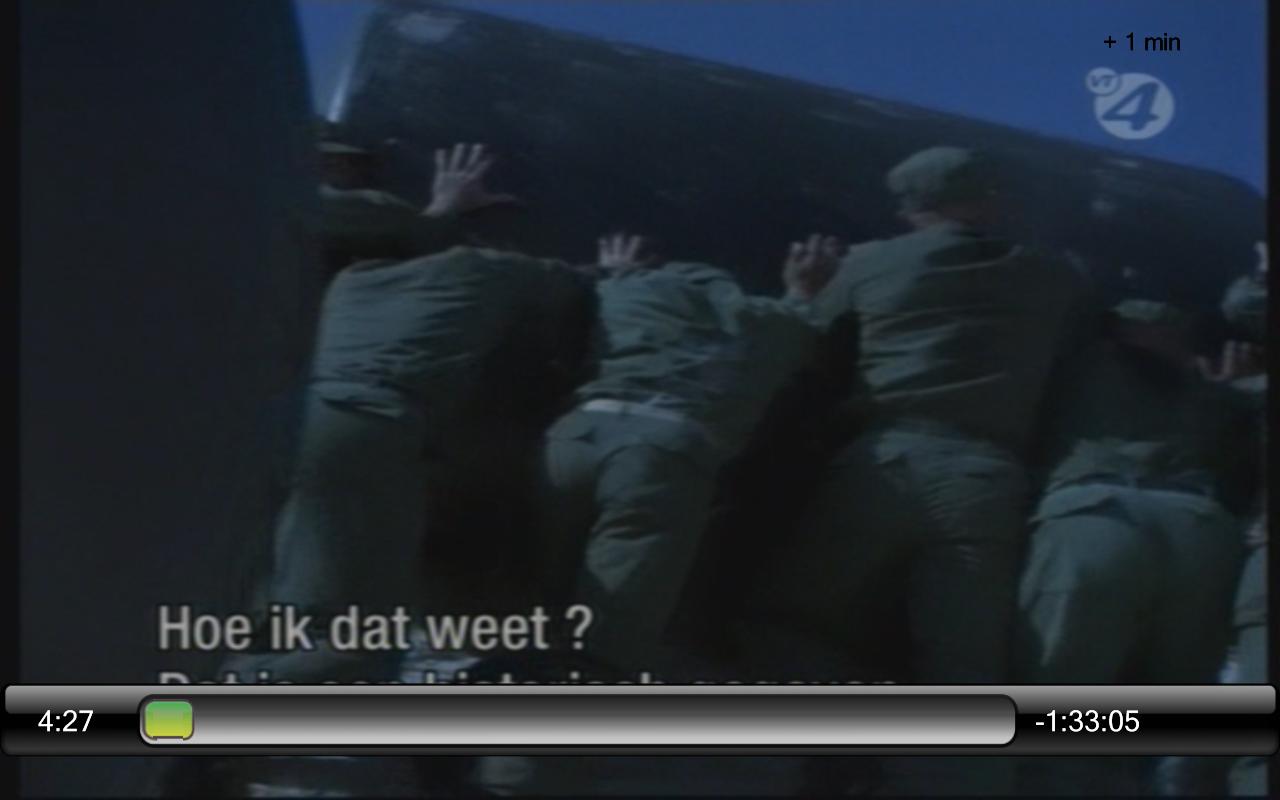
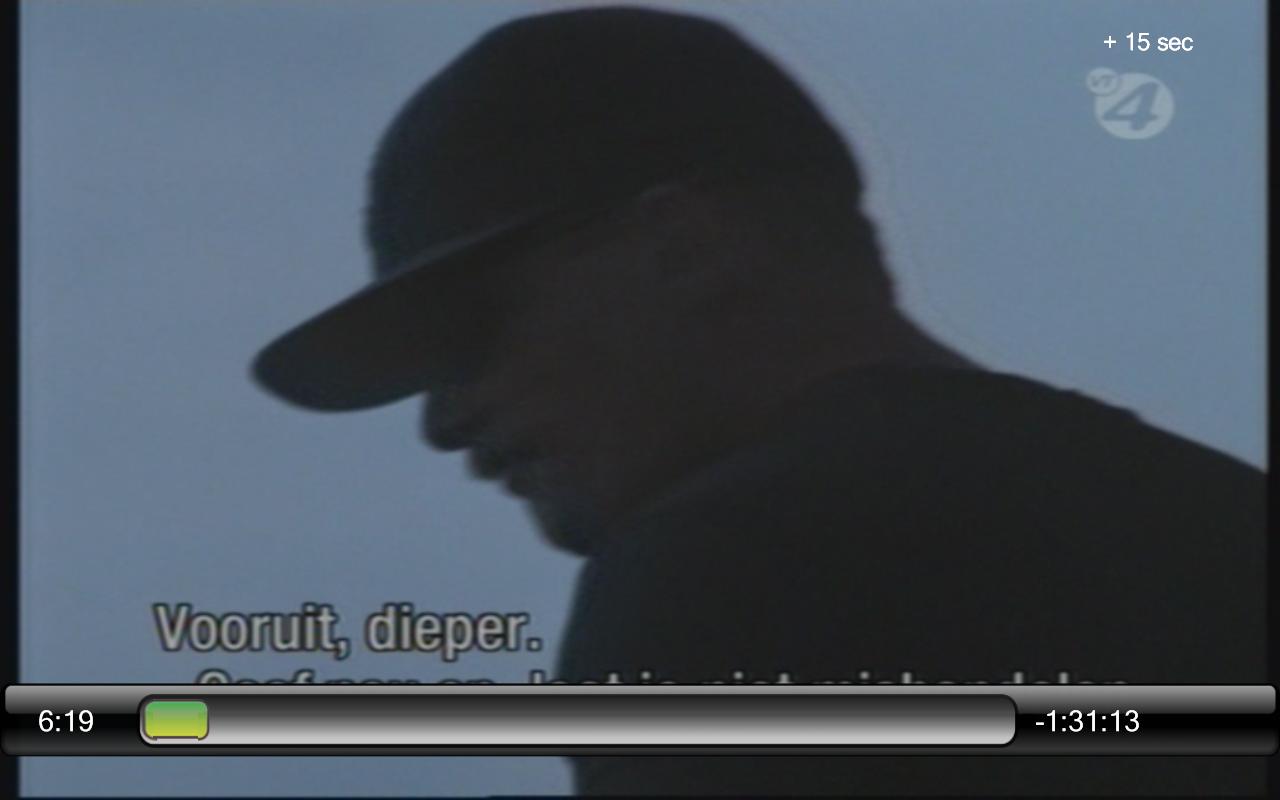
    Surely you mean the steps +15sec, 30sec, etc.... => The text is in black so that is it not visable in most shows/films because the upper band is black also. If you change colors it may help.

    By searching your xml files only 3 have the html color 'FF000000' those are
    - tvmsnosd.xml
    - mytvFullScreen.xml
    - TVOSD.xml

    For the 'black' gave me some other also
    -videoFullScreen.xml

    Thx
    Tom
     

    djohansson

    Portal Pro
    October 16, 2006
    78
    29
    Stockholm
    Home Country
    Sweden Sweden
    Hi Djohansson,

    Is this the video OSD's that you are talking about?
    I don't know why the skip steps doesn't show. I have tried just about everything. If anyone can help here I would be grateful...?
    Also remaining time does not show on vidoOSD.xml. Why?

    Surely you mean the steps +15sec, 30sec, etc.... => The text is in black so that is it not visable in most shows/films because the upper band is black also. If you change colors it may help.

    Thx
    Tom
    Can you guide me to that setting then? I thought I had it in white already. It works on tvOSD...
     

    fake9

    MP Donator
  • Premium Supporter
  • May 15, 2006
    40
    1
    Brugge
    Home Country
    Belgium Belgium
    Hi,

    I tried to modify some things in the 'videoFullScreen.xml'

    When I set the textcolor of 'Row 1 label', 'Row 2 label' 'Row 3 label' on white the display of the steps (forward backward) are in white.
    <control>
    <description>row 1 label</description>
    ... <textcolor>White</textcolor>
    ... </control>
    <control>
    <description>row 2 label</description>
    ...
    <textcolor>White</textcolor>
    ...
    </control>
    <control>
    <description>row 3 label</description>
    ...
    <textcolor>White</textcolor>
    ...
    As you can seen in the attached images on the right hand top corner first it was black. Then changed the 'videoFullScreen.xml' as mentioned above.
    In attachment the changed xmlfile to place in the directory \program files\team mediaportal\mediaportal\skin\core\

    I dont know if they all have to be changed (Row 1, Row 2 and Row 3) . Hope this solves it.

    Will post some other small errors soon. Thanks for the great skin. I use it daily.
    Cheerio
    Tv
     

    Attachments

    • steps.JPG
      steps.JPG
      51.2 KB
    • stepsWhite.JPG
      stepsWhite.JPG
      45.8 KB

    fake9

    MP Donator
  • Premium Supporter
  • May 15, 2006
    40
    1
    Brugge
    Home Country
    Belgium Belgium
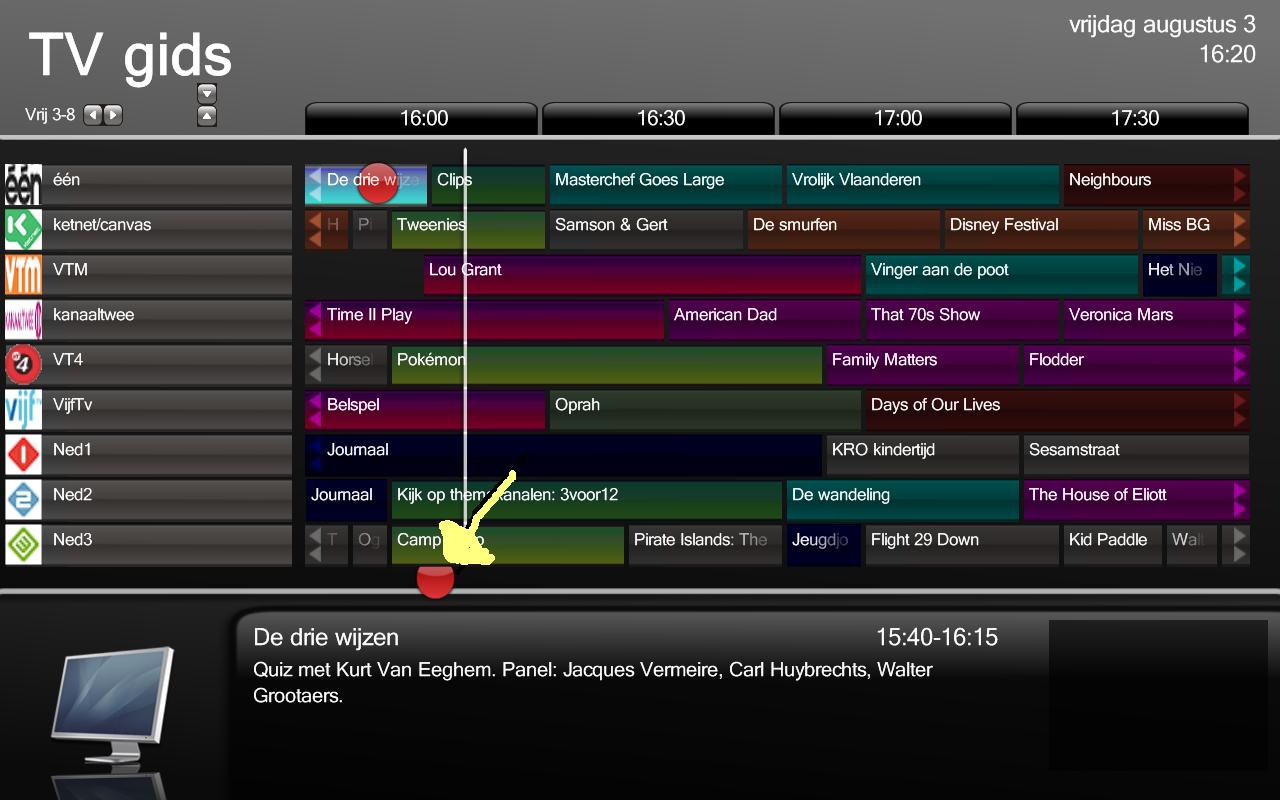
    Small error on tvguidepage

    Hi Djohansson,

    Found a small error when a tvprogram is selected the red dot (see attachment) isn't showing in the right place.

    This should be with the program information below. Imo just left of the program hours.

    I dont have a clue where to find that parameter. Maybe you know?

    Cheerio
    Tv
     

    Attachments

    • tvguideDot.JPG
      tvguideDot.JPG
      120.9 KB

    fake9

    MP Donator
  • Premium Supporter
  • May 15, 2006
    40
    1
    Brugge
    Home Country
    Belgium Belgium
    Hi Daniel,

    4 the recording dot. I did some research. In the mytvguide.xml the following control is used for the red dot (see post above). Changed only the posX and posY so it would fit.

    <control>
    <description>record pin</description>
    <type>image</type>
    <id>31</id>
    <posX>850</posX>
    <posY>584</posY>
    <texture>tvguide_record_button.png</texture>
    <visible>no</visible>
    <animation effect="fade" time="250">WindowOpen</animation>
    <animation effect="fade" time="500">WindowClose</animation>
    </control>

    Maybe this will interfere with the title scrolling if is has a long name?

    In attachment the xml file.

    If u need some help for other skinningproblems will try to help but i'm a noobie in skinning (but would love to know more, ;)

    Cheerio
    Tv
     

    Zappza

    MP Donator
  • Premium Supporter
  • December 10, 2006
    176
    9
    Home Country
    Norway Norway
    Hi,

    I tried to modify some things in the 'videoFullScreen.xml'

    When I set the textcolor of 'Row 1 label', 'Row 2 label' 'Row 3 label' on white the display of the steps (forward backward) are in white.
    <control>
    <description>row 1 label</description>
    ... <textcolor>White</textcolor>
    ... </control>
    <control>
    <description>row 2 label</description>
    ...
    <textcolor>White</textcolor>
    ...
    </control>
    <control>
    <description>row 3 label</description>
    ...
    <textcolor>White</textcolor>
    ...
    As you can seen in the attached images on the right hand top corner first it was black. Then changed the 'videoFullScreen.xml' as mentioned above.
    In attachment the changed xmlfile to place in the directory \program files\team mediaportal\mediaportal\skin\core\

    I dont know if they all have to be changed (Row 1, Row 2 and Row 3) . Hope this solves it.

    Will post some other small errors soon. Thanks for the great skin. I use it daily.
    Cheerio
    Tv
    Thanks a lot, it works perfectly.

    Surprised that no one else has asked for a fix for this though.
     

    riadmelb

    Portal Pro
    July 9, 2006
    218
    7
    Melbourne
    Home Country
    Distortion

    Hi,

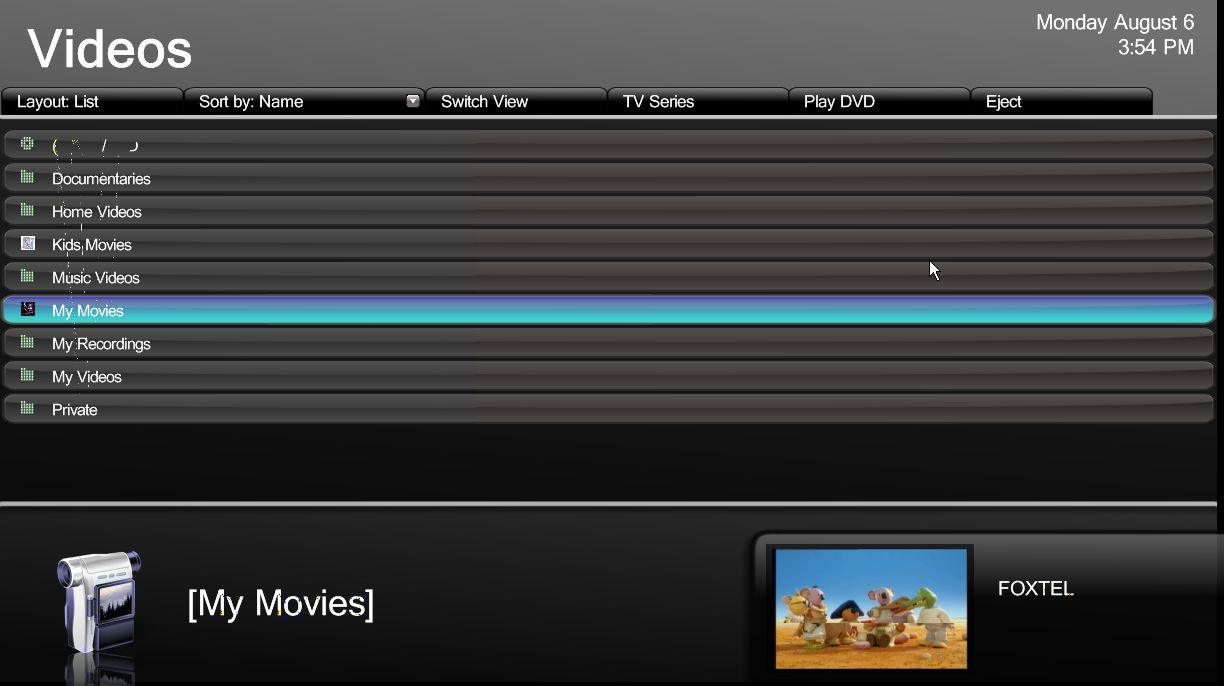
    I’m getting some kind of distortion on the skin. I think it’s related to TV being switched ON. I’m using PVR-150 through s-video only. I’ve included a screenshot for reference. Any idea why or how I can get rid of it?

    Distortion: Dots and lines on video list. Dots on FOXTEL word. Dots on [My Movies] word. The distortion is not static, it changes to more or less.

    Thank you for your time,
    riadmelb
     

    Attachments

    • screen.jpg
      screen.jpg
      92.6 KB

    djohansson

    Portal Pro
    October 16, 2006
    78
    29
    Stockholm
    Home Country
    Sweden Sweden
    Hi,

    I’m getting some kind of distortion on the skin. I think it’s related to TV being switched ON. I’m using PVR-150 through s-video only. I’ve included a screenshot for reference. Any idea why or how I can get rid of it?

    Distortion: Dots and lines on video list. Dots on FOXTEL word. Dots on [My Movies] word. The distortion is not static, it changes to more or less.

    Thank you for your time,
    riadmelb
    Hi,

    I also get some distortion regardless of what skin I'm using. Do you only see this when using core?

    Daniel
     

    Users who are viewing this thread

    Top Bottom