[skin update] "theatre" simple to use and nice to view (2 Viewers)

ammmze

Portal Member
April 14, 2006
32
3
Hyperspace
Home Country
United States of America United States of America
Well after playing around a little bit, I have somewhat familiarized myself with the theme xml files so now I understand basically how they work, and have fixed the bug that I posted about the icons in Icon view in videos falling off the right side of the screen. In case anyone is daring enough to play with their xml files and wants to know the fix, here it is...in the references.xml file which is found in the 'theatre' folder, there is a line which reads "<width>1300</width>"(without quotes), change that to read "<width>1280</width>" (without the quotes).

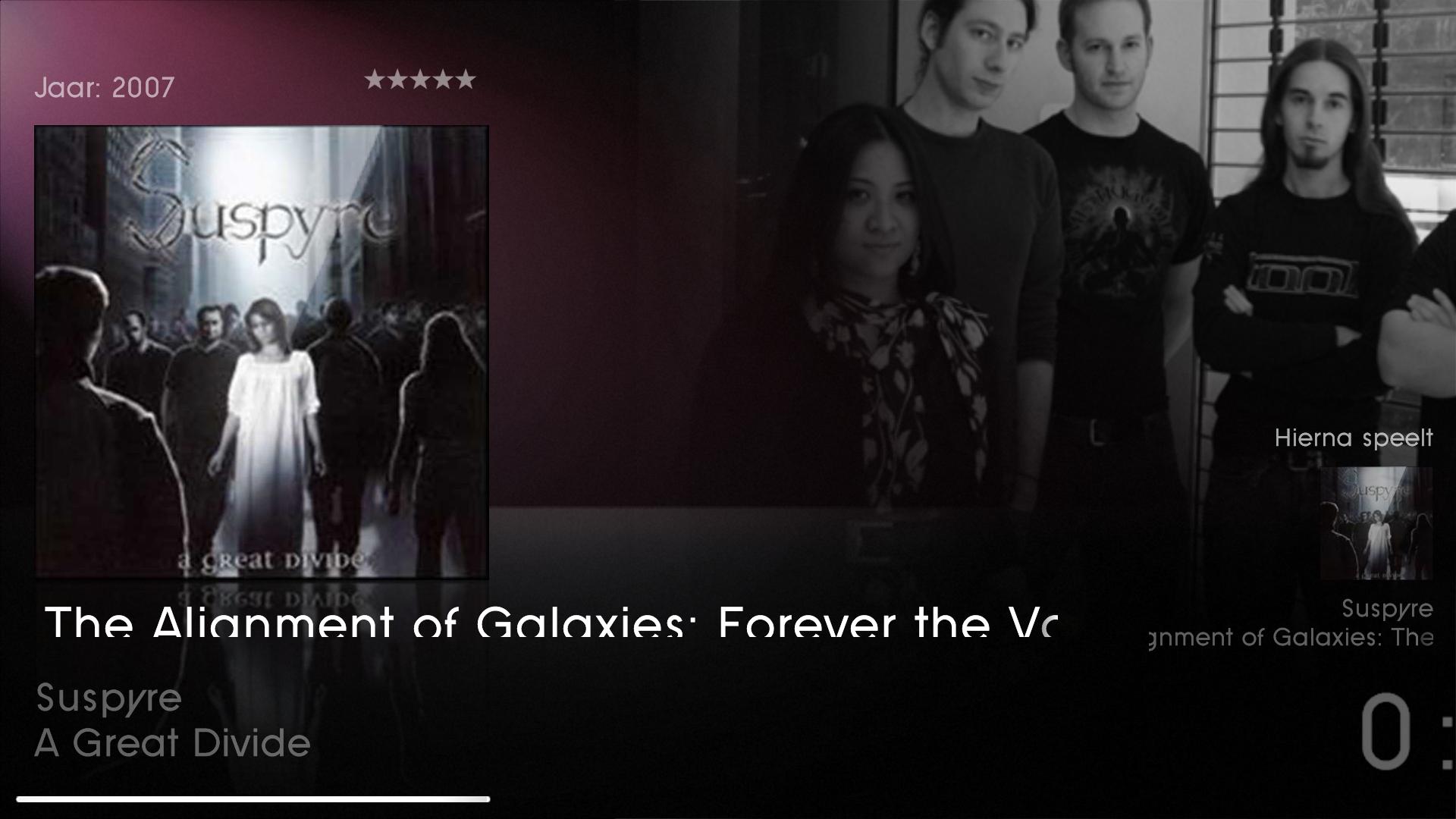
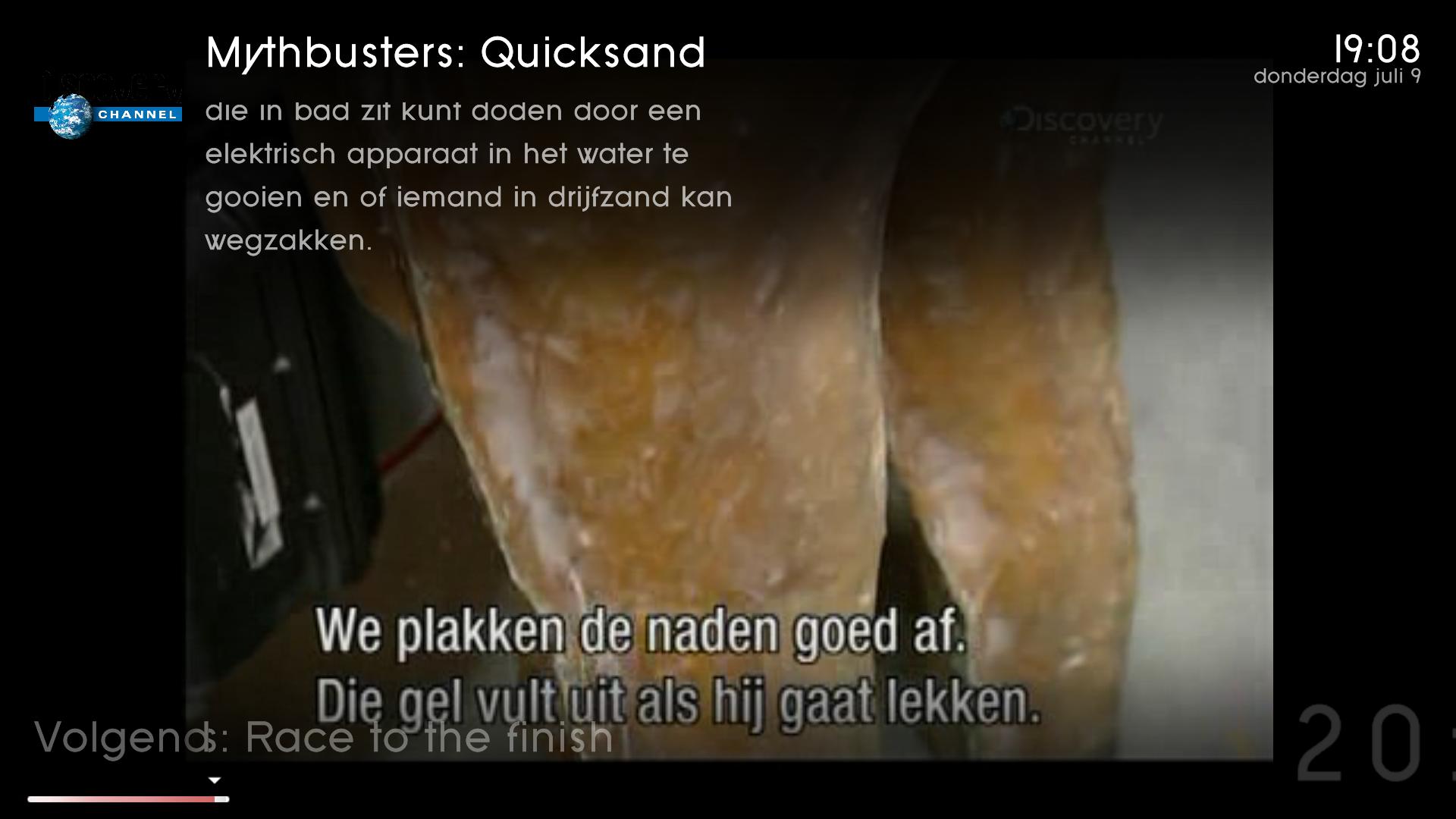
As for the scrolling text being cut off, it seems to be a scaling issue. If I change my resolution to 1280x720 then it works just fine, but then when I go back to 1680x1050 it cuts off part of the bottom of the text, it also does it in 1920x1080, but not as much as 1680x1050, i think.

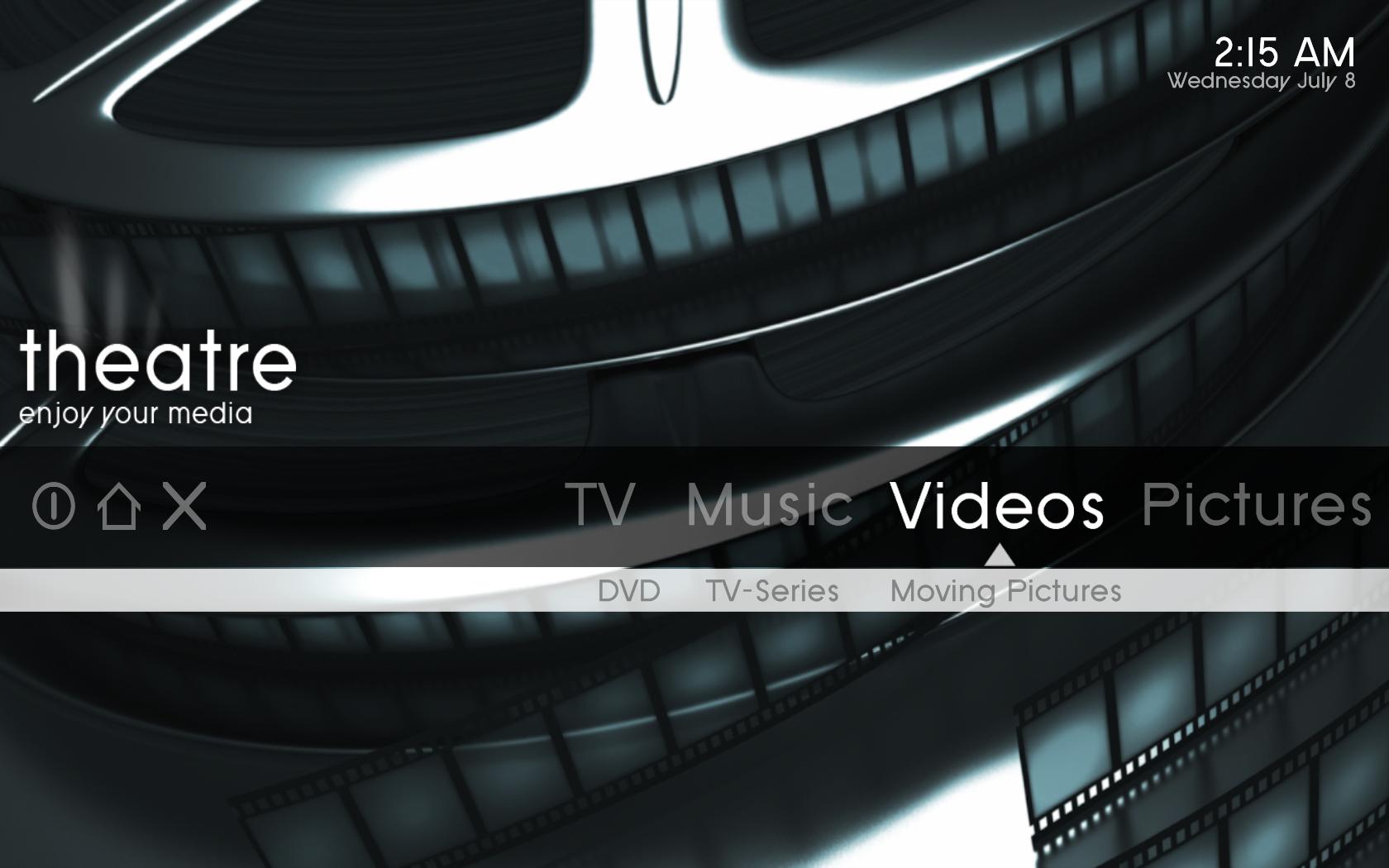
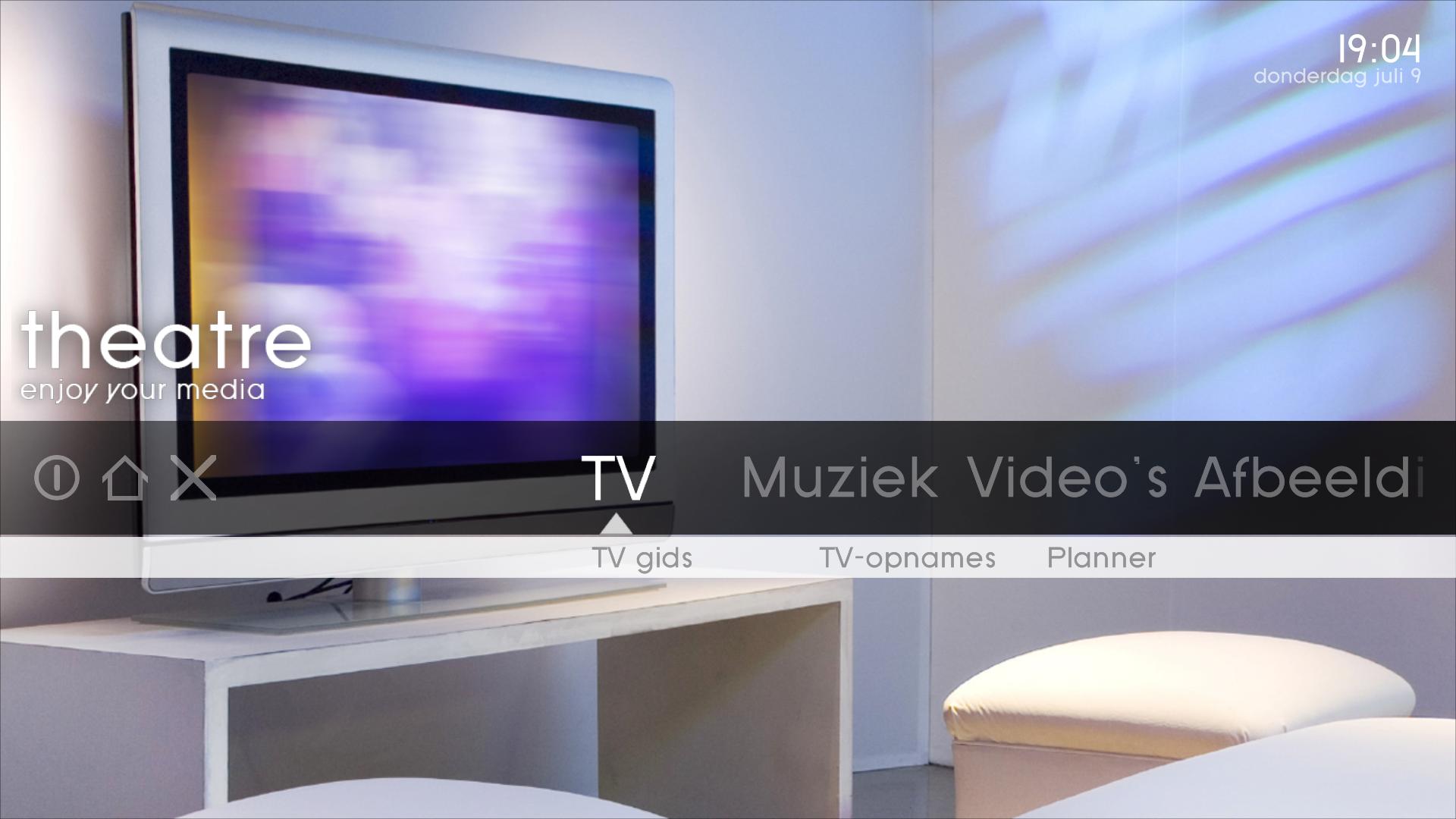
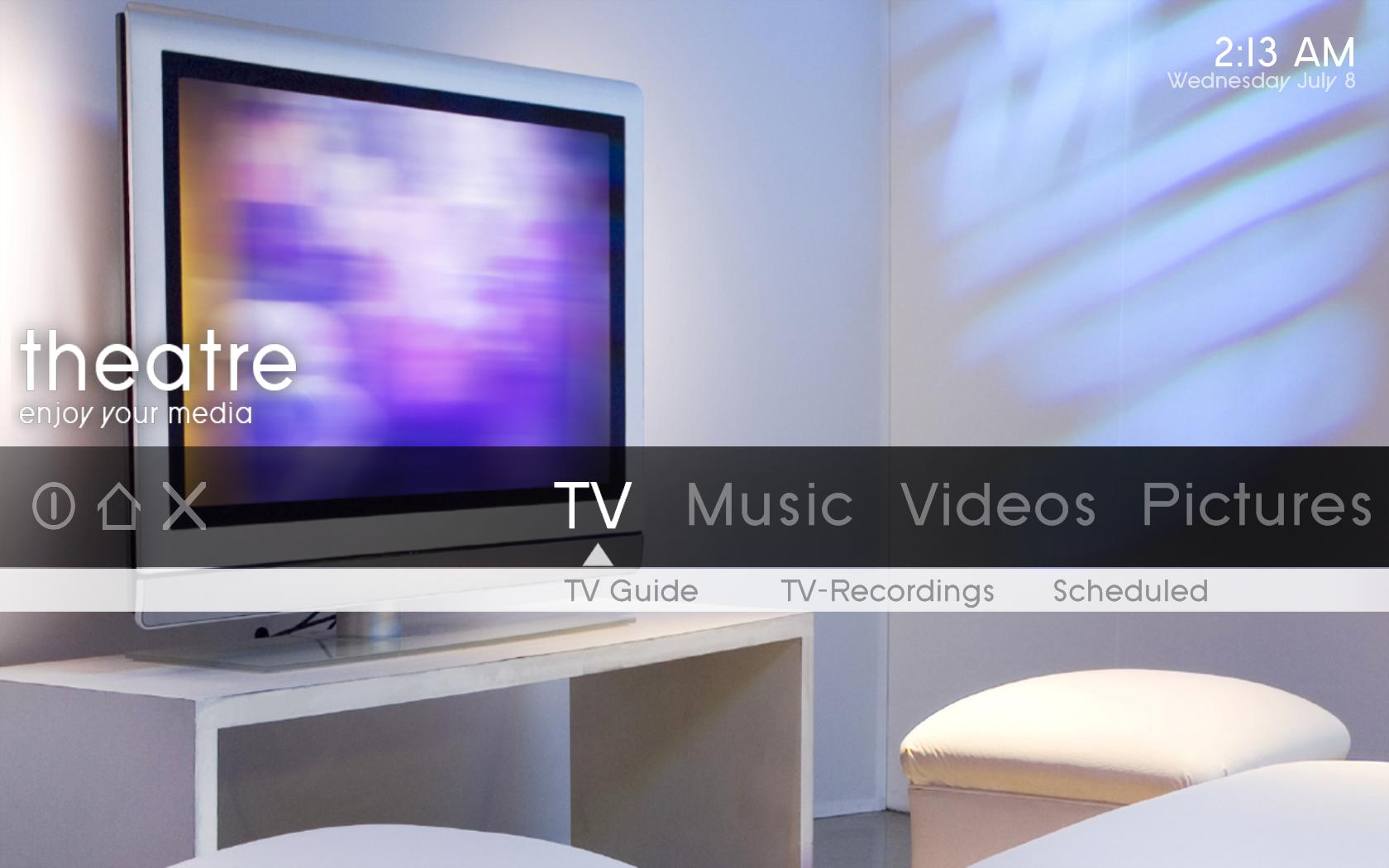
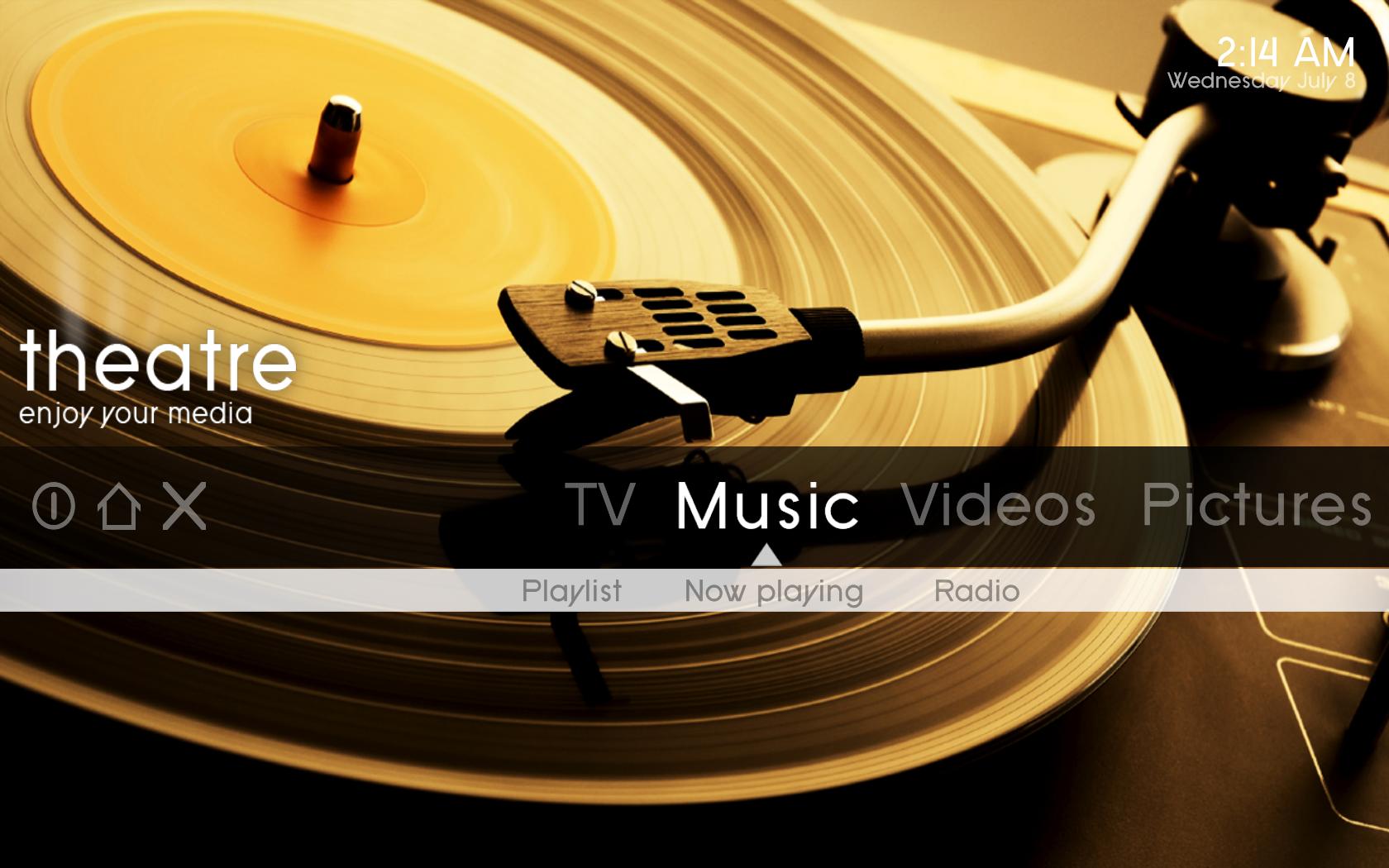
oh yea, I also moved some of the basic home screen text things a little so they aren't so clumped together. I posted some screenshots, of course this is at 1680x1050. Be sure to make a backup of your Basichome.xml file before putting this one it. Just in case.

Also note, I am not the developer on this, these are not official changes, these are just modifications I have made to mine, and feel I should share them. I guess I am just the go get er done type, if I can do it, I will...lol. Also note that any modifications you make will be overwritten if you reinstall this skin.
 

Attachments

  • NewTV.jpg
    NewTV.jpg
    110.1 KB
  • NewMusic.jpg
    NewMusic.jpg
    148.9 KB
  • NewVideo.jpg
    NewVideo.jpg
    110 KB
  • Basichome.xml
    30.6 KB

Marvman

Retired Team Member
  • Premium Supporter
  • November 14, 2007
    1,163
    735
    Bavaria
    Home Country
    Germany Germany
    When a movie was played in MyVideo, the movie will not marked as played!
     

    nanogod

    Portal Pro
    March 22, 2007
    92
    38
    Bamberg
    Home Country
    Germany Germany
    Well after playing around a little bit, I have somewhat familiarized myself with the theme xml files so now I understand basically how they work, and have fixed the bug that I posted about the icons in Icon view in videos falling off the right side of the screen. In case anyone is daring enough to play with their xml files and wants to know the fix, here it is...in the references.xml file which is found in the 'theatre' folder, there is a line which reads "<width>1300</width>"(without quotes), change that to read "<width>1280</width>" (without the quotes).

    As for the scrolling text being cut off, it seems to be a scaling issue. If I change my resolution to 1280x720 then it works just fine, but then when I go back to 1680x1050 it cuts off part of the bottom of the text, it also does it in 1920x1080, but not as much as 1680x1050, i think.

    oh yea, I also moved some of the basic home screen text things a little so they aren't so clumped together. I posted some screenshots, of course this is at 1680x1050. Be sure to make a backup of your Basichome.xml file before putting this one it. Just in case.

    Also note, I am not the developer on this, these are not official changes, these are just modifications I have made to mine, and feel I should share them. I guess I am just the go get er done type, if I can do it, I will...lol. Also note that any modifications you make will be overwritten if you reinstall this skin.

    Thanks for the fix! I will have a look in your xml and integrate in the next release when possible! The same for the fix with the videos. :D
    The cutted fadelabel is sth. i noticed too. I also think it is a scaling issue...:confused:

    When a movie was played in MyVideo, the movie will not marked as played!
    :mad: Yep! thats something i realized yesterday too. I assume you mean another color for the text if a movie has benn watched? Will be integrated in the next release.

    Thanks again for all the great and constructive feedback. I´m so glad that you seem to like my skin!

    Cheers


    nanogod.:D
     

    Marvman

    Retired Team Member
  • Premium Supporter
  • November 14, 2007
    1,163
    735
    Bavaria
    Home Country
    Germany Germany
    When a movie was played in MyVideo, the movie will not marked as played!
    :mad: Yep! thats something i realized yesterday too. I assume you mean another color for the text if a movie has benn watched? Will be integrated in the next release.

    Thanks again for all the great and constructive feedback. I´m so glad that you seem to like my skin!

    Cheers


    nanogod.:D

    Exactly, another color or another symbol somthing like that.
    I will test this skin until its perfect, it's not often that a skin stunned me like yours ;-)


    • Would be nice when the all OSD items fade in/out (volume (fade out), TV Menue (fades in but not out...) :D
     

    nanogod

    Portal Pro
    March 22, 2007
    92
    38
    Bamberg
    Home Country
    Germany Germany
    Exactly, another color or another symbol somthing like that.
    I will test this skin until its perfect, it's not often that a skin stunned me like yours ;-)

    Wow, :D:eek:
    Good to hear that :) I confess: One intension to make this skin was the fact, that i want to buy a new LCD at the end of the year, and i wanted a perfect skin for this, too... ;)

    Would be nice when the all OSD items fade in/out (volume (fade out), TV Menue (fades in but not out...)

    Agree!

    Cheers


    nanogod
     

    Spragleknas

    Moderator
  • Team MediaPortal
  • December 21, 2005
    9,471
    1,822
    Located
    Home Country
    Norway Norway
    Wow, :D:eek:
    Good to hear that :) I confess: One intension to make this skin was the fact, that i want to buy a new LCD at the end of the year, and i wanted a perfect skin for this, too... ;)


    Well, I bet your LCD is gonna be 1920x1080.... so in order to be 100 % perfect.... :D
     

    emphatic

    Design Group
  • Team MediaPortal
  • August 25, 2006
    3,754
    1,242
    Alingsås
    Home Country
    Sweden Sweden
    When I had a quick test of the skin, I noticed that the visualization in "Now playing" (at least in Basic Home, don't remember any other place) were overlapping the artist/track info. Perhaps the object is bigger than CD covers for visualizations?

    Emph
     

    MdFolter

    MP Donator
  • Premium Supporter
  • December 7, 2005
    76
    2
    49
    Breugel
    Home Country
    Netherlands Netherlands
    Hi,

    I really like your skin! Very nice basic home screen. Like the purple and whitish color.

    I have a few questions.
    1. As some people stated earlier, in the now playing screen the countdown timer falls half out of screen. (1920x1080), see attachment
    2. on the basic home screen, the text for pictures (in dutch afbeeldingen) falls half out of screen
    3. the tv guide has only 6 lines. Some of us have big screens, 32", and are able to read 10 lines.
    4. I really like the OSD when I hit the i-button on the remote! Very cool!
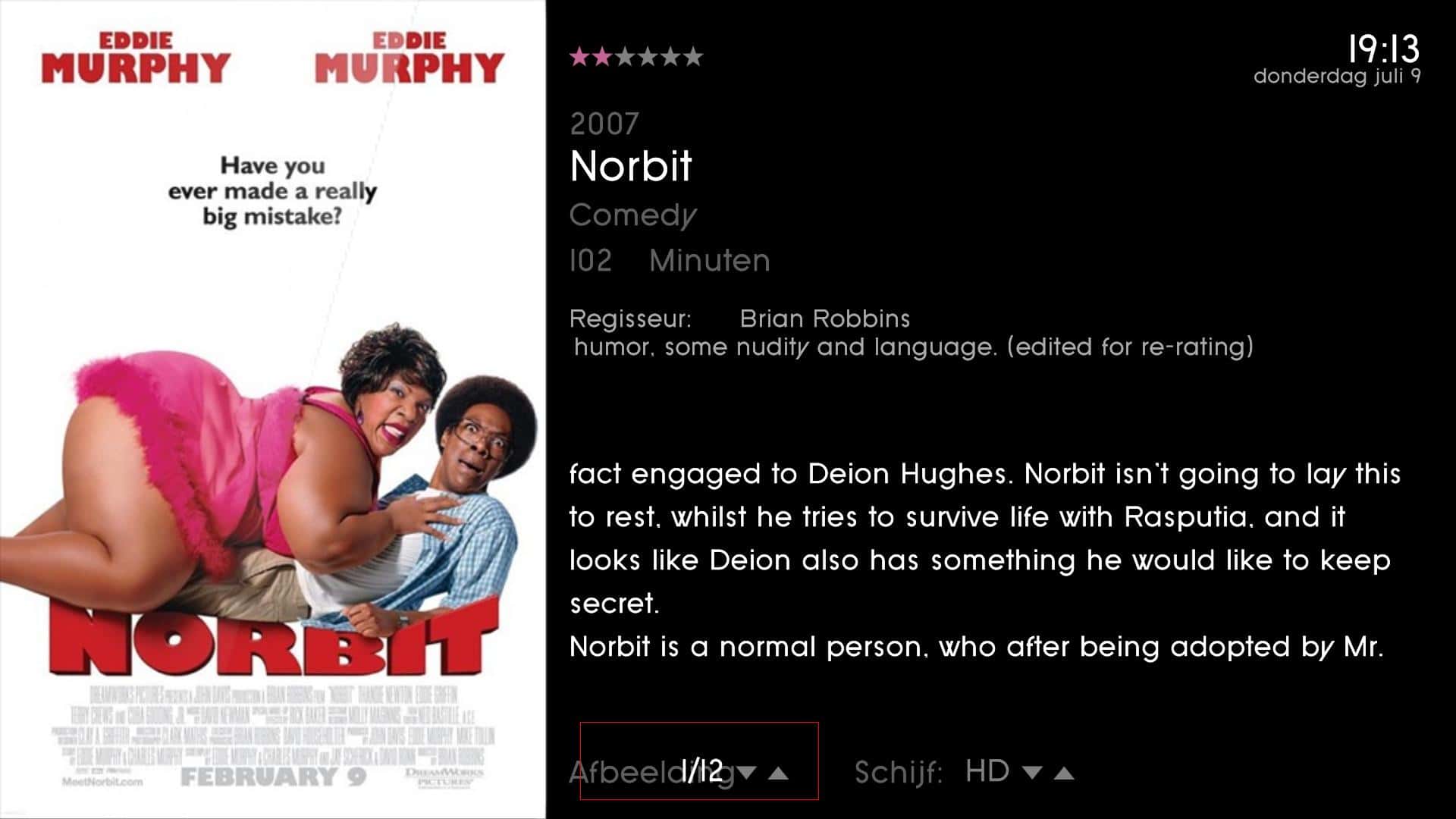
    5. When watching IMDB info, sorry for the bad chosen movie, the amount of pictures found on IMDB is drawn over the text "äfbeeldingen". I have drawn a red square around it in the attachment.
    6. The OSD when watching TV has some time line issues, see attachment.

    I am looking forward to see this skin growing! I am waiting the next update!

    regards
    Marcel

    :D:D
     

    Attachments

    • Now playing.JPG
      Now playing.JPG
      135.8 KB
    • basic home screen.JPG
      basic home screen.JPG
      128.9 KB
    • On screen OSD.JPG
      On screen OSD.JPG
      123.6 KB
    • IMDB info picture misalignment.JPG
      IMDB info picture misalignment.JPG
      162.9 KB

    ammmze

    Portal Member
    April 14, 2006
    32
    3
    Hyperspace
    Home Country
    United States of America United States of America
    well, I am pretty stumped with that fadelabel thing. I did change however the width of that fadelabel control, it is found in common.window.xml. I changed the width to 1250 so basically it will take the width of the whole screen. My question I guess would be are there any windows that this would cause problems with? I haven't seen any yet, but only time will tell I guess. Anyways with a wider fadelabel it won't have to go in scroll mode as often, so that means less items are cut off, but I am still hoping to find a fix for it though.

    EDIT:
    So i figured out that if I change the font of the fadelabel to font16 instead of font28, there aren't any problems, but then the text is smaller. I wonder why it would cut off like that at a larger font size.

    Found another layout issue. it is when you are viewing the imdb info of a video the spincontrol for the images is overlapping so moved its position to 630 instead of 600. It is a bit better. Also the pictures are out of proportion, and that is easy enough to fix just takes a little effort. Maybe I will get to it...lol. Oh yea that spincontrol is in the file DialogVideoInfo.xml.
     

    Users who are viewing this thread

    Top Bottom