StreamedMP LanguageFlag (1 Viewer)

Weaslasf

Portal Member
April 22, 2010
48
1
Home Country
Austria Austria
Hello,

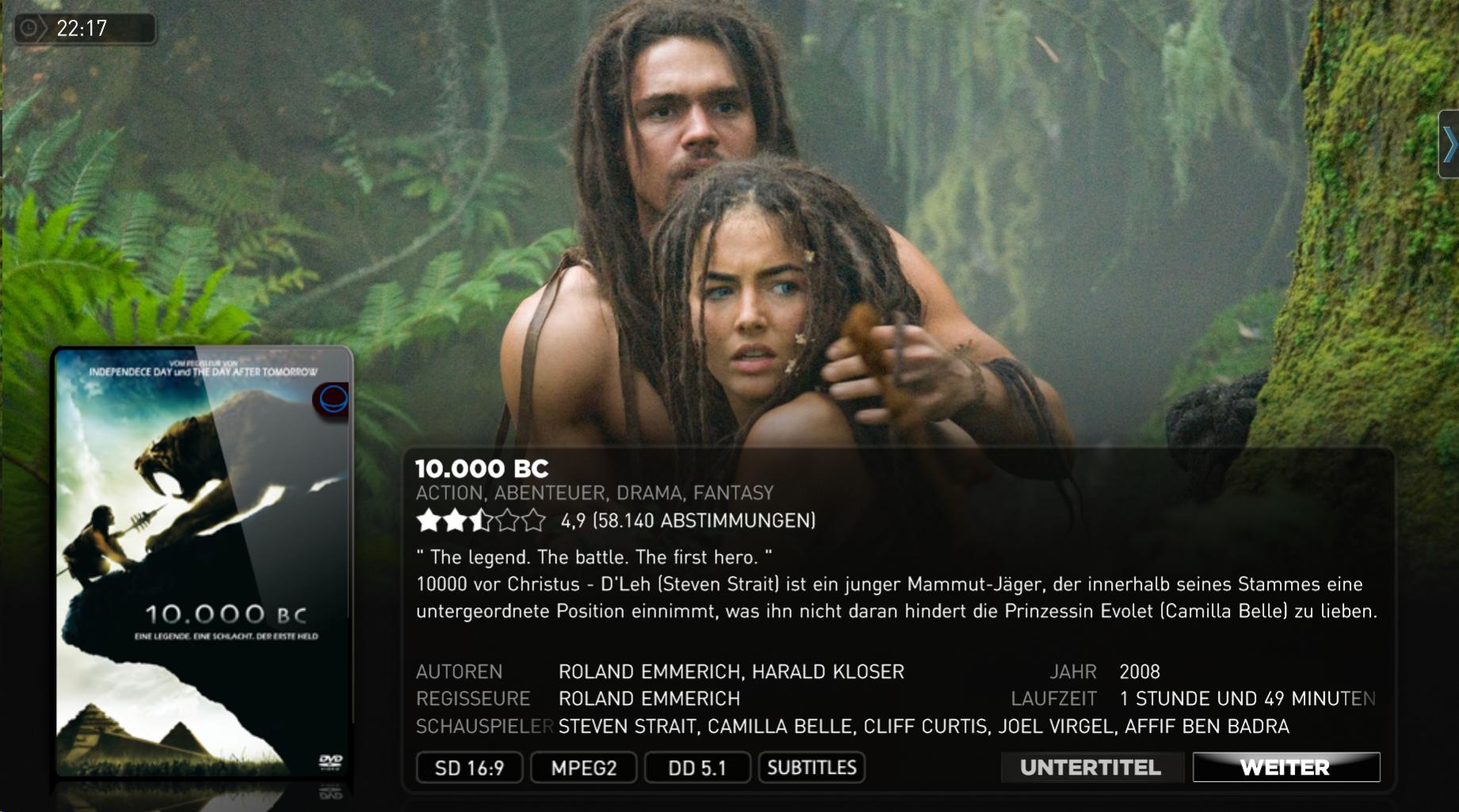
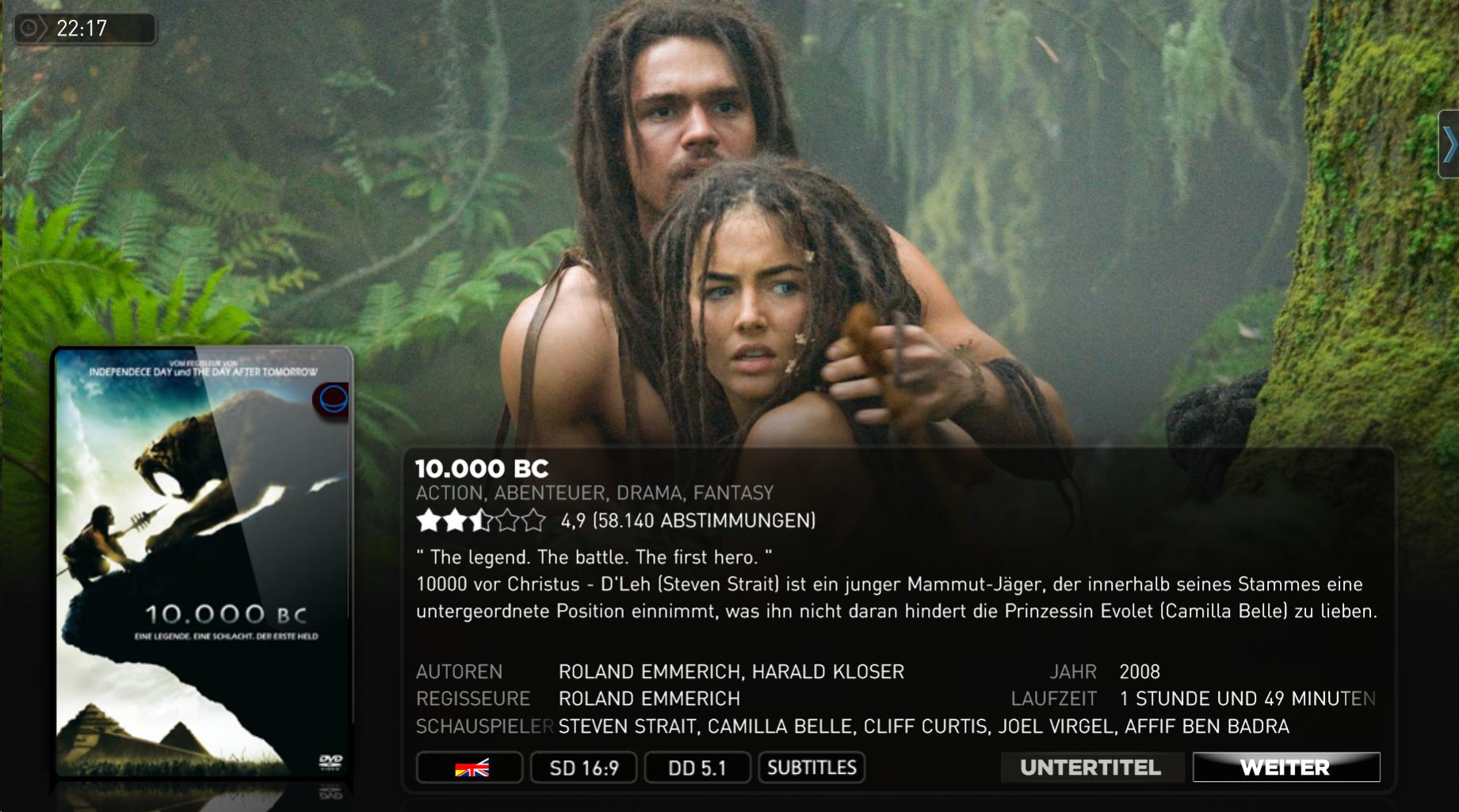
I want to integrate a languageflag into the streamedmp skin. (see attached files)

the first one is the original overview i use. i want delete the video codec symbol, move the video solution one to the right and add the language flag instead of them (second picture)

same at the details view (screen 3 & 4)

could someone tell me which .xml files are in use in my case? i found 37 movingpicture-files.

regards

 

Attachments

  • screen1.jpg
    screen1.jpg
    239 KB
  • screen1-2.jpg
    screen1-2.jpg
    238.8 KB
  • screen2.jpg
    screen2.jpg
    221.6 KB
  • screen2-2.jpg
    screen2-2.jpg
    221.5 KB

ltfearme

Community Plugin Dev
  • Premium Supporter
  • June 10, 2007
    6,762
    7,230
    Sydney
    Home Country
    Australia Australia
    Look for the xmls that have mediainfo in filename. There is one for each layout.
     

    Weaslasf

    Portal Member
    April 22, 2010
    48
    1
    Home Country
    Austria Austria
    AW: StreamedMP LanguageFlag

    thanks. i got it. for the moment i use the language info from the movingpictures database. i change it for every movie to the language i have, but it would be nice if i can use the filename, so if i add new movies i just have to change the filename befor i copy it in the right folder.

    i would like to rename my movies like "10.000 B.C. (CD 1) DE-EN.mkv" as example for a film with audiotrack german and englisch.

    my problem is, how could i check the filenames? espacially parts of the filename.

    regards
     

    Holzi

    Super Moderator
  • Team MediaPortal
  • April 21, 2010
    7,934
    2,235
    Ba-Wü
    Home Country
    Germany Germany
    AW: StreamedMP LanguageFlag

    I think its not possible to check filenames with MovingPictures.
     

    ltfearme

    Community Plugin Dev
  • Premium Supporter
  • June 10, 2007
    6,762
    7,230
    Sydney
    Home Country
    Australia Australia
    If you want to create logos based on filename that is possible as well, you can use skin expressions like string.contains in conjunction with the following properties:

    #MovingPictures.LocalMedia.fullpath
    #MovingPictures.LocalMedia.media_label
    #MovingPictures.LocalMedia.importpath

    e.g. to show a german logo:
    string.contains(#MovingPictures.LocalMedia.fullpath,DE-)
     

    Weaslasf

    Portal Member
    April 22, 2010
    48
    1
    Home Country
    Austria Austria
    thanks for your help but could you be a little bit more specific

    i have 3 language logos (english, german, english/german)

    when i use string.contains(#MovingPictures.LocalMedia.fullpath,DE), i got TRUE or FALSE back, right?
    so i have to tell him what to do if it is true (show german flag) and what to do if it is false (check if it is english or multilingual).

    how can i get this?

    at the moment i'm using following code
    <texture>Logos\MediaInfo\#StreamedMP.MediaInfo.Type\Language\#MovingPictures.SelectedMovie.language.png</texture>

    my flags are called DE.png, EN.png, MU.png
     

    Users who are viewing this thread

    Top Bottom