
You are using an out of date browser. It may not display this or other websites correctly.
You should upgrade or use an alternative browser.
You should upgrade or use an alternative browser.
TV Server stopped working (1 Viewer)
- Thread starter Shadime
- Start date
- Thread starter
- #12
Today I uninstalled the TV service and MySQL and reinstalled without success. The above message comes up during installation of the TV server.
I then did a full Media Portal uninstall and then tried to do a clean install and the same thing. As soon as it tries to install the TV Server then the above message comes up.
Anyone with advice as to what to try next would be muchly appreciated.
Thanks in advance
Shadime
I then did a full Media Portal uninstall and then tried to do a clean install and the same thing. As soon as it tries to install the TV Server then the above message comes up.
Anyone with advice as to what to try next would be muchly appreciated.
Thanks in advance
Shadime
- September 1, 2008
- 21,515
- 8,256
- Home Country
-
 New Zealand
Shadime, you did not have to uninstall. Either change your hostname or IP address back to what it was, or correct the value stored in the TV Server database - Server table, hostName column - using MySQL Workbench (or similar).
- Thread starter
- #15
Shadime, you did not have to uninstall. Either change your hostname or IP address back to what it was, or correct the value stored in the TV Server database - Server table, hostName column - using MySQL Workbench (or similar).
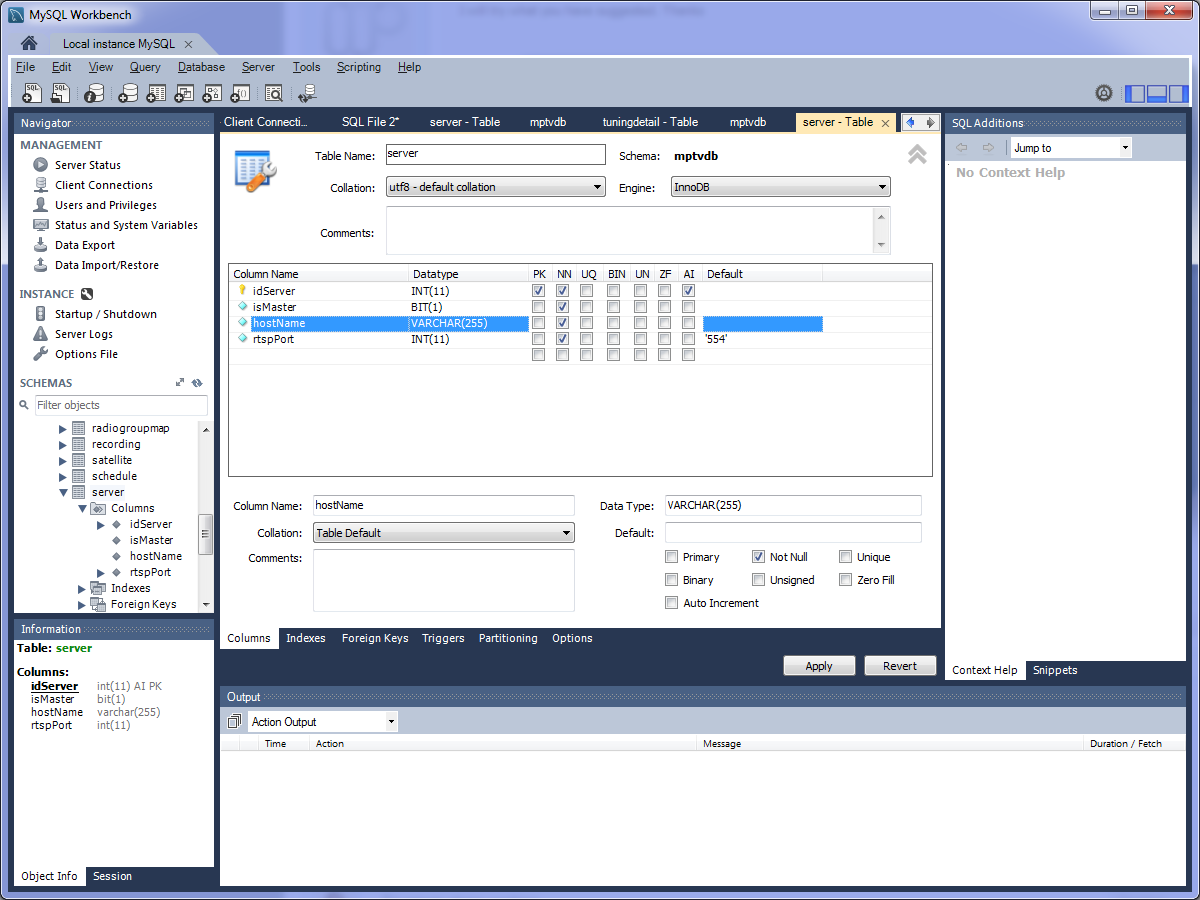
Is this where i should be?
Attachments
- Thread starter
- #16
I havent seemed to be able to fix, however i noticed that the client can see the TV server and connect to it in Mediaportal Configuration. I can use the TV guide and the only exception is that if I try to watch a program it says no free card available. and I cant start the TV Server Configuration. If I use CTRL ALT DELETE the TV Service is running.
- Thread starter
- #17
Shadime, you did not have to uninstall. Either change your hostname or IP address back to what it was, or correct the value stored in the TV Server database - Server table, hostName column - using MySQL Workbench (or similar).
Is this where i should be?
Ok so I did a search for 192.168.1.101 and It had 1 match which was the Server table host name, however I cant find the number to change?
I have been to the TVDB - Server - Hostname Column and there is no entered number?
Am I looking in the wrong spot?

from your screenshot above you are looking into DB schema, and you shouldn't change anything there! you need to edit table data (i don't have workbench here so can't tell you how it is called there).
- Thread starter
- #19
from your screenshot above you are looking into DB schema, and you shouldn't change anything there! you need to edit table data (i don't have workbench here so can't tell you how it is called there).
Thanks for the information. I will wait until someone can tell me how to change the number
Users who are viewing this thread
Online now: 2 (members: 0, guests: 2)