Unable to get STB working. (1 Viewer)

Donald J. Michaud

Portal Pro
September 14, 2015
75
4
60
Home Country
United States of America United States of America
It is currently not working. I was screwing around with so many settings, I may have disrupted something. I did remove all of Hauppauge's WinTV8 applications. I think it may have removed the IR Blaster setup in the process. It was working with Windows MC. I will get it operational again. Therefore assume it is functional. I need to go to work now. When I return, I will reboot my computer, check the Windows MC again and get the Hauppauge IR Blaster working in Windows MC. I will remove all of my software apps and plug-ins of MP1 and start with a fresh copy of MP2 at default. I will not do anything further until I read your response. Thanks!!
 

mm1352000

Retired Team Member
  • Premium Supporter
  • September 1, 2008
    21,544
    8,236
    Home Country
    New Zealand New Zealand
    Okay. :)

    Make sure you install the latest MP2 release (Summer '15 update 1).

    Please tell me: how is your STB connected to your tuner card?
    I'm expecting the answer to be one of:
    1. Video = s-video; audio = red + white RCA.
    2. Video = yellow RCA; audio = red + white RCA.
    3. Video = RF/coax; audio = RF/coax.
    If the answer is (3), that's going to make things significantly more time consuming... and I would strongly recommend you try to swap to either (1) or (2).
     

    Donald J. Michaud

    Portal Pro
    September 14, 2015
    75
    4
    60
    Home Country
    United States of America United States of America
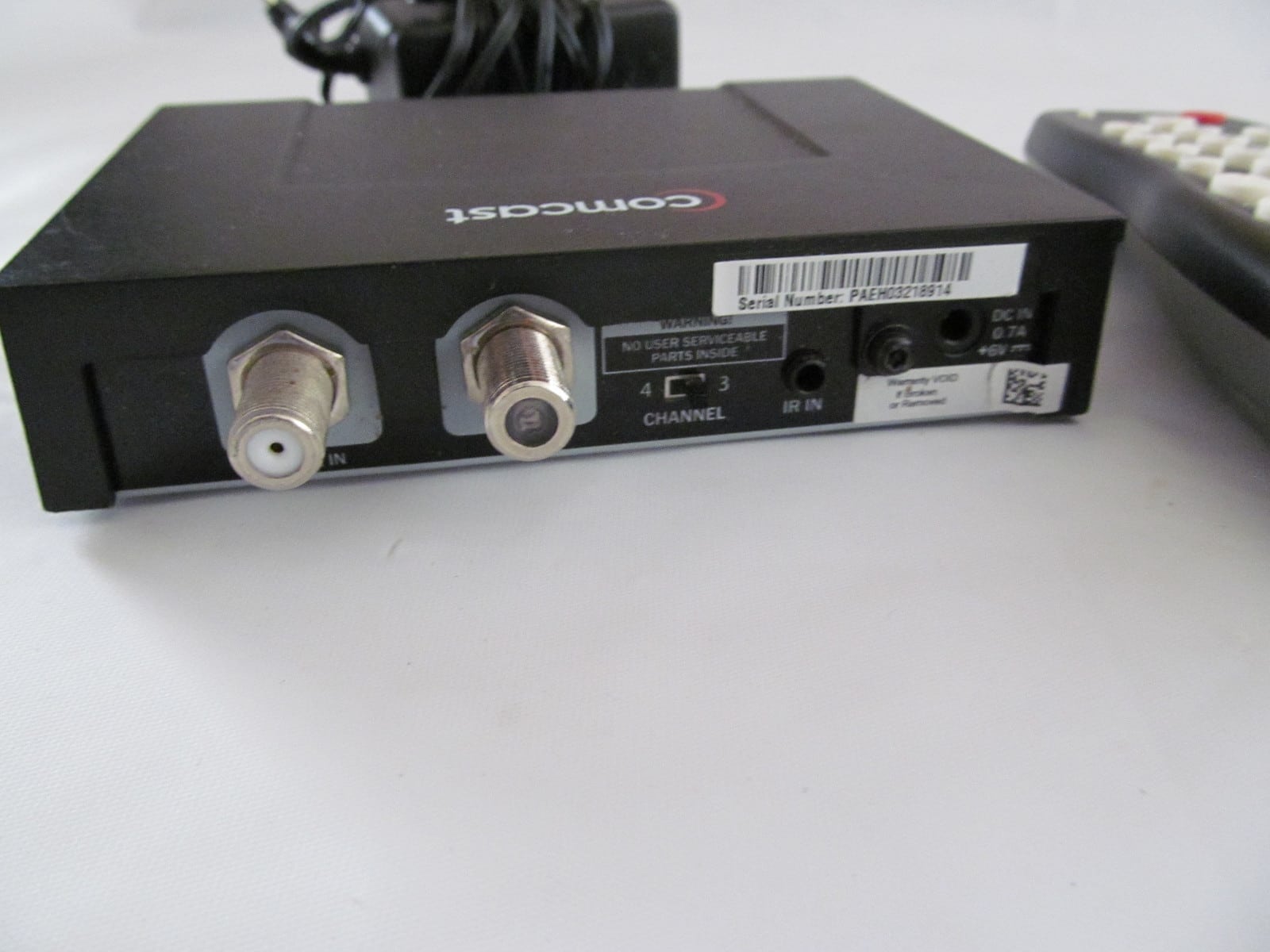
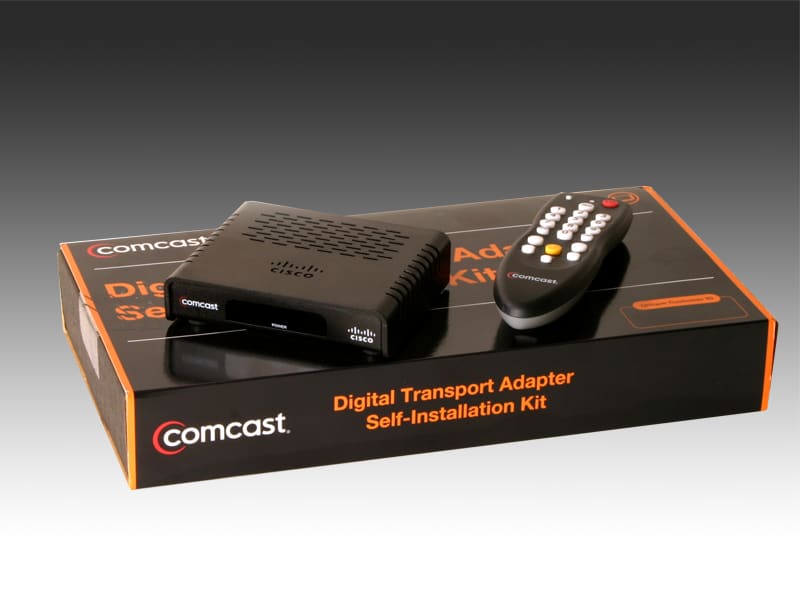
    I have my COMCAST coaxial cable going into the COMCAST Digital to Analog (DTA) converter (aka STB), then another coax cable connected to the Hauppauge WinTV-HVR-2250 tuner card. In the Windows MC setup, I ran the Hauppauge IR Blaster from the tuner card (1/8" phono jack) to the COMCAST DTA (taped to the front of it). This set up worked great.
     

    Attachments

    • comcast-cisco-dta 2.jpg
      comcast-cisco-dta 2.jpg
      319.9 KB
    • comcast-cisco-dta.jpg
      comcast-cisco-dta.jpg
      214.9 KB

    Donald J. Michaud

    Portal Pro
    September 14, 2015
    75
    4
    60
    Home Country
    United States of America United States of America
    I am almost ready for your help. I am in the process now of loading MP2, Schedules Direct plug-in, and IR Server Suite plug-in. Once these are loaded, I will respond back. What is the next step you want me to do? Are there step by step instructions already documented?
     

    mm1352000

    Retired Team Member
  • Premium Supporter
  • September 1, 2008
    21,544
    8,236
    Home Country
    New Zealand New Zealand
    I am in the process now of loading MP2
    Make sure you load the latest release (summer '15 update 1).

    Schedules Direct plug-in
    Don't attempt this please. MP2 does not have a plugin/extension manager like MP1, and you need a special version of the plugin for MP2.
    I'll provide instructions when appropriate.

    and IR Server Suite plug-in
    Don't install this unless you intend to use the USB-UIRT.

    What is the next step you want me to do?
    All I am waiting for is to install MP2 and get the Hauppauge blaster working with WMC again.

    Are there step by step instructions already documented?
    No, definitely not.
     

    Donald J. Michaud

    Portal Pro
    September 14, 2015
    75
    4
    60
    Home Country
    United States of America United States of America
    I stopped trying to get the Hauppauge IR Blaster working with WMC. Since I already purchased the USB-UIRT units (2 units because I am setting up MP2 on two different computers), I figured why not use them. I can get the IR Blasters to work in Hauppauge WinTV8.

    OK, I will only load MP2. I will not load IR Server Suite just yet. It is easy enough load if needed.[DOUBLEPOST=1443054165][/DOUBLEPOST]OK. MP2 is loaded. No errors. Ready for the next step...[DOUBLEPOST=1443054848][/DOUBLEPOST]I am ready for the next step....
     
    Last edited:

    mm1352000

    Retired Team Member
  • Premium Supporter
  • September 1, 2008
    21,544
    8,236
    Home Country
    New Zealand New Zealand
    Since I already purchased the USB-UIRT units... I figured why not use them.
    ...
    OK, I will only load MP2. I will not load IR Server Suite just yet. It is easy enough load if needed.
    If that is what you intend to do then you will need to install IRSS with its TV3 Blaster Plugin. There's no other way to get the USB-UIRT working with MP1 or MP2. In other words: please load it.

    (2 units because I am setting up MP2 on two different computers)
    Ummm... okay... hmmm...
    I don't mean to question your setup again here, but I'd like to clarify.
    With the greatest respect, are you aware that one PC with TV Server installed on it can provide TV to all the PCs (and other devices) connected to your network?

    In other words, I'm saying you could have the following setup:
    • PC 1 with:
      • MP2 Client
      • MP2 Server
      • IRSS
      • USB-UIRT
      • 1 x Hauppauge HVR-2250
      • 1 x USB-UIRT (or Hauppauge Blaster)
    • PC 2 with:
      • MP2 Client
    A single HVR-2250 has 2 tuners so you can use it to connect 2 STBs (if you weren't using RF/coax!).
    A single HVR-2250 can have 2 Hauppauge Blasters connected to control 2 STBs.
    Similarly, a USB-UIRT has 2 blasters so you can use it to control 2 STBs.

    This setup has lots of advantages over 2 identical setups:
    • significantly lower cost (no need for a second HVR-2250 or USB-UIRT)
    • centralised media library management
    • centralised recording schedule management
    • more flexible tuner/STB usage (eg. record one channel while watching another)
    • adding additional clients is trivial
    As far as I can think/see, the only reasons to do identical installs on 2 different PCs are technical. For example:
    • you're not able to connect your PCs to the same network (seems unlikely with the availability of wireless networking these days)
    • you're not able to wire your STBs back to the same server
    ...or maybe you intend to do an identical setup for a family member or friend?
     

    Donald J. Michaud

    Portal Pro
    September 14, 2015
    75
    4
    60
    Home Country
    United States of America United States of America
    Yes, the second setup is for a second PC NOT tied to this network. It is a family member in a another city that I help with technical support. It is easer to support her computer when I know it is identical to mine. When there are issues, I can remote into it and see what the issue might be.

    I have IRSS loaded. Ready for the next step...[DOUBLEPOST=1443056217][/DOUBLEPOST]I forgot to ask... Should I have loaded the IR Server Suite as a SERVICE or as an APPLICATION? The APPLICATION was the recommended setting.
    Based on what I have read, my remote is an HID type unit, which would make it the recommended APPLICATION. This is what I did. I hope I guessed correctly. :)
     
    Last edited:

    mm1352000

    Retired Team Member
  • Premium Supporter
  • September 1, 2008
    21,544
    8,236
    Home Country
    New Zealand New Zealand
    Okay. :)

    First thing we're going to do is set up a proof of concept.

    STAGE 1 - determine correct channel configuration
    1. Open TV Server configuration.
    2. Go to the "TV Channels" section.
    3. Delete all channels (select first channel, hold down shift key and press end key, click delete).
    4. Click "add" to add a channel.
    5. Enter name "Test 1" and the channel number of a favorite channel (must be something other than channel 3 or 4). Leave "visible in tv guide" ticked.
    6. Click "add" to add a tuning detail.
    7. Select "analog" and click "OK".
    8. Fill in as follows:
    • channel = same channel number selected above (this is the number sent to the STB - very important!)
    • frequency = the frequency of the RF/coax channel. From the screenshots you posted I'd expect you should use either 61.25 MHz (channel 3) or 67.25 (channel 4) depending on the switch on the back of the converter box.
    • input type = cable
    • country = United States
    • VCR signal = (I don't actually know - probably doesn't matter)
    • video source = tuner
    • audio source = tuner
    9. Click OK and OK.
    10. Repeat (4) to (9) for a different channel. Call it "Test 2".
    11. Expand the "TV Channels" section in the left hand pane.
    12. Go into the "TV Mapping" sub-section.
    13. Select the tuner that the STB is connected to up the top. I suppose you could choose either analog tuner 1 or analog tuner 2 since there is a shared RF/coax input for ATSC/NTSC TV (so I think the signal from the STB will be available to both tuners).
    14. Select the 2 test channels on the left hand side.
    15. Click ">>".

    At this stage you should be able to use preview in the TV Channels section to view both of the test channels. Currently the blaster is not configured, so you should only expect to see the STB's current channel. The blaster will come later. If you do not see the STB's current channel then we will need to stop and resolve that before moving on. Please advise.
     

    Donald J. Michaud

    Portal Pro
    September 14, 2015
    75
    4
    60
    Home Country
    United States of America United States of America
    OK. I set up two channels: 5 and 8.
    Channel 5 works perfectly. Channel 8 gives me an error message of "Preview Failed:NoSignalDetected" I am not worried about it. I was reading on the Forum that the Preview may or may not work all the time.
    READY FOR THE NEXT STEP....
     

    Users who are viewing this thread

    Top Bottom