Winfast DTV 2000 DS (1 Viewer)

mm1352000

Retired Team Member
  • Premium Supporter
  • September 1, 2008
    21,544
    8,236
    Home Country
    New Zealand New Zealand
    ...it looks like the sapphire ones are okay. would you concur?
    Hmmm, if gibman says it works (as long as the extra fancy post-processing is turned off) then yes. I note that Sapphire has a lot of models though (link). This stuff is never straightforward. :confused:
     

    rocklander

    MP Donator
  • Premium Supporter
  • April 14, 2010
    191
    8
    rotovegas
    Home Country
    New Zealand New Zealand
    then, yippiekayae...
    1300379680_john.jpg
     

    rocklander

    MP Donator
  • Premium Supporter
  • April 14, 2010
    191
    8
    rotovegas
    Home Country
    New Zealand New Zealand
    righto. I've installed the new gfx card and done some more testing and really can't get this to settle down

    the attached logs are on winXP (in my frustration I went back to that to see if it'd help, hoping that xp is easier on my system resources than win7).
    started MP, kicked off TV2. it was there and 'okay' but grainy looking, and sometimes the audio fell out of synch for a half second or so.
    changed to tv3. same scenario.
    changed to tvnz7, and got what appeared to be codec hell. pixelated and negative pixel blocks all like some cyber nightmare.
    went back to tv2 and mp hung.. logs attached.

    other testing I did:
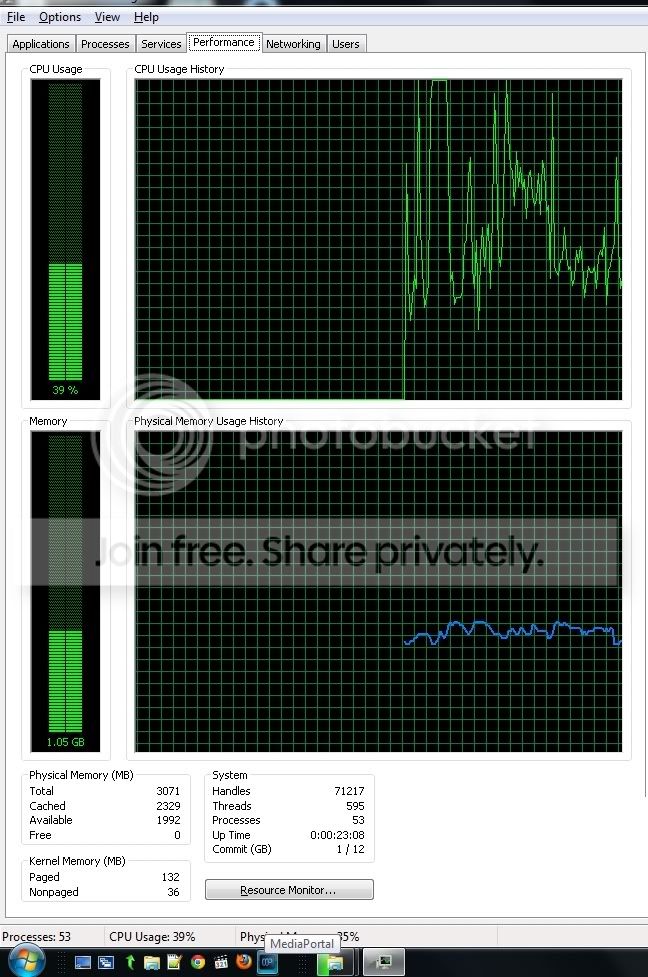
    notable.. when I even ran the webEPG grabber, my CPU goes to 100%.:mad:
    any interaction with a dvb-t device takes all my resources?


    but here's some screen grabs of other activities on task mangler.
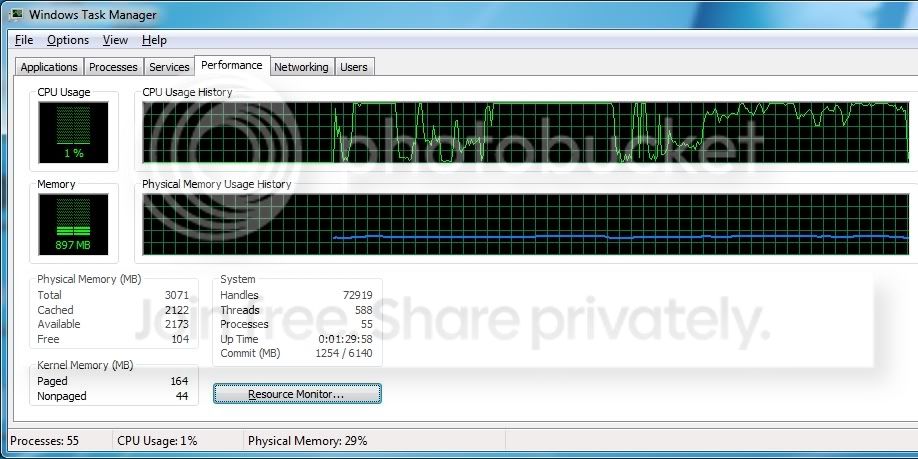
    win7. new ati card. 'adaptive' video setting. 1080 resolution (via catalyst software)
    start on U channel, then off to tv2. hd blows the CPU high again, although sitting between 80% and 100%. sometimes the synch falls away.
    1080i-ati-tvUthentv2-crop.jpg


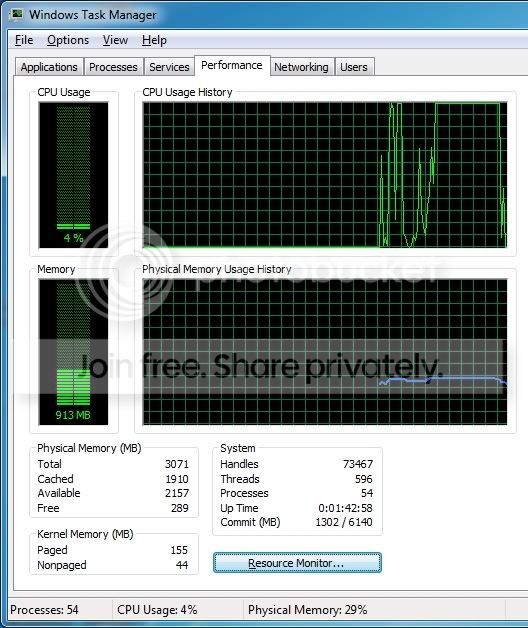
    tried the same thing but with 720 resolution. similar results
    1080i-ati-tvUthentv2-crop.jpg


    tried changing the catalyst settings to vector adaptive.. it really struggles with that. seems less jittery with just 'adaptive'. no idea what they all mean:oops:
    vector-adaptive-crop.jpg


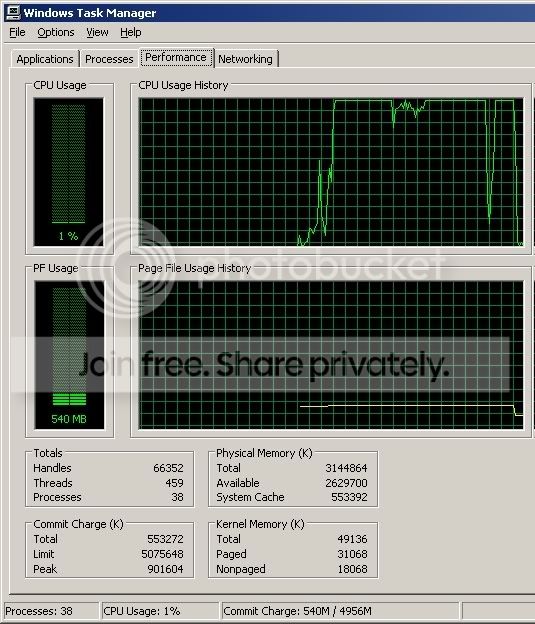
    winXP. ATI card. 'adaptive' video setting. 1080i. start on tv2, then to tv3
    1080i-xp-tv2-tv3-crop.jpg


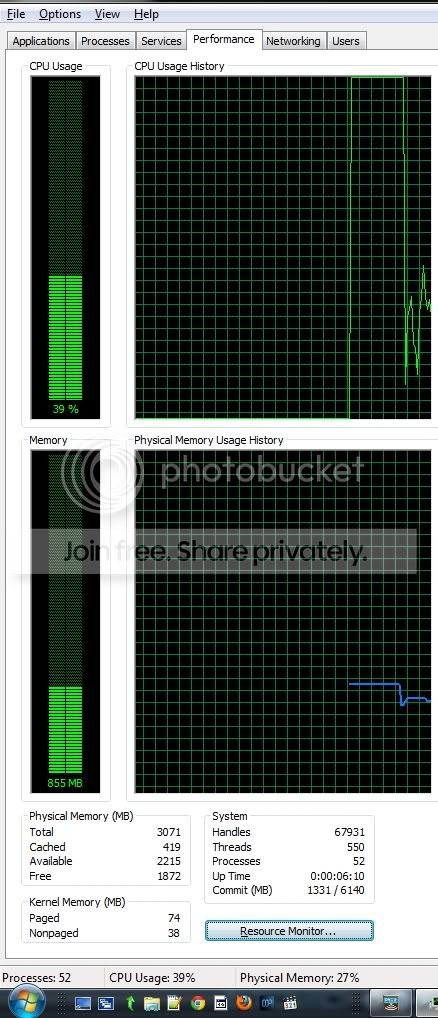
    and the tests I earlier ran on the nvidia 210 card.
    high def channel.
    cpu-digi-channel-hd-crop.jpg

    non-HD.
    cpu-digi-channel-crop.jpg


    lastly.. even when sitting stable, the graphics are not so clear.
    I noticed in the ipad advert that the angled lines (cheese slicer styles I guess) are not too sharp.
    check out the top of the frame (screengrab)
    lines-from-advert.jpg


    so srsly... what the hell am I doing wrong..? I seem destined to not get HD working:confused::(
     

    mm1352000

    Retired Team Member
  • Premium Supporter
  • September 1, 2008
    21,544
    8,236
    Home Country
    New Zealand New Zealand
    so srsly... what the hell am I doing wrong..?
    Simply put: you're using a codec (FFDShow) that doesn't support hardware acceleration. Because of that, your new video card's capabilities are not being used.

    You need to do some experimentation to figure out which codec should be used. If you were on 7 then I'd say go for the Microsoft codec - simple and effective. In your current setup, try the "CyberLink Video/SP Decoder (PDVD7)". Make sure you also check the settings to ensure DxVA is enabled as per -->here<-- (use hardware accelerator). If that fails then try "ATI MPEG Video Decoder".

    If things are working as they should then CPU should *never* hit 100% for video decoding. That is a sign that DxVA is not being used.

    If you find those two codecs don't support DxVA then I think your best option is SAF 5 or 6 unlocked. I would say FFDShow DXVA except that I know there are problems switching between channels with different resolutions. The best optioni may actually be to go back to Windows 7 and use the Microsoft DTV-DVD video decoder.

    mm
     

    rocklander

    MP Donator
  • Premium Supporter
  • April 14, 2010
    191
    8
    rotovegas
    Home Country
    New Zealand New Zealand
    okay.. I've dropped the ffdshow codecs and it's better.. not amazing, but better. I'm getting around 80%CPU usage.. if I'm recording 3 channels and watching a 4th, and a separate client comes in, I get 100% CPU on TV2, but that's about as hard as I could drive it I reckon.. have taken a backup of it, and will see if win7 behaves better.
    :D
     

    rocklander

    MP Donator
  • Premium Supporter
  • April 14, 2010
    191
    8
    rotovegas
    Home Country
    New Zealand New Zealand
    and now on win7 it's even better.
    CPU is resting at about 30% on tv2.
    thanks for your patience.

    for some reason I had it in my head that I was supposed to use the ffdshow codec.

    running pretty nicely now too.:)
    tomorrow I take a backup of this thing!
     

    mm1352000

    Retired Team Member
  • Premium Supporter
  • September 1, 2008
    21,544
    8,236
    Home Country
    New Zealand New Zealand
    CPU is resting at about 30% on tv2.
    Yep, that's more like it. :)

    for some reason I had it in my head that I was supposed to use the ffdshow codec.
    Anything with hardware acceleration support (apart from FFDShow DXVA) should work.

    tomorrow I take a backup of this thing!
    :D

    Enjoy!
     

    rocklander

    MP Donator
  • Premium Supporter
  • April 14, 2010
    191
    8
    rotovegas
    Home Country
    New Zealand New Zealand
    okay.. convoluted development.. sorta

    so I wanted to get the client in the bedroom working too .. it's a GA-E350N-USB3 (MITX board with a PCIE slot, but the slot is only x4 (not x16)). has integrated gfx and HDMI, but it was insufficient horsepower for HD content. (same issue as above, and proc busted out at 100% usage), so I read up a lil online and saw that the x4 slot will 'take' an x16 vid card with about 5% performance fail. .. worth a crack so I put the nvidia 210 card (above) I had spare in there. it improved greatly, but not perfect (system would hang going between non HD and HD and I'd have to restart MP), and also the heatsink on it is so big that it hung outside the cube style case.
    so I bought a sapphire 6570 hoping that would sort it out..
    no.. worse.. back to high usage CPU and delayed/stuttering playback..

    is it possible that the nvidia utilises the x4 better than the ATI? frustration a plenty.. am at work now, and can post logs later if necessary, but I just wanted to see if anyone had some insider knowledge on why the ATI would make things worse in this particular scenaio?
     

    Users who are viewing this thread

    Top Bottom