Xface Skin Version 1.6 ready for download 09.06.2008 (2 Viewers)

GetWell

Portal Pro
October 4, 2006
205
32
Home Country
Denmark Denmark
Hey Harley

This skin is so nice! I installed it right away and i'm now thinking about bying a wide-screen tv instead of the old hehe

I want to know if you are planning to make a christmas version of this skin? Christmas is just around the corner ;)

What about animations? Something you have in your mind to create?


Again thanks for the skin
 

Harley

Retired Team Member
  • Premium Supporter
  • May 7, 2004
    2,053
    1,993
    Germany
    Home Country
    Germany Germany
    @ Harley, thx for 1.1

    but please fix this:


    The Pictures (TV and Camera) covered the Textfield, please make the field a little bit smaller


    here is the fixed file ! :)

    Harley
     

    Attachments

    • DialogVideoInfo.xml
      30.6 KB

    spuck

    Community Skin Designer
    April 6, 2007
    397
    59
    Home Country
    Sweden Sweden
    Harley, how can I disable the topbar + the 3 big icons in the lower right corner in my tvseries.xml? Can't access them inside the plugin so I don't really see the need for 'em. Thanks!
     

    PierreLo

    Portal Pro
    September 7, 2004
    57
    0
    France
    Hi,

    After a clean reinstall of the whole PC, MP+ XFace seems to work better than before (probably a mess on my PC due to multiple install/deinstall during last months...).
    Anyway, I still have a big problem with movie thubnails in Filmstrip mode. Although I configured maximal thumbnail quality in the configuration program, pictures are still stretched and awfully blurry (can't even recognize what movie it is...).

    I'm currently testing on a standalone PC, not the final HTPC, on a 1280x1024 screen, hence no 16/9 aspetc ratio. Could this be the cause ? Strange, cause otherwise, user interface displays fine, and music thumbnails are perfect too.

    Please advise on this if you hqve qny idea.

    Thanks

    Pierrelo
     

    Harley

    Retired Team Member
  • Premium Supporter
  • May 7, 2004
    2,053
    1,993
    Germany
    Home Country
    Germany Germany
    Harley, how can I disable the topbar + the 3 big icons in the lower right corner in my tvseries.xml? Can't access them inside the plugin so I don't really see the need for 'em. Thanks!


    Hi spuck,

    ..thats easy add this on top of xml, under the <allowoverlay>no</allowoverlay>


    <disabletopbar>yes</disabletopbar>


    Greetings Harley
     

    Harley

    Retired Team Member
  • Premium Supporter
  • May 7, 2004
    2,053
    1,993
    Germany
    Home Country
    Germany Germany
    Hi,

    After a clean reinstall of the whole PC, MP+ XFace seems to work better than before (probably a mess on my PC due to multiple install/deinstall during last months...).
    Anyway, I still have a big problem with movie thubnails in Filmstrip mode. Although I configured maximal thumbnail quality in the configuration program, pictures are still stretched and awfully blurry (can't even recognize what movie it is...).

    I'm currently testing on a standalone PC, not the final HTPC, on a 1280x1024 screen, hence no 16/9 aspetc ratio. Could this be the cause ? Strange, cause otherwise, user interface displays fine, and music thumbnails are perfect too.

    Please advise on this if you hqve qny idea.

    Thanks

    Pierrelo

    ..yes thats why it have no real 16:9 ratio with 1280 * 1024. Skin is made for all 16:9 ratios like 1366*768.

    But i work on the filmstripview, so i hope i will find a solution to get it run also without the right ratio.

    Greetings Harley
     

    PierreLo

    Portal Pro
    September 7, 2004
    57
    0
    France
    Thanks a lot for the answer Harley.

    I'll soon give it a try on the "real" installation, i.e projector at 960x540 (exact 16/9 ratio), so this should be OK then.
    Still, I might have problems for displaying on my 4/3 TV...but I can switch it to 16/9 mode if needed.

    Thanks again for both a great skin and the time you spend answering questions here !

    PierreLo
     

    Nightmare77

    Portal Pro
    July 5, 2005
    531
    1
    Canberra
    Home Country
    harley i did some more testing i set my desktop res to a 16x9 res at 1600x900 and tried it again in filmstrip view and it does the same thing with coverart, if i swap back to blue2 and keep the same res it uses the higher quality jpeg for the coverart with blue2, i will test with some other skins to see what they do to.
    hope that helps

    Ater some tests here are the results
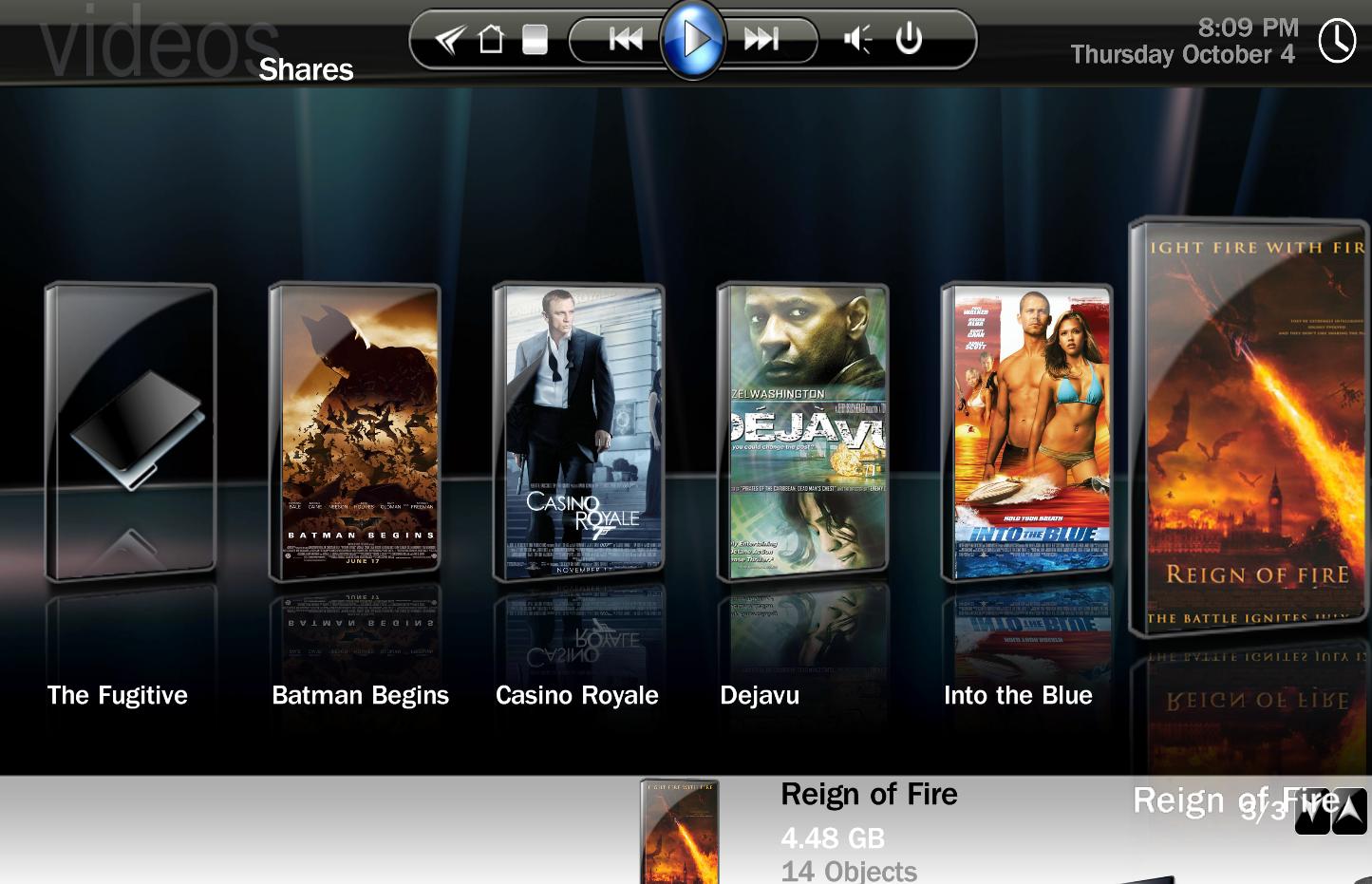
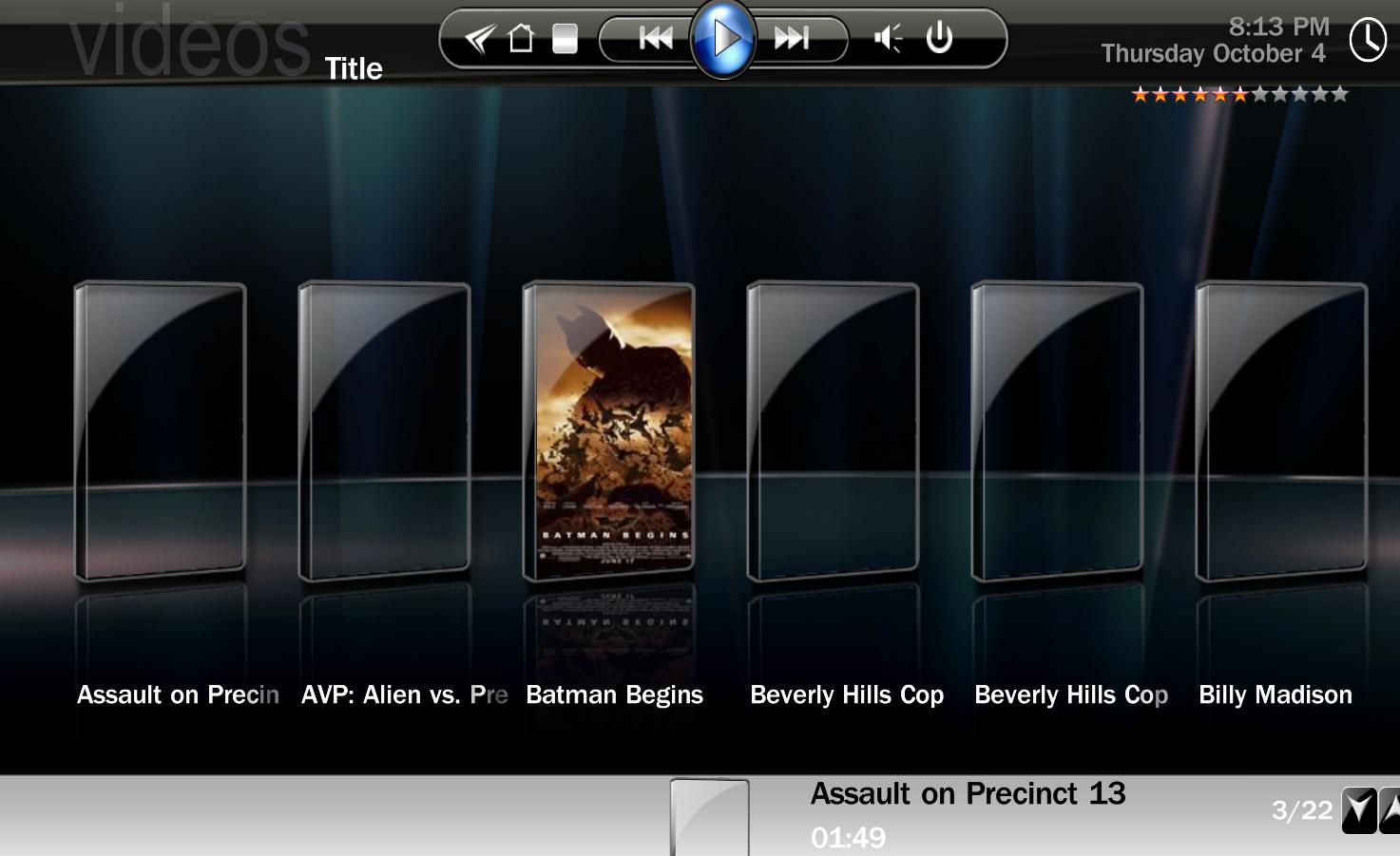
    In Xface under the shares view i see clear coverart pictures under filmstripview, however changing to the database view / title i see blurry coverart under the filmstripview despite having using the same coverart picture.

    Is it possible its hard coded somewhere in the core of this module?
    Although this scenario seems to be reversed with blue2 , so something strange is going on
     

    Attachments

    • image1.jpg
      image1.jpg
      152.8 KB
    • image2.JPG
      image2.JPG
      101.4 KB

    Users who are viewing this thread

    Top Bottom