24h format (1 Viewer)

Markus1975

New Member
January 9, 2013
4
0
50
Home Country
Finland Finland
Hi!

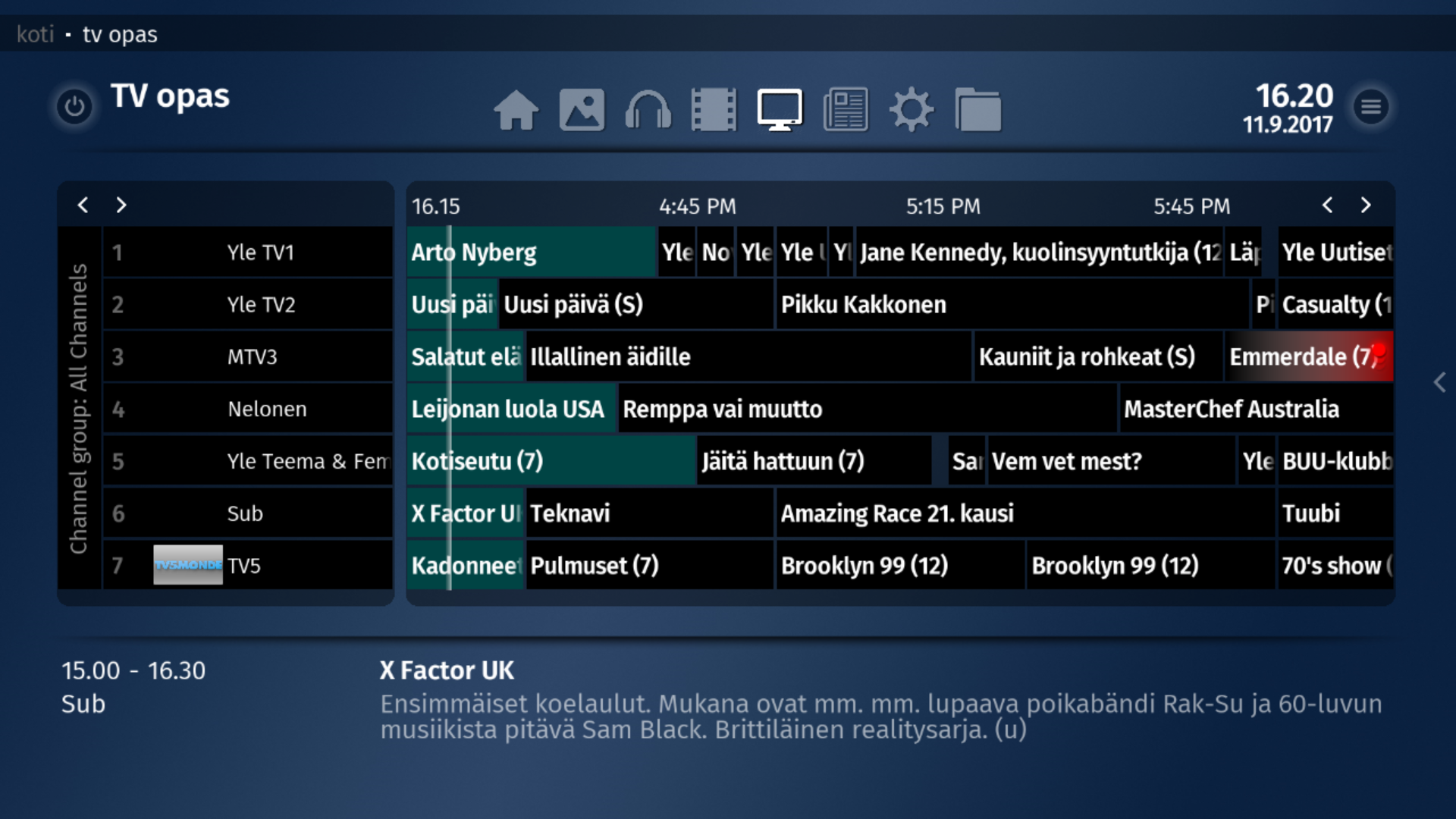
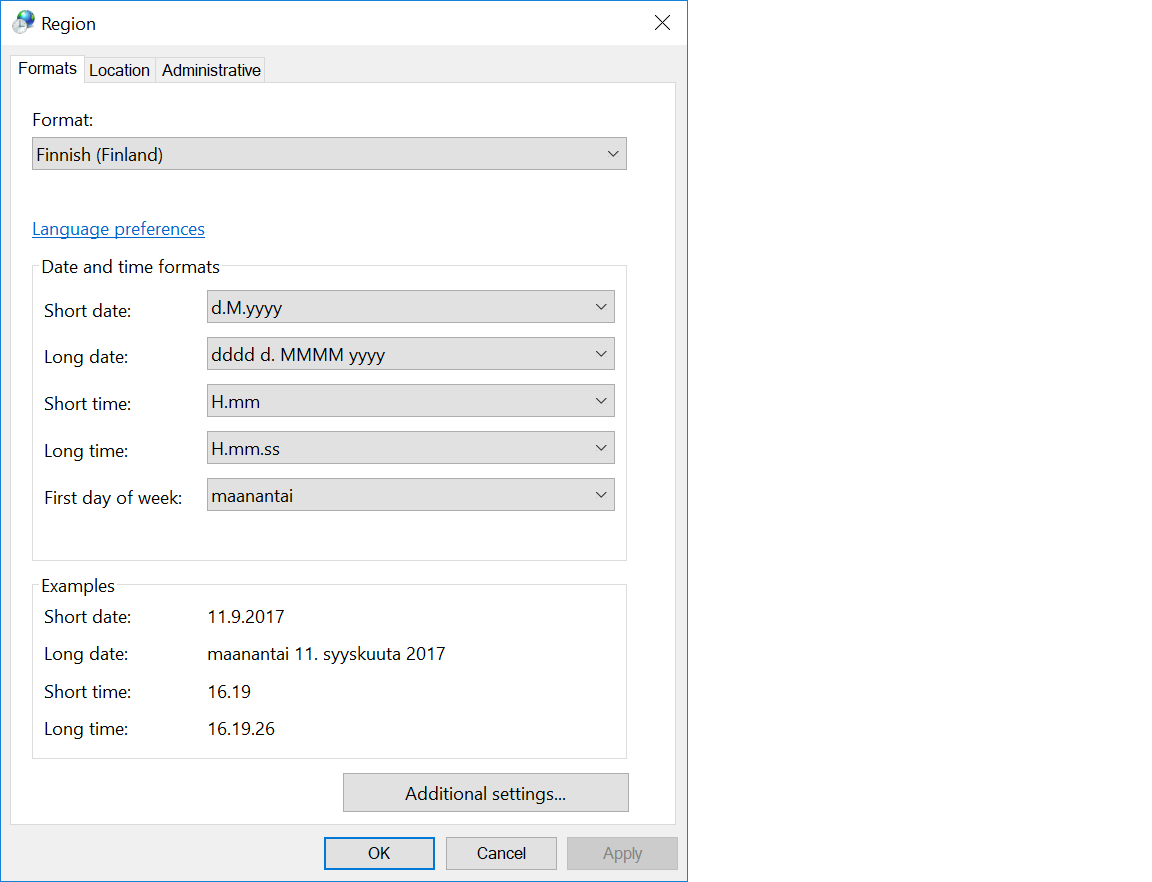
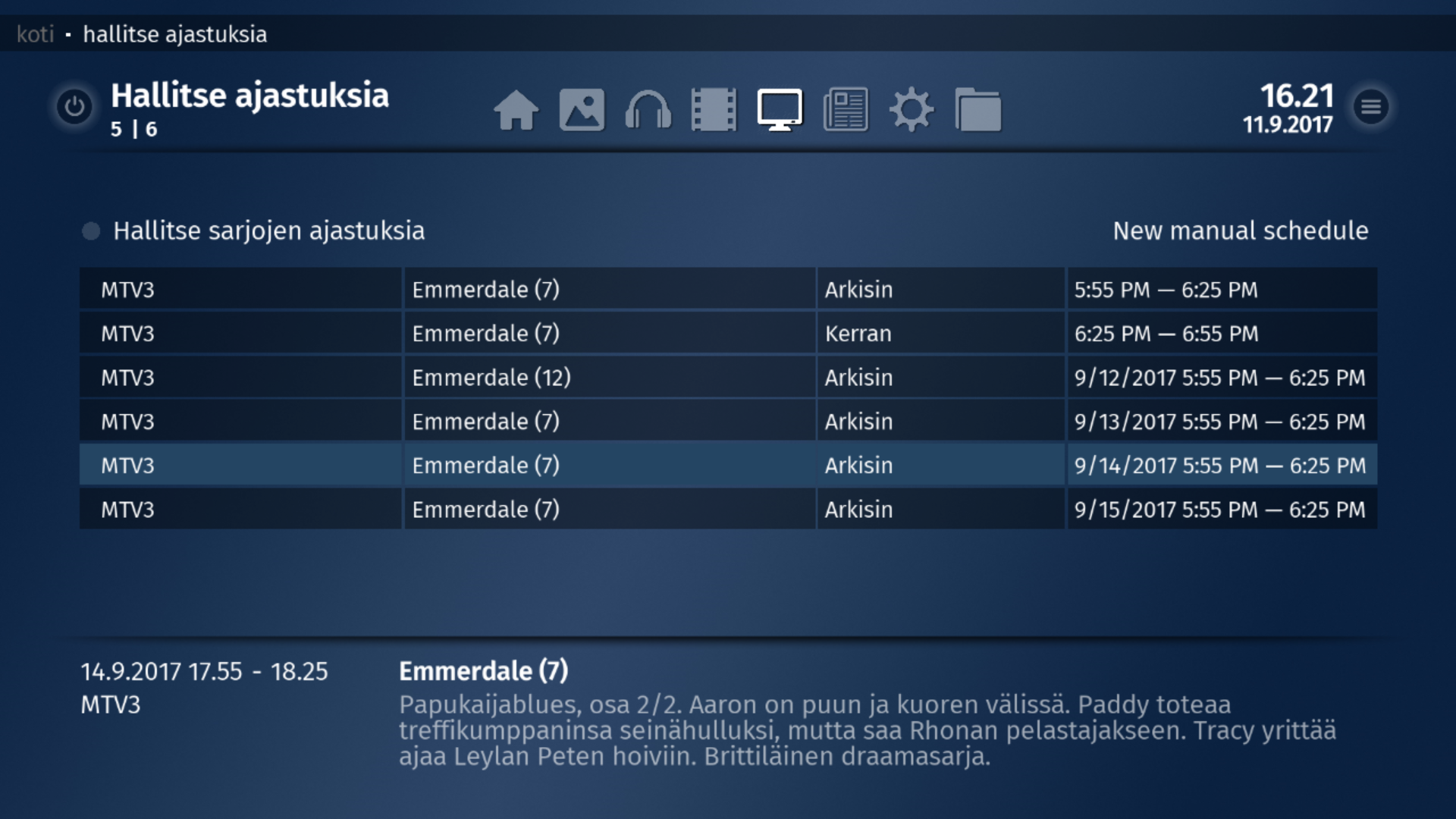
Can't find any solution to change time format to 24h
Some pictures seems ok but not all.. check pictures
 

Attachments

  • guide.png
    guide.png
    976.5 KB
  • region.png
    region.png
    23.5 KB
  • timer.png
    timer.png
    1.2 MB

HTPCSourcer

Retired Team Member
  • Premium Supporter
  • May 16, 2008
    11,418
    2,336
    Home Country
    Germany Germany
    @ge2301 , there seems to be a hard-coded time display in the TV Guide.

    TvGuide.JPG

    In the above example I set the time format to h:mm and time displays correctly as 5:19 in the upper-right corner. However, the guide continues to display the time frames as defined in the Windows settings. Can times be displayed in the same format as defined in the MP2 settings?
     

    ge2301

    Lead Design MP2
  • Team MediaPortal
  • January 11, 2014
    8,743
    3,501
    Stuttgart
    Home Country
    Germany Germany
    @ge2301 , there seems to be a hard-coded time display in the TV Guide.

    View attachment 192897

    In the above example I set the time format to h:mm and time displays correctly as 5:19 in the upper-right corner. However, the guide continues to display the time frames as defined in the Windows settings. Can times be displayed in the same format as defined in the MP2 settings?
    At least I can not change the times. They come from SlimTvDateFormatConverter here.
    The formatting is done here, but I can not understand it well enough to say, if any settings are considered.
     

    morpheus_xx

    Retired Team Member
  • Team MediaPortal
  • March 24, 2007
    12,073
    7,459
    Home Country
    Germany Germany
    The culture should be considered here. I have to check the code why it might not work...
     

    Users who are viewing this thread

    Similar threads

    You could use a different player that handles HDR content but thats more hassle then installing MadVR
    You could use a different player that handles HDR content but thats more hassle then installing MadVR
    I searched several days now but could only find non-working ideas and mostly based on MadVR. Is there a way to play HDR content...
    Replies
    1
    Views
    903
    Depends on what you mean by the word "works". The module is quite complete and functional.
    Depends on what you mean by the word "works". The module is quite complete and functional.
    I would like one of the above IPTC metadata fields to display when viewing pictures in MP. I don't really care which, as I can...
    Replies
    3
    Views
    3K
    Pushed to Github https :// github.com / MPExtended / Skins / commit / 541cd57a89b85e1971d0a6086e3dc650cb9ab60f
    Pushed to Github https :// github.com / MPExtended / Skins / commit / 541cd57a89b85e1971d0a6086e3dc650cb9ab60f
    Hi there I've recently tried to get the Bootstrap 0.7.255 skins working in a new WebMediaPortal environment but ran into several...
    Replies
    6
    Views
    2K
    I have recently installed MediaPortal 1.37 (x64) and MP-TVSeries v4.5.1.697 and unfortunately the TV episode runtime duration is missing in my Titan skin. This only applies to my .TS files, my .MKV files are OK. I believe the difference is likely to be because .MKV files embed the runtime in the file unlike .TS files. I have done...
    I have recently installed MediaPortal 1.37 (x64) and MP-TVSeries v4.5.1.697 and unfortunately the TV episode runtime duration is...
    I have recently installed MediaPortal 1.37 (x64) and MP-TVSeries v4.5.1.697 and unfortunately the TV episode runtime duration is...
    Replies
    0
    Views
    623
    MP1 MP2 Picture-in-picture DE
    Can anyone tell me the step-by-step procedure for bringing up a second channel in pip mode? I can only do it sometimes, after many tries, and it’s not clear what I am doing that makes it work on those occasions when it does. Cannot find guidance on the site. Thanks, N. Again, if anyone knows how to do this, would be much...
    Can anyone tell me the step-by-step procedure for bringing up a second channel in pip mode? I can only do it sometimes, after many...
    Can anyone tell me the step-by-step procedure for bringing up a second channel in pip mode? I can only do it sometimes, after many...
    Replies
    0
    Views
    1K
    Top Bottom