24h format (1 Viewer)

Markus1975

New Member
January 9, 2013
4
0
51
Home Country
Finland Finland
Hi!

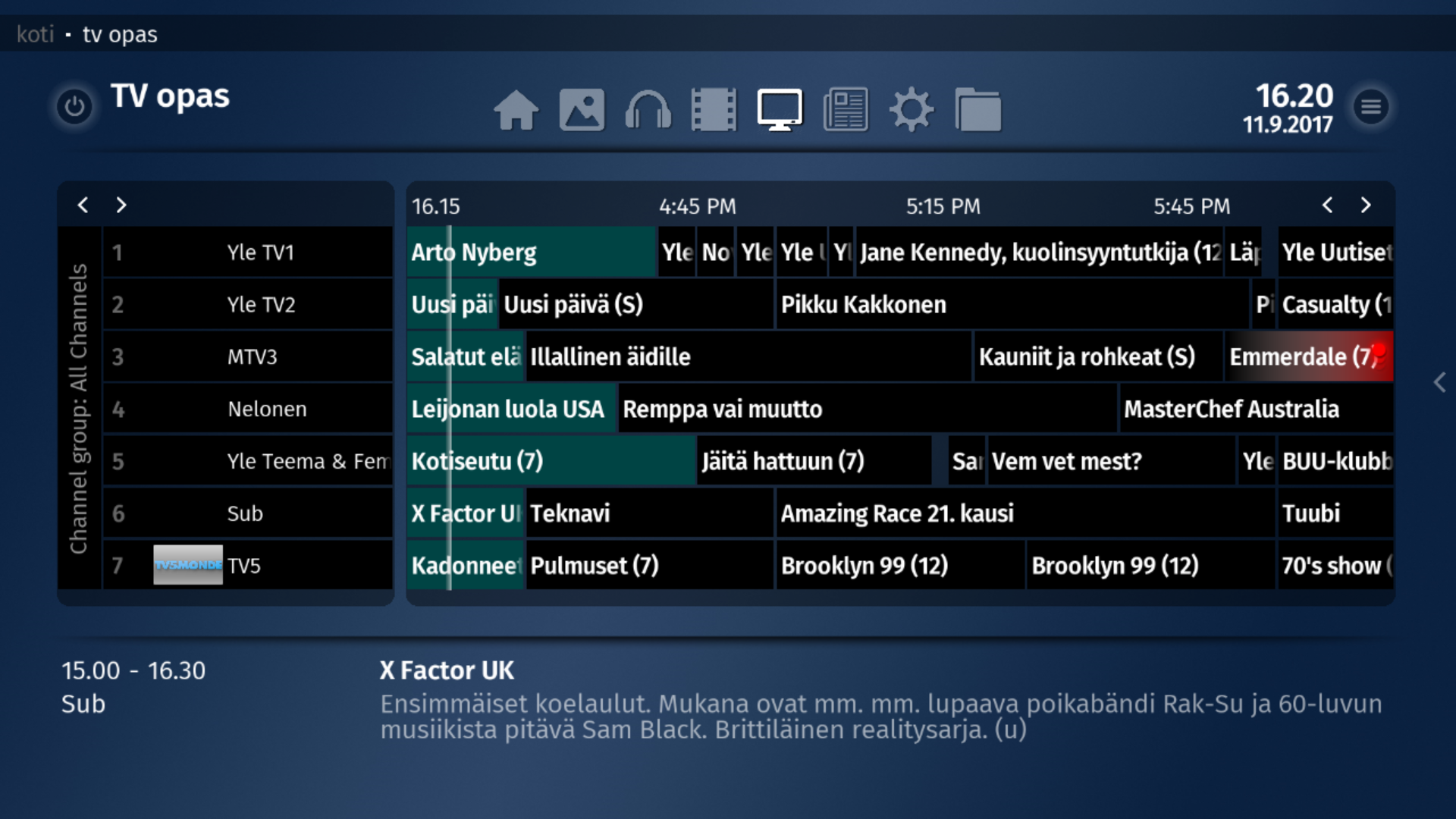
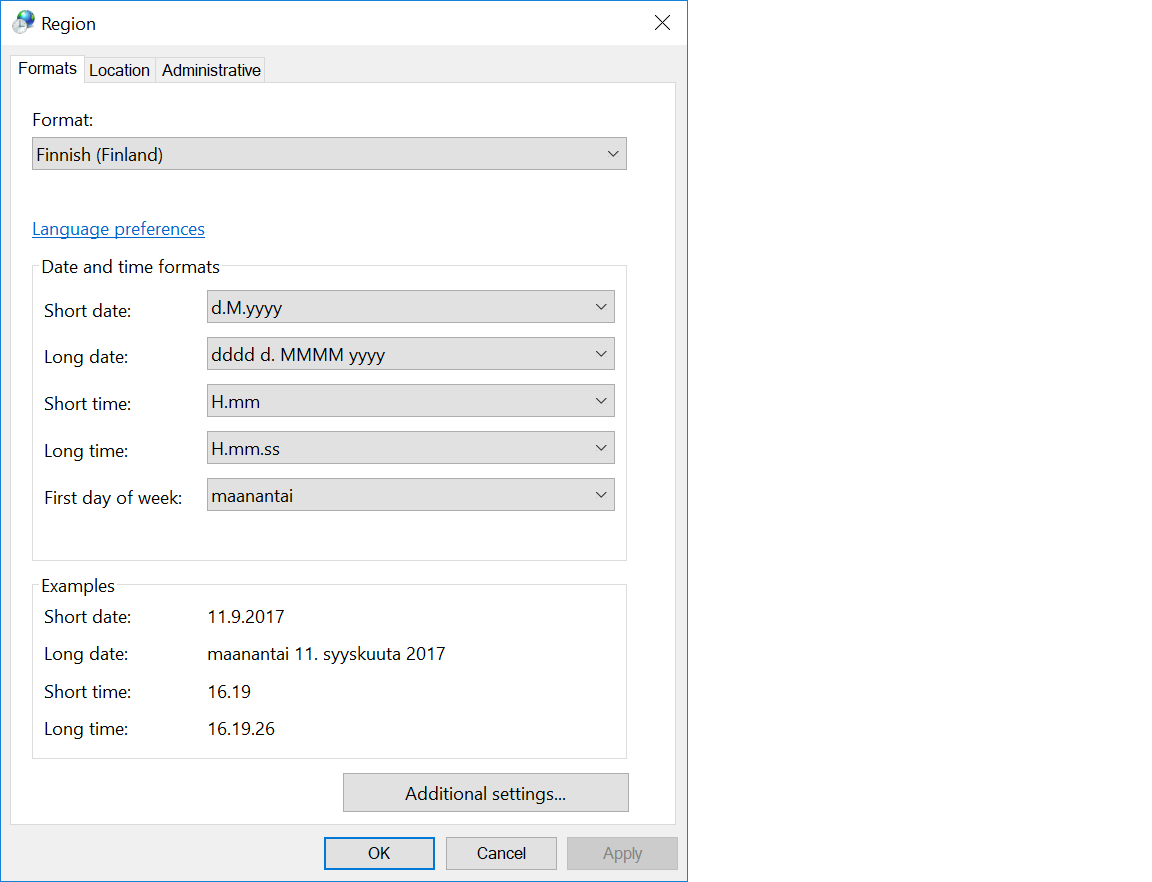
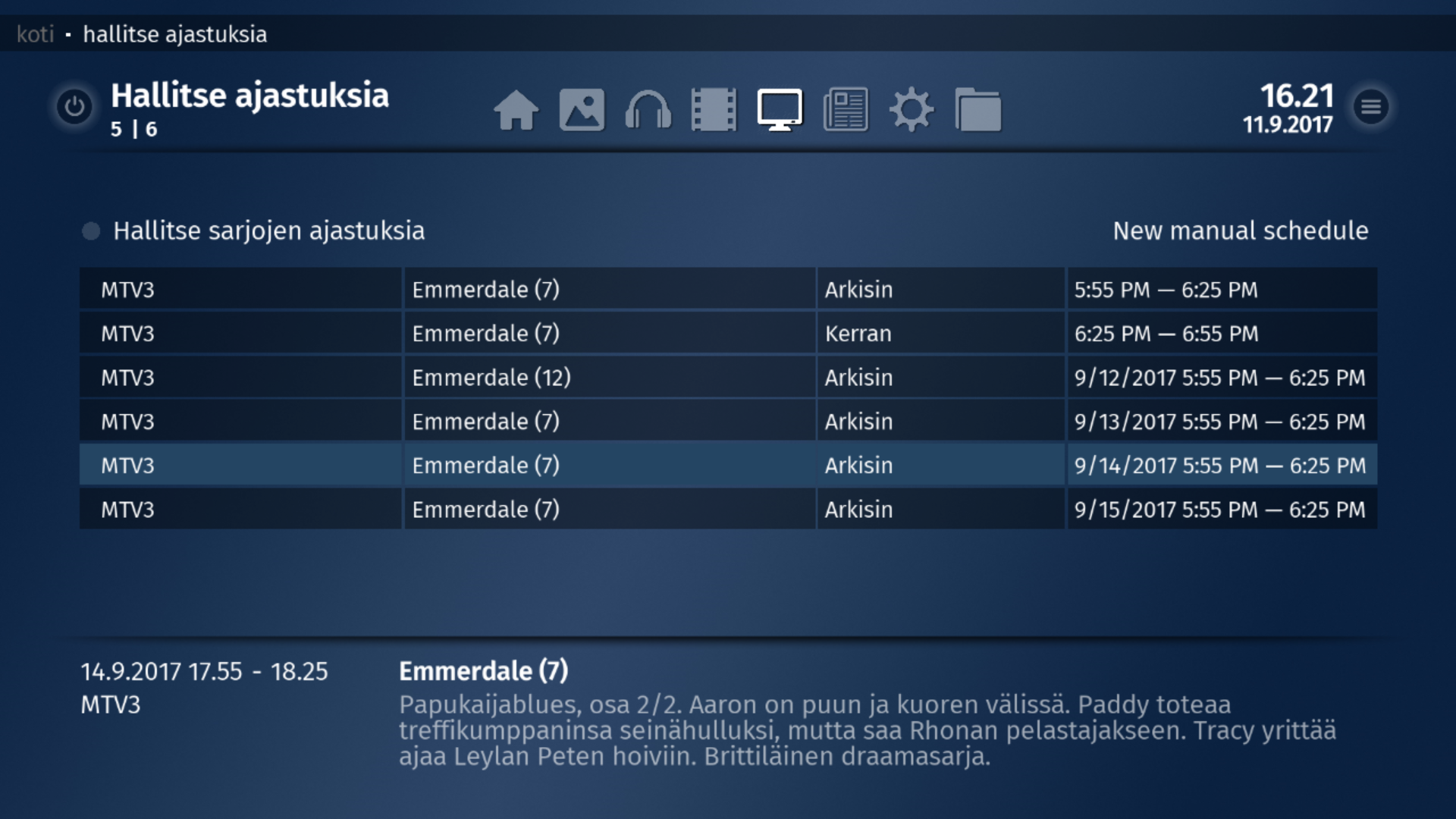
Can't find any solution to change time format to 24h
Some pictures seems ok but not all.. check pictures
 

Attachments

  • guide.png
    guide.png
    976.5 KB
  • region.png
    region.png
    23.5 KB
  • timer.png
    timer.png
    1.2 MB

HTPCSourcer

Retired Team Member
  • Premium Supporter
  • May 16, 2008
    11,382
    2,369
    Home Country
    Germany Germany
    @ge2301 , there seems to be a hard-coded time display in the TV Guide.

    TvGuide.JPG

    In the above example I set the time format to h:mm and time displays correctly as 5:19 in the upper-right corner. However, the guide continues to display the time frames as defined in the Windows settings. Can times be displayed in the same format as defined in the MP2 settings?
     

    ge2301

    Lead Design MP2
  • Team MediaPortal
  • January 11, 2014
    8,725
    3,521
    Stuttgart
    Home Country
    Germany Germany
    @ge2301 , there seems to be a hard-coded time display in the TV Guide.

    View attachment 192897

    In the above example I set the time format to h:mm and time displays correctly as 5:19 in the upper-right corner. However, the guide continues to display the time frames as defined in the Windows settings. Can times be displayed in the same format as defined in the MP2 settings?
    At least I can not change the times. They come from SlimTvDateFormatConverter here.
    The formatting is done here, but I can not understand it well enough to say, if any settings are considered.
     

    morpheus_xx

    Retired Team Member
  • Team MediaPortal
  • March 24, 2007
    12,070
    7,459
    Home Country
    Germany Germany
    The culture should be considered here. I have to check the code why it might not work...
     

    Users who are viewing this thread

    Similar threads

    i think info but I'm really not sure
    i think info but I'm really not sure
    When I import new films using Moving Pictures, it takes an incredibly long time for the information to be found and downloaded...
    Replies
    3
    Views
    689
    MP1 MP2 Recording length DE
    If you use "Manual Booking" (left side menu on the "Recording Schedule" panel), you can schedule a recording duration of up to 24 hours. However... That is using the "conventional" TV sources, i.e. a DVB-T tuner, a DVB-S tuner, or an analogue tuner. You stated in your other thread that you are using an IPTV source. Perhaps there is a...
    If you use "Manual Booking" (left side menu on the "Recording Schedule" panel), you can schedule a recording duration of up to 24...
    Is there a limit to recording length? My TVServer recordings all cut off at 3 hours but I can't find a setting anywhere to change...
    Replies
    1
    Views
    201
    I meant use MP client to try to spot how it's requesting streams for specific channels and then try to do the same with VLC. TV Server development looks dead so I'm afraid you're going to have to figure that out by yourself if it's even possible.
    I meant use MP client to try to spot how it's requesting streams for specific channels and then try to do the same with VLC. TV...
    Hi everyone, I've set up Mediaportal TV Server on a Windows 11 box, tuner deteced okay, scanned channels, can preview, all seems...
    Replies
    8
    Views
    1K
    Greetings to all Denizens of the land of MediaPortal... It seems our Zap2XML/GraceNote access is broken again. I (as many others) have been using the latest NewZap2xml_6 and it has worked flawlessly. A few days ago it all died. I wonder if anyone is working a solution to save the masses. I am hoping the good citizen of past is...
    Greetings to all Denizens of the land of MediaPortal... It seems our Zap2XML/GraceNote access is broken again. I (as many others)...
    Greetings to all Denizens of the land of MediaPortal... It seems our Zap2XML/GraceNote access is broken again. I (as many others)...
    Replies
    0
    Views
    747
    I don't know about MP2 but as you said you tried MP1 too, how is the MP music config ? MP(1) will only use LAV if you select "Internal DirectShow player" as music output, but then you lose gapless playback. If you you don't have multichannel music you can choose WASAPI as the output and set the number of speakers to stereo. I have...
    I don't know about MP2 but as you said you tried MP1 too, how is the MP music config ? MP(1) will only use LAV if you select...
    Not sure if this a a bug/config/settings problem. I am running a media portal 2.5 server with 2.41 client but it seems I get the...
    Replies
    1
    Views
    650
    Top Bottom