Aeon (1 Viewer)

pzycho

Portal Member
March 14, 2008
25
1
Home Country
United States of America United States of America
Great work guys. I just had a couple quick questions...
1) I am using the SVN from yesterday (4-22) and my backgrounds still aren't random, so I downloaded the core.dll file previously posted, but I am not really sure where to put it. Anyone know where?

2) I am holding off updating my media portal to 1.0 until it is out of RC, so as it is there is a warning about this skin every time media portal boots up. Is there any file where I can go in by hand and just change the skin from being 1.0 to 0.2.3? Not a big deal, but if there is a quick fix, it would be appreciated.

3) Is there a way to start in the horizontal menu instead of going and selecting it every time?

Again, thanks for all the hard work guys, and if you are too busy making it better to answer my (probably noob) questions, don't worry about it. Even if I can't get these things sorted out, its still a great skin.
 

jburnette

Portal Pro
August 24, 2006
758
116
Kentucky
Home Country
United States of America United States of America
Great work guys. I just had a couple quick questions...
1) I am using the SVN from yesterday (4-22) and my backgrounds still aren't random, so I downloaded the core.dll file previously posted, but I am not really sure where to put it. Anyone know where?

2) I am holding off updating my media portal to 1.0 until it is out of RC, so as it is there is a warning about this skin every time media portal boots up. Is there any file where I can go in by hand and just change the skin from being 1.0 to 0.2.3? Not a big deal, but if there is a quick fix, it would be appreciated.

3) Is there a way to start in the horizontal menu instead of going and selecting it every time?

Again, thanks for all the hard work guys, and if you are too busy making it better to answer my (probably noob) questions, don't worry about it. Even if I can't get these things sorted out, its still a great skin.

1. If you look in c:\Program Files\Team MediaPortal\Mediaportal\ you'll see a core.dll, overwrite that one with the one I posted.

2. Open up references.xml from the skins folder in notepad and change the sixth item down (<version>whatever</version>) to the version number of MediaPortal that you're running. I'm not really sure what version you're running since there hasn't been an SVN build since earlier this month. Maybe I'm wrong on that, though.

3. In MediaPortal's configuration, go to General and check the first item - Start with basic home screen.

That should do it for you.
 

Romulus76

Portal Member
January 13, 2006
9
0
Great work

First, thx thx and thx for your great work. :) I think is the most beautiful skin made for this program..
Some questions:

1. If you look in c:\Program Files\Team MediaPortal\Mediaportal\ you'll see a core.dll, overwrite that one with the one I posted.

1. The only change made to this DLL is for randomize the background in the modules, is it?
With today SVN version does the CORE.DLL is already modified or not?

2. With MyFilm plugin I can't see the expected layout as MyMovies, but only basic black screen with images and description information. I've notice in the skin directory the files MesFilm.xml and MesFilmDeatails.xml, so I guess to rename these files into MyFilms.xml and MyFilmsDetails.xml because I've installed MyFilms_SVN_4.5 to have the correct screen layout, is it or not? May be other problem?

3. I see, with some others skins, the plugin MyTVSeries can display fanart images instead of basic background, and also Logo informations of media type (x264, DD, BluRay, ect.) if present. Is it possible to implement in the skin the same functions?

4. If Yes for the previous question, can you extend also for MyFilms plugin?


Romulus.
 

Darre

Portal Pro
April 21, 2007
925
80
Home Country
Norway Norway
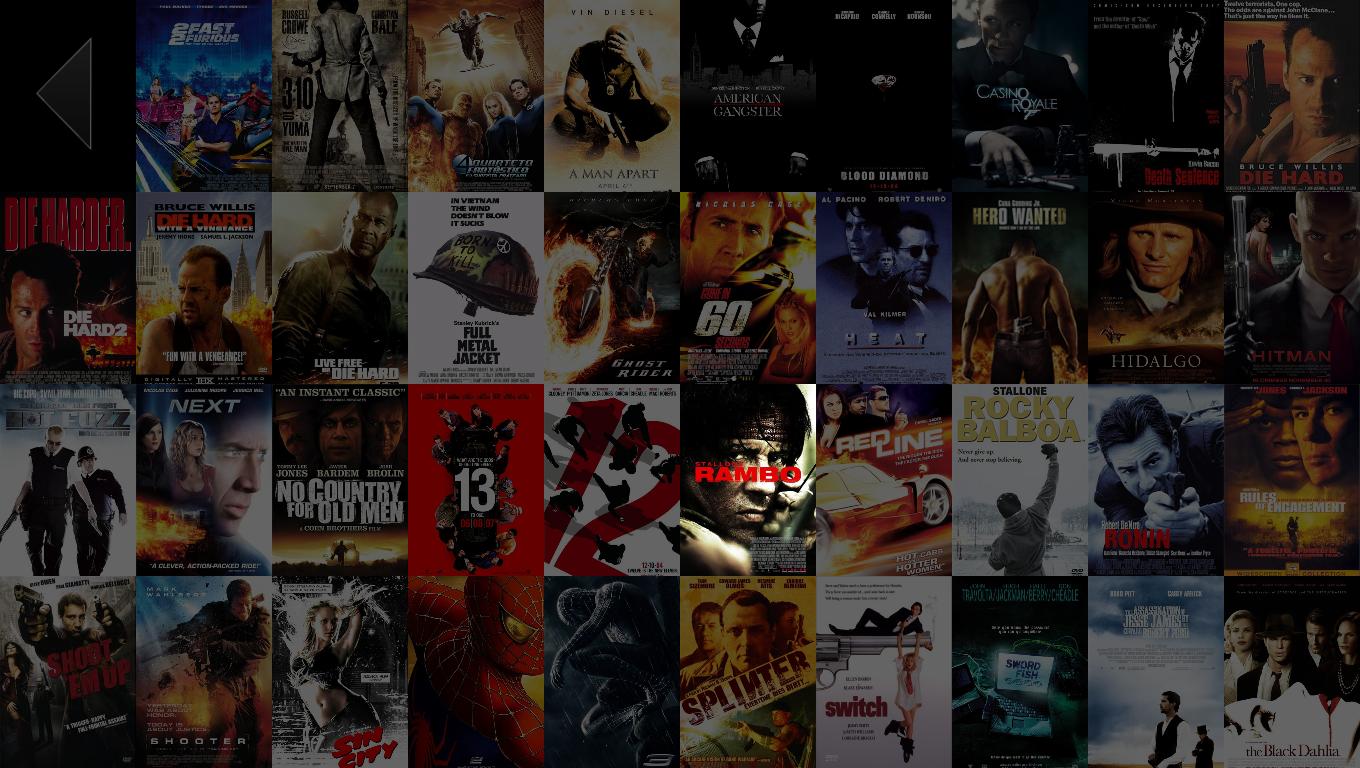
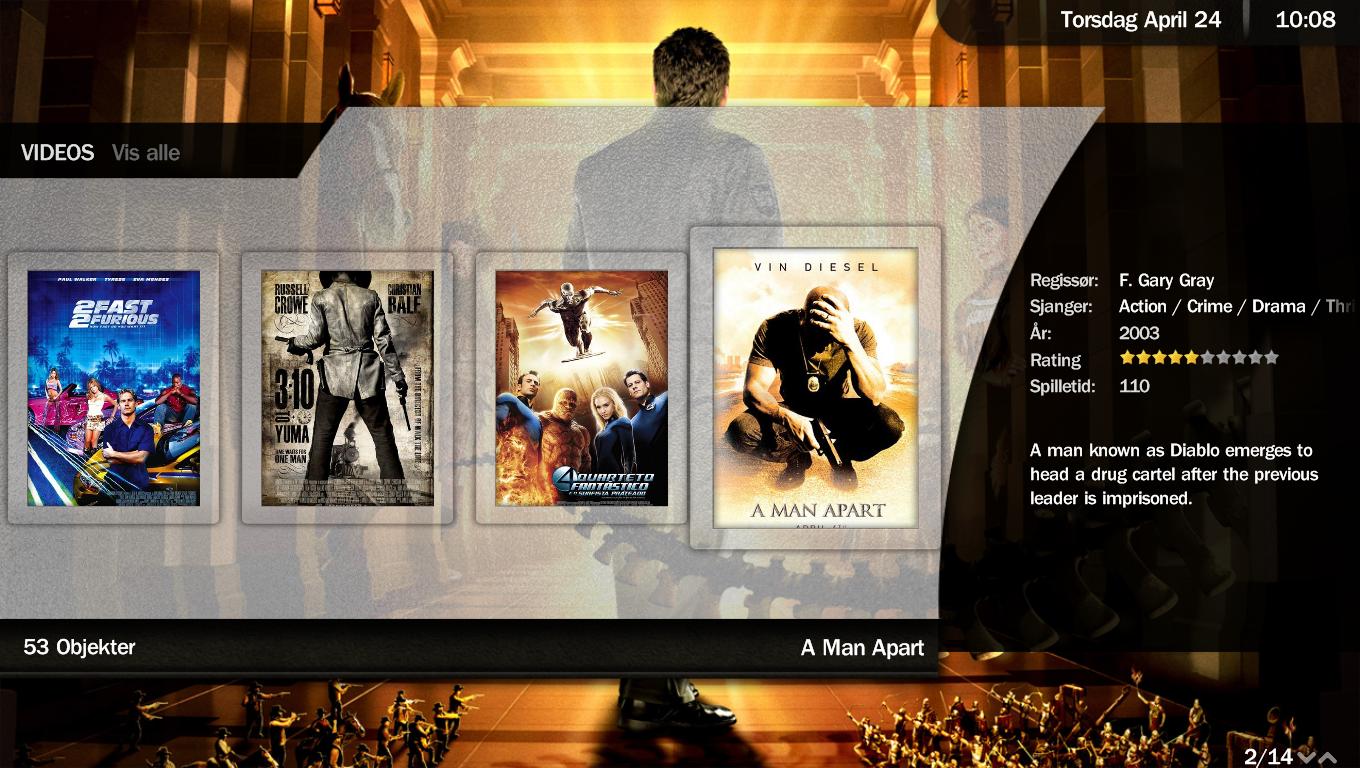
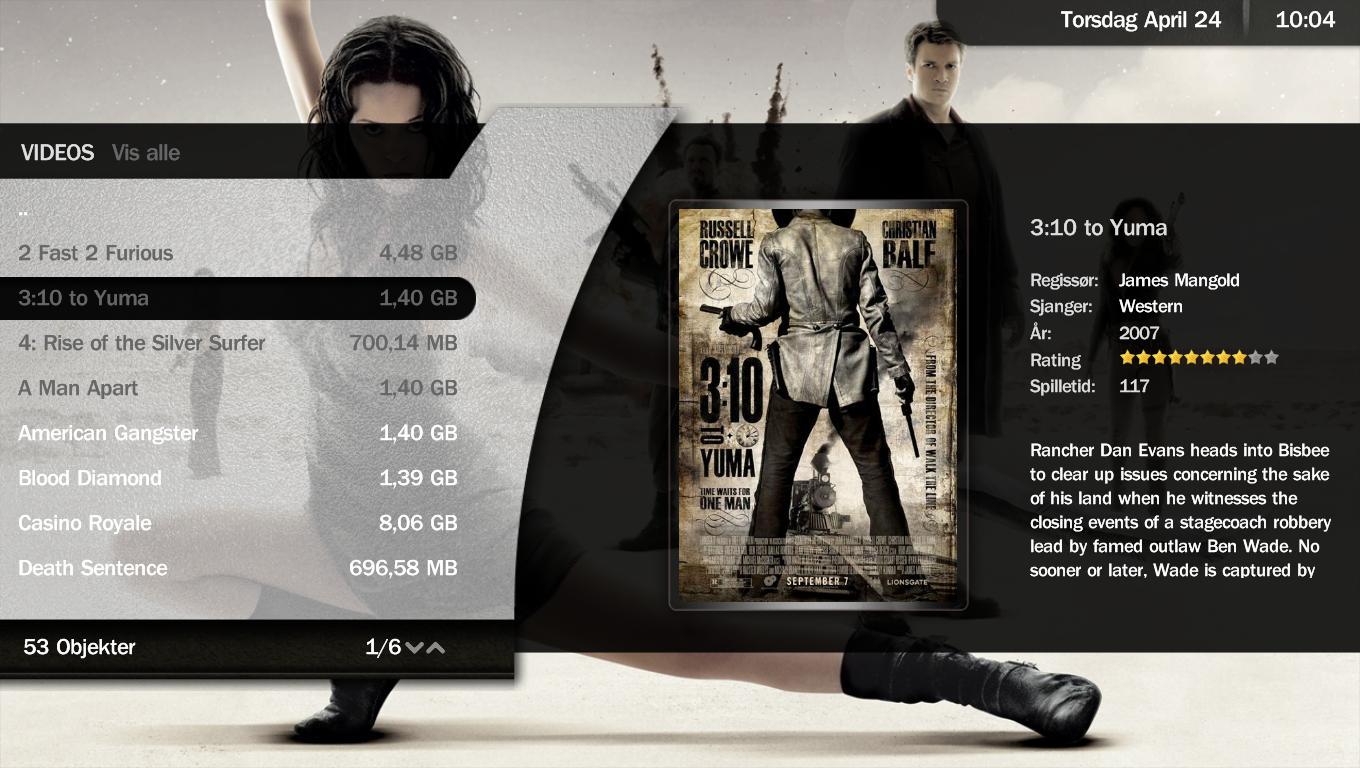
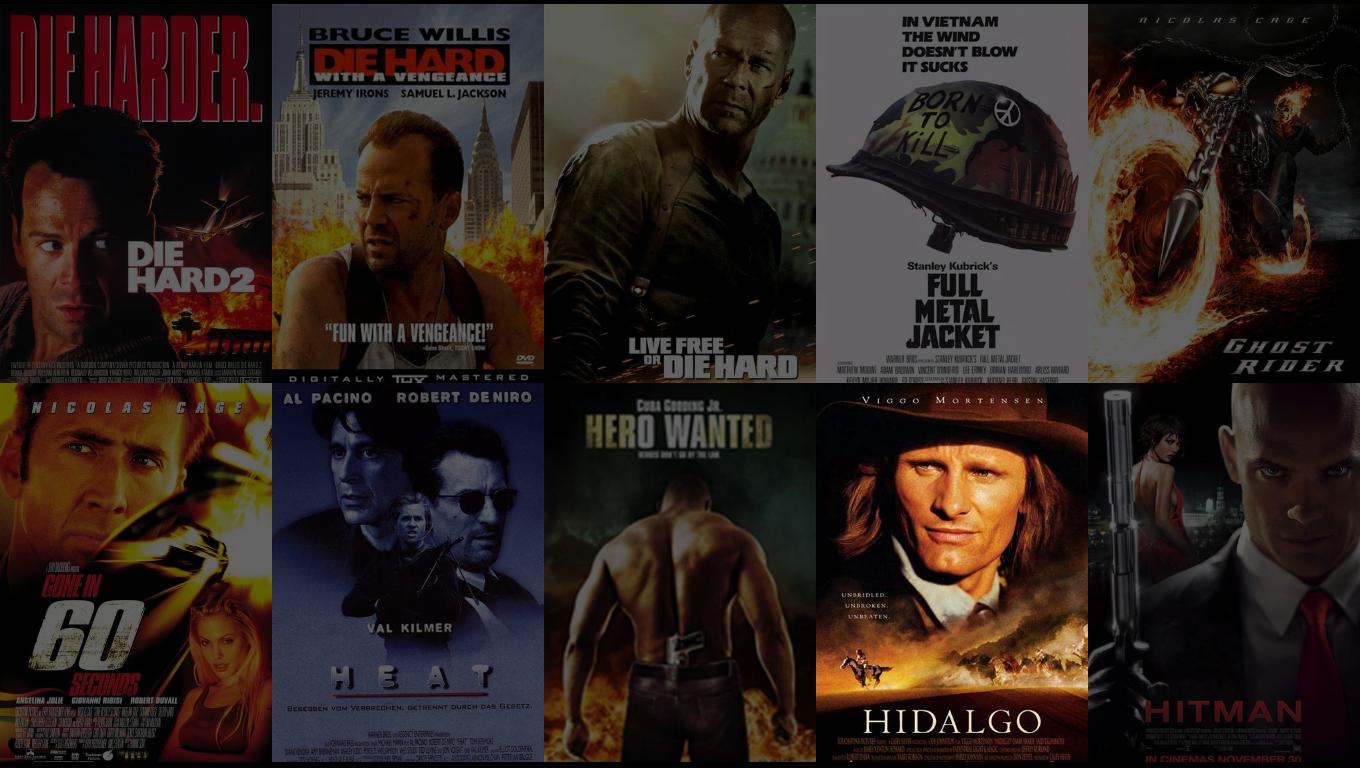
brushed the views up a bit this morning and made some new scrshots.

here ya go:
 

Attachments

  • filmstrip.JPG
    filmstrip.JPG
    178 KB
  • listview.JPG
    listview.JPG
    146.4 KB
  • iconlargeview.JPG
    iconlargeview.JPG
    126.2 KB
  • iconview.JPG
    iconview.JPG
    165 KB

emphatic

Design Group
  • Team MediaPortal
  • August 25, 2006
    3,758
    1,250
    Alingsås
    Home Country
    Sweden Sweden
    A bit OT but... Where do you get SVN versions of RC1? I've looked around this site but can't find any builds do download...

    Emph
     

    Romulus76

    Portal Member
    January 13, 2006
    9
    0
    First, thx thx and thx for your great work. :) I think is the most beautiful skin made for this program..
    Some questions:

    1. If you look in c:\Program Files\Team MediaPortal\Mediaportal\ you'll see a core.dll, overwrite that one with the one I posted.

    1. The only change made to this DLL is for randomize the background in the modules, is it?
    With today SVN version does the CORE.DLL is already modified or not?

    2. With MyFilm plugin I can't see the expected layout as MyMovies, but only basic black screen with images and description information. I've notice in the skin directory the files MesFilm.xml and MesFilmDeatails.xml, so I guess to rename these files into MyFilms.xml and MyFilmsDetails.xml because I've installed MyFilms_SVN_4.5 to have the correct screen layout, is it or not? May be other problem?

    3. I see, with some others skins, the plugin MyTVSeries can display fanart images instead of basic background, and also Logo informations of media type (x264, DD, BluRay, ect.) if present. Is it possible to implement in the skin the same functions?

    4. If Yes for the previous question, can you extend also for MyFilms plugin?


    Romulus.

    Some info for point 2 and 3? Is there a MyFilm skin ready? I can't see a good MyFilm page as the new MyVideo page!

    The last version posted of MyVideo is very good!
     

    spuck

    Community Skin Designer
    April 6, 2007
    397
    59
    Home Country
    Sweden Sweden
    Darre that looks better. :)
    how a bout a bit less margins on the frames so they don't get so close to the edges? (filmstrip)

    A bit OT but... Where do you get SVN versions of RC1? I've looked around this site but can't find any builds do download...

    Emph

    I've read that svn versions of RC versions will only be once a week.
     

    gemx

    Retired Team Member
  • Premium Supporter
  • October 31, 2006
    1,972
    539
    Home Country
    Germany Germany
    Commited Darre's changes to the myvideo screens. Thanks Darre
    Just to let you know - I am currently working on the other mytv screens.
    Currently "MyTvProgram"
     

    jburnette

    Portal Pro
    August 24, 2006
    758
    116
    Kentucky
    Home Country
    United States of America United States of America
    First, thx thx and thx for your great work. :) I think is the most beautiful skin made for this program..
    Some questions:

    1. If you look in c:\Program Files\Team MediaPortal\Mediaportal\ you'll see a core.dll, overwrite that one with the one I posted.

    1. The only change made to this DLL is for randomize the background in the modules, is it?
    With today SVN version does the CORE.DLL is already modified or not?

    2. With MyFilm plugin I can't see the expected layout as MyMovies, but only basic black screen with images and description information. I've notice in the skin directory the files MesFilm.xml and MesFilmDeatails.xml, so I guess to rename these files into MyFilms.xml and MyFilmsDetails.xml because I've installed MyFilms_SVN_4.5 to have the correct screen layout, is it or not? May be other problem?

    3. I see, with some others skins, the plugin MyTVSeries can display fanart images instead of basic background, and also Logo informations of media type (x264, DD, BluRay, ect.) if present. Is it possible to implement in the skin the same functions?

    4. If Yes for the previous question, can you extend also for MyFilms plugin?


    Romulus.

    1. The randomization was and is included in RC1. That is, as far as I know, the only build that has it. There haven't been SVN revisions since early April. None of those have it included. The SVN that will come out tommorow (Friday) will have it. All new SVN revisions will have to be installed over RC1, though.

    3. Yeah, it does fan art. Just put your fan art in Thumbs\fan art. You can get logos and logo rules from the TV-Series forum section to get those showing.
     

    Users who are viewing this thread

    Top Bottom