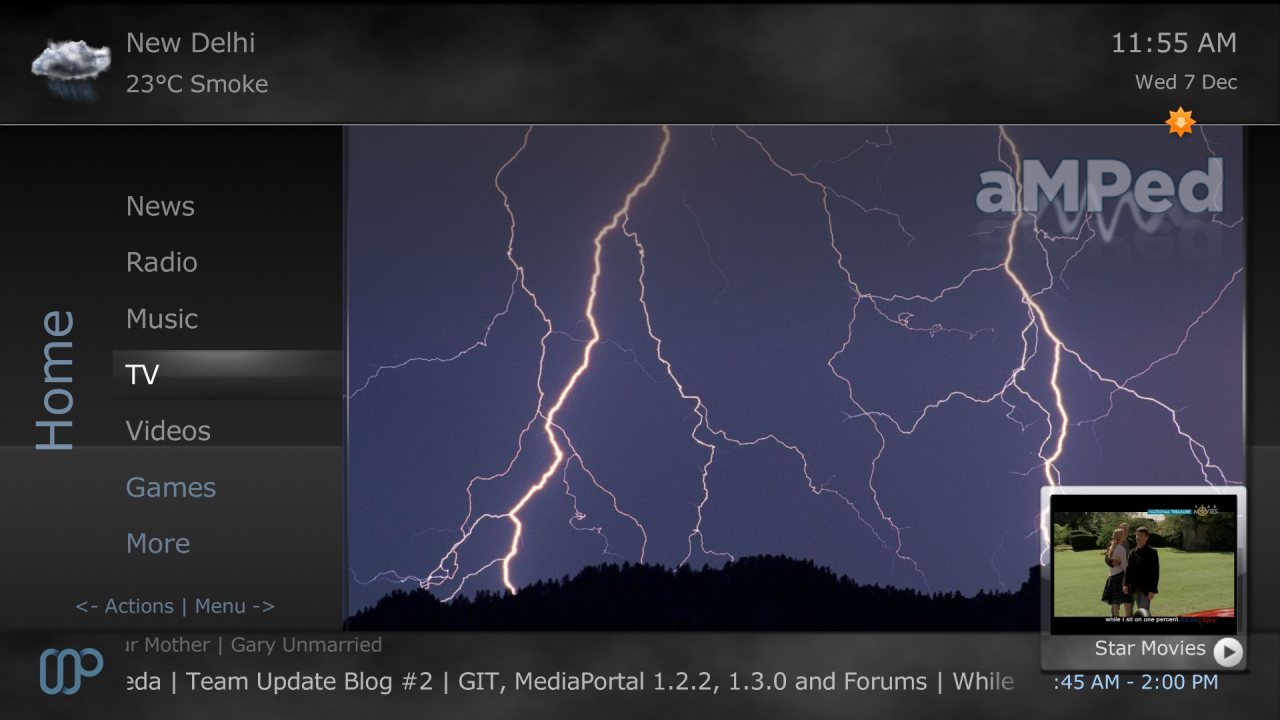
aMPed 3.3.3 (for MP 1.2.x) Released! [Mar 20, 2012] (2 Viewers)

Status
Not open for further replies.

Dadeo

Docs Group Manager
  • Premium Supporter
  • November 26, 2006
    5,340
    3,321
    Himalayas, India
    Home Country
    Canada Canada
    Re: AW: aMPed 3.3.2 (for MP 1.2.x) Released! [Dec 4, 2011]

    Impossible to nail it down. No errors - nothing. It only seems t appear when resuming from standby - if a reboot is done also amepd is working fine. I also recognised that the tvservice hangs. But as told - there are no errors in the logs. I would assume it's not aMPED's fault - only I have seen it first come up after installing the skinupdate over the pluginmanager.
    Thanks for testing that Markus! By plugin manager do you mean the Extensions plugin (which displays the orange 'MPEI Update(s) available' Icon on Home screens?). If so I can try to test that and see if I can reproduce the problem. I can't think why it would happen, as aMPedConfig will automatically restore your previous settings for aMPed on install, but you never know!
    Anyway - looks very good. Only thing are the Option Menues (VS, Subitles and so on) - as some of them start in an area where your colouring is already very transparent it's sometimes hard to read (to find :))
    Which theme do you use so I can check it?
     

    pur_berger

    Super User
  • Team MediaPortal
  • Super User
  • May 14, 2007
    1,678
    312
    54
    Vienna
    Home Country
    Austria Austria
    AW: aMPed 3.3.2 (for MP 1.2.x) Released! [Dec 4, 2011]

    Yep - the extension manager is what I mean. I use the Monochrome one - and the options are set rather to the top of the info pane (not the buttons to open them but the setting itself) - so when it comes to white colored text on bright background from the picture you might have troubles finding it. Question - is it possible not to scale the coloring of the info pane down to 0% but only to 30%?.

    In terms of preview window - do you plan to change this from 4:3 to 16:9? so make it vice versa as it is now? Or even make the selection automatically - depending on the source?

    The scroll text "issue" is still there - what we have talked about separate lines with different points where they vanish - it's a little irritating when one times it goes to the end of the preview screen (the scrolline below it) and the next line ends in the middle ;)

    In total cool development :)
     

    Dadeo

    Docs Group Manager
  • Premium Supporter
  • November 26, 2006
    5,340
    3,321
    Himalayas, India
    Home Country
    Canada Canada
    Re: AW: aMPed 3.3.2 (for MP 1.2.x) Released! [Dec 4, 2011]

    I use the Monochrome one - and the options are set rather to the top of the info pane (not the buttons to open them but the setting itself) - so when it comes to white colored text on bright background from the picture you might have troubles finding it. Question - is it possible not to scale the coloring of the info pane down to 0% but only to 30%?.
    Well everything is possible if you have the time and patience (and skill!) to do it. I'll take a look at it. Things like that will be much easier to change (I hope) in the next release.
    In terms of preview window - do you plan to change this from 4:3 to 16:9? so make it vice versa as it is now? Or even make the selection automatically - depending on the source?
    Yes I do plan to make it scale based on the screen size.
    The scroll text "issue" is still there - what we have talked about separate lines with different points where they vanish - it's a little irritating when one times it goes to the end of the preview screen (the scrolline below it) and the next line ends in the middle ;)
    I cannot control that - it is how MP scrolls right aligned text with multiple lines. I will see if there is another method I can use though. I guess it all depends if I get time and want to release in months or years :p I really won't be able to recode the whole skin for 16:9 until I get my Wiki/website and My Films work caught up :(
    In total cool development :)
    Thanks!
     

    pur_berger

    Super User
  • Team MediaPortal
  • Super User
  • May 14, 2007
    1,678
    312
    54
    Vienna
    Home Country
    Austria Austria
    AW: aMPed 3.3.2 (for MP 1.2.x) Released! [Dec 4, 2011]

    Just for your info ;)
     

    Attachments

    • 20111206_192654[1].jpg
      20111206_192654[1].jpg
      801.1 KB

    Dadeo

    Docs Group Manager
  • Premium Supporter
  • November 26, 2006
    5,340
    3,321
    Himalayas, India
    Home Country
    Canada Canada
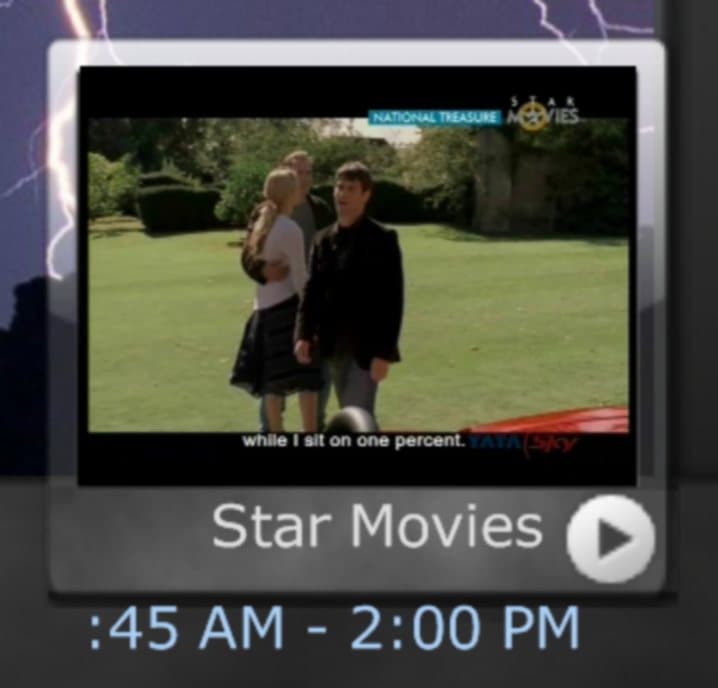
    Info? That's not much info to go on Markus - it's more like torture LOL! I really have no idea how you manage to get such things! See the attached screenshot and blow up of the media overlay/preview window. That is how it should look in aMPed. Somehow your overlay is too low, or the info text it too high. Of course, without knowing what you are playing (I assume live TV?) or what window you are in, I can't tell. But it looks to me like you are back to getting the issue you had previously. Something is screwing up your display of aMPed but I have no clue what. :confused:
     

    Attachments

    • Home_TVPreview.jpg
      Home_TVPreview.jpg
      94.1 KB
    • TVPreview.jpg
      TVPreview.jpg
      48.8 KB

    Lyfesaver74

    Public Relations
  • Premium Supporter
  • September 25, 2010
    1,542
    1,122
    Texas
    Home Country
    United States of America United States of America
    National Treasure.... good flick!

    ^ See.... I notice the important ****!
     

    pur_berger

    Super User
  • Team MediaPortal
  • Super User
  • May 14, 2007
    1,678
    312
    54
    Vienna
    Home Country
    Austria Austria
    AW: Re: aMPed 3.3.2 (for MP 1.2.x) Released! [Dec 4, 2011]

    Info? That's not much info to go on Markus - it's more like torture LOL! I really have no idea how you manage to get such things! See the attached screenshot and blow up of the media overlay/preview window. That is how it should look in aMPed. Somehow your overlay is too low, or the info text it too high. Of course, without knowing what you are playing (I assume live TV?) or what window you are in, I can't tell. But it looks to me like you are back to getting the issue you had previously. Something is screwing up your display of aMPed but I have no clue what. :confused:

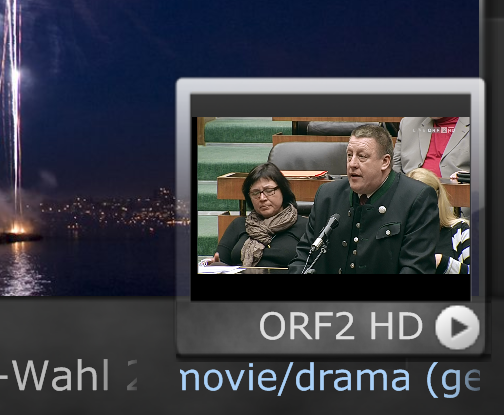
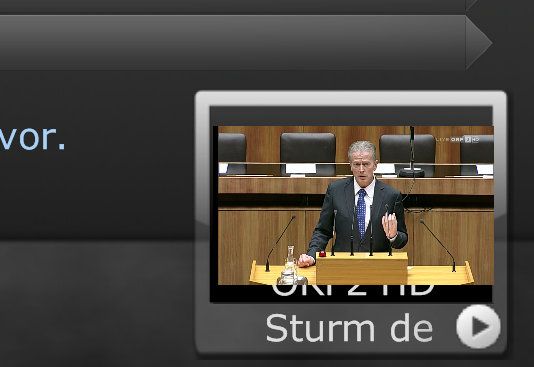
    You should know that I love to torture you ;) - no - not playing around - the preview window is the one in the Guide screen (which looks different than the one in the Home screen -)
     

    Attachments

    • homescreen.png
      homescreen.png
      248.9 KB
    • Guide.png
      Guide.png
      152.2 KB

    Lyfesaver74

    Public Relations
  • Premium Supporter
  • September 25, 2010
    1,542
    1,122
    Texas
    Home Country
    United States of America United States of America
    Pur_berger, I am just guessing, but I bet it would look right if your channels were short, like ABC, NBC or BBC..... or even call letters, like in Dallas our local ABC channel is WFAA

    Just guessing tho

    I am sure it is different tho in your country
     

    Dadeo

    Docs Group Manager
  • Premium Supporter
  • November 26, 2006
    5,340
    3,321
    Himalayas, India
    Home Country
    Canada Canada
    OK thx, I am taking a stab in the dark here, but see if the attached xml fixes the channel displaying over top of the preview window. Just copy it to your aMPed skin folder.
     

    pur_berger

    Super User
  • Team MediaPortal
  • Super User
  • May 14, 2007
    1,678
    312
    54
    Vienna
    Home Country
    Austria Austria
    AW: Re: aMPed 3.3.2 (for MP 1.2.x) Released! [Dec 4, 2011]

    Pur_berger, I am just guessing, but I bet it would look right if your channels were short, like ABC, NBC or BBC..... or even call letters, like in Dallas our local ABC channel is WFAA

    Just guessing tho

    I am sure it is different tho in your country

    Short you mean 4:3? - Yes - but that mean that the preview screen is filled (so not like now when you dispolay a 16:9 idn a 4:3 window) - so the text would be coverd totally by the TV picture.

    Hopefully we are speaking about thes same thing - I mean thet teh Cahnnel Name is missing teeh upper half in the review wndow in the Guide section ;)
     
    Status
    Not open for further replies.

    Users who are viewing this thread

    Top Bottom