Avallanche - No Fanart in MainScreen for Moving Pictures (1 Viewer)

G

Gelöschtes Mitglied 96825

Guest
Any ideas?

I have Avallanche installed with Moving Pictures and TV Series.

For TV Series the fan art is on the main screen but for moving pictures i have no fan art on the main screen.
 

Luca Brasi

MP Donator
  • Premium Supporter
  • November 14, 2007
    1,026
    119
    Home Country
    Germany Germany
    Same here... Sorry no idea why. I noticed that fanart handler config doesn't show any fanart for movpic but it's the same for tvseries.
     

    sweborn

    Extension Designer
    June 8, 2007
    303
    214
    Home Country
    Sweden Sweden
    Any ideas?

    I have Avallanche installed with Moving Pictures and TV Series.

    For TV Series the fan art is on the main screen but for moving pictures i have no fan art on the main screen.
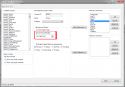
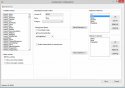
    Are you talking about the background in basic home/movpic? If so, did you use this settings in Avallanche Editor?

    settings.png basichome.png
     

    Luca Brasi

    MP Donator
  • Premium Supporter
  • November 14, 2007
    1,026
    119
    Home Country
    Germany Germany
    Hi sewborn,
    sure, it's been set like that all the time. MovPic is showing some backgrounds which are meant for pictures I guess.
    screen_mmnote_20140828_090433.jpg screen_mmnote_20140828_090722.jpg screen_mmnote_20140828_090742.jpg
    I'll add my avalanche.xml
     

    Attachments

    • Avallanche.zip
      1.3 KB

    sweborn

    Extension Designer
    June 8, 2007
    303
    214
    Home Country
    Sweden Sweden
    Hi sewborn,
    sure, it's been set like that all the time. MovPic is showing some backgrounds which are meant for pictures I guess.
    View attachment 154576 View attachment 154577 View attachment 154578
    I'll add my avalanche.xml
    Everything looks fine. What happens if you enable fanart handler in Titan GUI. Did it show the correct fanart i Titan BasicHome-Movpic?
    Edit: Can you try to delete all Avallanche skin files. Make a fresh Avallanche and Avallanche Addict installation. Also delete all cache files. And see if that helps.
     
    Last edited:

    Luca Brasi

    MP Donator
  • Premium Supporter
  • November 14, 2007
    1,026
    119
    Home Country
    Germany Germany
    What happens if you enable fanart handler in Titan GUI.
    It works fine in titan. I noticed that in the titan editor the item for movingpictures in the fanart setting is called movies not moving pictures like in avalanche editor.

    Can you try to delete all Avallanche skin files. Make a fresh Avallanche and Avallanche Addict installation. Also delete all cache files.
    Did that to no avail. After install without the addict theme Avallanche will show me some user defined pictures for movies which is fine as it is set in the editor like that. If I change that setting to movingpictures I will get the user defined backgrounds for Pictures again. From C:\ProgramData\Team MediaPortal\MediaPortal\thumbs\Skin FanArt\UserDef\pictures
    Btw my fanarthandler version is 3.1.0.0 if that is important...
     

    sweborn

    Extension Designer
    June 8, 2007
    303
    214
    Home Country
    Sweden Sweden
    I have now discovered what is wrong. It seems that the user defined backgrounds for pictures lies on top over movpic fanart. If you remove these pictures from the folder thumbs\Skin FanArt\UserDef\pictures the movpics fanart will be shown. I will take a look at BasicHome.FanartHandler_Big.xml and BasicHome.xml
     

    sweborn

    Extension Designer
    June 8, 2007
    303
    214
    Home Country
    Sweden Sweden
    I think the problem may lie in this line for user defined backgrounds for pictures "string.contains(#bgimage,pictures)", because even movingpictures contains the word picture. Hopefully the solution is to change the string to string.equals(#bgimage,pictures). Can you please try these two files and see if it works.
     

    Attachments

    • BasicHome.FanartHandler.xml
      28.8 KB
    • BasicHome.FanartHandler_Big.xml
      24.9 KB

    Luca Brasi

    MP Donator
  • Premium Supporter
  • November 14, 2007
    1,026
    119
    Home Country
    Germany Germany
    Hey sweborn, nice! Thanks, it works with that!
    Problem solved :)
     

    Users who are viewing this thread

    Similar threads

    You could use a different player that handles HDR content but thats more hassle then installing MadVR
    You could use a different player that handles HDR content but thats more hassle then installing MadVR
    I searched several days now but could only find non-working ideas and mostly based on MadVR. Is there a way to play HDR content...
    Replies
    1
    Views
    949
    I compliment you on the thoroughness of your investigations. (y) Unfortunately, I don't have any ideas what the problem might be. :( Perhaps someone else will post with some suggestions. :unsure: -- from CyberSimian in the UK
    I compliment you on the thoroughness of your investigations. (y) Unfortunately, I don't have any ideas what the problem might be...
    Would appreciate it if someone could solve (or point me in the right direction to resolve) this issue. I have “MultiSeat”...
    Replies
    4
    Views
    735
    Thanks guys. Ok, spent the (whole) weekend on this lol. First; TVHeadend/Kodi.... Nah. Given up on that - 'non-tech'; its horrible. 'Tech' - a few reasons but mostly that it is buggy. It is actually a real shame as it does have potential and promises a lot (was great to have Kodi on my phone and be able to watch live/recordings...
    Thanks guys. Ok, spent the (whole) weekend on this lol. First; TVHeadend/Kodi.... Nah. Given up on that - 'non-tech'; its...
    So, a very long-time MP fan here. Family have used MP (Only MP1 as all addicted to Titan skin) for ever - for my 13yo, thats 100%...
    Replies
    5
    Views
    4K
    fixed the episode naming above ^. There was no error in the naming of the file itself. Every time I enter TV Series, it tries to re-scan the episodes. The series appears for just a few seconds and disappears again.
    fixed the episode naming above ^. There was no error in the naming of the file itself. Every time I enter TV Series, it tries to...
    I recorded all 6 episodes of "Walking With Dinosaurs (2025)" from PBS, edited the non essential stuff out and saved them as MKV. I...
    Replies
    1
    Views
    1K
    Update: Problem solved! The electronic program guides (tvguide.xml) have been successfully transferred to MediaPortal. The issue stemmed from the corruption of one or both of the mc2xml.dat and/or mc2xml.exe files, for an unknown reason. Consequently, even though the tvguide.xml file appeared to be updated, its content kept being an...
    Update: Problem solved! The electronic program guides (tvguide.xml) have been successfully transferred to MediaPortal. The issue...
    I was having a problem with the EPG on MP2 1.4.1 (although it used to run without any issues for a while). So I installed MP2 1.5...
    Replies
    8
    Views
    652
    Top Bottom