Hi Guys,
Sorry was a little busy lol.
CC1 doesn't tell us if core ccparser is in graph or not.
Graphstudio connect or remote graph can tell us directly or log but graphstudio is wyswyg
So yes Video Decoder filter should handle CC in or out (very long time i didn't work on it)
But Core CC Parser cna handle only Mpeg2 stream and no H264.
You have to set Core CC Parser filter in Post Processing TV Section to be able to have it.
The Directshow graph should use it but yes Cyberlink Decoder are surely Better to use with.
Hi Guys,
Sorry was a little busy lol.
CC1 doesn't tell us if core ccparser is in graph or not.
Graphstudio connect or remote graph can tell us directly or log but graphstudio is wyswyg
So yes Video Decoder filter should handle CC in or out (very long time i didn't work on it)
But Core CC Parser cna handle only Mpeg2 stream and no H264.
You have to set Core CC Parser filter in Post Processing TV Section to be able to have it.
The Directshow graph should use it but yes Cyberlink Decoder are surely Better to use with.
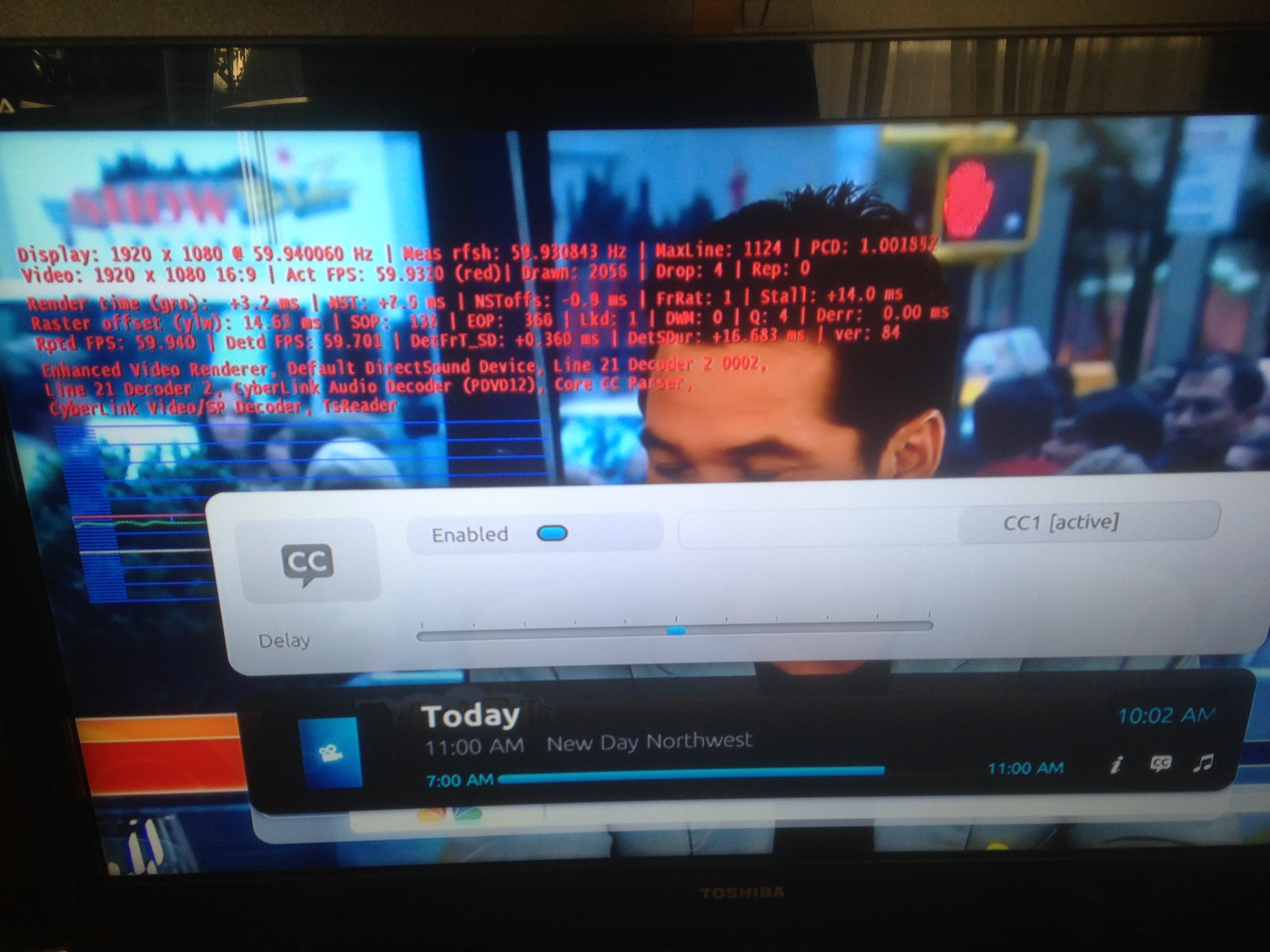
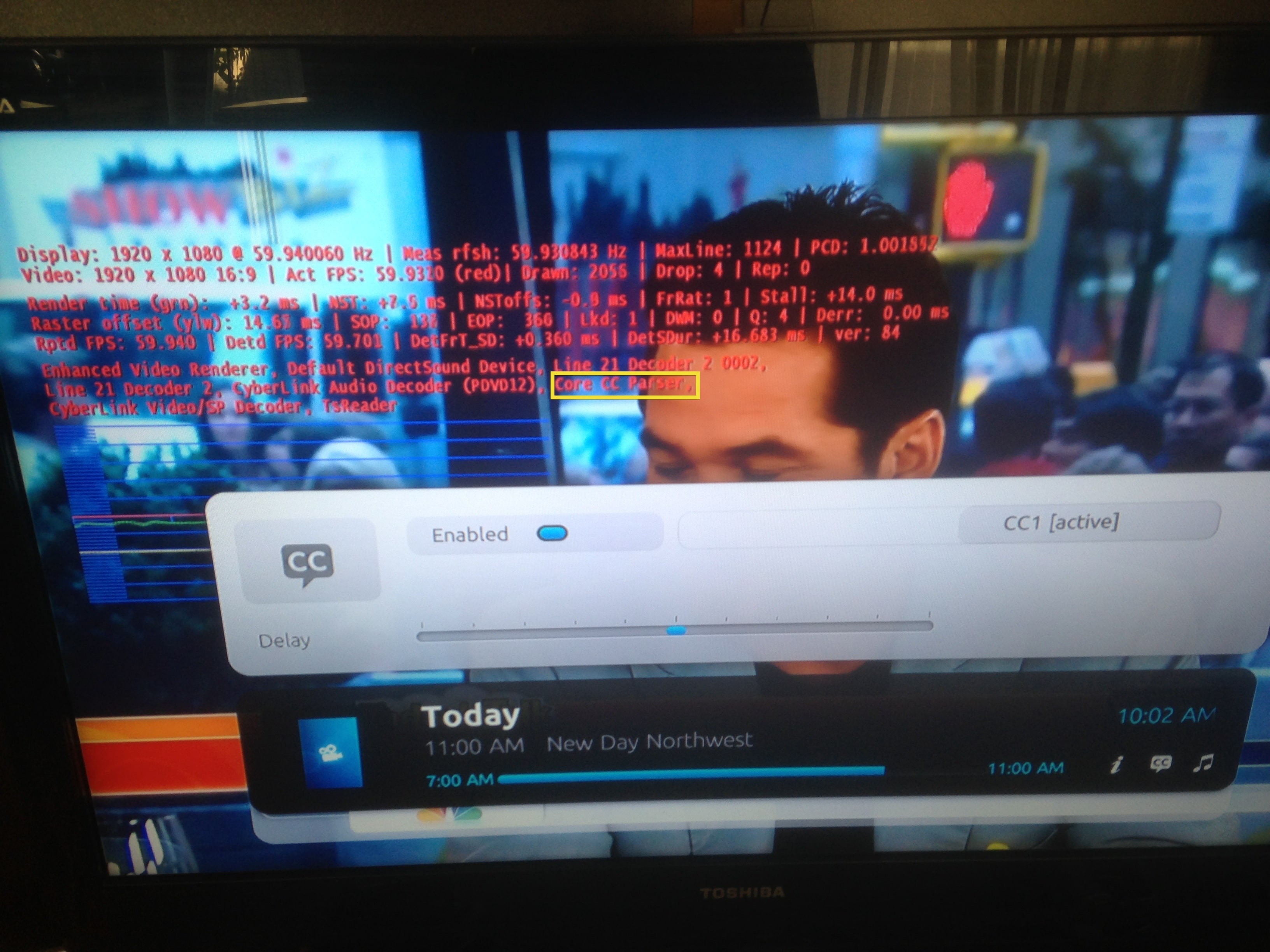
see the same screenshot but annotated this time. CoreCCParser appears in the list with the decoders. I did configure it in the Postprocessing filter section of the TV config. It seems like it is loaded. Cyberlink Video Decoder also seems like it is being used here. I am also showing that I have subtitles turned on. The result is no captioning appears on the screen. What am I missing?
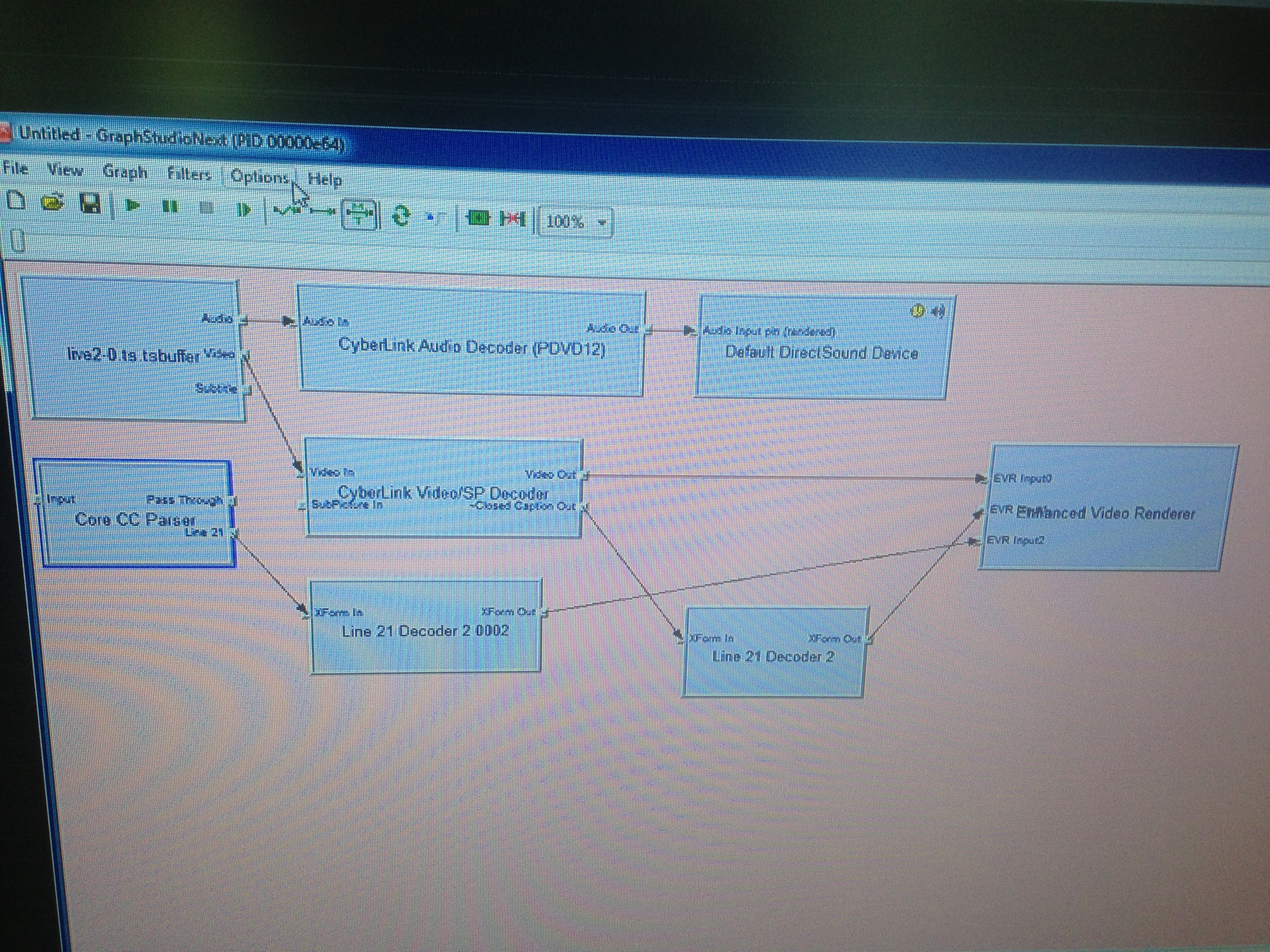
This is why it will not work, with your actual screenshot, you will get CC only for analog (i think) like DVD.
To have a hope of work, you should see like my screenshot.
So i can think of this : TsReader can't send a Video Output that Core CC Parser can handle (like H264 stream) or Core CC parser can't accept the connexion.
Can you try with different Cyberlink Decoder, i use PDVD12 Video and not the Video/SP maybe it can make a difference.
Or the channel (VideoType) is not handled by CoreCC Parser.
You can see VideoType by double clic on 'Live2-0.ts.buffer' (TsReader) got to video tab and see if stream is H264 (AVC for ex) or other type.
You can't 're-wire' manually lol.
So you have to try different Video Decoder and see if something change and also like above tell us the Video Type Stream.
TV Time for me right now
you are right.. I spotted why it's not working. For what ever reason, the 3x recently added / watched for TV series, etc was killing it.. I've removed it for now and it's started working again. I'll have to dig a little deeper as to why it's happened all of a sudden.
you are right.. I spotted why it's not working. For what ever reason, the 3x recently added / watched for TV series, etc was...
Hi Guys... Long time fan. using MP for over 20 years.
Currently running MediaPortal x64 v1.38.3.0 on Win11 with all recent windows...
I currently have two Quatros running, one connect, one duo using OTA antennae, mostly UHF fringe area, mostly cat5 local network.
Hauppauge card retired long ago. I have also retired very early SD units, the Quatros seem to work much better than the older units.
Go to SD's support website and download and install the windows...
I currently have two Quatros running, one connect, one duo using OTA antennae, mostly UHF fringe area, mostly cat5 local network...
I am currently using a Hauppauge WinTV QuadHD PCIe card on MP1 (1.37) for DVB-T, but 2 of the tuners have died. Thinking about...
I don't know about MP2 but as you said you tried MP1 too, how is the MP music config ?
MP(1) will only use LAV if you select "Internal DirectShow player" as music output, but then you lose gapless playback.
If you you don't have multichannel music you can choose WASAPI as the output and set the number of speakers to stereo.
I have...
I don't know about MP2 but as you said you tried MP1 too, how is the MP music config ?
MP(1) will only use LAV if you select...
Not sure if this a a bug/config/settings problem.
I am running a media portal 2.5 server with 2.41 client but it seems I get the...
O Frabjous Joy!
That seems to have done the trick.
Thank you so much for your help and advice, CyberSimian. I hadn't thought of deleting the various folders, but I'll bear that in mind for any future disasters. Now I can record King & Conqueror on Sunday!
Cheers
Ralph
O Frabjous Joy!
That seems to have done the trick.
Thank you so much for your help and advice, CyberSimian. I hadn't thought of...
I've been running MediaPortal on my PC for several years, but the most recent update "MediaPortal 1.38 Release " does...

 United States of America