Do we really need Packed Textures? (8 Viewers)

Swede

Portal Pro
September 6, 2006
493
47
West Coast Archipelago
Home Country
Sweden Sweden
I use it in 1.0.1 too. Mediaportal.xml is in C:\Documents and Settings\All Users\Application Data\Team MediaPortal\MediaPortal in XP and C:\ProgramData\Team MediaPortal in Vista.

If it isn't there, you haven't run a configuration yet.
If there is no debug section, you make one with the whole quote above.

Dont know about the reflected images, but for some reason volume textures are needed in a packed texture to work. Maybe so with the reflected ones too. If you do your own packed textures as I explained earlier in this thread, you can leave the reflected textures plus the volume textures in the media folder.
 

Bleazle

Portal Pro
July 14, 2007
1,122
257
Pukekohe
Home Country
New Zealand New Zealand
Thanks for the info. Has anyone checked the size (and contents) of their skin cache after adding the following to the MediaPortal.xml file?

<section name="debug">
<entry name="packSkinGfx">no</entry>
</section>

I did and it was no different :mad: all of the packed textures files are still being created :( Would appreciate it if someone who has added this entry could check their cache and report their findings.... or if anyone has an idea why the packed textures files are still being created?
With regards to making a packed textures file, unfortunately that won't work (unless I've missed something) because I'm not just talking about having DVD covers etc reflected but also the currently playing/currently selected thumbs too :(

Bleazle
 

Swede

Portal Pro
September 6, 2006
493
47
West Coast Archipelago
Home Country
Sweden Sweden
You have missed something! There will only be one packedgfx file

Did you delete the cache folder?

Tip: A skin creator has the possibility to place textures that he doesn't want to cache in sub folders in the media folder.
 

Bleazle

Portal Pro
July 14, 2007
1,122
257
Pukekohe
Home Country
New Zealand New Zealand
You have missed something! There will only be one packedgfx file

? I copied and pasted the code so unless there's a mistake there it should be OK (right?).

Did you delete the cache folder?

Yep. I've just tried doing it all again (just in case I did make a mistake - same result - packedgfx files are being created :mad: ) After I checked the cache size I re-opened Mediaportal.xml and noticed that the code isn't there - does restarting MP reset this file? If it does it seems that using this method isn't the way to go :rolleyes:

...Tip: A skin creator has the possibility to place textures that he doesn't want to cache in sub folders in the media folder.

But this could be a great idea! :) Could be a massive job recoding things but if I use the "Find and Replace" command in Dreamweaver correctly it might not take too long... I'll have a look at it (unless you have an idea as to why the above code change isn't working...)

EDIT: Been thinking about this a bit more and unfortunately it might not be such a good idea - when I first started playing around with having hover images fade in I had them in a subfolder (so they didn't cache) but I found that my RAM was getting maxed out...

Appreciate the help on this :)
 

Swede

Portal Pro
September 6, 2006
493
47
West Coast Archipelago
Home Country
Sweden Sweden
I guess you are doing something wrong with mediaportal.xml. Open it and search for "debug". Mine looks like this:
<section name="debug">
<entry name="useS3Hack">no</entry>
<entry name="packSkinGfx">no</entry>
<entry name="packLogoGfx">no</entry>
<entry name="packPluginGfx">no</entry>
</section>
 

Bleazle

Portal Pro
July 14, 2007
1,122
257
Pukekohe
Home Country
New Zealand New Zealand
I guess you are doing something wrong with mediaportal.xml. Open it and search for "debug". Mine looks like this:
<section name="debug">
<entry name="useS3Hack">no</entry>
<entry name="packSkinGfx">no</entry>
<entry name="packLogoGfx">no</entry>
<entry name="packPluginGfx">no</entry>
</section>

Yep you were right - I had copy and pasted the code as a new <section> - I didn't realise I only had to include it in the existing "debug" section. BUT even when I corrected things I still got the same results (ie. no change in the cache size) using BleazleWide, so I changed the skin in MPConfig to B3W and ran it with your code in place and it worked :mad: I can't understand why it wouldn't work with the BleazleWide skin because it is based on B3W?

Even if I get this code to work it doesn't solve my problem because like your fix this code also kills reflected images in the skin so I'm going to have to think on it a bit more. I'm considering upgrading to a 512MB graphics card (I've only got an AGP slot) but I really want to get the cache size down while having the fading effects available to everyone who wants to use them and still have thumbs etc being reflected....

I'll post an update once I've had a chance to play around with it a bit more.

Cheers

Bleazle.
 

Swede

Portal Pro
September 6, 2006
493
47
West Coast Archipelago
Home Country
Sweden Sweden
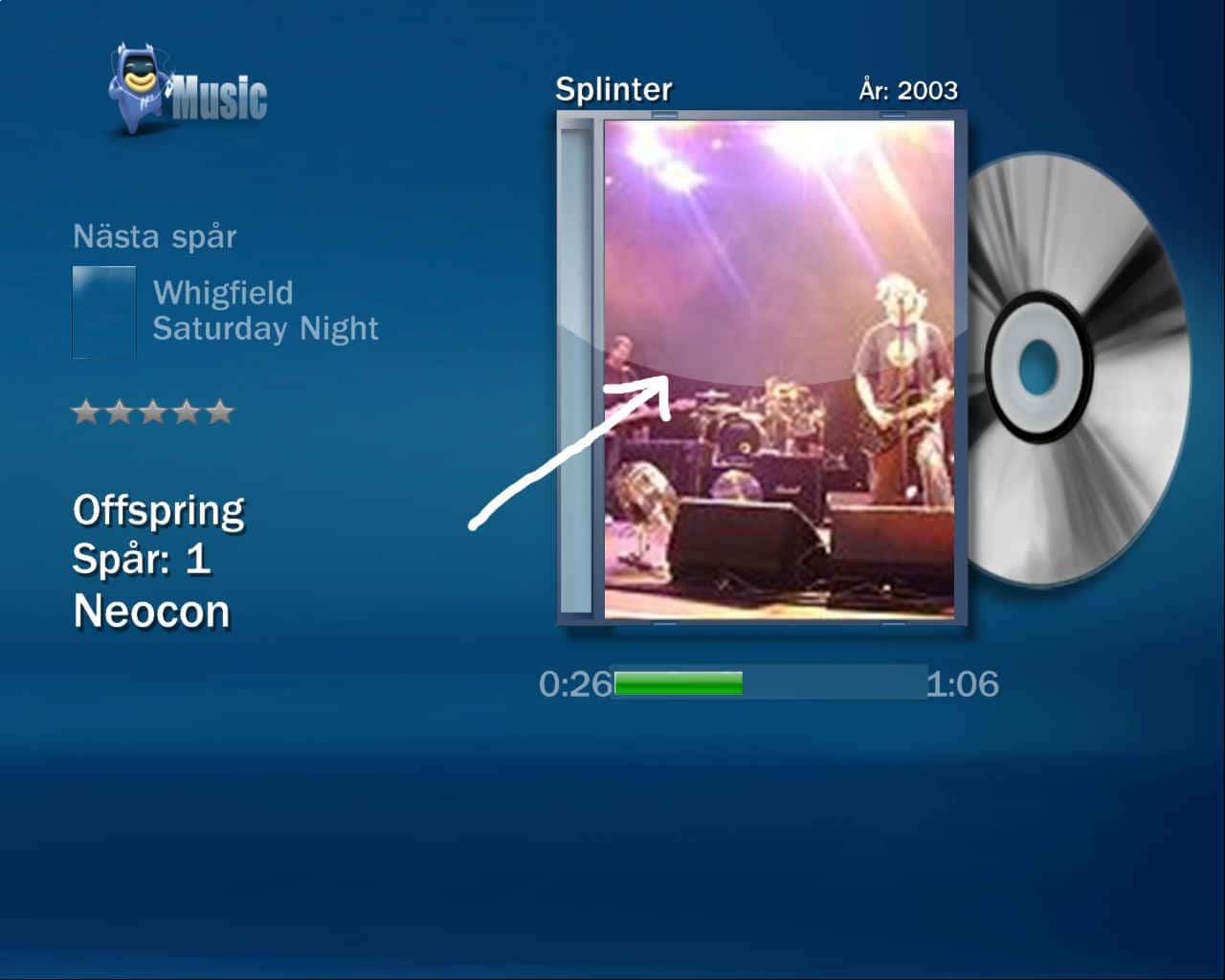
Not sure what reflections you mean. Do you mean this?
 

Attachments

  • new-1.jpg
    new-1.jpg
    60.9 KB

Bleazle

Portal Pro
July 14, 2007
1,122
257
Pukekohe
Home Country
New Zealand New Zealand
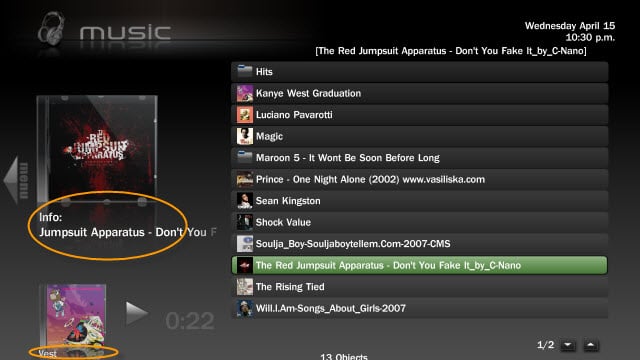
No, that's "shine" on a cover - I mean the reflection as highlighted in the screenshot below...
 

Attachments

  • 15-04-2009 10-30-29 p.m..jpg
    15-04-2009 10-30-29 p.m..jpg
    46.6 KB

Swede

Portal Pro
September 6, 2006
493
47
West Coast Archipelago
Home Country
Sweden Sweden
Yeah, you're right. I haven't noticed that. I wonder where in the code they are made. What is the name of the reflections? Maybe they can be added, just as the volume textures were. RTV! a new job for you :)
 

Bleazle

Portal Pro
July 14, 2007
1,122
257
Pukekohe
Home Country
New Zealand New Zealand
I don't know how this stuff works exactly but this is the code that causes an image to be reflected:

<texture flipY="true" diffuse="Thumb_Mask.png">XXXXXX.png</texture>

but XXXX.png can also be #Play.Current.Thumb etc which are dynamic. Since "killing" the cache stops the reflection from working there's obviously something included which as you say could be packed like the volume textures in order to enable the reflection. I hope someone can work this out because BleazleWide without reflections looks naked :rolleyes:

Bleazle

EDIT: I assume that packing the Thumb_Mask.png file into your fix might be the answer I'm looking for? I've got no idea how to do that and what the tie in is with the BXML file so are you able to do this so I can give it a go?
 

Users who are viewing this thread

Top Bottom