Extensions: A GUI Plugin for MediaPortal's MPEI Installer (4 Viewers)

ltfearme

Community Plugin Dev
  • Premium Supporter
  • June 10, 2007
    6,760
    7,224
    Sydney
    Home Country
    Australia Australia
    Re: AW: Extensions Plugin for MpeInstaller (Updated on 25-04-2011)

    Hi Damien, big :D for the newe version - working now like a charm.
    Here the updated German language file for distribution in next version ;)

    Hi catavolt, I did a minor update to your translation file and removed the trailing semi-colons. I think its best only having the raw translations, you can simply add that after your skin property if you wish to have it.
     

    DieBagger

    Retired Team Member
  • Premium Supporter
  • September 11, 2007
    2,516
    1,276
    41
    Austria
    Home Country
    Austria Austria
    Hi,

    thx for fixing the missing-icon bug...

    A few more things I noticed/thought about:
    • The "mp website extensions" view should only show items that are compatible/actual mpei files (e.g. ampdroid is also shown)
    • It also doesn't show when I have already installed an extension (shows "install" even though it is already installed)
    • It would be cool if the plugin would also notify about new MediaPortal versions (e.g. MediaPortal 1.2 is available now)
    • Rating a plugin through the extensions plugin would be a nice feature
    • There is no way to get to the "screenshots" section from the details view (only context menu)
     

    ltfearme

    Community Plugin Dev
  • Premium Supporter
  • June 10, 2007
    6,760
    7,224
    Sydney
    Home Country
    Australia Australia
    [*]The "mp website extensions" view should only show items that are compatible/actual mpei files (e.g. ampdroid is also shown)
    Extensions support installation of exe's as well (e.g. StreamedMP), if your exe supports '/s' then it can even be installed silently when prompted...anything else that is attempted to be installed will show an incompatible extension dialog...I dont think anything should be hidden as this view can be used simply to browse extensions as well (Install is a bonus).

    [*]It also doesn't show when I have already installed an extension (shows "install" even though it is already installed)
    Yeah, I will see if I can do anything about that or atleast improve where possible. Probably the simplest thing to do would be query the mpei installedextensions api and see if the title already exists...guid I believe wont be available. This also wont work for exe based installations.

    The other views should respect this setting though as its more integrated.

    [*]It would be cool if the plugin would also notify about new MediaPortal versions (e.g. MediaPortal 1.2 is available now)
    Would be nice I guess ;)

    [*]Rating a plugin through the extensions plugin would be a nice feature
    Maybe there is a API to the website repository...will have to ask high...but yes I agree that would be nice as well. If possible I will add it.

    [*]There is no way to get to the "screenshots" section from the details view (only context menu)
    Will take a look and add a button to Info window.

    Please use the Issue tracker so not to loose track of your suggestions.
     

    ltfearme

    Community Plugin Dev
  • Premium Supporter
  • June 10, 2007
    6,760
    7,224
    Sydney
    Home Country
    Australia Australia
    New release v1.0.3.141 available:

    Change Log
    * Fully translatable settings window for plugin developers that include extensions settings xml with their package. Plugins with translation classes should ensure that they initialize properties on Init(). You can still use hard-coded strings and wont break existing setting files.
    * Added new setting attributes for description and settings file (not all plugins have settings stored in mediaportal.xml.
    * Added screenshots button to Info window, will also show slideshow of images from website if in website view. Skin property added to control visibility of button, see default skins for example.
    * Fixed disable/enable button being visisble in info window for unsupported extensions.
    * Fixed website image tags dimcolor in default skins.
    * Fixed focus of disable/enable buttons when option is toggled.
    * Fixed current selection not being highlighted in setting menus.
    * Fixed first item in settings window not being selected on page load.
    * Updated currentmodule properties in Info and Settings window to be more descriptive of their content.
    * Added event for plugin developers that can listen to a change in settings for their plugin. The installation GUID will be parsed as an event parameter so this can be used to distinguish between settings changed in other plugins.
    * Updated German translations, thanks catavolt.
    * Updated Dutch translations, thanks Lbr_Lion.
     

    msj33

    MP Donator
  • Premium Supporter
  • November 30, 2005
    471
    76
    Home Country
    England England
    FIXED...........Options in MPeinstaller was not set correctly!

    Having some issues here.........

    I do not get the Update button, even if there is updates available for several plugins.

    Clicking the changelog, doesn't even show latest version!?!

    I have to manually browse to repository in GUI and install from there!?!

    I'm running 1.2 Final and latest Extensions plugin
    (1.0.3.141)

    Log does not show anything

    /Morten
     

    catavolt

    Design Group Manager
  • Team MediaPortal
  • August 13, 2007
    14,896
    11,786
    Königstein (Taunus)
    Home Country
    Germany Germany
    AW: Extensions Plugin for MpeInstaller (Updated on 25-04-2011)

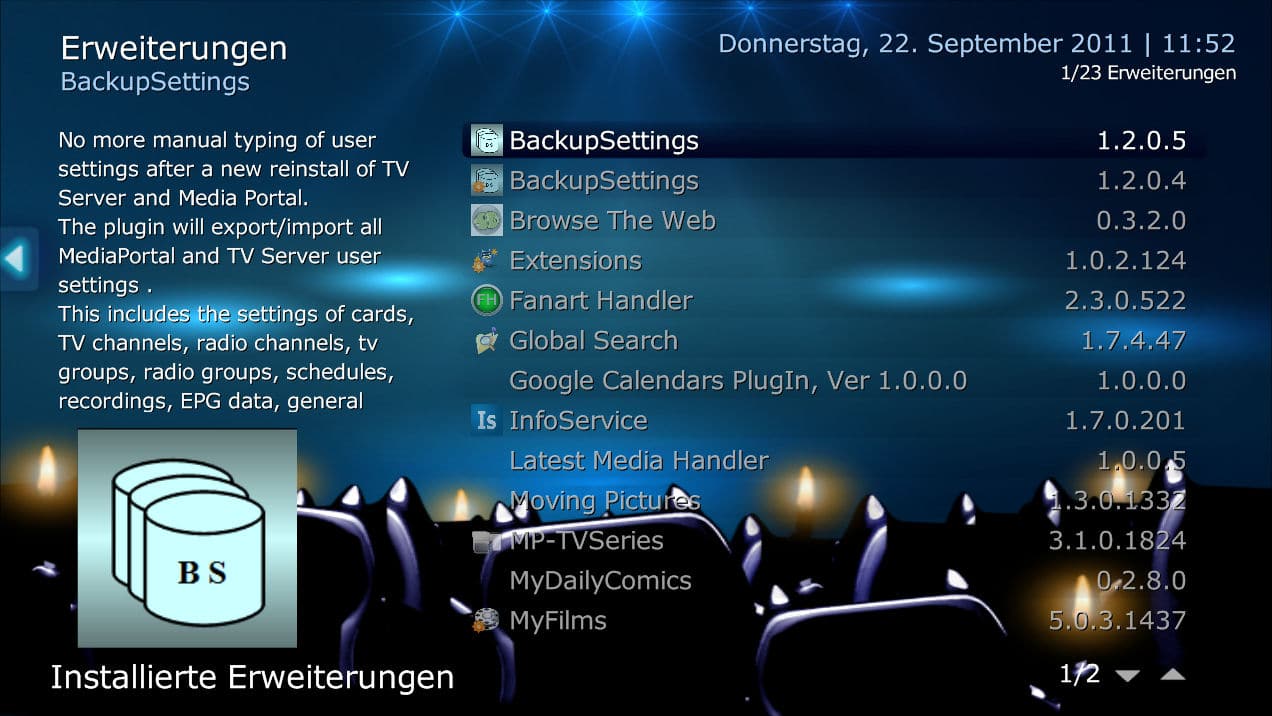
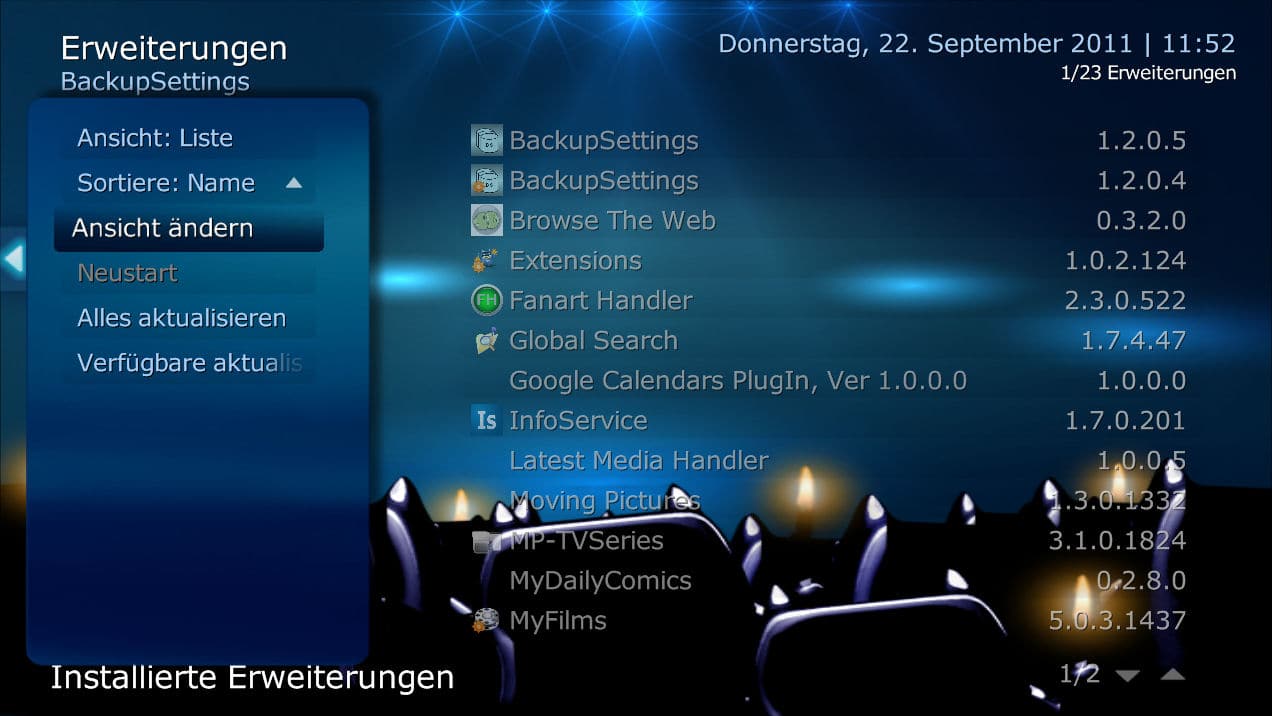
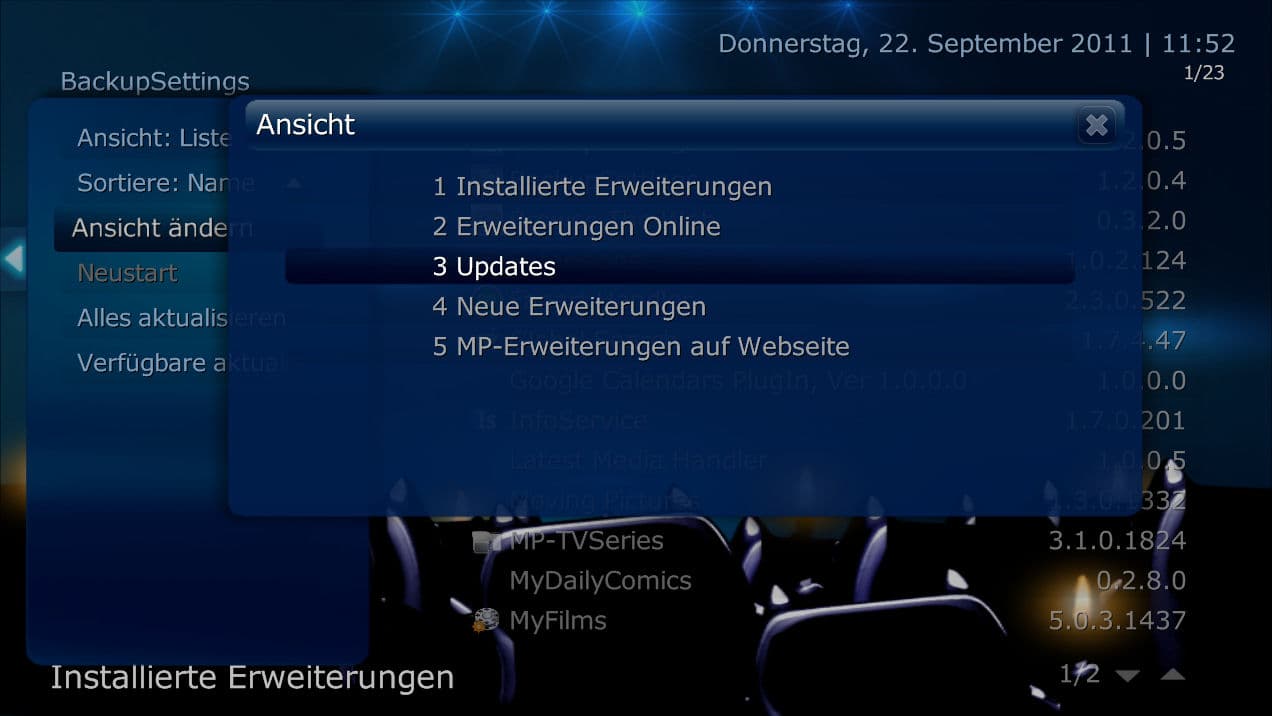
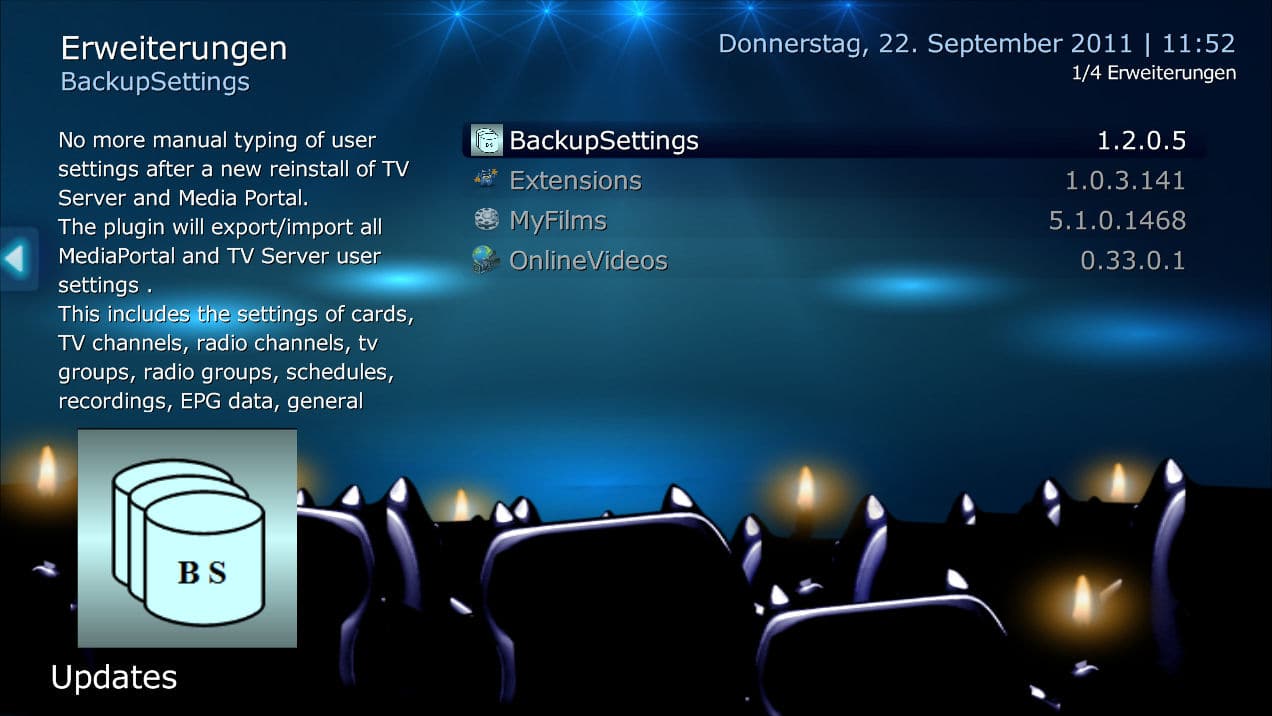
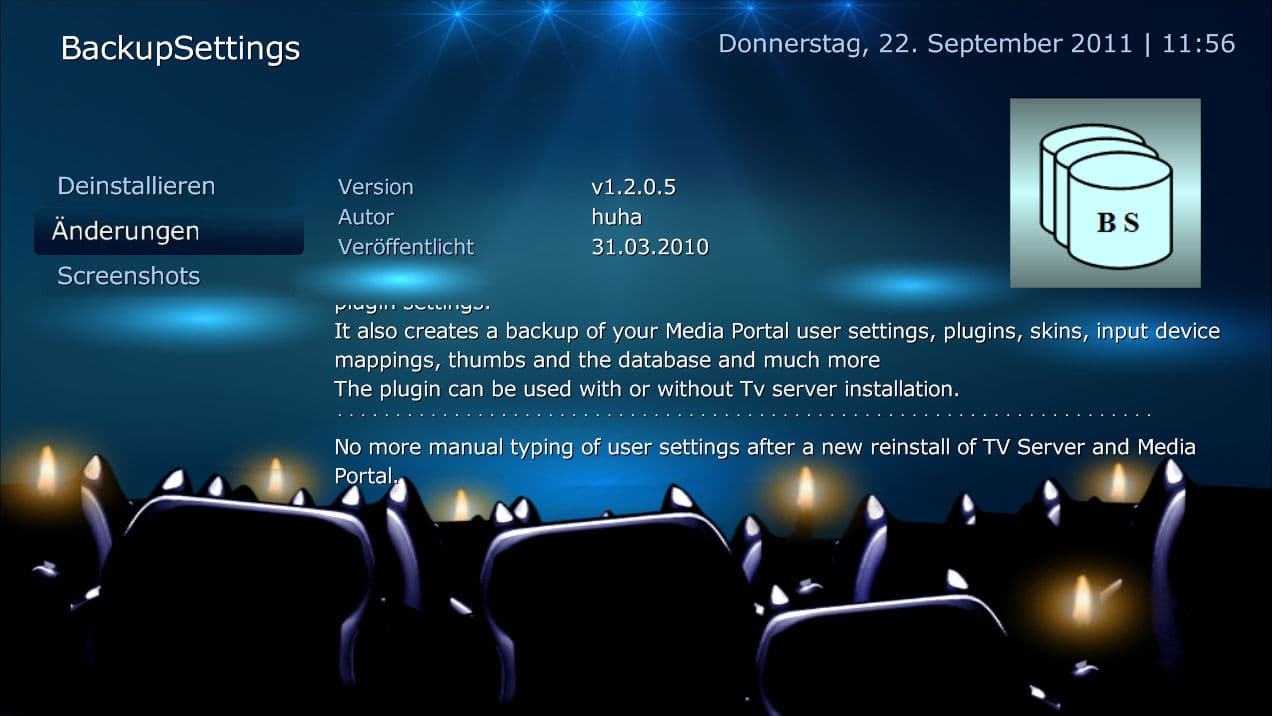
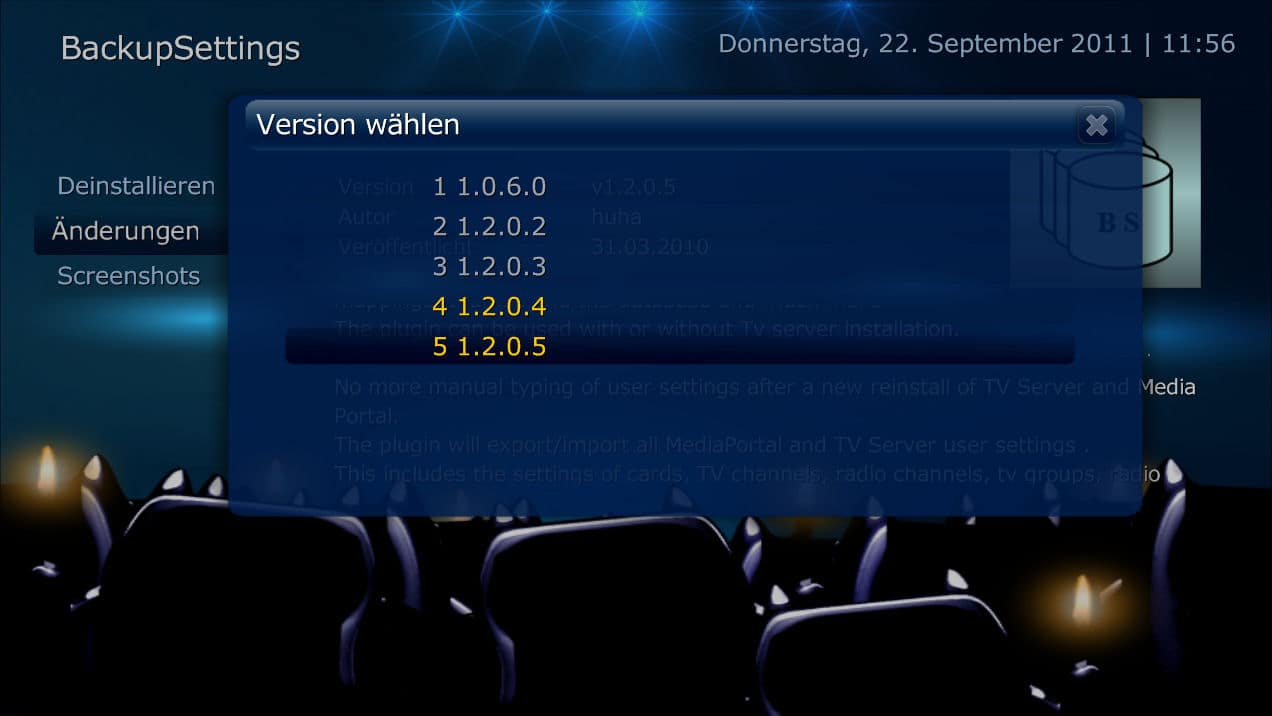
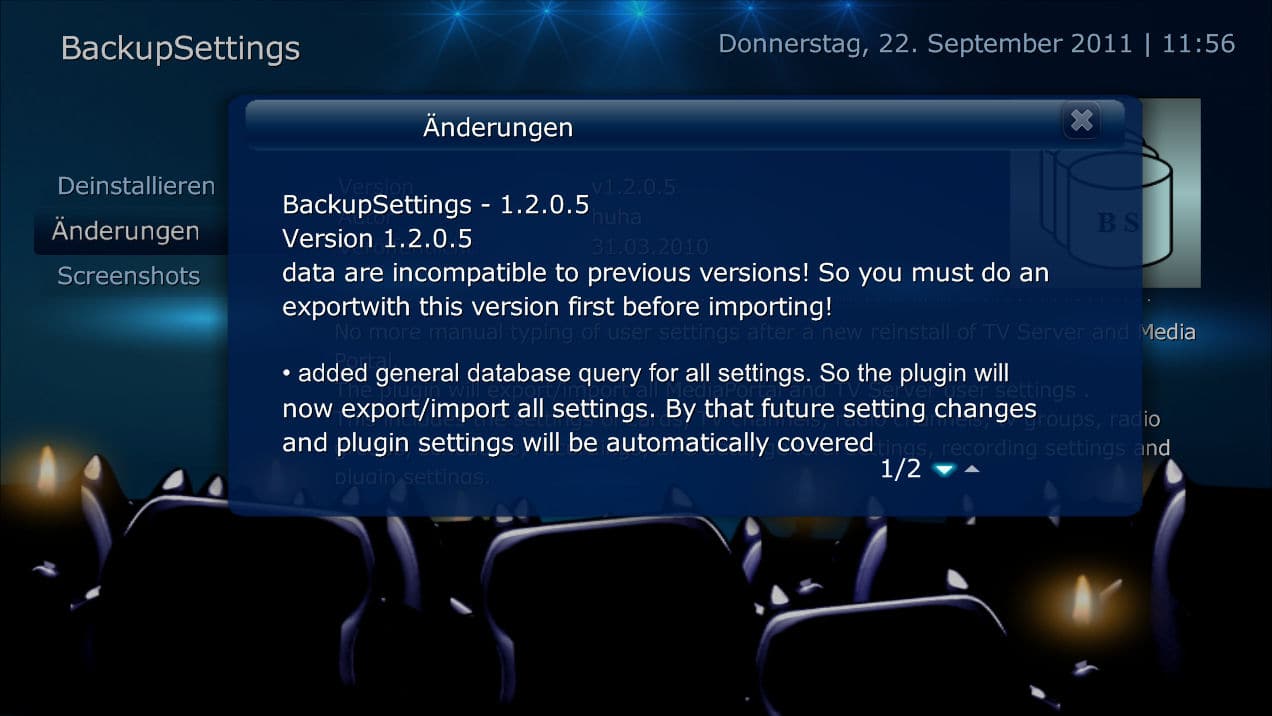
    Strange - please have a look on the following screenshots showing the different steps to view updates and the respective changelog:
     

    Attachments

    • 11-52-37.jpg
      11-52-37.jpg
      172.8 KB
    • 11-52-45.jpg
      11-52-45.jpg
      134.6 KB
    • 11-52-53.jpg
      11-52-53.jpg
      107.1 KB
    • 11-52-59.jpg
      11-52-59.jpg
      135.8 KB
    • 11-56-05.jpg
      11-56-05.jpg
      132.4 KB
    • 11-56-12.jpg
      11-56-12.jpg
      91.2 KB
    • 11-56-19.jpg
      11-56-19.jpg
      133.1 KB

    ltfearme

    Community Plugin Dev
  • Premium Supporter
  • June 10, 2007
    6,760
    7,224
    Sydney
    Home Country
    Australia Australia
    FIXED...........Options in MPeinstaller was not set correctly!
    Yep, it uses the settings defined in MPEInstaller which can be found as a desktop shortcut.
     

    msj33

    MP Donator
  • Premium Supporter
  • November 30, 2005
    471
    76
    Home Country
    England England
    FIXED...........Options in MPeinstaller was not set correctly!
    Yep, it uses the settings defined in MPEInstaller which can be found as a desktop shortcut.

    It did not have pending updates due to several reasons:
    -Update info only once a week(7 days)
    -Update installed extension was NOT checked
    -Show only stable releases was checked.

    Possible bug:
    If you have enabled the "show last active module on resume" in startup/resume settings, then updating a plugin ends up with a skin error.

    When Mediaportal restarts after installation, it returns to Extensions plugin again, but ends up on a faulty page with #symbols/text.
    I use the "show last module" for TV module, so that I can put Mediaportal to sleep directly from TV, and resume directly to TV again.

    /Morten
     

    Users who are viewing this thread

    Top Bottom