Finally working IP-TV solution for TV Server! (7 Viewers)

Status
Not open for further replies.

mikeyko

Retired Team Member
  • Premium Supporter
  • February 14, 2008
    194
    49
    Home Country
    Slovakia Slovakia
    Something off-topic: Can you or other people make VLC player working with two network interfaces? I cannot play IPTV or receive SAP announcements because I cannot select network interface to work with. Can someone help me? I think it must be somewhere :D

    The way I do this is to set static ip on both the LAN network card and the "IPTV" network card. Then I have no gateway on the IPTV card. And finaly you have to set a higer metric value on the LAN card then on the IPTV card. (see image) :)
    389484.jpeg

    I have no gateway on iptv card so I will try to set metric and will report results. :D
     

    mikeyko

    Retired Team Member
  • Premium Supporter
  • February 14, 2008
    194
    49
    Home Country
    Slovakia Slovakia
    Sorry for so many posts, but: have anyone EPG with iptv channels working? Or it is not working only for me?
     

    ashopedies

    MP Donator
  • Premium Supporter
  • October 28, 2006
    656
    9
    Home Country
    Germany Germany
    i'm suprised at this, found in the log file: FTA:False <-- this could be the problem?
    in the *.m3u file are only FTA channels. they all working with vlc pretty good.
    please take a look in my log in the attachment.

    your iptv setup is not working properly - channel scanner returns 0 channels. Try to disable firewall, or run vlc, start streaming and try to scan channels while vlc is running

    thanks for answering.
    firewall is disabled. no channels found with running vlc. :(

    edit:
    an other string-format solves my problem. in the elecard plugin user guide i found that:

    2.2.1 For multicast:
    elecard://mcast_group:port[[:s=server_address][:i=interface]
    [:t=payload_type]]/type
    where:
    mcast_group – multicast IP address (e.g. 234.5.5.5).
    port –unsigned integer value from 1 to 65535.
    server_address – data source server IP or DNS name.
    interface – local interface IP.
    payload_type – stream payload type (m2p, m2t, m1s).
    type – type of stream transport (udp or rtp).
    For example:
    elecard://234.5.5.5:10201:s=192.168.57.14:i=192.168.57.23:t=m2p/udp
    or
    elecard://234.5.5.5:10201/udp

    i tried this format: elecard://234.5.5.5:10201/udp and all channels were found now.
    the first post in the thread shows the unicast string. i need the multicast string.

    unicast:
    2.2.2 For unicast:
    elecard://server_address:port[[:i=interface][:t=payload_type]]/type
    where:
    server_address – data source server IP or DNS name
    Elecard MPEG-2 Decoding and Streaming PlugIn for WMP v.3.7 User Guide
    6
    port – unsigned integer value from 1 to 65535
    interface – local interface IP
    payload_type – stream payload type (m2p, m2t, m1s)
    type – type of stream transport (udp or rtp)
    For example:
    elecard://192.168.57.14:10201:i=192.168.57.23:t=m2p/udp
    or
    elecard://192.168.57.14:10201/udp
     

    Smolder

    Portal Member
    April 7, 2009
    21
    0
    Copenhagen
    Home Country
    Denmark Denmark
    Will try it now

    mikeyko

    im sorry i dont understand why i missed your post...perhaps too much coffe at work today :sorry:


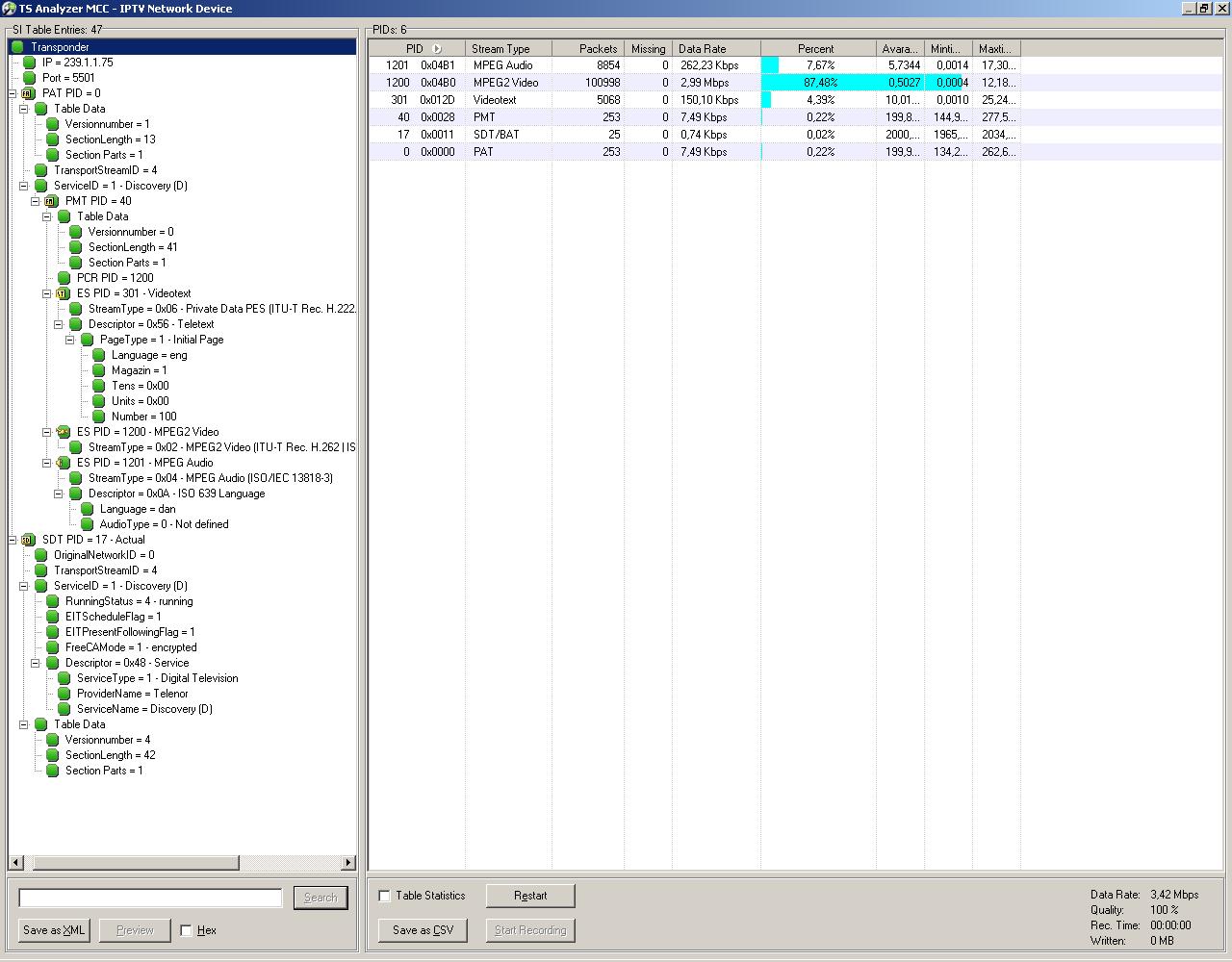
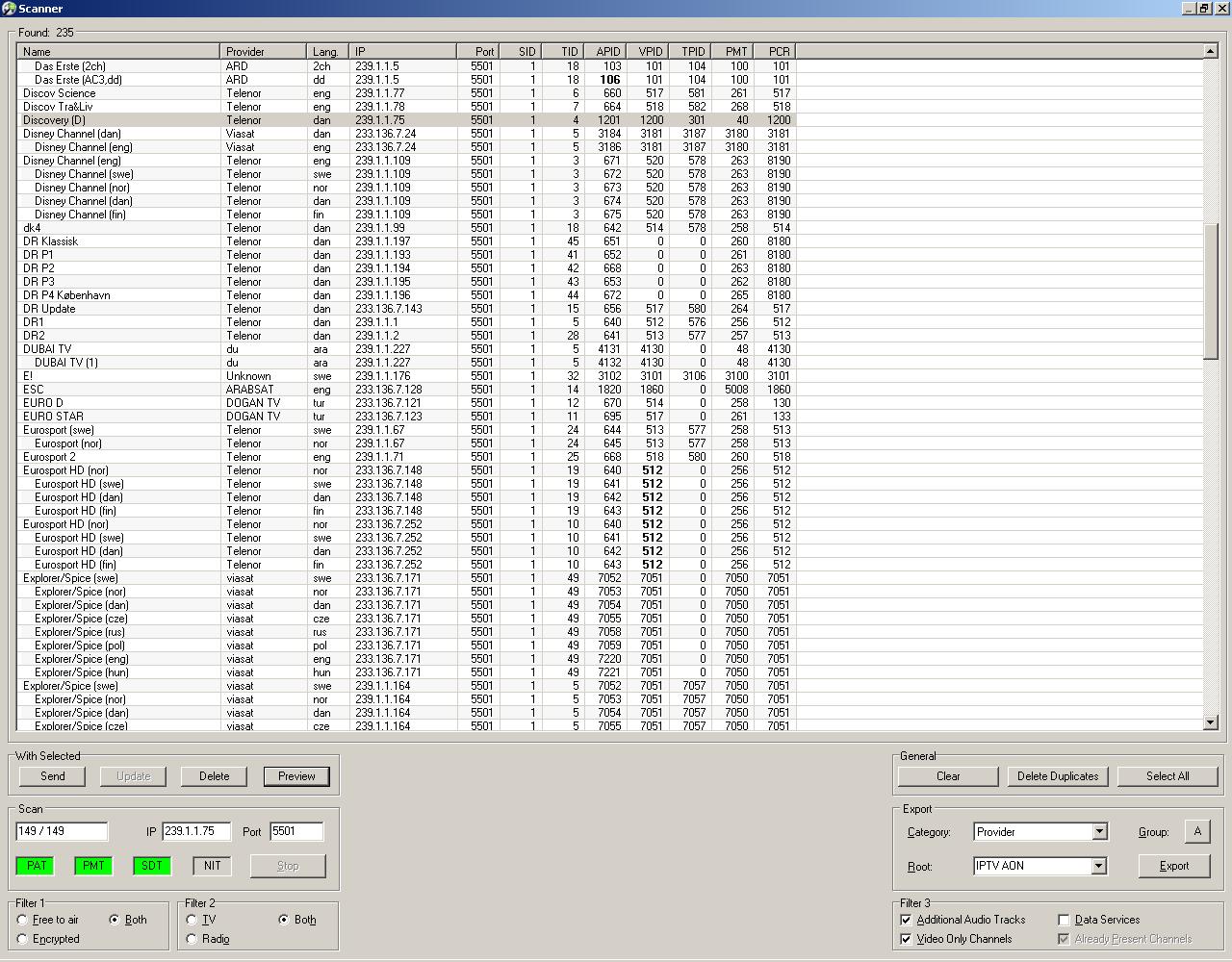
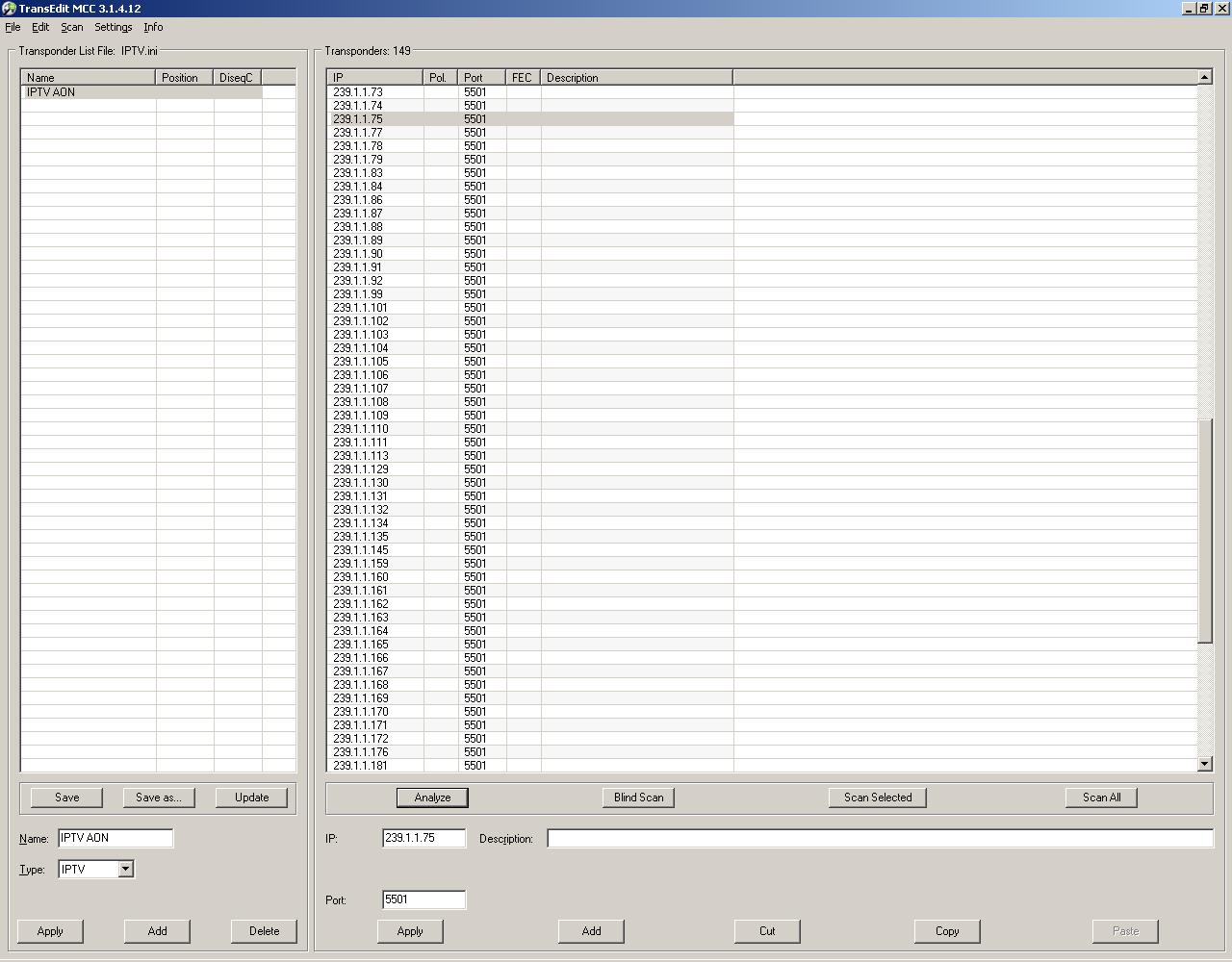
    Now about Your VLC problem have you tried the program IPTVTransEdit for testing channels it can handle 2 ore more networks and scan IP ranges and ports for channels. ill add some screenshots
     

    Attachments

    • 1.JPG
      1.JPG
      156.8 KB
    • 2.JPG
      2.JPG
      281.1 KB
    • 3.JPG
      3.JPG
      184.4 KB

    lisnam

    Portal Member
    January 14, 2008
    23
    0
    Moscow
    Home Country
    Russian Federation Russian Federation
    Hello Mikeyko!
    Again freezing video. Please look at my log files. Something wrong with TsReader. VLC, Progdvb and WMP is working perfect. DVBSBridge is also working perfect with Mediaportal.
     

    versus

    Portal Member
    March 27, 2009
    8
    0
    Decided to have a go. No problem to get it working. However, video in server preview is a lot smoother than video in MP. Watching at the graph the only difference (beside audio) is a video renderer (input, demux and video decoders are the same). WMR9 in MP and plain video renderer in preview. How can I achive the smoothness of the preview in MP? I have a server and client on the same PC. Is there a diffrence between server+client setup and 1 seat installation?
     

    Deda

    Lead Dev MP1 Videos
  • Premium Supporter
  • March 18, 2009
    2,423
    2,385
    Zagreb
    Home Country
    Croatia Croatia
    Hello Mikeyko!
    Again freezing video. Please look at my log files. Something wrong with TsReader. VLC, Progdvb and WMP is working perfect.

    Hi lisnam, I had a similar problem after release of 1.0.1 and after browsing MP forum I found solution in this link concerning TS reader and H264 decoding https://forum.team-mediaportal.com/development-91/solution-bug-0002069-a-57497/

    You can try this, but also there was some problem with changing channel after which I got only blank screen, so I change some code in new source for IPTVSolution for 1.0.1.(TvCardDVBIP.cs,TvCardDVBIPBuiltIn.cs,TvCardDVBIPElecard.cs files) and after that everything works perfect like it should.

    Also I use MPC audio and PowerDVD9 H264 codec not CoreAVC because I found it perfect for IPTV.
     
    Status
    Not open for further replies.

    Users who are viewing this thread

    Top Bottom